Accurian Hdtv receiver User manual


IMPORTANT SAFETY INSTRUCTIONS
1) Read these instructions.
2) Keep these instructions.
3) Heed all warnings.
4) Follow all instructions.
5) Do not use this apparatus near water.
6) Clean only with a dry cloth.
7) Do not block any of the ventilation openings. Install in accordance with the manufacturerʼs instructions.
8) Do not install near any heat sources such as radiators, heat registers, stoves, or other apparatus (including amplifiers) that produce heat.
9) Do not defeat the safety purpose of the polarized or grounding type plug. A polarized plug has two blades with one wider than the other.
A grounding type plug has two blades and a third grounding prong. The wide blade or the third prong is provided for your safety.
When the provided plug does not fit into your outlet, consult an electrician for replacement of the obsolete outlet.
10) Protect the power cord from being walked on or pinched particularly at plugs, convenience receptacles, and the point where they exit from the apparatus.
11) Only use the attachments/accessories specified by the manufacturer.
12) Use only with a cart, stand, tripod, bracket, or table specified by the manufacturer, or sold with the apparatus.
When a cart is used, use caution when moving the cart/apparatus combination to avoid injury from tip-over.
03
Important Safety Instructions

04 Important Safety Instructions
13) Unplug this apparatus during lightning storms or when unused for long periods of time.
14) Refer all servicing to qualified service personnel. Servicing is required when the apparatus has been damaged in any way, such as power supply cord or plug is damaged,
liquid has been spilled or objects have fallen into the apparatus, the apparatus has been exposed to rain or moisture, does not operate normally, or has been dropped.
15) Lightning - For added protection for this product during a lightning storm, or when it is left unattended and unused for long periods of time, unplug it from the wall outlet and
disconnect the antenna or cable system. This will prevent damage to the product due to lightning and power-line surges.
16) Power Lines - An outside antenna system should not be located in the vicinity of overhead power lines or other electric light or power circuits,
or where it can fall into such power lines or circuits. When installing an outside antenna system, extreme care should be taken to keep from touching such power lines
or circuits as contact with them might be fatal.
17) Overloading - Do not overload wall outlets, extension cords, or integral convenience receptacles as this can result in a risk of fire or electrical shock.
18) Object and Liquid Entry - Never push objects of any kind into this product through openings as they may touch dangerous voltage points or short-out parts that could result in a fire
or electric shock. Never spill liquid of any kind on the product.
19) Servicing - Do not attempt to service this product yourself as opening or removing covers may expose you to dangerous voltage or other hazards.
Refer all servicing to qualified service personnel.
GROUND CLAMP
EXAMPLE OF
ANTENNA GROUNDING
ANTENNA
DISCHARGE UNIT
(NEC SECTION 810-20)
POWER SERVICE GROUNDING
ELECTRODE SYSTEM
(NEC ART 350, PART H)
GROUND CLAMPS
ELECTRIC SERVICE
EQUIPMENT GROUNDING
CONDUCTORS
(NEC SECTION 810-21)
ANTENNA
LEAD IN WIRE

20) Damage Requiring Service - Unplug this product from the wall outlet and refer servicing to qualified service personnel under the following
conditions:
a) When the power-supply cord or plug is damaged,
�����b) If liquid has been spilled, or objects have fallen into the product,
�����c) If the product has been exposed to rain or water,
�����d) If the product does not operate normally by following the operating instructions. Adjust only those controls that are covered by the operating instructions
as an improper adjustment of other controls may result in damage and will often require extensive work by a qualified technician to restore the product to
its normal operation,
�����e) If the product has been dropped or damaged in any way, and
�����f) When the product exhibits a distinct change in performance - this indicates a need for service.
21) Replacement Parts - When replacement parts are required, be sure the service technician has used replacement parts specified by the manufacturer or have the same
characteristics as the original part. Unauthorized substitutions may result in fire, electric shock, or other hazards.
22) Safety Check - Upon completion of any service or repairs to this product, ask the service technician to perform safety checks to determine that the product is
in proper operating condition.
23) Wall or Ceiling Mounting - The product should be mounted to a wall or ceiling only as recommended by the manufacturer.
24) Heat - The product should be situated away from heat sources such as radiators, heat registers, stoves, or other products (including amplifiers) that produce heat.
Note to CATV system installer:
This reminder is provided to call the CATV system installerʼs attention to Section 820-40 of the NEC which
provides guidelines for proper grounding and, in particular, specifies that the cable ground shall be connected to
the ground system of the building, as close to the point of cable entry as practical.
05
Important Safety Instructions


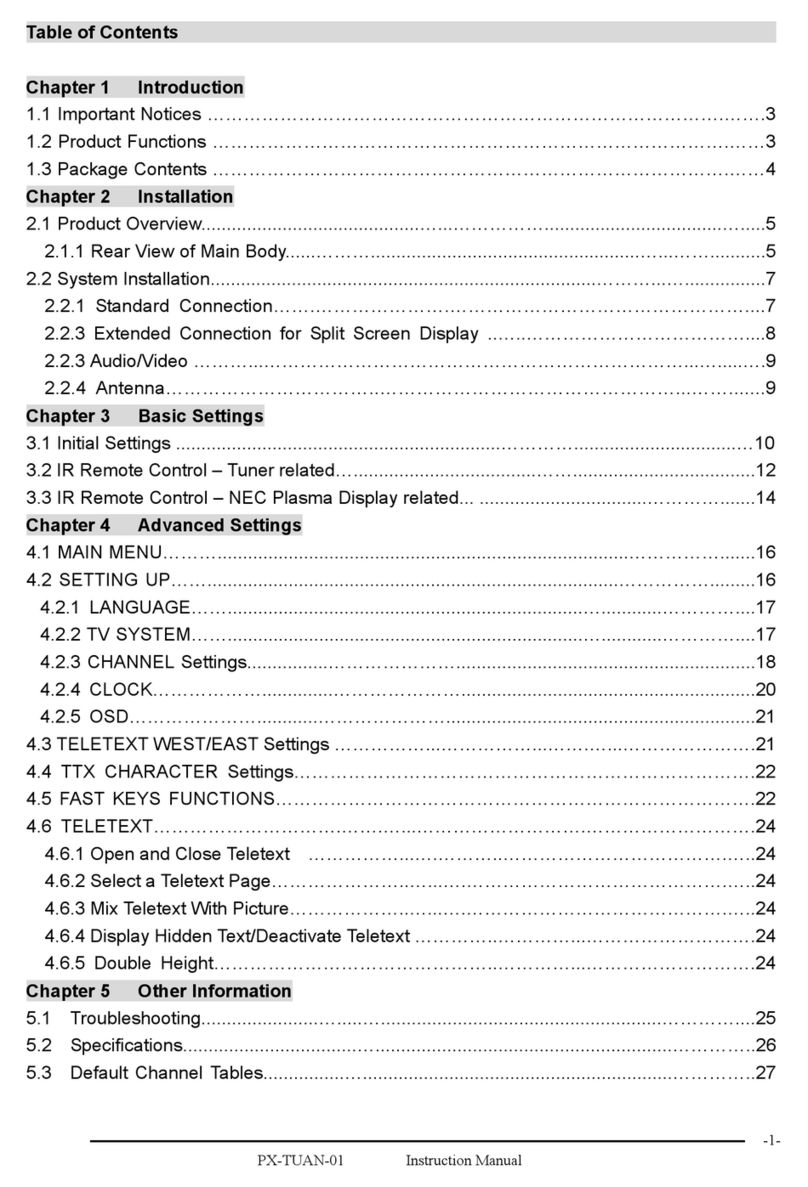
11
17
24
54
Before Operating
■
Digital HDTV Receiver Features
■
Remote Control Battery Installation
■
Front Panel
■
Rear Panel
■
Remote Control
Setup
■
Connecting
The Set-Top Box
To A Terrestrial Antenna
■
Connecting The Set-Top Box To A Digital HDTV Monitor (YPbPr inputs)
■
Connecting The Set-Top Box To A HDMI Equipment
■�
Connecting The Set-Top Box To A DVI Equipment
■
Connecting The Set-Top Box To An Analog TV Set
■
Connecting The Set-Top Box To Audio Equipment
Operating
■
Explanation Of Available Display Modes
■
Choosing A Digital Sound Format (Dolby Digital Or PCM)
■
Multiple Audio Language Tracks
■
Setting The Time Zone
■
Setting The Time And Date
■
Using Auto Power-On
■
Using Auto Power-Off
■
Using The Sleep Timer
■
Setting Daylight Savings
■
Viewing Current Channel Information
■
Using The EPG (Electronic Program Guide)
■
Changing The MENU Language
■
Adjusting The MENUʼs Opacity
■
Setting Up The DTV CC Display
■
V-chip Lock
■
Additional Remote Control Functions
Troubleshooting and Warranty
■
Troubleshooting Guide
■
Specifications
■
Warranty
08
A Quick Start
■
Display Menu (OSD)
■
Set Up Antenna Input
■
Channel Scanning
■
Editing Memorized Channels
■
Verify The Signal Strength Of Digital Channels
■
Selecting Your Screen Format
■
Display Modes
03
Important Safety Information
P
lease read ownerʼs manual carefully before operating your
Accurian HDTV receiver.

08 A Quick Start
How To Receive The Best Terrestrial Digital TV Signal - A Quick Start
Congratulations! You have just purchased HDTV receiver representing the latest in DTV (Digital Television) technology for receiving Terrestrial/
Over-The-Air DTV signals. Over-the-air DTV signals include both High Definition (HDTV) and Standard Definition (SDTV) broadcasts. DTV
broadcasts also allow you to receive Dolby Digital surround sound and multicasting of minor (sub) channels all for absolutely free!
Unlike cable or satellite, there are no subscription fees charged to receive local HDTV programming.
Terrestrial DTV channels are proliferating rapidly. For example, the number of terrestrial DTV broadcast stations tripled in the Year 2002, from
225 to 779. As of May 2004, there are now 1216 stations broadcasting DTV. DTV signals are now being broadcasted in markets that include
99.69 percent of the 106 million U.S. TV households. 85.75 percent of U.S. TV households are in markets with 5 or more broadcasters airing
DTV and 65.73 percent are in markets with 8 or more transmitting DTV signal. All broadcasters have been currently mandated, by the FCC,
to transmit DTV (ATSC) signal as opposed to the previously common analog (NTSC) signal by the end of 2006, or when 85 percent of U.S. TV
households have DTV signal penetration.
How can you find out which stations in your area are broadcasting in DTV and what kind of antenna system you will need?
Please follow these next simple steps:
Step 1: Find What DTV Channels are Available in Your Area.
We suggest the following two websites:
http://www.titantv.com
http://www.antennaweb.org
The first site gives you local DTV channels, programming and station information. The second website gives you station information, antenna
selection suggestions and detailed antenna pointing information for both your DTV and analog TV signals.
Both websites are very easy to use. You can just input your zip code and obtain most of the information you need. However, itʼs advisable
to input your detailed address, especially on www.antennaweb.org because the site uses sophisticated software that takes into account
topographical data supplied by the US Geographical Survey for each specified address.

09
A Quick Start
Step 2: Selecting Your Antenna.
After noting all available DTV channels in your area from the websites above, a suitable antenna must be selected.
a. Can I use my existing analog TV Antenna?
If you receive good noise free, ghost free signals on your analog channels, especially UHF channels (most DTV signals are transmitted on UHF), you MAY be
able to use your existing antenna system. In this case, to feed the TV signals to both the set-top box and your existing TV/VCR system, you will need to use
a signal splitter (see Page 18). Passive signal splitters cause loss which can degrade the signal. If needed, contact your local RadioShack store for an Amplified
2-way splitter that will not degrade the signal.
b. Can I use an indoor set-top antenna?
In strong signal areas, without reflection problems, this may be satisfactory, but is not recommended. Your local RadioShack store sells antennas for cases where
an indoor antenna is suitable.
c. Do I need an antenna upgrade?
If (a) and (b) are not satisfactory, then you need an antenna upgrade. Consult with your local RadioShack store.
d. Choosing a new Antenna System:
If all available DTV transmissions are from approximately the same direction, the installation should be simple and inexpensive. The websites can help with
choice of antenna and pointing details. Ideally, antennas should be mounted high (e.g. on a chimney) and clear of obstructions. An attic installation may be
satisfactory. If available DTV transmissions are from different directions, then either a motorized antenna (with a rotator) or an “area special” antenna system is
required. You can purchase antenna rotators from your local RadioShack store or a professional antenna installer. Area special antennas are best handled by
professional antenna installers..
Step 3: Scan and Store DTV Channels into Your HDTV Receiver.
Once you have installed your antenna and rotator (if needed), you should use the information you collected from the above websites and point your antenna
towards the direction where there are the largest number of DTV stations. If there are no previous channels stored in your HDTV receiver, the factory default
settings will have the unit automatically scan for channels when turned on. Otherwise, use the AUTO SCAN MENU, followed by the RESCAN function
(see page 27 of this manual) of the HDTV receiver to find and store all these stations into the receiver. Then, if necessary, rotate your antenna towards the
direction where there are the second largest numbers of DTV stations and select the UPDATE function in the AUTO SCAN menu to add new channels only and
store the previously scanned channels.
Do not use the RESCAN function, because it will erase the previously stored channels. Continue the process until you store all channels you are capable
of receiving.
After these simple steps, you are now ready to enjoy crisp, clear, and FREE terrestrial/over-the-air DTV programming!

This manual suits for next models
1
Table of contents
Other Accurian TV Receiver manuals