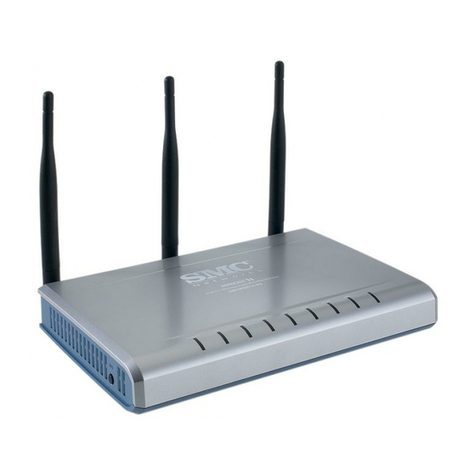
Zte MF30 User manual

1
ZTE MF30
Global Mobile Hotspot
User Manual

2
WELCOME
Thank you for choosing the ZTE MF30 Global Mobile Hotspot (hereinafter
referred to as “Wireless Router"). To get the most from your router and to
keep it in the best condition please read this manual carefully.
The pictures, symbols and contents in this manual are for reference only. They
might not be completely identical with your router. ZTE operates a policy of
continuous development. We reserve the right to update the technical
specifications in this document at any time without prior notice.

3
Glossary
AC: Alternating Current
APN: Access Point Name
DC: Direct Current
DHCP: Dynamic Host Control Protocol
DNS: Domain Name System (or Service or Server)
EDGE: Enhanced Data GSM Evolution
Ethernet: A frame-based computer networking technology for local area
networks (LANs)
GSM: Global System for Mobile Communications
GPRS: General Packet Radio Service
HSDPA: High Speed Downlink Packet Access
HSUPA: High Speed Uplink Packet Access
IP: Internet Protocol
LAN: Local Area Network
LED: Light - emitting Diode
MHz: Megahertz
MTU: Maximum Transmission Unit
PDP: Packet Data Protocol
PIN: Personal Identification Number
PPP: Point to Point Protocol
PSTN: Public Switched Telephony Network
PUK: PIN Unlocking Key
RSSI: Radio Signal Strength Indicator

4
RF: Radio Frequency
(U)SIM: Subscriber Identification Module
WCDMA: Wideband CDMA (Code-Division Multiple Access)
WEP: Wired Equivalent Privacy
WLAN: Wireless LAN
WPA-PSK: Wi-Fi Protected Access–PreShared Key
CM Software: Connection management software
UI: User interface

5
Content
1 General Information.................................................................................... 7
1.1 Safety Precautions ....................................................................7
1.2 Declaration................................................................................8
1.3 Cleaning and Maintaining..........................................................8
1.4 Limited Warranty .......................................................................9
1.5 Limitation of Liability................................................................10
2 Getting started ........................................................................................... 11
2.1 Parts Supplied......................................................................... 11
2.2 Router Appearance ................................................................. 11
2.3 Work mode..............................................................................12
2.4 Installation...............................................................................13
2.5 About the (U)SIM Card ............................................................15
3 Modem mode.............................................................................................. 16
3.1 Software Installation................................................................16
3.2 Run theApplication Software...................................................18
3.3 Software Uninstall....................................................................18
3.4 Functions & Operation.............................................................20
3.4.1 Interface introduction................................................................. 20
3.4.2 Internet....................................................................................... 22
3.4.3 SMS........................................................................................... 23
3.4.4 Phonebook ................................................................................. 26

6
3.4.5 Settings ...................................................................................... 28
3.4.6 Data Records.............................................................................. 38
3.4.7 microSD card............................................................................. 39
4 AP mode ..................................................................................................... 40
4.1 Preparation..............................................................................40
4.2 Settings...................................................................................41
4.2.1 Login.......................................................................................... 41
4.2.2 Quick Setup................................................................................ 42
4.2.3 WAN Connection....................................................................... 45
4.2.4 3G Settings................................................................................. 45
4.2.5 Router ........................................................................................ 48
4.2.6 Wi-Fi Setting.............................................................................. 49
4.2.7 Firewall...................................................................................... 54
4.2.8 Advanced................................................................................... 57
4.3 Logout.....................................................................................59
4.4 Disconnecting from the Internet...............................................60
5 Troubleshooting......................................................................................... 61
6 Technical Parameters................................................................................ 65

7
1 General Information
1.1 Safety Precautions
Some electronic devices may be susceptible to electromagnetic interference.
Locate the router away from TV set, radio and other electronic equipment to
avoid electromagnetic interference.
The router may interfere with medical devices like hearing aids and
pacemakers. Consult a physician or the manufacturer of the medical device
before using the router.
Please keep yourself at least 20 centimeters away from router.
Do not use your router in dangerous environments such as oil terminals or
chemical factories where there are explosive gases or explosive products
being processed.
Please use original accessories or accessories that are authorized by ZTE.
Unauthorized accessories may affect the router performance, damage the
router or cause danger to you.
Do not attempt to dismantle the router. There are no user serviceable parts.
Do not allow the router or accessories to come into contact with liquid or
moisture at any time. Do not immerse the router in any liquid.
Do not place objects on top of the router. This may lead to overheating of the
device.
The device must be placed in ventilation environment for use.
Do not expose the router to direct sunlight or store it in hot areas. High
temperature can shorten the life of electronic devices.
Do not allow children to play with the router or charger.

8
Keep the length of the cable between the router and the phone less than 10
meters.
The router is for indoor use only. Do not use the router outside. Do not
connect telephone extensions which run outside of the building. These can
result in lightning damage to your unit.
1.2 Declaration
We, ZTE Corporation, declared that:
This device complies with part 15 of the FCC Rules. Operation is
subject to the following two conditions: (1) This device may not cause
harmful interference, and (2) this device must accept any interference
received, including interference that may cause undesired operation.
NOTE: This equipment has been tested and found to comply with the limits
for a Class B digital device, pursuant to part 15 of the FCC Rules. These limits
are designed to provide reasonable protection against harmful interference in a
residential installation. This equipment generates, uses and can radiate radio
frequency energy and, if not installed and used in accordance with the
instructions, may cause harmful interference to radio communications.
However, there is no guarantee that interference will not occur in a particular
installation. If this equipment does cause harmful interference to radio or
television reception, which can be determined by turning the equipment off
and on, the user is encouraged to try to correct the interference by one or more
of the following measures:
—Reorient or relocate the receiving antenna.

9
—Increase the separation between the equipment and receiver.
—Connect the equipment into an outlet on a circuit different from that to
which the receiver is connected.
—Consult the dealer or an experienced radio/ TV technician for help.
Caution: Changes or modifications not expressly approved by the
manufacturer could void the user‟s authority to operate the equipment.
1.3 Cleaning and Maintaining
Use an antistatic cloth to clean the router. Do not use chemical or abrasive
cleanser as these could damage the plastic case. Turn off your router before
you clean it.
Use the router within the temperature range of -10°
C ~ +45°
C, and the storage
temperature range is -20°
C ~ +70°
C. The humidity range is 5%~95%.
Do not use your router during a thunderstorm. Remove the mains power pack
from the wall socket.
Do not take out your (U)SIM card unnecessarily. The (U)SIM card may be
easily lost or it can be damaged by static electricity.
1.4 Limited Warranty
This warranty does not apply to defects or errors in the Product caused
by:
(a) Reasonable RouterAppearance Disfiguration.
(b) End User‟s failure to follow ZTE‟s installation, operation or
maintenance instructions or procedures.
(c) End User‟s mishandling, misuse, negligence, or improper
installation, disassemble, storage, servicing or operation of the

10
Product.
(d) Modifications or repairs not made by ZTE or a ZTE-certified
individual.
(e) Power failures, surges, fire, flood, accident, actions of third parties
or other events outside ZTE‟s reasonable control.
(f) Usage of products of third Parties, or usage in conjunction with third
party products provided that such defects is due to the combined
usage.
(g) Any other cause beyond the range of normal usage for Products.
End User shall have no right to reject, return, or receive a refund for any
Product from ZTE under the above-mentioned situations.
This warranty is end user‟s sole remedy and ZTE‟s sole liability for
defective or nonconforming items, and is in lieu of all other warranties,
expressed, implied or statutory, including but not limited to the implied
warranties of merchantability and fitness for a particular purpose, unless
otherwise required under the mandatory provisions of the law.
1.5 Limitation of Liability
ZTE shall not be liable for any loss of profits or indirect, special, incidental or
consequential damages resulting from or arising out of or in connection with
using of this product, whether or not ZTE had been advised, knew or should
have known of the possibility of such damages, including, but not limited to
lost profits, interruption of business, cost of capital, cost of substitute facilities
or product, or any downtime cost.

Other manuals for MF30
1
Table of contents
Other Zte Wireless Router manuals