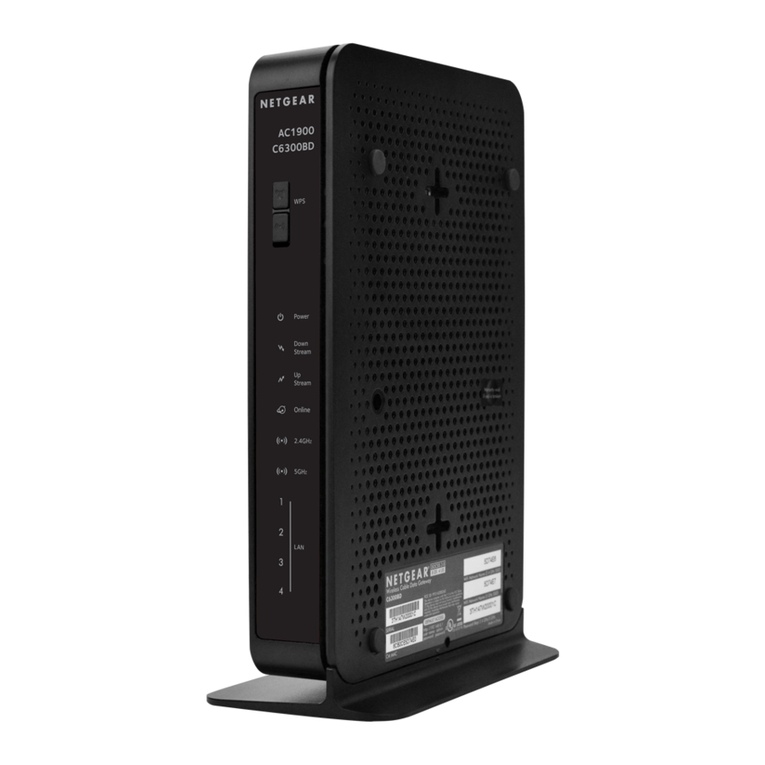
Zte ZXHN H3600 Programming manual

ZXHN H3600
Home Gateway
Maintenance Management Guide
Version:V1.0
ZTE CORPORATION
No. 55, Hi-tech Road South, ShenZhen, P.R.China
Postcode: 518057
Tel: +86-755-26771900
URL: http://support.zte.com.cn
E-mail: [email protected]

LEGAL INFORMATION
Copyright 2021 ZTE CORPORATION.
The contents of this document are protected by copyright laws and international treaties. Any reproduction
or distribution of this document or any portion of this document, in any form by any means, without the
prior written consent of ZTE CORPORATION is prohibited. Additionally, the contents of this document
are protected by contractual confidentiality obligations.
All company, brand and product names are trade or service marks, or registered trade or service marks,
of ZTE CORPORATION or of their respective owners.
This document is provided as is, and all express, implied, or statutory warranties, representations or
conditions are disclaimed, including without limitation any implied warranty of merchantability, fitness for
a particular purpose, title or non-infringement. ZTE CORPORATION and its licensors shall not be liable
for damages resulting from the use of or reliance on the information contained herein.
ZTE CORPORATION or its licensors may have current or pending intellectual property rights or applica-
tions covering the subject matter of this document. Except as expressly provided in any written license
between ZTE CORPORATION and its licensee, the user of this document shall not acquire any license
to the subject matter herein.
ZTE CORPORATION reserves the right to upgrade or make technical change to this product without
further notice.
Users may visit the ZTE technical support website http://support.zte.com.cn to inquire for related infor-
mation.
The ultimate right to interpret this product resides in ZTE CORPORATION.
Statement on the Use of Third-Party Embedded Software:
If third-party embedded software such as Oracle, Sybase/SAP, Veritas, Microsoft, Vmware, and Redhat
is delivered together with this product of ZTE, the embedded software must be used as only a component
of this product. If this product is discarded, the licenses for the embedded software must be void either
and must not be transferred. ZTE will provide technical support for the embedded software of this product.
Revision History
Revision No. Revision Date Revision Reason
R1.0 2021-06-16 First edition
Serial Number: SJ-20201203151144-003
Publishing Date: 2021-06-16(R1.0)

Contents
1 Safety Precautions....................................................................................... 1
2 Product Overview.........................................................................................4
2.1 Package Check........................................................................................................ 5
2.2 Product Specifications..............................................................................................5
2.3 Hardware Description...............................................................................................6
2.4 Hardware Connection.............................................................................................11
3 Configuration Preparation......................................................................... 13
3.1 Configure TCP/IP................................................................................................... 13
3.2 Login....................................................................................................................... 14
4 Topology......................................................................................................16
5 Configure the Internet................................................................................17
5.1 Check the Status....................................................................................................17
5.1.1 Check the Ethernet Interface Information................................................. 17
5.1.2 Check the Ethernet Connection Status.....................................................18
5.1.3 Check the 3G Status.................................................................................18
5.2 Configure the WAN................................................................................................ 19
5.2.1 Configure the Ethernet Connection...........................................................19
5.2.2 Configure the 3G.......................................................................................22
5.3 Configure the QoS................................................................................................. 26
5.3.1 Configure the QoS Global Parameters..................................................... 26
5.3.2 Configure the QoS Classification.............................................................. 26
5.3.3 Configure the QoS Congestion Management........................................... 28
5.3.4 Configure the QoS Traffic Shaping........................................................... 30
5.4 Configure the Security............................................................................................31
5.4.1 Configure the Firewall Level..................................................................... 31
5.4.2 Configure the Filter Criteria.......................................................................32
5.4.3 Configure the Local Service Control......................................................... 35
5.4.4 Configure the ALG.................................................................................... 38
5.4.5 Configure the DMZ....................................................................................39
5.4.6 Configure the Port Forwarding..................................................................40
5.5 Configure the Parental Controls.............................................................................41
5.6 Configure the DDNS.............................................................................................. 43
5.7 Configure the SNTP............................................................................................... 44
I

5.8 Configure the Port Binding.....................................................................................45
5.9 Configure the Mulitcast.......................................................................................... 45
5.9.1 Configure the IGMP.................................................................................. 45
5.9.2 Configure the MLD.................................................................................... 46
6 Configure the Local Network.................................................................... 48
6.1 Check the Local Network Status........................................................................... 48
6.2 Configure the WLAN.............................................................................................. 49
6.2.1 Configure the Basic Parameters of the WLAN..........................................49
6.2.2 Configure the Advanced Parameters of the WLAN...................................52
6.3 Configure the LAN................................................................................................. 54
6.3.1 Configure the LAN(IPv4)........................................................................... 54
6.3.2 Configure the LAN(IPv6)........................................................................... 57
6.4 Configure the Route............................................................................................... 62
6.4.1 Configure the Routing(IPv4)......................................................................62
6.4.2 Configure the Routing(IPv6)......................................................................64
6.5 Configure the FTP..................................................................................................67
6.6 Configure the UPnP............................................................................................... 68
6.7 Configure the DMS/DLNA...................................................................................... 68
6.8 Configure the Samba Service................................................................................ 69
6.9 Configure the DNS.................................................................................................70
6.10 Configure the Device Role...................................................................................71
7 Configure the VoIP..................................................................................... 73
7.1 Check the Status of VoIP.......................................................................................73
7.2 Configure the SIP Accounts...................................................................................74
7.3 Configure the Advanced Parameters.....................................................................74
7.4 Configure the SIP Protocol.................................................................................... 76
7.5 Configure the Media...............................................................................................77
7.6 Configure the Fax.................................................................................................. 78
8 Configure the Management and Diagnosis............................................. 79
8.1 Configure the Account Management..................................................................... 79
8.2 Configure the Login Timeout..................................................................................81
8.3 Configure the System Management...................................................................... 81
8.3.1 Configure the Device Management...........................................................81
8.3.2 Upgrade Software......................................................................................82
8.3.3 Manage the User Configuration................................................................ 83
8.4 Configure the Mirror function................................................................................. 84
8.5 Configure the TR069 function................................................................................ 85
II

8.6 Manage the Log..................................................................................................... 87
8.7 Diagnosis................................................................................................................ 90
8.8 Check the ARP Table............................................................................................ 91
8.9 Check the MAC Table............................................................................................92
8.10 Configure the IPv6 Switch................................................................................... 92
9 Troubleshooting......................................................................................... 94
III

IV

Chapter 1
Safety Precautions
Note
Before using the device, read the following safety precautions. ZTE bears no liability to
the consequences incurred by violation of the safety instructions.
Usage Cautions
Read all the safety cautions carefully before using the device.
Only use the accessories included in the package, such as power supply adapter.
Do not extend the power cord, otherwise the device will not work.
The power supply voltage must meet the requirements of the device input voltage (
The voltage fluctuation range is less than 10%).
Keep the power plug clean and dry to prevent any risk of electric shock or other dan-
gers.
Disconnect all the cables during a lightning storm to prevent the device from dam-
age.
Power off and unplug the power plug when the device is not in use for a long time.
Do not attempt to open the covers of the device. It is dangerous to do so when the
device is powered on.
Power off and stop using the device under the conditions such as, abnormal sound,
smoke, and strange smell. Contact the service provider for maintenance if the device
is faulty.
Environment Requirements
Ensure proper ventilation to the device. Place the device away from direct sunlight.
Keep the device ventilated and dry. Never spill any liquid on the device.
Do not place any object on the device to prevent any deformation or damage to the
device.
Do not place the device near any source of heat or water.
SJ-20201203151144-003 | 2021-06-16(R1.0) 1

ZXHN H3600 Maintenance Management Guide
Keep the device away from any household appliances with strong magnetic or elec-
tric fields, such as microwave oven and refrigerator.
Cleaning Requirements
Before cleaning, power off the device, and unplug all the cables connected to the de-
vice, such as power cable, optical fiber, and Ethernet cable.
Do not use any liquid or spray to clean the device. Use a soft dry cloth.
Environment Protection
Do not dispose the device or battery improperly.
Observe the local regulations about the equipment disposal or treatment.
Restrictions in the 5 GHz Band
According to Article 10(10) of Directive 2014/53/EU, the packaging shows that this radio
equipment will be subject to some restrictions when placed on the market in Belgium (
BE), Bulgaria (BG), the Czech Republic (CZ), Denmark (DK), Germany (DE), Estonia (
EE), Ireland (IE), Greece (EL),Spain (ES), France (FR), Croatia (HR), Italy (IT),Cyprus
(CY), Latvia (LV), Lithuania (LT), Luxembourg (LU), Hungary (HU), Malta (MT), Nether-
lands (NL), Austria (AT), Poland (PL), Portugal (PT), Romania (RO), Slovenia (SI), Slo-
vakia (SK), Finland (FI), Sweden (SE), Turkey (TR), Norway (NO), Switzerland (CH),
Iceland (IS), and Liechtenstein (LI).
The WLAN function for this device is restricted to indoor use only when operating in the
5150 MHz to 5350 MHz frequency range.
RF Exposure Information
The Maximum Permissible Exposure (MPE) level is calculated based on a distance of
d=20 cm between the device and the human body. To maintain compliance with the RF
exposure requirement, a separation distance of 20 cm between the device and the hu-
man should be maintained.
EU Declaration of Conformity
Hereby, ZTE Corporation declares that the radio equipment type ZXHN H3600 is in
compliance with Directive 2014/53/EU, The full text of the EU declaration of conformity
is available at the following Internet address:
http://support.zte.com.cn/support/cer/EU
2 SJ-20201203151144-003 | 2021-06-16(R1.0)

1 Safety Precautions
Environmental Information
The equipment you purchased has required the extraction and use of natural resources
for its production. It may contain substances that are hazardous to people's health and
to the environment. To avoid putting such substances into our environment and to re-
duce pressure on our natural resources, we ask that you reuse or recycle your end-of-
life equipment by using an accredited electronics take-back system.
The symbols below indicate that this product should be reused or recycled and not sim-
ply discarded. Please locate and use an appropriate reuse and recycling site.
If you need more information on collection, reuse and recycling systems, contact your lo-
cal or regional waste administration. You may also contact your equipment provider for
more information on the environmental performances of these products.
SJ-20201203151144-003 | 2021-06-16(R1.0) 3

Chapter 2
Product Overview
Table of Contents
Package Check................................................................................................................. 5
Product Specifications.......................................................................................................5
Hardware Description........................................................................................................6
Hardware Connection......................................................................................................11
The ZXHN H3600 is an advanced home gateway that supports Dual-band concurrent 11
ac Wi-Fi. It provides High Speed Internet, IPTV services through the GE uplink. Those
services are delivered by the gateway on your home network to the PCs, STBs, gaming
devices and so on via the integrated interfaces: Ethernet, Wi-Fi.
It supports the following features:
Gigabit Ethernet WAN Uplink
The ZXHN H3600 can provide Internet access through Gigabit Ethernet WAN con-
nection. So it is possible for ZXHN H3600 to provide Internet access choices to suit
various broadband access network.
GE LAN Ports
The ZXHN H3600 is equipped with 2 Gigabit Ethernet LAN interfaces which provides
higher bandwidth and speed for networking and makes the device more future-proof.
Dual Band Concurrent Wi-Fi
The ZXHN H3600 supports Dual-Band concurrent Wi-Fi up to 300Mbps(802.11n 2x2
@ 2.4GHz) and 1.7Gbps(802.11ac 4x4 @5GHz). Wi-Fi is a key feature for the
end users to build up a home network without any cabling in the house or in the of-
fice.
IPv4 / IPv6 Dual Stack
The ZXHN H3600 supports IPv4 / IPv6 dual stack mechanism for IPv6 network mi-
gration.
Remote management
The ZXHN H3600 supports TR-069, including TR-098 data model. It is convenient
for operators to facilitate the large-scale deployment and maintenance by zero-touch
provisioning.
4 SJ-20201203151144-003 | 2021-06-16(R1.0)
Table of contents
Other Zte Gateway manuals

Zte
Zte ZXHN F680 User manual

Zte
Zte ZXV10H108L User manual

Zte
Zte ZXHN H3601 Programming manual

Zte
Zte ZXHN H267N Programming manual

Zte
Zte ZXHN H196Q User manual

Zte
Zte ZXHN H168N User manual

Zte
Zte ZXHN H268A User manual

Zte
Zte ZXHN H268A User manual

Zte
Zte ZXHN H185 User manual

Zte
Zte ZXV10 H100 User manual
Popular Gateway manuals by other brands

LST
LST M500RFE-AS Specification sheet

Kinnex
Kinnex Media Gateway quick start guide

2N Telekomunikace
2N Telekomunikace 2N StarGate user manual

Mitsubishi Heavy Industries
Mitsubishi Heavy Industries Superlink SC-WBGW256 Original instructions

ZyXEL Communications
ZyXEL Communications ZYWALL2 ET 2WE user guide

Telsey
Telsey CPVA 500 - SIP Technical manual