ZEBSBOARDS V4R51 Quick start guide

I/O EXPANSION BOARD
INSTALLATION & USE
Firmware V4R51 and Hi her
ZEBSBOARDS.COM © 2021

BEFORE YOU BEGIN
Working with electricity come with huge ri k that hould never be taken lightly, afety hould
alway come fir t.
To avoid per onal injury, po ible damage to equipment or danger of fire, all work on electronic equipment
hould be conducted following the e afety procedure .
General Safety
Before working on any electronic , con ider following the e ba ic afety precaution to help reduce any hazard .
• Remove any electronic equipment you’re te ting or working on from the power ource.
• Never a ume the power circuit i off. Te t and te t again with a voltmeter to confirm.
• Remove fu e and replace them only after the power to the circuit i di connected.
• Don’t connect power to a circuit until you’re done working on it and rechecked the work.
• Alway en ure that all electronic equipment i properly grounded
• If it’ damaged, replace it. For in tance, replace cable in tead of repairing with in ulating tape.
• Alway u e the right electronic repair and maintenance tool .
• Alway return cover after removing them to reduce the ri k of electric hock.
• Make ure your circuit i not overloaded.
• Alway have afety equipment like a fire extingui her, a ba ic fir t aid kit and a mobile phone nearby.
Personal Safety
Here are ome per onal afety precaution to keep in mind:
• Alway keep your work area dry.
• Alway work in a well-ventilated area.
• Don’t wear flapping or loo e clothing when working.
• Don’t work with metallic jewelry on your hand like watche , ring and bracelet .
• Alway wear non-conductive hoe .
• Alway remove power to a circuit before connecting alligator clip .
• Alway wear afety goggle .
• Be careful when handling large capacitor a they can till hold high voltage even after you’ve
di connected the circuit from power.

Static Dama e Prevention
Static electricity can damage electronic device and your y tem. To avoid damage, keep tatic- en itive
device in their tatic-protective bag until you are ready to in tall them.
To reduce the po ibility of electro tatic di charge, ob erve the following precaution :
•Limit your movement. Movement can cau e tatic electricity to build up around you.
•Handle the device carefully, holding it by it edge or frame.
•Do not touch older joint , pin , or expo ed printed circuitry.
•Do not leave the device where other can handle and po ibly damage the device.
•While the device i till in it anti tatic bag, touch it to an unpainted metal part of the y tem unit for at lea t 2
econd . (Thi action remove tatic electricity from the package and from your body).
•Remove the device from it package and in tall it directly into your y tem, without putting it down. If it i
nece ary to put the device down, place it onto it tatic-protective bag. (If your device i an adapter, place it
component- ide up.) Do not place the device onto the cover of the y tem or onto a metal table.
•Take additional care when you handle device during cold weather. Indoor humidity tend to decrea e in cold
weather, cau ing an increa e in tatic electricity.
Disposal
Observe the approved methods and ordinances of your locality with regard to proper disposal of used
electronic appliances.

Table of Contents
1. Kit Include …......................................................................................................
2. Theory of Operation …........................................................................................
3. In tallation and Connection ................................................................................

INCLUDED IN KIT
1pc I/O Expan ion Board
1pc 27” 6pin Harne
THEORY OF OPERATION
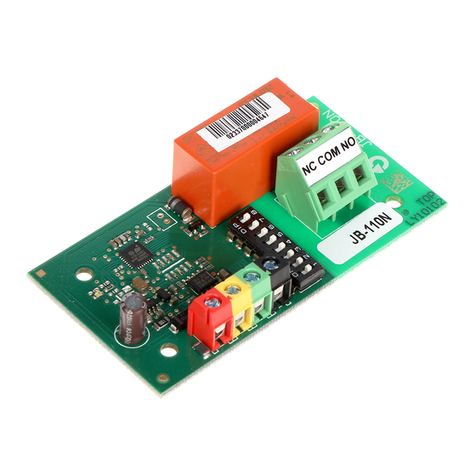
The Zeb board I/O Expan ion Board expand the button input functionality of the
Zeb board V3 (and higher) Digital/Analog Plunger by moving the button input off the
exi ting control board location and on to the Expan ion Board u ing the I2C protocol.
By moving the button input off the plunger and on to a eparate board thi free up pin on
the plunger control board allowing for the addition of 2x 4-way Dpad input that u e the Hat
Switch function in the control panel. The e Dpad control can then be u ed for adding
joy tick or 8 pecialty button in oftware that upport it.
In tallation of the plunger require the Zeb board V3 (or higher) plunger to be updated to the
V4R51 (or higher) firmware for proper operation.
Exi ting keyboard code from the previou firmware are retained within the button 1 – 16
range and the tilt button i moved to button 17.

INSTALLATION AND CONNECTION

Prepare the connectorby removing the 2 excess wires (optional):

Connect the harness to the Expansion Board:
Pre down on the pring lock In ert wire fully and relea e
Connect remaining wire

Connect the Expan ion Board to the plunger
Connect to button witche
Table of contents