
Yamaha CDR400At User manual
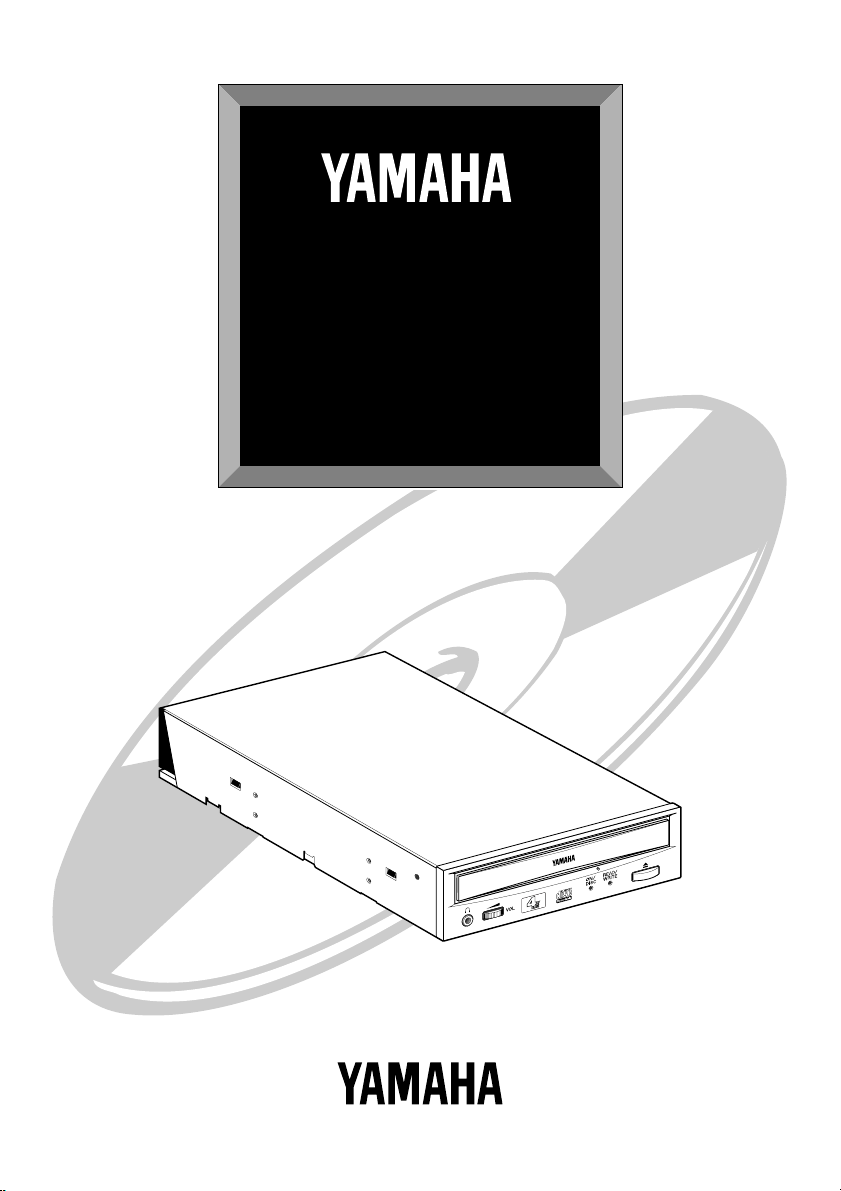
CDR400At
SERIES
User Guide
Guide de I’utilisateur
Bedienungsanleitung

FCC INFORMATION (U.S.A.)
1. IMPORTANT NOTICE: DO NOT MODIFY THIS UNIT!
This product, when installed as indicated in the instructions contained in this manual, meets FCC requirements. Modifications not
expressly approved by Yamaha may void your authority, granted by the FCC, to use the product.
2. IMPORTANT: When connecting this product to accessories and/or another product use only high quality shielded cables. Cable/s
supplied with this product MUST be used. Follow all installation instructions. Failure to follow instructions could void your FCC
authorization to use this product in the USA.
3. NOTE: This product has been tested and found to comply with the requirements listed in FCC Regulations, Part 15 for Class “B”
digital devices. Compliance with these requirements provides a reasonable level of assurance that your use of this product in a
residential environment will not result in harmful interference with other electronic devices. This equipment generates/uses radio
frequencies and, if not installed and used according to the instructions found in the users manual, may cause interference harmful to
the operation of other electronic devices. Compliance with FCC regulations does not guarantee that interference will not occur in
all installations. If this product is found to be the source of interference, which can be determined by turning the product “OFF”
and “ON”, please try to eliminate the problem by using one of the following measures:
Relocate either this product or the device that is being affected by the interference.
Utilize power outlets that are on different branch (circuit breaker or fuse) circuits or install AC line filter/s.
In the case of radio or TV interference, relocate/reorient the antenna. If the antenna lead-in is 300 ohm ribbon lead, change the
lead-in to coaxial type cable.
If these corrective measures do not produce satisfactory results, please contact the local retailer authorized to distribute this type of
product. If you can not locate the appropriate retailer, please contact Yamaha Systems Technology, Inc. 100 Century Center Court,
San Jose, CA95112, U.S.A.
COMPLIANCE INFORMATION STATEMENT
(DECLARATION OF CONFORMITY PROCEDURE)
Responsible Party: Yamaha Systems Technology, Inc.
Address: 100 Century Center Court
San Jose, California 95112
Telephone: (408) 467-2330
FAX: (408) 437-8791
Type of Equipment: CD Recorder
Model Name: CDR400At
CDR400At-NB
This device complies with Part 15 of the FCC Rules.
Operation is subject to the following conditions:
1) this device may not cause harmful interference, and
2) this device must accept any interference received including interference that may
cause undesired operation.
See user manual instructions if interference to radio reception is suspected.
• This manual applies to the CDR400At and CDR400At-NB.
The CDR400At front panel displays theYAMAHA brand name.
The CDR400At-NB front panel does not display a brand name.
This output is value measured at a
distance 200mm from the objective lens
surface on the optical pick-up block.
ANSI Class : Class 1
Material : GaAlAs
Wavelength : 782-789 nm
Emission Duration : Continuous
Laser Output Power : Less than 44.6 µW*
*
Laser Diode Properties CAUTION
Use of controls or adjustments or performance of
procedures other than those specified herein may
result in hazardous radiation exposure.
CLASS 1 LASER PRODUCT
LASER KLASSE 1 PRODUKT
This compact disc player is
classified as a CLASS 1
LASER product.
The CLASS 1 LASER
PRODUCT label must be
located on the exterior.
Varningsanvisning för
laserstrålning.
VORSICHT : UNSICHTBARE LASERSTRAHLUNG WENNABDECKUNG
GEOFFNET. NICHT DEM STRAHLAUSSETZEN.
VARNING : OSYNLIG LASERSTRÅLNING NÄR DENNA DELÄR ÖPPNAD OCH
SPÄRREN ÄR URKOPPLAD. BETRAKTA EJ STRÅLEN ÄR FARLIG.
VARO! : AVATAESSA JA SUOJALUKITUS OHITETTAESSA OLET
ALTTINANÄKYMÄTTÖMÄLLE LASERS TEILYLLE. ÄLÄ KATSO SÄTESSEN.
ADVARSEL : USYNLIG LASERSTRALNING VED ÅBNING NÄR SIKKERHETSAF-
BYDERE ER UDE AF FUNKTION. UNDGÅ UDSETTELS FOR STRÅLING.

WARNING
i
WARNING
❢
WARNING
❢
• The temperature where CDR400At is located
should be between 5ºC and 40ºC (41ºF – 104ºF),
when used in a fan-cooled system.
• Do not disassemble the CDR400At cover to
reduce the risk of electric shock.
• Always remove the disc before transporting
CDR400At.

Important Precautions
ii
Important Precautions
• Please read the following precautions before
attempting to operate the CDR400At.
• Before recording a disc, be sure to clean the disc
and tray using an air aerosol-type dust remover.
A dust particle on the disc may cause recording
to fail, producing an unusable disc.
• Always record in a dust-free environment. If the
disc must be removed from the CDR400At before
recording is finished, store the disc in a clean,
dust-free environment.
• The CDR400At contains no user serviceable parts.
Refer all servicing to qualified personnel.
• If any of the following should occur, the
CDR400At should be serviced by qualified per-
sonnel:
Metal objects or liquids get inside the CDR400At.
The CDR400At does not operate normally or a
marked change in performance is noticed.
• Do not place heavy objects on the CD-R discs.
• Do not subject the CDR400At and computer to
impact or shock when in use, as this may impair
recording or playback.
• Yamaha is not responsible for any data or infor-
mation losses resulting from the operation of the
CDR400At.

Table of Contents
iii
Table of Contents
Introduction
............................................................................ 1
CDR400At Features ..................................................... 1
Orange Book Compatible Recording ........................... 2
Chapter 1 - System Configuration
.................................... 3
Computer ...................................................................... 3
Software ........................................................................ 3
Tools ............................................................................. 4
Discs ............................................................................. 4
Chapter 2 - Installing the Yamaha CDR400At Drive
..... 5
CDR400At drive settings .............................................. 5
Installing the CDR400At drive ..................................... 8
Chapter 3 - Operation
......................................................... 13
Front Panel .................................................................. 13
Loading a Disc ............................................................ 14
Ejecting the Disc ......................................................... 15
Manual Eject (emergency use) ................................... 16
Troubleshooting
.................................................................. 17
Appendix
............................................................................... 18
Specifications .............................................................. 18
Front Panel Indicator Key ........................................... 19
©1998
Yama
h
a
C
orporat
i
on.
All
R
i
g
h
ts Reserve
d
.
This document may not, in whole or in part, be copied, photocopied, reproduced,
translated, transmitted or reduced to any electronic medium of machine readable
form without prior consent in writing from Yamaha.
MS-DOS and Windows are registered trademarks of Microsoft, Inc.
Unix is a registered trademark of UNIX System Laboratories.
All other trademarks are the property of their respective companies.

Introduction
1
Introduction
Thank you for purchasing aYamaha CDR400At drive. Please read
this manual before using the drive in order to make the best use of the
superior CDR400At functions.
After reading, please retain this manual for future reference.
CDR400At Features
■
4xS Recording - 6xS Reading
The CDR400At is a CD-ROM recorder capable of recording at quad
speed (4xS), double speed (2xS), or normal speed (1xS).
It can read discs at up to 6xS.
■
Compatible with Seven Different Formats
The CDR400At can both record and read seven different formats:
CD-ROM, CD-ROM XA, CD-I, CD-DA, CD-Bridge (multisession),
CD-Extra, and Video CD. The CDR400At is also equipped with an
analog audio output terminal (headphones) for CD-DA.
■
SCSI 2 Interface for DataTransfer
The CDR400At features SCSI 2, the second generation SCSI interface
for connecting computers and peripheral devices.
■
Compatible withWindows 95 Plug and Play
SCSI IDs are set automatically by the SCAM protocol (level 1).
■
Orange Book Part 2 Compatible 5-Mode Recording
The CDR400At conforms to the five recording modes outlined in the
Orange Book Part 2: Track at Once, Multisession, Disc at Once, Ses-
sion at Once, and Packet Writing.

Introduction
2
Orange Book Compatible Recording
Track at Once
In this mode, data can be recorded to disc one track at a time. Discs
recorded in this mode cannot be played in CD players or CD-ROM
drives other than a CD-R drive until the session is closed.
Multisession
In this mode, data can be recorded to disc in stages (one session at a
time). Additional data can be written later.
Disc at Once
In this mode, data can be recorded to an entire disc in one pass. It is
not possible to write additional data later.
Session at Once
In this mode, data can be recorded to disc one session at a time. To
use this mode, your software must support Session at Once recording.
New sessions can be written later.
PacketWriting
This is useful for data back-up. Smaller units of data can be added to
tracks. To use this mode, your software must support Packet Writing.
The CDR400At supports sequential packet writing.

Chapter 1 - System Configuration
3
Chapter 1 - System Configuration
Before using the CDR400At, make sure that you have all of the items
on the list of included items.
In order to use the CDR400At, you will require the following.
Computer
The following operating environment is required:
• An IBM/AT compatible computer with a 100 MHz or faster Pentium
CPU (in order to write at 4x speed), or a 100 MHz or faster 486
CPU (in order to write at 2x speed)
• A vacant slot in which to install a SCSI card or a pre-installed
SCSI card
• A vacant half-height bay
• Windows 95, Windows NT4.0 or Higher
• Sufficient hard disk space
Note:
You will need about twice as much space on your hard disk as that
required by the data you wish to write to CD-ROM.
SCSI card
This is required in order to connect a SCSI device (theYamaha
CDR400At) to your computer.
We recommend the following:
Adaptec SCSI cards: AHA-2940 (PCI), AHA-284x (VL), AHA-2740
(EISA), AHA-154x (ISA), etc.
Software
Use writing software or packet writing software which supports the
CDR400At or CDR400t.

Chapter 1 - System Configuration
4
Tools
Discs
CD-R Discs
On the CDR400At, you can use conventional CD-R discs that conform
to the Recordable Compact Disc Systems Part 2 (Orange Book).
Yamaha recommends the followingYamaha CD-R discs:
> CDM12Y63 (
φ
120mm, 63 minutes)
> CDM12Y74 (
φ
120mm, 74 minutes)
> CDM12Y74M (
φ
120mm, 74 minutes)
> CDM12Y74T (
φ
120mm, 74 minutes)
Read-only Discs
You can use discs with the logo which conform to the Compact
Disc Read Only Memory standard (CD-ROM standard,Yellow Book).
If you wish to use the audio functions, use discs with the logo,
which conform to the Compact Disc DigitalAudio standard (Red Book).
• Phillips screwdriver
This is used to remove the
cover of your computer, and to install theYamaha CDR400At drive.
• Long nose pliers
These are used to insert or remove the
jumper pin when setting the SCSI ID
and parity settings etc.of theYamaha
CDR400At drive.
This manual suits for next models
1
Table of contents
Other Yamaha Recording Equipment manuals

Yamaha
Yamaha S Rev1 User manual

Yamaha
Yamaha Q2031B User manual

Yamaha
Yamaha MT44D User manual

Yamaha
Yamaha GW33 User manual

Yamaha
Yamaha TX1P User manual

Yamaha
Yamaha CDR1000 User manual

Yamaha
Yamaha SPX50D User manual

Yamaha
Yamaha EMT-10 User manual

Yamaha
Yamaha TX116 User manual

Yamaha
Yamaha TX-802 User manual

Yamaha
Yamaha QX 21 User manual

Yamaha
Yamaha TG500 User manual

Yamaha
Yamaha MDR-2 User manual

Yamaha
Yamaha QY20 Parts list manual

Yamaha
Yamaha MW12CX User manual

Yamaha
Yamaha SPX990 User manual

Yamaha
Yamaha CDR1000 User manual

Yamaha
Yamaha CDR-D651 User manual

Yamaha
Yamaha TX-7 User manual

Yamaha
Yamaha EMP700 User manual



