XBOX TOPSPIN User manual

ONLINE ENABLED
A
B
X
Y
b
b
r
0903 Part No. X09-70181
<
>
L
l
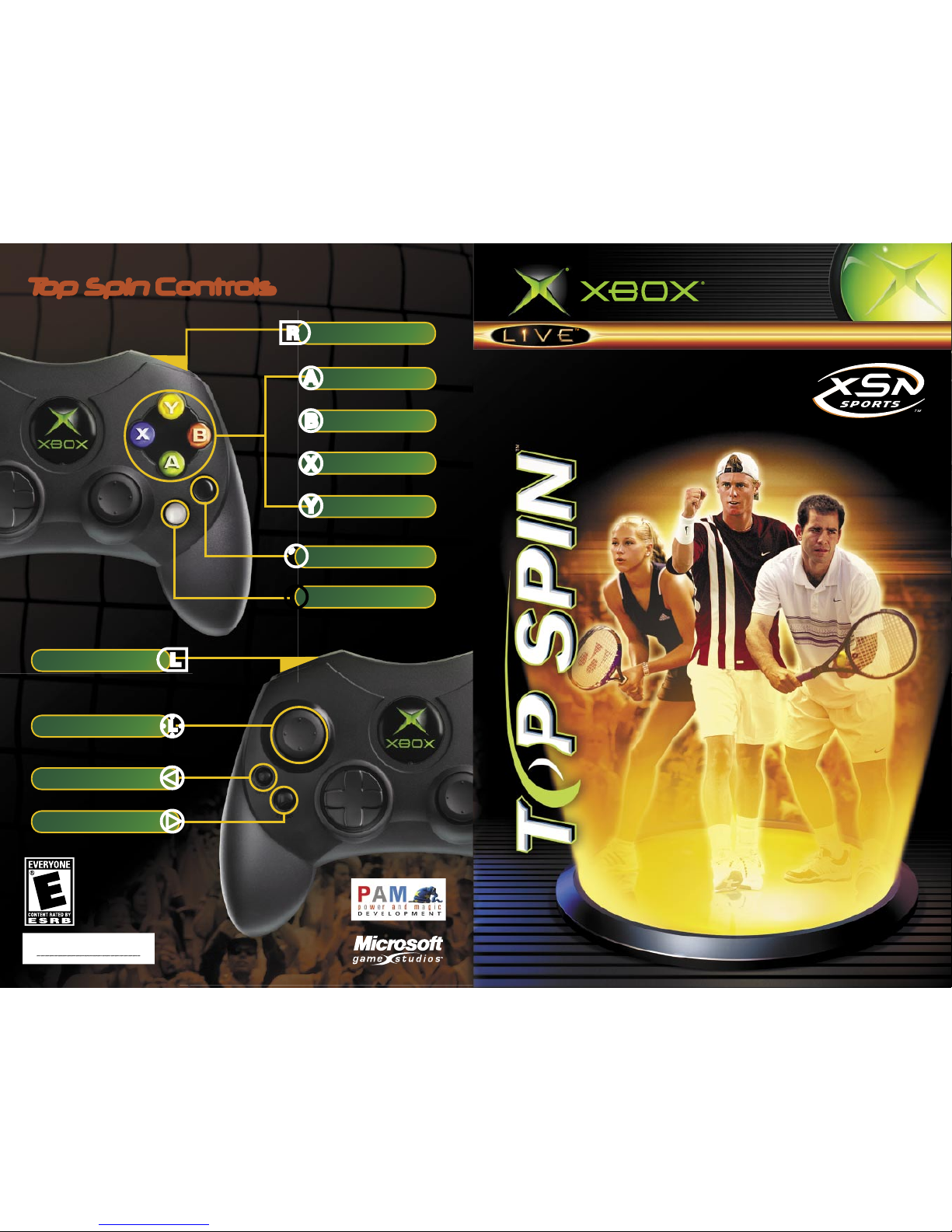
Top Spin Controls
Flat/Safe
Topspin
Slice
Lob
Player Excitement
Player Frustration
BACK
Move Player
Drop Shot
Risk Shot
START/PAUSE

1
Safety Information
About Photosensitive Seizures
A very small percentage of people may experience a seizure when exposed to certain
visual images, including ashing lights or patterns that may appear in video games. Even
people who have no history of seizures or epilepsy may have an undiagnosed condition
that can cause these “photosensitive epileptic seizures” while watching video games.
These seizures may have a variety of symptoms, including lightheadedness, altered
vision, eye or face twitching, jerking or shaking of arms or legs, disorientation, confusion,
or momentary loss of awareness. Seizures may also cause loss of consciousness or
convulsions that can lead to injury from falling down or striking nearby objects.
Immediately stop playing and consult a doctor if you experience any of these symptoms.
Parents should watch for or ask their children about the above symptoms—children and
teenagers are more likely than adults to experience these seizures.
The risk of photosensitive epileptic seizures may be reduced by sitting farther from the
television screen, using a smaller television screen, playing in a well-lit room, and not
playing when you are drowsy or fatigued.
If you or any of your relatives have a history of seizures or epilepsy, consult a doctor
before playing.
Other Important Health and Safety Information The Xbox Instruction Manual contains
important health and safety information that you should read and understand before
using this software.
Avoid Damage to Your Television
Do not use with certain televisions. Some televisions, especially front- or rear-projection
types, can be damaged if any video games, including Xbox games, are played on them.
Static images presented during the normal course of gameplay may “burn in” to the
screen, causing a permanent shadow of the static image to appear at all times, even
when video games are not being played. Similar damage may occur from static images
created when placing a video game on hold or pause. Consult your television owner’s
manual to determine if video games can be played safely on your set. If you are unable
to nd this information in the owner’s manual, contact your television dealer or the
manufacturer to determine if video games can be played safely on your set.
Table of Contents
Ways to Play
Top Spin
+ ++ ++ ++ ++ ++ ++ ++ ++ ++ ++ ++ ++ ++ ++ ++ ++ ++ ++ ++ ++ ++ ++ + 2
Top Spin
Controls + ++ ++ ++ ++ ++ ++ ++ ++ ++ ++ ++ ++ ++ ++ ++ ++ ++ ++ ++ ++ ++ ++ ++ ++ ++ + 4
Game Screen + ++ ++ ++ ++ ++ ++ ++ ++ ++ ++ ++ ++ ++ ++ ++ ++ ++ ++ ++ ++ ++ ++ ++ ++ ++ ++ ++ + 6
Exhibition + ++ ++ ++ ++ ++ ++ ++ ++ ++ ++ ++ ++ ++ ++ ++ ++ ++ ++ ++ ++ ++ ++ ++ ++ ++ ++ ++ ++ ++ + 8
Match Settings, Venues, and Player Selection
Serving + ++ ++ ++ ++ ++ ++ ++ ++ ++ ++ ++ ++ ++ ++ ++ ++ ++ ++ ++ ++ ++ ++ ++ ++ ++ ++ ++ ++ ++ ++ ++ + 9
Returning Serves/Shots + ++ ++ ++ ++ ++ ++ ++ ++ ++ ++ ++ ++ ++ ++ ++ ++ ++ ++ ++ ++ ++ + 10
Match Results + ++ ++ ++ ++ ++ ++ ++ ++ ++ ++ ++ ++ ++ ++ ++ ++ ++ ++ ++ ++ ++ ++ ++ ++ ++ ++ ++ + 12
Career + ++ ++ ++ ++ ++ ++ ++ ++ ++ ++ ++ ++ ++ ++ ++ ++ ++ ++ ++ ++ ++ ++ ++ ++ ++ ++ ++ ++ ++ ++ ++ + 13
Player Creator, Sport Shop, and Begin Career
World Map + ++ ++ ++ ++ ++ ++ ++ ++ ++ ++ ++ ++ ++ ++ ++ ++ ++ ++ ++ ++ ++ ++ ++ ++ ++ ++ ++ ++ ++ + 16
Coaches’ Houses, Sponsors, Tournaments, Sport Shops, Salons, and Airports
The Nexus + ++ ++ ++ ++ ++ ++ ++ ++ ++ ++ ++ ++ ++ ++ ++ ++ ++ ++ ++ ++ ++ ++ ++ ++ ++ ++ ++ ++ ++ + 22
Scrapbook, Rankings, Player Sheet, Sport Bag, and Player Stats
Custom Tournaments + ++ ++ ++ ++ ++ ++ ++ ++ ++ ++ ++ ++ ++ ++ ++ ++ ++ ++ ++ ++ ++ ++ + 24
Tennis School + ++ ++ ++ ++ ++ ++ ++ ++ ++ ++ ++ ++ ++ ++ ++ ++ ++ ++ ++ ++ ++ ++ ++ ++ ++ ++ ++ + 25
Coin + ++ ++ ++ ++ ++ ++ ++ ++ ++ ++ ++ ++ ++ ++ ++ ++ ++ ++ ++ ++ ++ ++ ++ ++ ++ ++ ++ ++ ++ ++ ++ ++ + 25
XSN Sports + ++ ++ ++ ++ ++ ++ ++ ++ ++ ++ ++ ++ ++ ++ ++ ++ ++ ++ ++ ++ ++ ++ ++ ++ ++ ++ ++ ++ ++ + 26
Xbox
Live
+ ++ ++ ++ ++ ++ ++ ++ ++ ++ ++ ++ ++ ++ ++ ++ ++ ++ ++ ++ ++ ++ ++ ++ ++ ++ ++ ++ ++ ++ + 27
System Link + ++ ++ ++ ++ ++ ++ ++ ++ ++ ++ ++ ++ ++ ++ ++ ++ ++ ++ ++ ++ ++ ++ ++ ++ ++ ++ ++ ++ + 30
Credits + ++ ++ ++ ++ ++ ++ ++ ++ ++ ++ ++ ++ ++ ++ ++ ++ ++ ++ ++ ++ ++ ++ ++ ++ ++ ++ ++ ++ ++ ++ ++ + 31
Warranty + ++ ++ ++ ++ ++ ++ ++ ++ ++ ++ ++ ++ ++ ++ ++ ++ ++ ++ ++ ++ ++ ++ ++ ++ ++ ++ ++ ++ ++ ++ + 32
Customer Support + ++ ++ ++ ++ ++ ++ ++ ++ ++ ++ ++ ++ ++ ++ ++ ++ ++ ++ ++ ++ ++ ++ ++ ++ + 33

2
3
Ways to Play Top Spin
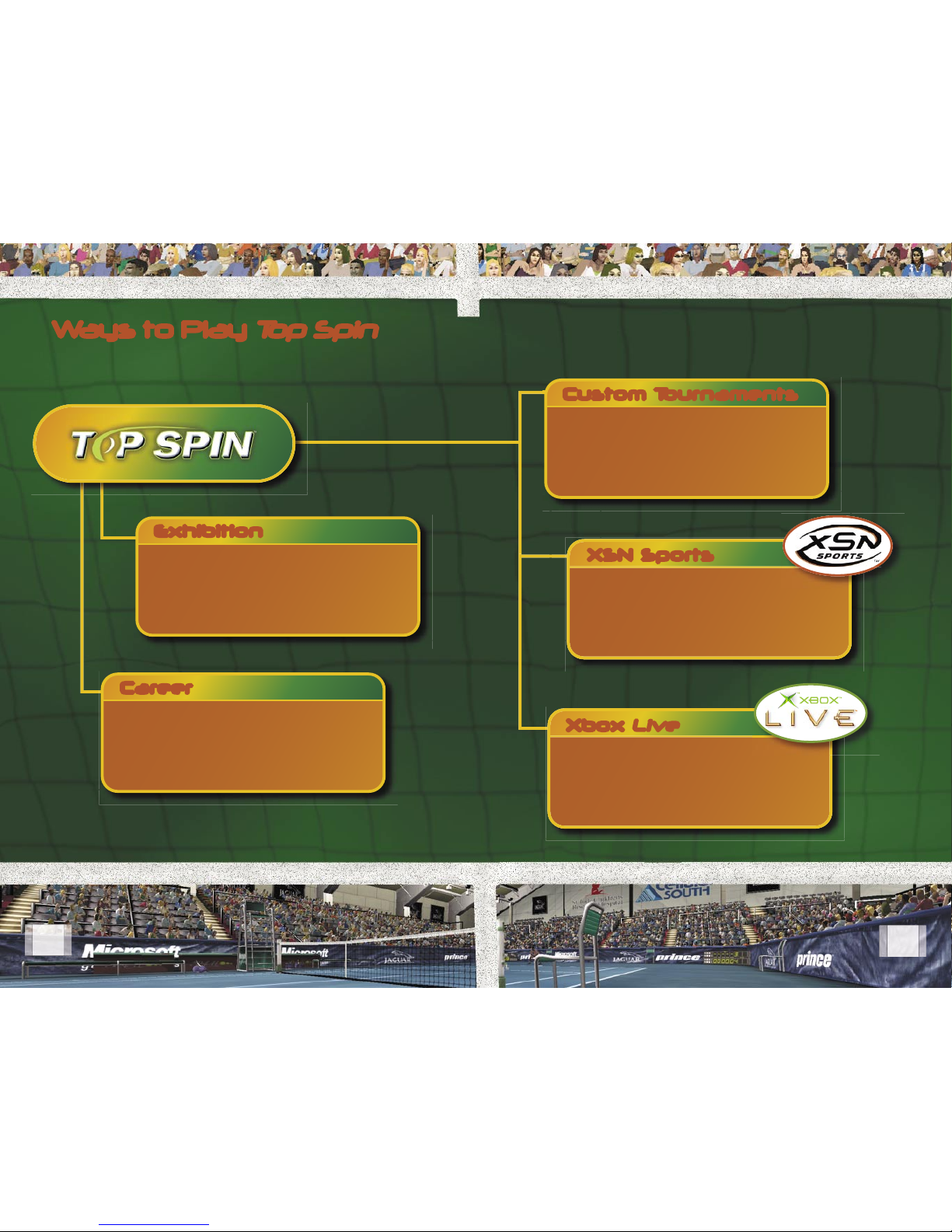
Welcome to
Top Spin™
. Choose from ve different ways to
experience tennis on your Xbox console, including making
your own tour association with XSN Sports.
Exhibition
Career
Custom Tournaments
XSN Sports
Xbox Live
Use Exhibition to quickly get into a match.
Choose to play a singles or doubles match,
and select up to four players (depending on
the type of match selected) from the list of
available players.
Become a tennis legend and the number
one player in the world. Learn from the best
coaches and earn sponsorships, coin, and
status as you take on the world tour.
Set up your own unique tournament with
up to 16 of your closest friends, and let the
games begin. Finally, a party game for the
whole party.
Connect to the world through the power
of the Internet and Xbox
Live
to create your
own tennis tour. Invite your friends to join
your tour and compete for bragging rights.
Play against other gamers through the
Xbox
Live
™ service or System Link in
exhibition matches just for fun, or in of cial
tournaments where the stakes are higher
and the worldwide rankings are real.

4
5
>
<
X
A
B
r
b
b
Y
l
L
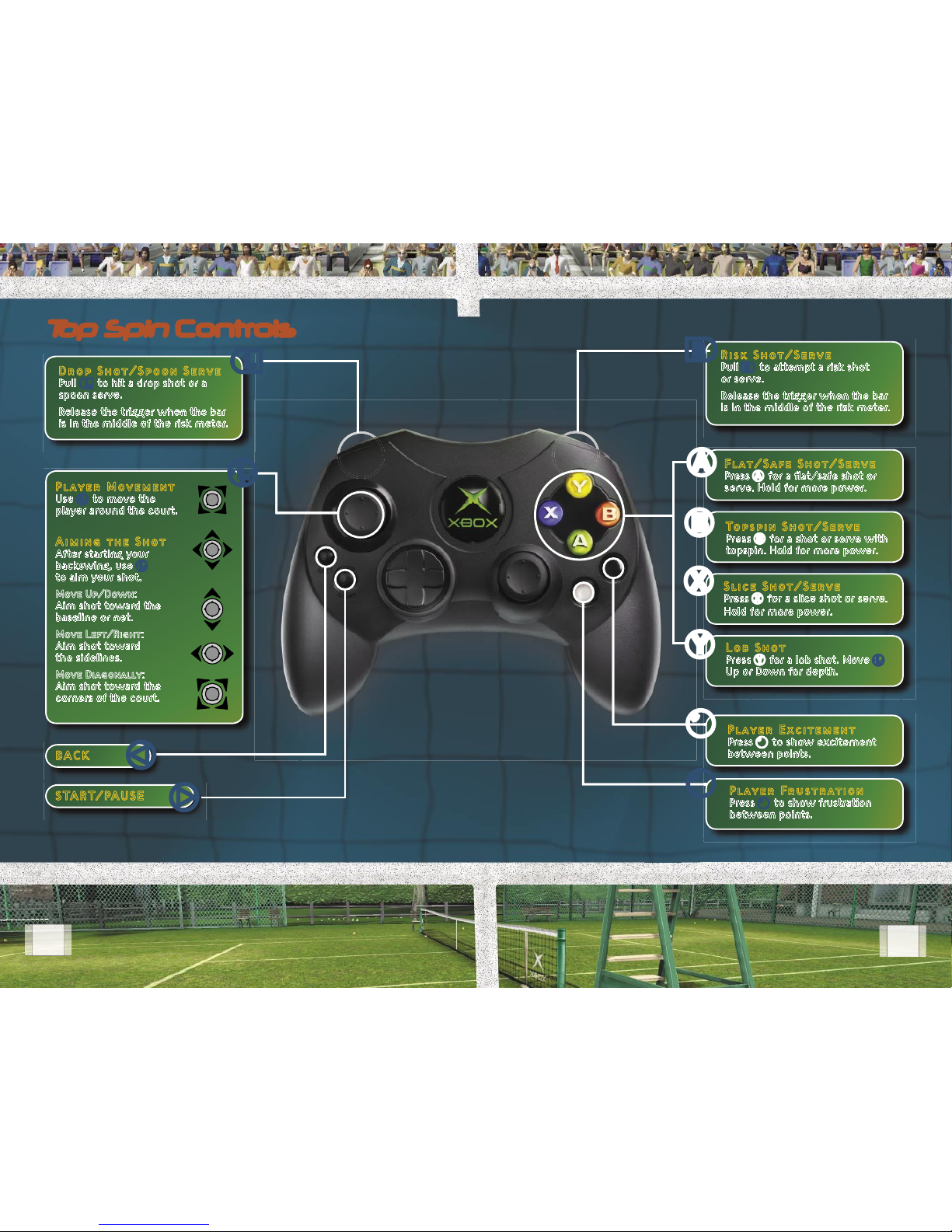
Player Movement
Use L to move the
player around the court.
Aiming the Shot
After starting your
backswing, use L
to aim your shot.
Move Up/Down:
Aim shot toward the
baseline or net.
Move Left/Right:
Aim shot toward
the sidelines.
Move Diagonally:
Aim shot toward the
corners of the court.
Drop Shot/Spoon Serve
Pull l to hit a drop shot or a
spoon serve.
Release the trigger when the bar
is in the middle of the risk meter.
BACK
START/PAUSE
Flat/Safe Shot/Serve
Press A for a at/safe shot or
serve. Hold for more power.
Player Excitement
Press b to show excitement
between points.
Topspin Shot/Serve
Press B for a shot or serve with
topspin. Hold for more power.
Slice Shot/Serve
Press X for a slice shot or serve.
Hold for more power.
Lob Shot
Press Y for a lob shot. Move L
Up or Down for depth.
Player Frustration
Press b to show frustration
between points.
Risk Shot/Serve
Pull r to attempt a risk shot
or serve.
Release the trigger when the bar
is in the middle of the risk meter.
Top Spin Controls

6
7
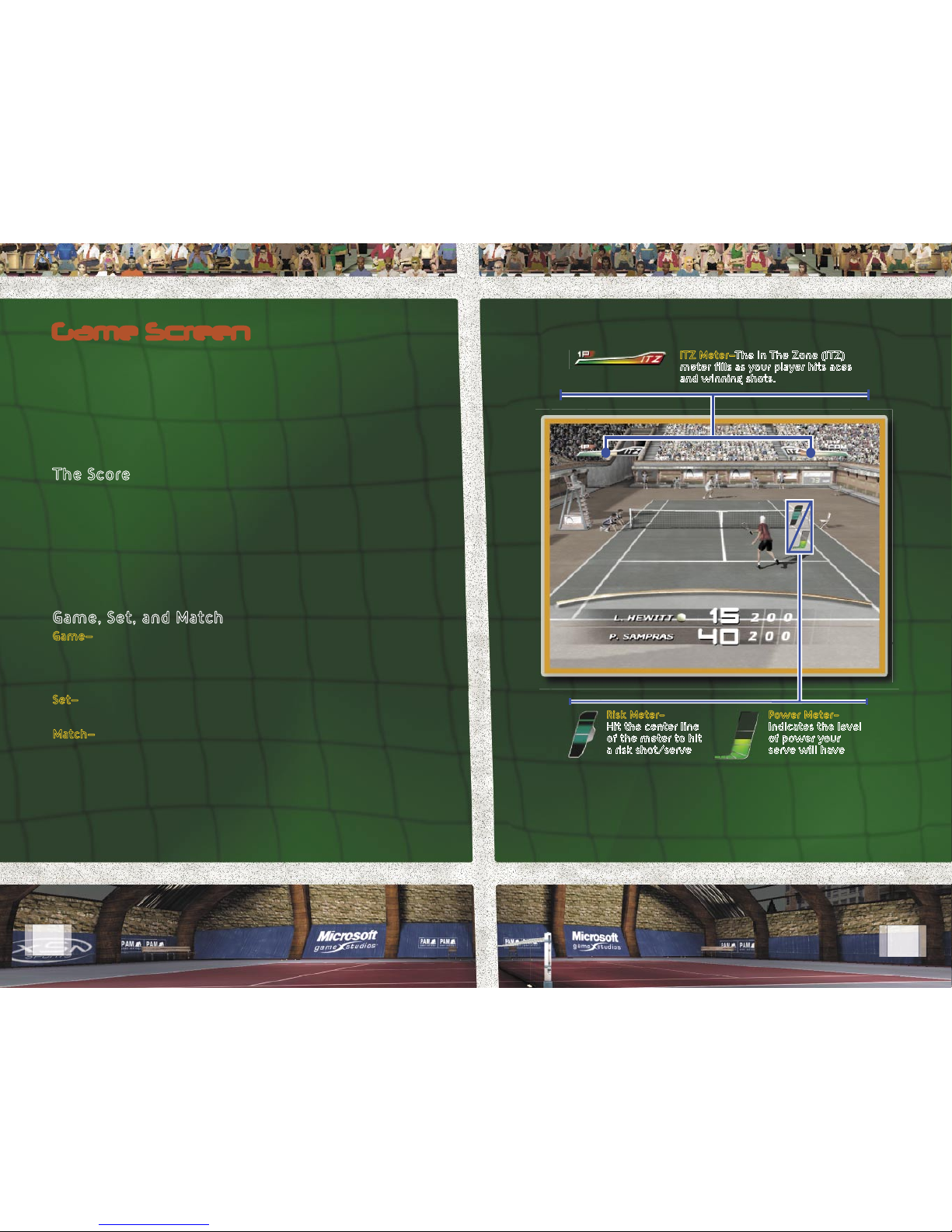
Game Screen
The court is divided by the net and bounded by the sidelines
and baselines. The lines that divide each half of the court,
perpendicular to the net, are the service lines. The area between
the net and the service lines is further divided by a line down the
middle to form two service courts on each side of the net. The
same lines are used for doubles matches except for the sidelines,
which are wider to accommodate the extra players.
The Score
Each game of tennis is played to four points—15, 30, 40 and game.
You score points by hitting shots or serves that your opponent
fails to return within the boundaries of your side of the court.
The server’s score is always announced rst. Therefore, a score
of fteen-love means the server has scored one point in the
game, while their opponent has not scored, and has a score
of zero—known in tennis as love.
Game, Set, and Match
Game—The rst player to win four points wins the game.
However, if both players have won three points—referred to as
deuce—the game continues until a player wins two more points
than their opponent.
Set—Sets consist of two to six games. The rst player to win the
majority of games wins the set.
Match—A match is made up of one, three, or ve sets. The rst
player to win the majority of sets wins the match.
Risk Meter–
Hit the center line
of the meter to hit
a risk shot/serve
Power Meter–
Indicates the level
of power your
serve will have
ITZ Meter—The In The Zone (ITZ)
meter lls as your player hits aces
and winning shots.

8
9
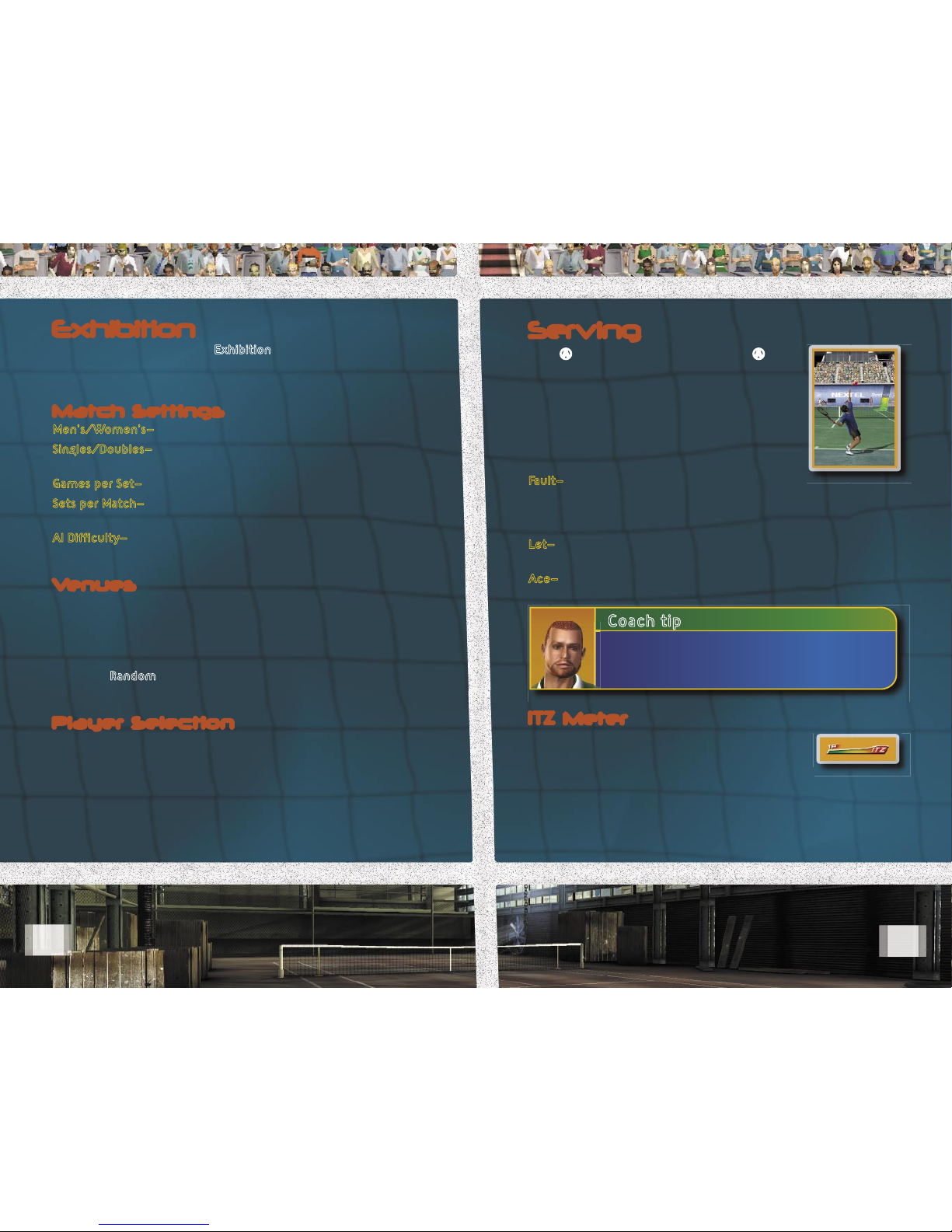
Exhibition
From the Main Menu, select Exhibition to quickly enter a
match. The rst step is to customize the match settings, which
determine the length and type of game you want to play.
Match Settings
Men’s/Women’s—Select the gender for your match.
Singles/Doubles—Select the number of players; singles matches
have two players and doubles matches have four players.
Games per Set—Select two to six games to be played in each set.
Sets per Match—Select one, three, or ve sets for the match.
A one set match is the shortest match you can play.
AI Dif culty—Select the dif culty setting for your game. Settings
from least to most dif cult are: Easy, Normal, and Hard.
Venues
Select the type of venue you want to play in. There are ve
venue categories: Grand Slam, Major Pro, Pro, Minor Pro, and
Playground. Grand Slam courts are massive stadiums lled with
spectators, while Playgrounds are intimate courts you might
expect to nd in your neighborhood park. Then, select the court.
Or, select Random from the Venue Select screen and a venue
will be chosen for you.
Player Selection
You can pick your favorite pro, or select your own player if
you’ve created a career. Choose the player(s) for your match
and you’re ready to play tennis.
Serving
Press A to start a at/safe serve. Press A
again to set the power level on the serve
meter and hit the serve. The serve must land
in the service court diagonally opposite to
the server.
If you do not start a serve within 20 seconds,
your player will automatically hit a low power
at/safe serve.
Fault—If the ball fails to land inside or on the
lines bounding the service court, the serve is in fault and must
be replayed. Two faults on a serve—called a double fault—results
in losing the point to your opponent.
Let—If the serve hits the net and falls in the correct service court
it’s called a let. If a let is called, the point is replayed.
Ace—A point scored on a serve that your opponent fails to touch.
Coach tip
Mix up your serve with different serve types to
keep your opponent off balance (see page 10).
ITZ Meter
The ITZ meter tracks the energy your play
is generating. The crowd feeds this energy
but you create it by hitting great shots, acing
serves, taking risks, and winning points.

10
11
Coach tip
Shots that rely on accuracy such as spoon
serves and risk shots are easier to hit when
the ITZ meter is full.
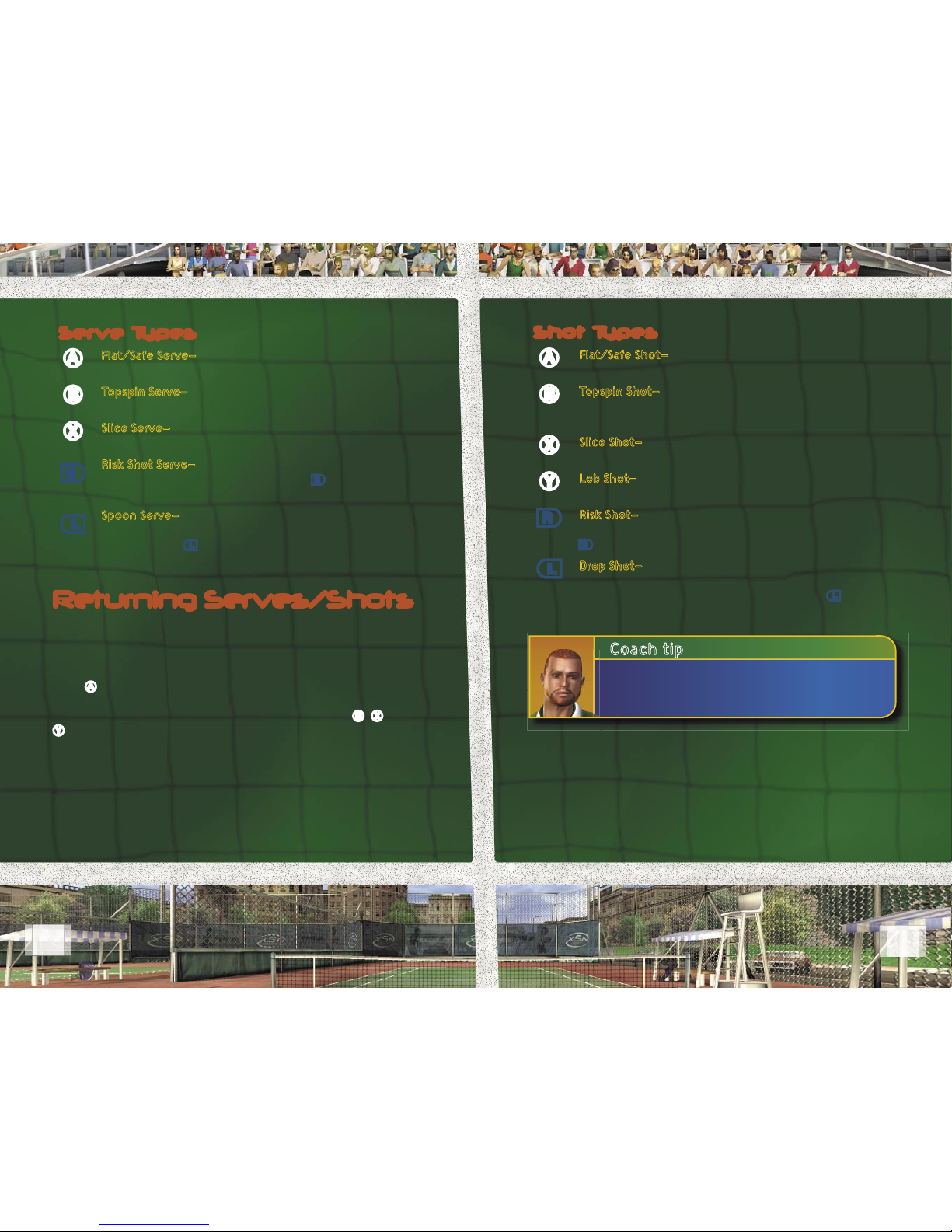
Returning Serves/Shots
When a 120 mph (193 kmh) serve is rocketing toward you, try
not to panic. The trick to returning serves and shots is to try to
anticipate where your opponent might be hitting the ball so you
can get into position early.
Press A to hit a at/safe shot. Pressing and holding the button
gives your shot more power, better control over the angle, and
increased accuracy. This function also works for the B, X, and
Y buttons.
Serve Types
AFlat/Safe Serve—A fast serve with little or no spin on
the ball.
BTopspin Serve—A serve that produces a higher bounce
with forward spin on the ball.
XSlice Serve—A serve that stays low due to the backspin
on the ball.
rRisk Shot Serve—A devastating serve that’s tough to
pull off and tough to return. Release r when the bar
is in the middle of the risk meter.
lSpoon Serve—An underhand serve, usually used to
catch your opponent off guard when they’re playing
deep. Release l when the bar is in the middle of the
risk meter.
Shot Types
AFlat/Safe Shot—A safe shot with no spin on the ball. This
shot is less likely to go out of bounds.
BTopspin Shot—A shot with forward spin on the ball
which produces a high bounce. Be careful, this shot can
go long.
XSlice Shot—A shot with backspin that keeps the ball low.
This is an excellent defensive shot.
Y Lob Shot—A high-arcing shot that can buy you time to
get back into position or get your opponent off the net.
r Risk Shot—A dif cult to perform but powerful shot that
the other player will have a hard time returning. Release
r when the bar is in the middle of the risk meter.
lDrop Shot—A delicate shot that falls just over the
net. Use this shot when your opponent is playing too
far back or to disrupt their rhythm. Release l when the
bar is in the middle of the risk meter.

12
13
Career
Career play is a single-player game but all the gear, status, skills,
and sponsorships you earn will go with your player when you
choose to play Multiplayer games.
You begin your career as a rookie pro with the goal of becoming
a tennis legend. Progressing through all the stages of pro play is
not easy, but it is challenging, rewarding, and fun.
To start a career, select Career from the Main Menu, and then
select New Player to create a player.
Player Creator
The Player Creator is a powerful tool that allows you the
freedom to create a player with all the characteristics and
skills you want. The rst step is to choose a gender and a
DNA Sample.
Note that your gender, DNA Sample, and locale are chosen
at random but you may change these settings to suit your
own preferences.
After a few moments of genetic synthesis, your new player
will appear. If you’re happy with the look of your player, select
Begin Career to set up your play style, name, and starting locale.
Or, you can further customize your player through sculpting.
If you want to completely change the look of your player,
press X, and then press A to generate a new player.
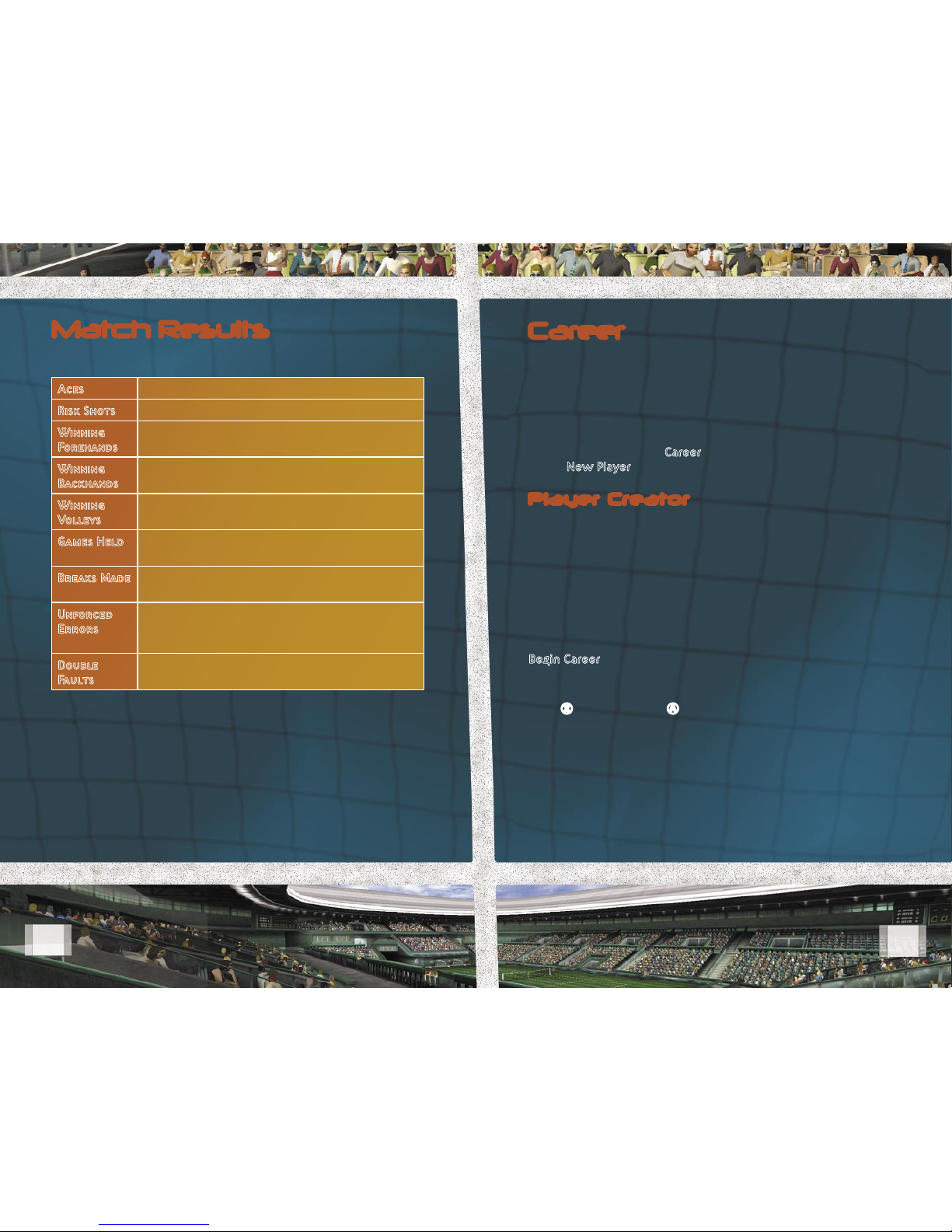
Match Results
Results and statistics are displayed at the end of each match.
Aces The number of unreturned serves hit.
Risk Shots The number of unreturned risk shots hit.
Winning
Forehands
The number of times you scored on
forehand shots.
Winning
Backhands
The number of times you scored on
backhand shots.
Winning
Volleys
The number of times you scored after
hitting volleys.
Games Held The number of games you won when you had
the serve.
Breaks Made The number of games you won when your
opponent had the serve.
Unforced
Errors
The number of errors you made while under
no pressure from your opponent (for example,
double faults and mishit balls).
Double
Faults
The number of times you faulted twice on
your serve.

14
15
Sculpting Your Player
Sculpting refers to the process of changing your player’s
appearance. You can adjust your player’s head and body one
area at a time to change their overall appearance.
Each area has representative character types that are samples
of the different regions. You can use these character types
to create your player’s look, or you can customize each
individual region.
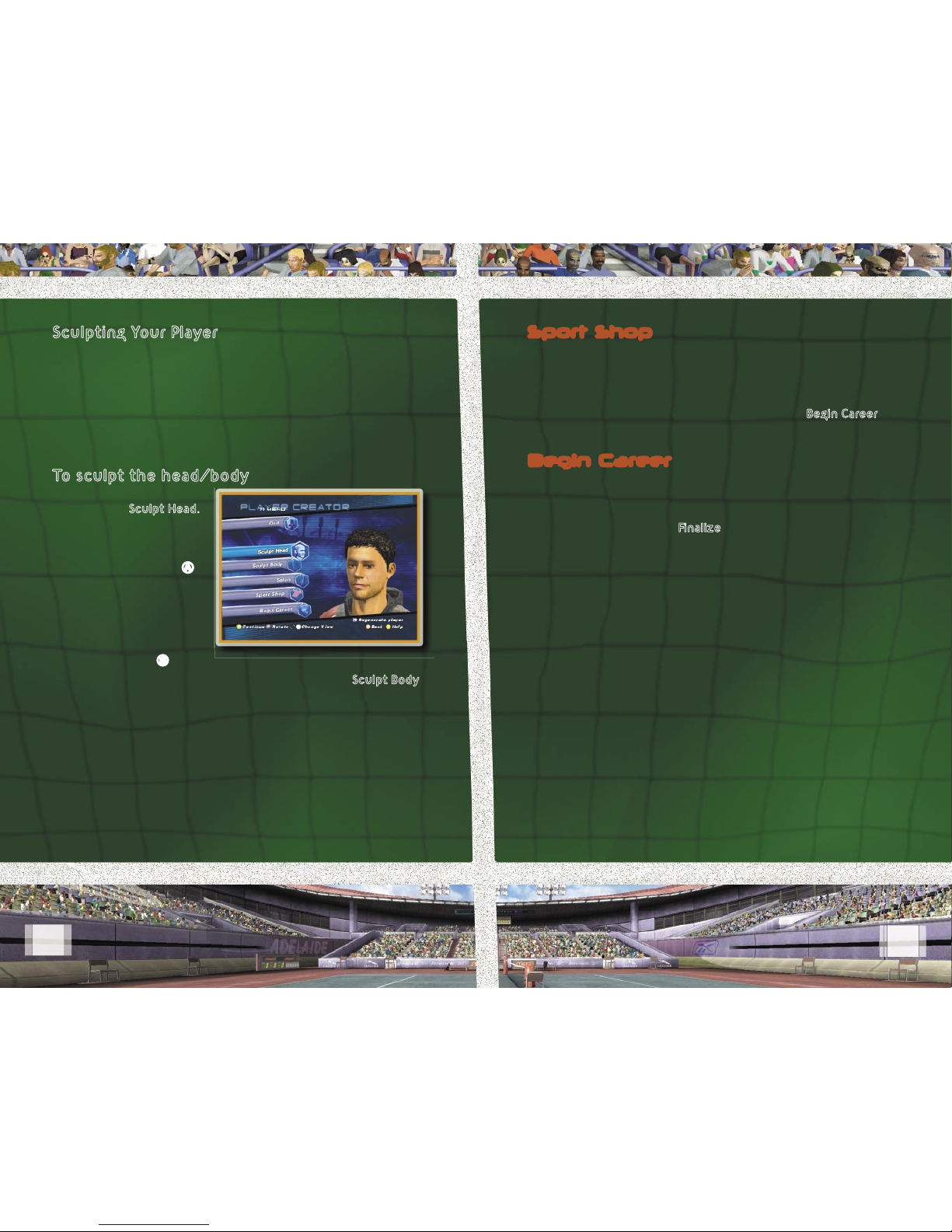
To sculpt the head/body
From the Player Creator
Menu, select Sculpt Head.
Next, select a region of
the head to sculpt. Make
any adjustments to the
region, and then press A
to save the changes.
If you want to cancel the
changes you’ve made
to your player’s head
and restore the original
appearance, press B.
You can make adjustments to the body by selecting Sculpt Body
from the Player Creator Menu and using the same steps listed
above. Once you are satis ed with your player’s appearance,
you can pick out some free gear in the Sport Shop.
Sport Shop
The Sport Shop is where you go to pick out your player’s initial
out t and equipment. As you progress through your career,
more clothing and equipment options will be available for you
to buy.
After you’ve got your player all suited up, select Begin Career
to put the nishing touches on your player.
Begin Career
Before you take on the pros, you’ll have to tweak your play
style. Choose your handedness, serve type, and natural talent.
The last step in creating your player is to give them a name
and starting locale. Select Finalize in the Play Style Menu, enter
a name for your player, and then choose a Locale. The locale
you choose will determine the region of the world where your
career will begin.
Once you nalize your player, you will not be able to make
changes to their appearance except for minor cosmetic changes
in the Salon.

16
17
World Map
The world map is the
center of your tennis
career. On this map you
will nd coaches’ houses,
sponsors, tournaments,
shops, salons, and airports.
As a rookie pro, you
will not have access to
everything. However,
as you gain career
experience, more of the
world becomes available.
Coaches’ Houses
If you have enough coin,
you can hire coaches
to help you train your
technical masteries—basic
skills that every pro
needs to master. These
basic skills are: Forehand,
Backhand, Serve,
and Volley.
By successfully
completing the coach
trainings, you will earn
Career stars, which go directly toward improving each of your
four masteries.
There are three levels of coaches—Bronze, Silver, and Gold—for
each skill. You may need to travel to different parts of the world
via airports to nd the coach that’s right for you. Once you’ve
reached certain training levels, you receive advanced skills.
Coach Tip
You only have 14 stars to spread among
your four masteries. Be sure to choose your
training wisely.
Coaches’ Houses—Improve your technical masteries
and gain skills.
Sponsors—Visit sponsors and accept
their challenges.
Tournaments—Enter tournaments to win coin,
improve your world ranking, and gain status.
Sport Shops—Use your earnings to purchase clothing
and gear.
Salons—Change your hairstyle, facial hair, and
eye color.
Airports—Travel overseas to nd tournaments,
sponsors, and coaches’ houses.
This manual suits for next models
1
Table of contents
Other XBOX Video Game manuals
Popular Video Game manuals by other brands

Disney
Disney Nintendo DS DGamer quick start guide

Disney
Disney NTR-CI7E-USA Instruction booklet

Microsoft game studios
Microsoft game studios INSIDE PITCH 2003 manual

Disney
Disney Ultimate Band NTR-CUBE-USA Instruction booklet

Microsoft
Microsoft HALO manual

Bizarre Creations
Bizarre Creations PROJECT GOTHAM-RACING 2 manual