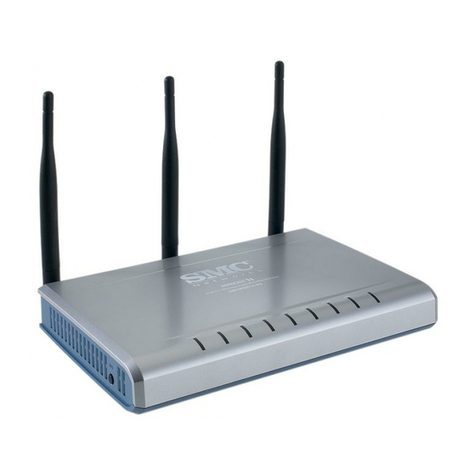
X-Micro XWL-11GRAG User manual

WLAN 11g Broadband Router
User Manual

This product is in compliance with the essential
requirements and other relevant provisions of the
R&TTE directive 1999/5/EC.
Product Name: X-Micro WLAN 11g Broadband Router
Model Name : XWL-11GRAG
MAX. OUT POWER
COUNTRY CHANNELS INDOOR OUTDOOR
Spain 2400-2483.5 MHz 1-13 < 100 mW EIRP < 100 mW EIRP
France 2400-2454 MHz 1-8 < 100 mW EIRP < 100 mW EIRP
France 2454-2483.5 MHz 9-13 < 100 mW EIRP < 10 mW EIRP
Italy 2400-2483.5 MHz 1-13 < 100 mW EIRP < 100 mW EIRP
UK 2400-2483.5 MHz 1-13 < 100 mW EIRP < 100 mW EIRP
Netherlands 2400-2483.5 MHz 1-13 < 100 mW EIRP < 100 mW EIRP
Germany 2400-2483.5 MHz 1-13 < 100 mW EIRP < 100 mW EIRP
Austria 2400-2483.5 MHz 1-13 < 100 mW EIRP < 100 mW EIRP
Belgium 2400-2483.5 MHz 1-13 < 100 mW EIRP < 100 mW EIRP
Switzerland 2400-2483.5 MHz 1-13 < 100 mW EIRP < 100 mW EIRP
Luxemburg 2400-2483.5 MHz 1-13 < 100 mW EIRP < 100 mW EIRP
Ireland 2400-2483.5 MHz 1-13 < 100 mW EIRP < 100 mW EIRP
Portugal 2400-2483.5 MHz 1-13 < 100 mW EIRP < 100 mW EIRP
Norway 2400-2483.5 MHz 1-13 < 100 mW EIRP < 100 mW EIRP
Denmark 2400-2483.5 MHz 1-13 < 100 mW EIRP < 100 mW EIRP
Finland 2400-2483.5 MHz 1-13 < 100 mW EIRP < 100 mW EIRP
Iceland 2400-2483.5 MHz 1-13 < 100 mW EIRP < 100 mW EIRP
Greece 2400-2483.5 MHz 1-13 < 100 mW EIRP < 100 mW EIRP
Lichtenstein 2400-2483.5 MHz 1-13 < 100 mW EIRP < 100 mW EIRP
Sweden 2400-2483.5 MHz 1-13 < 100 mW EIRP < 100 mW EIRP
2

FCC INFORMATION
FCC Radiation Exposure Statement
This equipment complies with FCC radiation exposure limits set forth for an
uncontrolled environment.
This equipment should be installed and operated with minimum distance
20cm between the radiator & your body.
This transmitter must not be co-located or operating in conjunction with any
other antenna or transmitter.
The equipment has been tested and found to comply with the limits for a
Class B Digital Device, pursuant to part 15 of the FCC Rules. These limits are
designed to provide reasonable protection against harmful interference in a
residential installation.
This equipment generates, uses and can radiate radio frequency energy
and, if not installed and used in accordance with the instruction, may cause
harmful interference to radio communication. However, there is no grantee that
interference will not occur in a particular installation. If this equipment dose
cause harmful interference to radio or television reception, which can be
determined by turning the equipment off and on, the user is encouraged to try to
correct the interference by one or more of the following measures:
--Reorient or relocate the receiving antenna.
--Increase the separation between the equipment and receiver.
--Connect the equipment into an outlet on a circuit different from that to which
the receiver is connected.
--Consult the dealer or an experienced radio/TV technician for help.
Notice: The Part 15 radio device operates on a non-interference basis with othe
r
devices operating at this frequency. Any changes or modification not expressly
approved by the party responsible could void the user’s authority to operate the
device.
REGULATORY INFORMATION
X-Micro WLAN 11g Broadband Router must be installed and used in strict
accordance with the instructions. This device complies with the following radio
frequency and safety standards.
USA - Federal Communications Commission (FCC)
This device complies with Part 15 of FCC Rules. Operation is subject to the
following two conditions:
1. This device may not cause harmful interference.
2. This device must accept any interference that may cause undesired
operation.
3

Contents
1. Overview................................................................................................................6
1.1 Product Feature..........................................................................................6
1.2 System Requirements.................................................................................6
1.3 Applications...............................................................................................6
2. Getting Start...........................................................................................................7
2.1 Know the X-Micro WLAN 11g Broadband Router...................................7
2.2 Connect to the X-Micro WLAN 11g Broadband Router...........................8
2.2.1 Access the Setting Menu................................................................8
2.2.2 Quick Setup with Wizard.............................................................10
3. Configuration.......................................................................................................18
3.1 LAN Setting.............................................................................................18
3.1.1 LAN & DHCP Server..................................................................18
3.1.2 WAN ............................................................................................19
3.1.3 Password......................................................................................20
3.1.4 Time .............................................................................................21
3.1.5 Dynamic DNS..............................................................................22
3.2 Wireless....................................................................................................23
3.2.1 Basic.............................................................................................23
3.2.2 Authentication..............................................................................24
3.2.3 Advanced .....................................................................................26
3.3 Status........................................................................................................27
3.3.1 Device Information......................................................................27
3.3.2 Log...............................................................................................28
3.3.3 Log Setting...................................................................................30
3.3.4 Statistic.........................................................................................31
3.3.5 Wireless........................................................................................32
3.4 Routing.....................................................................................................29
3.4.1 Static ............................................................................................29
3.4.2 Dynamic.......................................................................................34
3.4.3 Routing Table...............................................................................35
3.5 Access......................................................................................................35
3.5.1 Filters ...........................................................................................36
3.5.2 Virtual Server...............................................................................41
3.5.3 Special AP....................................................................................42
3.5.4 DMZ.............................................................................................39
3.5.5 Firewall Rule................................................................................44
4

3.6 Management.............................................................................................46
3.6.1 SNMP...........................................................................................46
3.6.2 Remote Management...................................................................47
3.7 Tools.........................................................................................................48
3.7.1 Restart..........................................................................................48
3.7.2 Settings.........................................................................................49
3.7.3 Firmware......................................................................................50
3.7.4 Ping Test.......................................................................................51
4. Glossary ...............................................................................................................51
5

1. Overview
1.1 Product Feature
●Compliance with IEEE 802.11g and 802.11b standards
●Highly efficient design mechanism to provide unbeatable performance
●Strong network security with WEP and 802.1X encryption
●Achieving data rate up to 108Mbps for 802.11g and 11Mps for 802.11b with
wide range coverage; high performance to deliver up to 108Mbps raw data rate
for 802.11g
●Quick and easy setup with Web-based management utility
1.2 System Requirements
●Windows 98, 98SE, Millennium Edition (ME), 2000 and XP operating systems
●Microsoft Internet Explorer 5.5 or higher
●DSL/ Cable Modem Broadband Internet connection and ISP account
●PCs equipped with 10Mbps or 10/100 Mbps Ethernet connection to support
TCP/IP protocol
●One CD-ROM drive
1.3 Applications
●Home SOHO networking for device sharing and wireless multimedia
●Wireless office provides a wider range for home and SOHO Ethernet
●Enables wireless building-to-building data communication
●Built-in infrastructure mode
●Router provides ideal solution for:
●Difficult-to-wire environments
●Temporary LANs for scenarios such as trade-exhibitions and meetings
●Enables LAN adaptability to frequently changing environments
●Enables remote access to corporate network information, for example e-mail and
the company home page
6

2. Getting Start
2.1 Know the X-Micro WLAN 11g Broadband Router
Ports:
7

LEDs:
LED Color Status Description
On Indicates proper connection to power supply.
Power Green OFF The unit is not receiving power
Status Green On
Indicates that the device is
connected to the WLAN.
On Indicates connection to the WAN port
WAN Blinking Data transmission.
On Link is established
On Blinking Packet transmit or receive activity
WLAN
Off — No Link activity
On Indicates connection is established.
On Blinking Data transmissions
LAN
Off — No LAN connections
2.2 Connect to the X-Micro WLAN 11g Broadband Router
2.2.1 Access the Setting Menu
You could start to access the configuration menu anytime by opening a web browser
window by typing the IP address of this wireless router. The default IP is
192.168.1.1.
The below window will popup. Please enter the user name and password. Both of
the default is “admin”.
8

Now, the main menu screen is popup.
9

2.2.2 Quick Setup with Wizard
Setup wizard is provided as the part of the web configuration utility. You can simply
follow the step-by-step process to get your wireless router configuration ready to run
in 6 easy steps by clicking on the “Wizard” button on the function menu. The
following screen will appear. Please click “Next” to continue.
Step 1: Set your new Password
You can change the password as you like and then click “Next” to continue.
10
Table of contents
Other X-Micro Wireless Router manuals

X-Micro
X-Micro XWL-11BRRG User manual

X-Micro
X-Micro XWL-11GRAR User manual

X-Micro
X-Micro XWL-11GRTX User manual

X-Micro
X-Micro XWL-11GRAR User manual

X-Micro
X-Micro XBT-DG2G User manual

X-Micro
X-Micro XWL-11BRRG User manual

X-Micro
X-Micro XWL-11GRTX User manual

X-Micro
X-Micro Wireless LAN Broadband Router User manual

X-Micro
X-Micro XBT-DG5X User manual

X-Micro
X-Micro XWL-11BRRG User manual