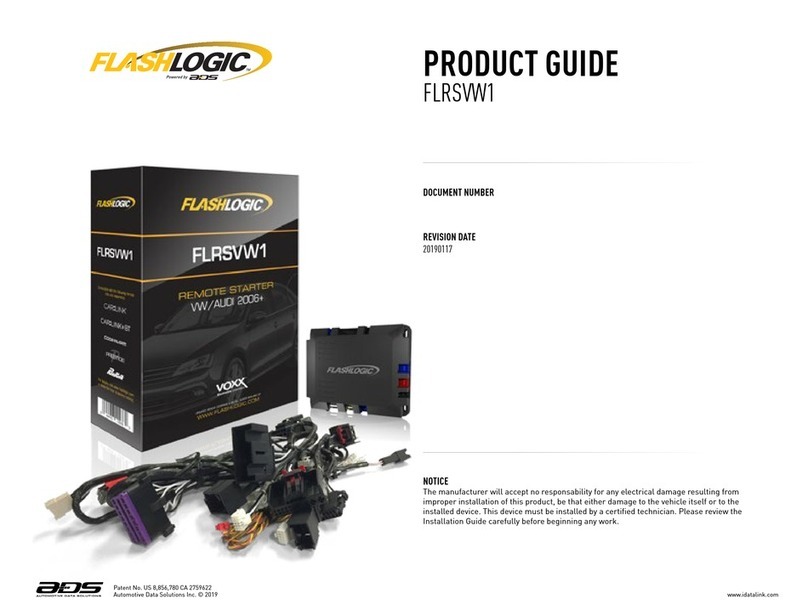
Winstart WS-07U User manual

Model WS-07U
TWO WAY LCD REMOTE CAR STARTER WITH ALARM
INSTALLATION GUIDE
1

2
WIRING DESCRIPTION
6 PIN Primary Starter Harness
RED 12V constant wire (12V positive input) connect to a 12V constant, 30A fuse built-in
RED 12V constant wire (12V positive input) connect to a 12V constant, 30A fuse built-in
YELLOW 12V positive auxiliary output for 2nd ignition, 2nd accessory, 2nd starter (see option # 5), 20A fuse built-in.
BLUE Accessories wire (12V positive output) connect to accessory wire that controls the heater/air
conditioning fan
GREEN Starter wire (12V positive output) connect to starter wire
ORANGE Ignition wire (12V positive output) connect to main ignition
4 PIN Harness
BLACK Ground wire, Important connect to a proper ground
BLUE IGNITION OUTPUT 1A
GREEN / BLACK 500 mA Negative Parking Light
GREEN 15 A Positive Parking Light
10 PIN Harness
ORANGE OUTPUT #5: 500mA negative pulse for slide door #1. It can be programmed as window
open/close or latching ON/OFF or negative parking light (see option # 22)
YELLOW OUTPUT #2: 500mA constant negative

3
WIRING DESCRIPTION
10 PIN Harness
RED / WHITE Horn or siren wire (500mA negative output) connects to horn or siren. Require a relay if siren is
used
YELLOW / BLUE OUTPUT #1 (500mA negative output) give a pulse to disarm factory alarm
PINK OUTPUT # 3: 500mA negative output, give a pulse to rearm factory alarm or open Sliding Door
#2 or window open/close or latching ON/OFF (see option # 21)
GREEN / BLACK OUTPUT# 4: 500mA negative output for trunk opener or Transponder by-pass (see option # 8)
WHITE / BLACK Starter kill disable wire (500mA negative output) connect to starter kill relay
BLUE / RED OUTPUT #6: 500mA negative 2nd ignition output or 2nd slide door (see option #25)
WHITE / GREEN Unlock wire (500mA negative output) See central door lock connection diagram
WHITE / RED Lock wire (500mA negative output) See central door lock connection diagram
6 PIN Harness
BLUE Hand brake wire (negative input) connect to the switched side of hand brake switch (for vehicle
with manual transmission only)
BLUE / WHITE Door trigger negative input, connect to negative door switch
BROWN Hood wire (negative input) connect to hood pin switch
GREEN / YELLOW Negative Trunk INPUT

4
WIRING DESCRIPTION
6 PIN Harness
PURPLE TACH wire (AC input) connect to TACH signal wire (coil or injector)
WHITE Brake wire (12V positive input) connect to the switched side of the brake pedal switch
5 PIN Harness Transponder module
RED Output +12V
BLACK GROUND
YELLOW Output #2 : 500 mA negative constant
GREEN NOT USED
WHITE Door trigger positive input, connect to positive door switch

WIRING DIAGRAM
5

CENTRAL DOOR LOCK CONNECTION
DIAGRAM 1:
REVERSE POLARITY TYPE
DIAGRAM 2:
NEGATIVE TYPE
DIAGRAM 3:
ADDING DOOR LOCK ACTUATOR
6

7
FIRST STEP INSTALLATION
SELECTING AUTOMATIC OR MANUAL TRANSMISSION:
The system can be used for Manual or automatic transmission.
MANUAL TRANSMISSION: AUTOMATIC TRANSMISSION
The factory default is set to “Manual”. The orange jumper is
NOT CUT and programming option # 3 is on “Manual”. CUT the orange jumper before power ON the module,
then program option # 3 to “Automatic”.
AUTO TACH LEARNING:
After completing the installation, the system must learn the TACH signal before it can start by remote transmitter. Start the
engine with the key, the LED on the antenna will flash if a proper Tach signal is detected. After ~30 seconds, the parking
lights will flash and the system will beep twice to indicate that the TACH signal was recorded. If this operation is not
performed, you can not start the vehicle by the remote transmitter.
Tach learn is performed only one time. This means if you want the Tach signal to relearn, you should program option # 3
for a factory default setting. Most of the time, after the Tach learns the signal, the vehicle will remote start properly.
However, some vehicles require adjusting the Tach signal or cranking time. In this case, you can access option #1 to make
a Tach fine tuning or option #2 to make a cranking adjustment.
Note: If TACH LED does not flash when Tach learning is performed, it may be necessary to connect to a
different Tach source.
VALET MODE:
Turn the ignition key to ON position. Push and hold the receiver button for 5 seconds to enter into valet mode. You have 15
seconds to do this operation. The system will chirp 3 times and the receiver’s L.E.D. will stay solid.
To remove valet mode, repeat the same operation. The system will chirp 1 time and the receiver L.E.D. will turn OFF.

PROGRAMMING
Our remote starter is delivered with factory default settings. You can install it without programming or you can modify the
configuration to suit your customer’s need. Important:the installation must be completed before accessing
programming mode.
Programming the system:
1. Turn the ignition 3 times OFF to ON and leave the key in the ON position (engine not running).
2. Within 15 seconds, push 1 time on the antenna button. You will hear 5 beeps to confirm that the system is now in
programming mode. The L.E.D. built-in receiver will flash slowly.
Note: If the 15 seconds delay has expired, just turn the ignition OFF and repeat steps 1 and 2.
The system has 25 programmable options and there are 1 to 3 different possibilities to modify. (Except option #21 &
#22).
Step 1 Press then release antenna button to select option 1 to 25 (depend on models, see programming chart).
Every time you press on receiver button you will hear one beep. Count the beep to reach desired option.
Step 2 When you have reached the desired option depress brake pedal to confirm.
Step 3 Press button , or on transmitter to choose between different possibilities ( to select column 1, you
will hear 1 beep, to select column 2, you will hear 2 beeps or to select column 3, you will hear 3 beeps).
Depress brake pedal again and count the beep to confirm that the feature has been changed.
Note: if you have more than one option to modify, repeat steps 1 to 3.
Step 4 When finished, Turn ignition OFF to exit programming mode. One long beep will be emitted.
8

PROGRAMMING CHART
OPT. FUNCTION PRESS BUTTON TO: PRESS BUTTON TO: PRESS BUTTON TO:
1 TACH fine tuning
(See Example#3) Increase Decrease
2 Cranking adjustment ♦Normal Slight increase Increase
3 Factory Default Setting
(See Example#4) Automatic Vehicle ♦Manual Vehicle
4 Running time Duration 5 minutes ♦15 minutes 30 minutes
5 Power Auxiliary Output ♦Second Ignition Second Accessory Second Starter
6 Glow plug waiting time
before starting ♦0 second
10 seconds
20 seconds
7 Alarm On/Off Alarm Off (Starter Only) ♦Alarm On (Starter With
Alarm)
8 Green/Black output # 4 ♦Trunk opener 1 sec Trunk opener 5 sec Transponder by-pass
9 Shock sensor selected
as ♦Pre-warning Instantly
10 Door lock Signals ♦0.5 second 3 seconds Unlock double pulses
11 Ignition lock ♦Disable Enable
12 Passive lock Enable ♦Disable
13 Starter kill/Alarm
Arming (See Example#1) ♦Passive arming
Active arming
Active arming without
safety rearm
14 Start sequence mode
(For manual vehicle only)
You do not need to press
on any button of your
transmitter to enter the
start sequence mode
♦Press button of
transmitter each time you
want to enter into the
start sequence mode
9

PROGRAMMING CHART
15 Horn/Siren ♦Horn Siren
16 Dome light delay ♦Disable Enable Enable & Doors
Bypass for 45 seconds
(Automatic)
10 seconds (Manual)
17 Alarm Duration ♦30 seconds 60 seconds 120 seconds
18 Door Lock/Unlock
configuration ♦Normal Unlock before start
Lock after start
Lock after shut down
Lock only after remote
start shut down
19 Arming/Disarming
Audible ♦Disable Enable
20 Transmitter code
learning
(See Example#2)
Press button until 4
beeps confirmation
21 Pink: Output #3 Select 1 to 6 choices [♦6]
see option # 21
22 Orange: Output #5
Select 1 to 6 choices [♦1]
see option # 22
23 Fast Rearm and Lock
when close last door (For
manual vehicle only)
♦Disable Enable
24 Turbo engine On/Off ♦Disable turbo 4 minutes turbo running 6 minutes turbo
running
25 Blue / Red: Output #6
Select ♦2nd IGNITION 500 ms pulse with disarm 5 sec pulse with disarm
♦Factory default setting
10
Table of contents