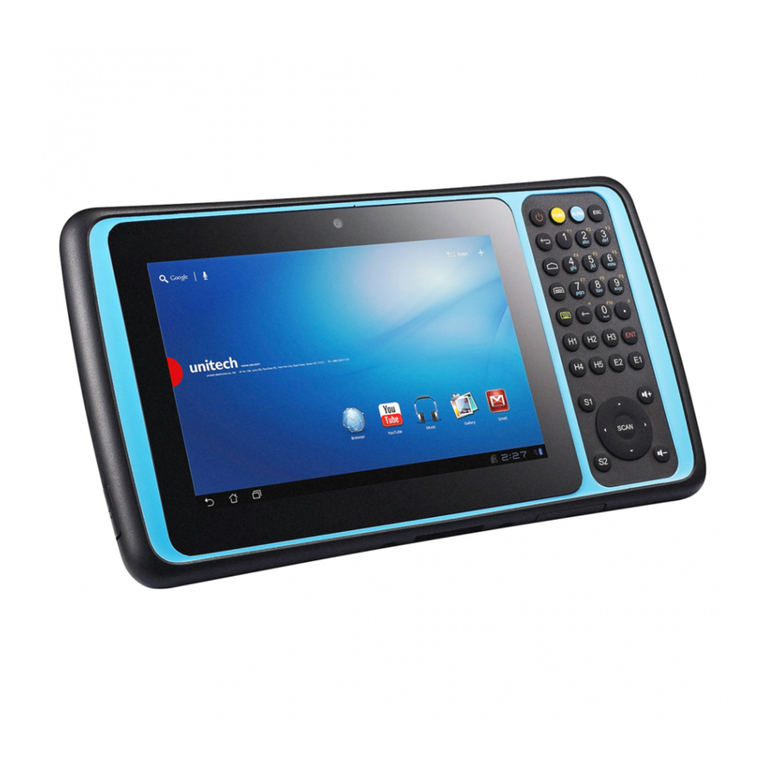
WideFly WF360 POS PDA User manual


WF360 POS PDA Quick Start Guide
Copyright
Copyright 2011-2013 Widefly Limited. All rights
reserved.
Product specifications and features are for reference
only and are su ject to change without prior notice.
Declaration
This document is pu lished y Widefly Limited
without any warranty.
Improvements and changes to this document
necessitated y typographical errors, inaccuracies of
current information, or improvements to programs
and/or equipment, may e made y Widefly Limited
any time and without notice. Such changes will,
however, e incorporated into new editions of this
Guide.
FCC Statement
This device complies with Part 15 of the FCC Rules.
Operation is su ject to the following two conditions:
1.This device may not cause harmful interference, and
2.This device must accept any interference received,
including interference that may cause undesired
operation. Any changes or modifications not
expressly approved y the party responsi le for the
compliance could void the users’ authority to operate
the equipment.

WF360 POS PDA Quick Start Guide
mportant safety information
Please read this carefully efore using WF360 POS PDA.
Always treat the product with care and keep it in a
clean and dust-free place.
Do not expose the unit to moisture or humidity.
Do not expose the unit to extreme high or low
temperatures.
Do not attempt to disassem le the unit
Use only the power adaptors, charging cradle and
atteries approved y Widefly Limited. The use of
any other type may invalidate any approval and
warranty.
The socket outlet for the power adaptor shall e
installed near the equipment and shall e easily
accessi le.
No reverse polarity charging with other power
adaptors/chargers, they may have inverse polarity.
Never use the power adaptor/chargers if the plug is
damaged.
Never touch the charger/power adaptor if your
hands/feet are wet.
Do not expose the charger/power adaptor to water, it
may cause electrical fires.
Do not repair the charger/power adaptor y yourself
for your safety.
To reduce the risk of fire and urns, do not
disassem le, crush or puncture the attery.
Dispose of used atteries according to the
instructions.
Do not dispose of the attery in fire or water.
Do not let the metal contacts on the attery touch

WF360 POS PDA Quick Start Guide
other metal o ject. It could lead to short-circuit and
damage the attery.
Only approved atteries, chargers/power adaptors
that are designed for the model can e used with the
unit.
Risk of explosion if attery is replaced y an incorrect
type.
Do not exchange with wrong model attery. It may
cause explosion. Please dispose attery following
instruction.
To prevent possi le hearing damage, do
not listen at high volume levels for long
periods.

WF360 POS PDA Quick Start Guide
Table of Contents
1.
Overview................................................... 1
1.1.
WF360 Overview ................................. 1
1.2.
nserting and Removing Battery .......... 5
1.3.
Charging Battery ................................. 6
1.4.
LED Light Status .................................. 7
1.5.
System nfo ......................................... 8
2.
Getting Started ......................................... 9
2.1.
Turn ON/OFF ....................................... 9
2.2.
System Sleep Mode & Wakeup ............10
2.3.
Wi-Fi Basic Settings ............................11
2.4.
Clean Reset ........................................13
3.
Power Settings .........................................14
3.1.
Screen Saving .....................................14
3.2.
Configure Sleep Mode .........................15

WF360 POS PDA Quick Start Guide
P.1
1. Overview
1.1. WF360 Overview
Main / Wi-Fi LED
Am ient Light Sensor
Protective Flip Cover
Touch Panel & LCD
Front
Without
Flip Cover

WF360 POS PDA Quick Start Guide
P.2
Note: the USB host was loaded with 5V (DC),
maximum 500mA during normal condition.
USB Host for External
Detacha le Devices
Hand Strap Hole
Speaker
Battery Cover
Hand Strap Hole
Battery Cover Latch
Stylus for
Reset Button
Strap Hole
Rear

WF360 POS PDA Quick Start Guide
P.3
Note: the USB port is for charging only
USB Host for External
Detacha le Devices
Power Key
Shortcut Key (Left)
Shortcut Key (Right)
MicroSD Card Slot
Stylus for
Reset Button
Strap Hole
Strap Hole
USB (for Charging)
Headset Jack
Reset Key
Microphone
Bottom
Top
Left
Right

WF360 POS PDA Quick Start Guide
P.4

WF360 POS PDA Quick Start Guide
P.5
1.2. nserting and Removing Battery
Inserting Battery
Align the attery metal contacts with the contacts
inside the attery compartment.
Press the attery downwards until it fits the attery
compartment. Push the attery until it is locked
automatically
Removing Battery
Turn off the PDA y press-and-holding the power key
and select “Power off”. (Please refer to 2.1 Turn
ON/OFF)
Open the attery cover. Push the attery lock to the
left and hold it.
Gently lift the attery y pulling the strap attached to
the attery top position.
Battery Lock
Table of contents