
Wi Digital Systems Sure-Ears User manual

Wi Sure-Ears In-Ear-Canal Reference Monitors
Micro-In-Ear
TM
TM
TM

Congratulations on your purchase of the Wi Sure-Ears Micro-In-Ear
In-Ear-Canal Noise-Isolating Reference Monitors.
Please thoroughly read this User’s Manual for all the features.
Notice: Product specications and package contents are subject to change without notice.
Package contents may vary according to the different regions.
Wi Micro-In-Ear
CONGRATULATIONS

Wi Micro-In-Ear
TABLE OF CONTENTS
Packing List 4
Important Safety Information 5
Features 6
Getting Started 8
Optional Media/Calling Control Strip 10
Handling 12
Maintenance 13
Product Specications 14
Recycling Information 15
Product Warranty 16
------------------------------------------------
------------------------------------------------
------------------------------------------------
------------------------------------------------
------------------------------------------------
------------------------------------------------
------------------------------------------------
------------------------------------------------
------------------------------------------------
------------------------------------------------

4
PACKING LIST
Wi Micro-In-Ear
1. Wi Micro-In-Ear Monitors
2. Silicone Ear Cushions S, M, L
3. Soft Foam Ear Cushions S, M, L
4. 1/4-inch Stereo Adapter
5. Cable Clip
6. Protective Hard Case
v
z
w
u
x
y

SAFETY
5
Important Safety Information
Before inserting the monitors in your ears, make sure that the volume
on your music player is turned down. After placing the monitors in your
ears, gradually turn up the volume until you reach a comfortable
listening level.
We want you to enjoy music for a lifetime! Do not turn up the volume so
high that you can’t hear what’s around you.
Prolonged use at high volumes may affect your hearing capacity or
may result in noise induced hearing loss (NHL). If you hear ringing or
buzzing, these symptoms may be associated with a condition that could
lead to permanent hearing loss.
Wi Micro-In-Ear

6
Wi Micro-In-Ear In-Ear-Canal Reference Monitors Features
The iconic Wi Micro-In-Ear noise-isolating reference monitors represent
a milestone in innovative design. Practically invisible to audiences and
incredibly easy to wear even for extended time, the Wi Micro-In-Ear
monitors are designed to look, t and feel like no other In-Ear monitors.
The Wi Micro-In-Ear monitors are engineered to deliver the highest
quality sound beautifully into the ear-canal where it belongs. Inside each
of the Wi Micro-In-Ear monitors you’ll nd our proprietary 5.5 mm
precision balanced Neodymium speaker that produces a full range,
high-quality, evenly balanced frequency response.
The Wi Micro-In-Ear noise-isolating reference monitors can provide
-26dB of isolation and passive noise cancellation when properly worn.
The exclusive tangle & kink resistant, low-distortion cable, with bendable
metal reinforced ear loops, is well constructed to ensure a comfortable t
and secure placement of the Micro-In-Ear monitors.
FEATURES
Wi Micro-In-Ear

FEATURES
7
Wi Micro-In-Ear
xu
y
Features
1. Micro-In-Ear In-Ear-Canal Monitors
2. Solid Brass Construction In-Canal Monitors
3. Metal Reinforced Bendable Ear-Loop
4. 45-Degree Strain Relief 1/8-inch Connector
5. Tangle/Kink Resistant, Low-Distortion Cable
6. Straight-Through Left & Right Cable Strain
Relief Mold with Cable Zipper
7. Ear Cushion Retaining Rib
z
{
v
w
8
GETTING STARTED
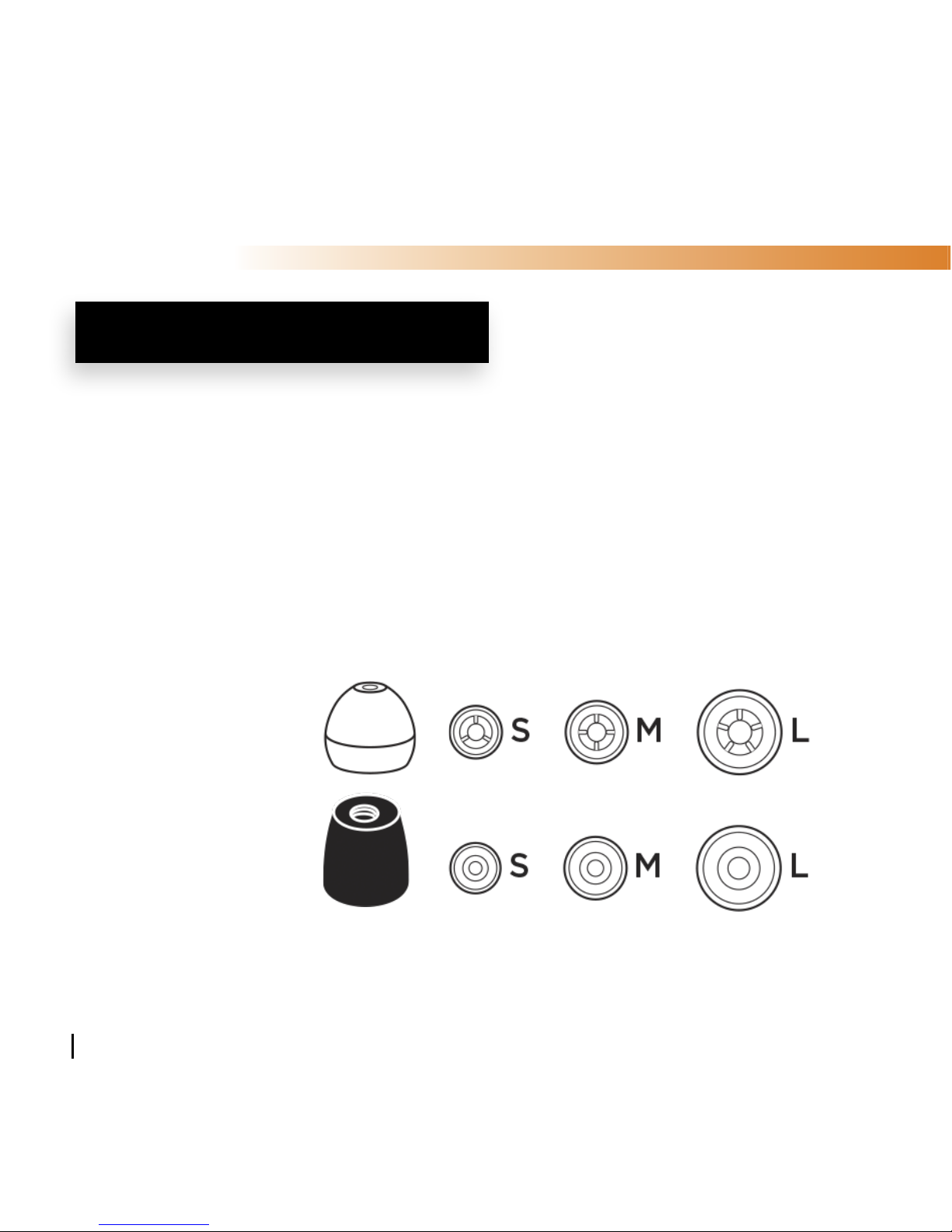
Choose Your Ear Cushions!
1. Before using your new Wi Micro-In-Ear reference monitors you
need to choose an ear cushion size for comfortable t and good
sound. Wi Micro-In-Ear monitors come with two types of ear
cushions, silicone and soft foam. Use whichever is most comfort-
able, and provides the best sound isolation seal for you. It should
be easy to insert, t comfortably, and easy to remove.
Silicone
Ear Cushions:
Soft Foam
Ear Cushions:
2. Attach the ear cushions to the Micro-In-Ear monitors by pushing
the ear cushions past the rib for a secure t.
Wi Micro-In-Ear

GETTING STARTED
9
Wearing The Wi Micro-In-Ear Monitors
1. Wrap the Ear-Loop over and behind your ear.
Run the cord over your shoulders and
down your back, or in your front.
2. Insert right monitor “R” in right ear and
left monitor “L” in left ear. If you are
using the Soft Foam ear coushions,
compress the foam sleeve between
your ngers and insert into the ear
canal before the foam expands back
to its original shape. Hold in place for
ten seconds while the foam expands.
3. Once the monitors and cords are
comfortably in place, gently slide the
cable zipper up to the base of your
head to limit cable movement, and help
the monitors stay in place during use.
Wi Micro-In-Ear

10
Using The Optional Media/Calling Control Strip
The Wi Micro-In-Ear monitors have an optional remote media and calling
strip for use with phones and music players.
Media Functions:
1. Play/Pause a Song or a Video
Press and release the center button to Play. Repeat to Pause.
2. Volume Up and Down
Press the (+) button to increase volume and the (–) button
to decrease volume.
3. Skip Track Forward or Backward
Press and release the center button twice quickly to skip forward.
Press and release three times quickly to skip back.
4. Scan Forward or Backward
To scan forward, press the center button twice (In quick motion),
hold on the second press to scan forward. Release to stop scanning.
To scan backward, press three times, holding on the third press.
MEDIA CONTROL STRIP
u
vw
u
u
Wi Micro-In-Ear
Other manuals for Sure-Ears
1
This manual suits for next models
1
Table of contents
Other Wi Digital Systems Headphones manuals


