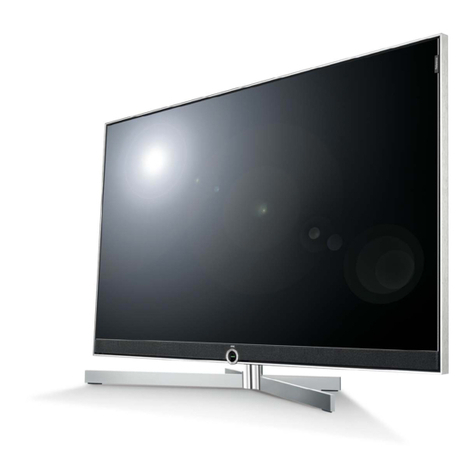
Vizio E191VA User manual

FULL USER MANUAL AVAILABLE AT VIZIO.COM
MODELS
nE191VA
nE221VA
VIZIO
QUICK
START
GUIDE
HD PICTURE
SLIM DESIGN LED

IMPORTANT SAFETY INSTRUCTIONS
• Whenconnectedtoapoweroutlet,powerisalwaysowingintoyourTV.Tototallydisconnectpower,unplugthepowercord.
• Thelightningashwitharrowheadsymbolwithinanequilateraltriangleisintendedtoalerttheusertothepresenceof
un-isolated,dangerousvoltagewithintheinsideofyourTVthatmaybeofsufcientmagnitudetoconstituteariskofelectric
shocktopersons.
• Donotoverloadpowerstripsandextensioncords.Overloadingcanresultinreorelectricshock.
• ThewallsocketshouldbeinstallednearyourTVandeasilyaccessible.
• OnlypowerofthemarkedvoltagecanbeusedforyourTV.Anyothervoltagethanthespeciedvoltagemaycausereor
electricshock.
• Donottouchthepowercordduringlightning.Toavoidelectricshock,avoidhandlingthepowercordduringelectricalstorms.
• UnplugyourTVduringalightningstormorwhenitwillnotbeusedforlongperiodoftime.ThiswillprotectyourTVfrom
damageduetopowersurges.
• DonotattempttorepairorserviceyourTVyourself.Openingorremovingthebackcovermayexposeyoutohighvoltages,
electricshock,andotherhazards.Ifrepairisrequired,contactyourdealerandreferallservicingtoqualiedservicepersonnel.
• WARNING:KeepyourTVawayfrommoisture.DonotexposeyourTVtorainormoisture.IfwaterpenetratesintoyourTV,unplug
thepowercordandcontactyourdealer.Continuoususeinthiscasemayresultinreorelectricshock.
• DonotuseyourTVifanyabnormalityoccurs.Ifanysmokeorodorbecomesapparent,unplugthepowercordandcontactyour
dealerimmediately.DonottrytorepairyourTVyourself.
• Avoidusingdroppedordamagedappliances.IfyourTVisdroppedandthehousingisdamaged,theinternalcomponentsmay
functionabnormally.Unplugthepowercordimmediatelyandcontactyourdealerforrepair.ContinueduseofyourTVmaycause
reorelectricshock.
• DonotinstallyourTVinanareawithheavydustorhighhumidity.OperatingyourTVinenvironmentswithheavydustorhigh
humiditymaycausereorelectricshock.
• FollowinstructionsformovingyourTV.EnsurethatthepowercordandanyothercablesareunpluggedbeforemovingyourTV.
• WhenunpluggingyourTV,holdtheAC/DCpoweradapter,notthecord.Pullingonthepowercordmaydamagethewiresinside
thecordandcausereorelectricshock.WhenyourTVwillnotbeusedforanextendedperiodoftime,unplugthepowercord.
• Toreduceriskofelectricshock,donottouchtheconnectorwithwethands.
• Insertbatteriesinaccordancewithinstructions.Incorrectpolaritiesmaycausethebatteriestoleakwhichcandamagethe
remotecontrolorinjuretheoperator.Donotexposebatteriestoexcessiveheatsuchassunshine,reorthelike.
• Ifanyofthefollowingoccurs,contactthedealer:
-Thepowercordfailsorfrays.
-LiquidspraysoranyobjectdropsintoyourTV.
-YourTVisexposedtorainorothermoisture.
-YourTVisdroppedordamagedinanyway.
-TheperformanceofyourTVchangessubstantially.
• Thisapparatusshallnotbeexposedtodrippingorsplashingandnoobjectsllwithliquids,suchasvases,shallbeplacedon
theapparatus.
• Themainsplugorappliancecouplerisusedasthedisconnectdevice,thedisconnectdeviceshallremainreadilyoperable.
• CAUTION-Theseservicinginstructionsareforusebyqualiedservicepersonnelonly.Toreducetheriskofelectricshock,do
notperformanyservicingotherthanthatcontainedintheoperatinginstructionsunlessyouarequaliedtodoso.
Thelightningashwitharrowheadsymbolwithinanequilateraltriangleis
intendedtoalerttheusertothepresenceofuninsulatedDANGEROUSVOLTAGE
withintheproduct’senclosurethatmaybeofsufcientmagnitude
toconstituteariskofelectricalshocktopersons.
Theexclamationpointwithinanequilateraltriangleisintendedtoalerttheuser
tothepresenceofimportantoperatingandmaintenance(servicing)instructions
intheliteratureaccompanyingtheproduct.
YourTVisdesignedandmanufacturedtooperatewithindeneddesignlimits.Misusemayresultinelectricshockorre.Toprevent
yourTVfrombeingdamaged,thefollowinginstructionsshouldbeobservedfortheinstallation,use,andmaintenanceofyourTV.
ReadthefollowingsafetyinstructionsbeforeoperatingyourTV.Keeptheseinstructionsinasafeplaceforfuturereference.
Toreducetheriskofelectricshockorcomponentdamage,switchoffthepowerbeforeconnectingothercomponentstoyourTV.
• Readtheseinstructions.
• Keeptheseinstructions.
• Heedallwarnings.
• Followallinstructions.
• Donotusethisapparatusnearwater.
• Cleanonlywithadrycloth.
• Donotblockanyventilationopenings.Installinaccordancewiththemanufacturer’sinstructions.
• Donotinstallnearanyheatsourcessuchasradiators,heatregisters,stoves,orotherapparatus(includingampliers)that
produceheat.
• Donotdefeatthesafetypurposeofthepolarizedorgrounding-typeplug.Apolarizedplughastwobladesandathirdgrounding
prong.Thewidebladeorthethirdprongareprovidedforyoursafety.Iftheprovidedplugdoesnottintoyouroutlet,consultan
electricianforreplacementoftheobsoleteoutlet.
• Protectthepowercordfrombeingwalkedonorpinched,particularlyatplugs,conveniencereceptacles,andthepointwhere
theyexitfromtheapparatus.
• Onlyuseattachments/accessoriesspeciedbythemanufacturer.
• Useonlywiththecart,stand,tripod,bracket,ortablespeciedbythemanufacturer,orsoldwiththeapparatus.
Whenacartisused,usecautionwhenmovingthecart/apparatuscombinationtoavoidinjuryfromtip-over.
• Unplugthisapparatusduringlightningstormsorwhenunusedforlongperiodsoftime.
• Referallservicingtoqualiedservicepersonnel.Servicingisrequiredwhentheapparatushasbeendamagedinanyway,
suchaswhenthepower-supplycordorplugisdamaged,liquidhasbeenspilledorobjectshavefallenintotheapparatus,the
apparatushasbeenexposedtorainormoisture,doesnotoperatenormallyorhasbeendropped.
• UnplugthepowercordbeforecleaningyourTV.
• WhenmovingyourTVfromanareaoflowtemperaturetoanareaofhightemperature,condensationmayforminthehousing.
WaitbeforeturningonyourTVtoavoidcausingre,electricshock,orcomponentdamage.
• AdistanceofatleastthreefeetshouldbemaintainedbetweenyourTVandanyheatsource,suchasaradiator,heater,oven,
amplieretc.DonotinstallyourTVclosetosmoke.OperatingyourTVclosetosmokeormoisturemaycausereorelectric
shock.
• Slotsandopeningsinthebackandbottomofthecabinetareprovidedforventilation.ToensurereliableoperationofyourTV
andtoprotectitfromoverheating,besuretheseopeningsarenotblockedorcovered.DonotplaceyourTVinabookcaseor
cabinetunlessproperventilationisprovided.
• NeverpushanyobjectintotheslotsandopeningsonyourTVcabinet.DonotplaceanyobjectsonthetopofyourTV.Doingso
couldshortcircuitpartscausingareorelectricshock.NeverspillliquidsonyourTV.
• YourTVshouldbeoperatedonlyfromthetypeofpowersourceindicatedonthelabel.Ifyouarenotsureofthetypeofpower
suppliedtoyourhome,consultyourdealerorlocalpowercompany.
• DonotapplypressureorthrowobjectsatyourTV.Thismaycompromisetheintegrityofthedisplay.Themanufacturer’s
warrantydoesnotcoveruserabuseorimproperinstallations.
• Thepowercordmustbereplacedwhenusingdifferentvoltagethanthevoltagespecied.Formoreinformation,contactyour
dealer.
• YourTVisequippedwithathree-prongedgroundedplug(aplugwithathirdgroundingpin).Thisplugwilltonlyintoa
groundedpoweroutlet.Thisisasafetyfeature.Ifyouroutletdoesnotaccommodatethethree-pronged,haveanelectrician
installthecorrectoutlet,oruseanadaptertogroundyourTVsafely.Donotdefeatthesafetypurposeofthegroundedplug.
h

DO YOU HAVE QUESTIONS?
LET US HELP!
YOUR PRODUCT INCLUDES FREE LIFETIME TECH SUPPORT
Phone:
Email:
Web:
(877) 878-4946 (TOLL-FREE)
techsupport@VIZIO.com
www.VIZIO.com/support
Hours of operation:
Monday - Friday: 5 AM TO 9 PM (PST)
Saturday - Sunday: 8 AM TO 4 PM (PST)
The VIZIO support team is highly trained
and is based in the United States.
We can help with:
•
New Product Setup
•
Connecting Your Devices
•
Technical Problems
•
And More
We speak English • Se habla Español • Nous parlons Français

HELP VIZIO REDUCE PAPER WASTE.
DOWNLOAD THE FULL USER MANUAL AT
VIZIO.COM/SUPPORT
PACKAGE CONTENTS
This Quick Start GuideRemote Control
with Batteries
LED LCD HDTV

USING THE REMOTE
INPUT
Change the currently-displayed input.
ARROW
Navigate the on-screen menu.
EXIT
Close the on-screen menu.
CLOSED CAPTIONS
Open the closed caption menu.
A/V CONTROLS
Control USB media player.
WIDE
Switch the display mode.
MUTE
Turn the audio off or on.
BACK
Go to the previous on-screen menu.
POWER
Turn TV on or off.
MENU
Display the on-screen menu.
INFO
Display the info window.
DASH
Use with number pad to manually enter
a digital sub-channel. (For example,
18-4 or 18-5.)
CHANNEL UP/DOWN
Change the channel.
GUIDE
Display the info window.
LAST
Return to the channel last viewed.
NUMBER PAD
Manually enter a channel.
VOLUME UP/DOWN
Increase or decrease loudness of the audio.
OK
Select the highlighted menu option.
V BUTTON
Open the USB photo viewer.

INSTALLING THE BASE
1
Align the tabs on the base with the slots on the bottom of the TV.
Gently push down on the base until you feel it click into place.
Slots on TV
Bottom of TV

Align the tabs on the base with the slots on the bottom of the TV.
Gently push down on the base until you feel it click into place.
Bottom of TV
VIZIO RECOMMENDS
VIZIO High-Speed HDMI Cables
To get the best high-resolution picture and sound
on your new VIZIO HDTV, connect your devices
with a VIZIO High-Speed HDMI Cable. They are
manufactured to produce the best picture on
VIZIO HDTVs and feature:
• 1080p Full HD Video
• Great flexibility for thin wall mounts
• Stay securely connected at sharp angles
• Limited lifetime warranty
Available at www.VIZIO.com *Sold Separately

12
FIRST-TIME SETUP
Remove the battery cover by pressing gently on
the arrow and sliding away from the remote.
Insert the included batteries.
Gently slide the battery cover back into place.
Connect the power cord to the back of the TV.
Plug the power cord into an electrical outlet.

3 4
If you have an external antenna or a cable
connection that extends from a wall outlet,
connect it to the TV with an RF/Coaxial cable.
Turn the TV on by pressing the Power button on
the remote.
The Setup App is displayed.
Use the Right Arrow button to go to the next
screen.
Back of TV
Coaxial
Cable

5 6
Use the Arrow buttons on the remote to highlight
your preferred language.
Use the Right Arrow button to go to the next
screen.
Select Home Mode.
Use the Right Arrow button to go to the next
screen.
Other manuals for E191VA
2
This manual suits for next models
1
Table of contents
Other Vizio TV manuals

Vizio
Vizio VU37LHDTV10A_AUO/LPL User manual

Vizio
Vizio D39h-C0 User manual

Vizio
Vizio E472VLE Assembly instructions

Vizio
Vizio D32hn-D1 User manual

Vizio
Vizio D24hn-G9 User manual

Vizio
Vizio E420-AO User manual

Vizio
Vizio Quantum P75Q9-J01 User manual

Vizio
Vizio D32hn-D0 User manual

Vizio
Vizio VO32L HDTV10A User manual

Vizio
Vizio M557-G0 User manual