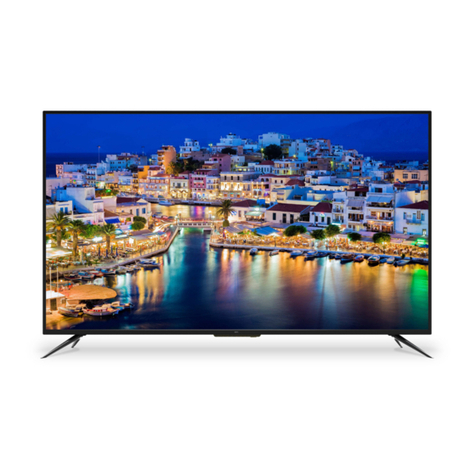
VESTEL 22FA5100K User manual

TELEViZYON
KULLANIM KILAVUZU
OPERATING INSTRUCTIONS
COLOR 22FA5100K 22” LED TV

iOS ANDROID


English-34
JJContents
Safety Information............................................................................. 36
IMPORTANT - Please Read These Instructions Fully Before
Installing Or Operating.......................................................................37
Markings on the Product................................................................... 39
Class II Equipment...............................................................................39
Class II Equipment With Functional Earthing..................................39
Protective Earth Connection..............................................................39
Hazardous Live Terminal.....................................................................39
Caution, See Operating Instructions.................................................39
Class 1 Laser Product ..........................................................................39
WARNING...........................................................................................39
WARNING..........................................................................................40
Getting Started ..................................................................................41
Notifications & Features & Accessories ............................................41
Environmental Information ................................................................41
Standby Notifications..........................................................................41
Accessories Included...........................................................................41
TV Control Switch & Operation........................................................41
Notification...........................................................................................42
Inserting the Batteries into the Remote ............................................42
Connect Power ....................................................................................42
Antenna Connection...........................................................................42
Specification...................................................................................... 43
Features.................................................................................................43
Remote Control ................................................................................. 45
Using My button 1 (*) .................................................................... 46
Using My button 2 (*) ....................................................................... 46
Connections .........................................................................................47
Switching On/Off............................................................................... 48

English-35
To Switch the TV On ......................................................................... 48
To Switch the TV Off......................................................................... 48
First Time Installation ......................................................................... 48
Aerial Installation................................................................................. 49
Cable Installation ................................................................................ 49
Satellite Installation............................................................................. 49
Media Playback via USB Input.......................................................... 49
Media Browser Menu ......................................................................... 50
Loop/Shuffle Mode Operation ........................................................ 50
Quick Menu......................................................................................... 50
General TV Operation...................................................................... 55
Using the Channel List........................................................................55
Configuring Parental Settings............................................................55
Electronic Programme Guide (EPG)................................................55
Software Upgrade................................................................................55
Troubleshooting & Tips...................................................................... 56
Tv will not turn on................................................................................ 56
Poor picture ......................................................................................... 56
No picture............................................................................................ 56
No sound ............................................................................................. 56
Remote control - does not operate .................................................. 56
Input sources - can not be selected.................................................. 56
Information........................................................................................ 57
PC Input Typical Display Modes .......................................................57
AV and HDMI Signal Compatibility ................................................57
(X: Not Available, O: Available) .............................................. 57
Supported File Formats for USB Mode............................................58
Dear Customer; ...................................................................................59
Sub-pixel errors are mainly 2 types. .................................................59
IMPORTANT WARNINGS............................................................. 60

English-36
JJSafety Information
To operate your TV in extreme ambient conditions may cause the
damage of the device.
CAUTION
RISK OF ELECTRIC SHOCK
DO NOT OPEN
CAUTION: TO REDUCE THE RISK OF ELECTRIC
SHOCK DO NOT REMOVE COVER (OR BACK).
NO USER-SERVICEABLE PARTS INSIDE. REFER SERVICING TO
QUALIFIED SERVICE PERSONNEL.
NOTE: Follow the on screen instructions for operating the related
features.
In extreme weather (storms, lightning) and long inactivity
periods (going on holiday) disconnect the TV set from
the mains. The mains plug is used to disconnect the TV
set from the mains and therefore it must remain readily
operable.
This sign is present wherever there is very important
information regarding the operation and maintenance of
the appliance in the literature accompanying it.

English-37
IMPORTANT - Please Read These Instructions Fully
Before Installing Or Operating
WARNING: Never let
people (including children)
with reduced physical, sensory
or mental capabilities or
lack of experience and / or
knowledge useelectricaldevices
unsupervised.
• For ventilation purposes, leave
a free space of at least 10 cm all
around the set.
• Do not block ventilation holes.
• Donot place theTVon sloping
or unstable surfaces, the TV
may tip over.
• Use this device in moderate
climates.
• The power cord plug should
be easily accessible. Do not
place the TV, furniture, etc. on
the power cord. A damaged
power cord/plug can cause fire
or give you an electric shock.
Handle the power cord by the
plug, do not unplug the TV by
pulling the power cord. Never
touch the power cord/plug
with wet hands as this could
cause a short circuit or electric
shock. Never make a knot in
the power cord or tie it with
other cords. When damaged it
must be replaced, this should
only be done by qualified
personnel.
• Do not use this TV in a humid
or damp environment. Do not
expose theTVto liquids. In case
the cabinet contacts any liquids
unplug the TV immediately
and have it checked by qualified
personnel before operating it
any further.
• Do not expose the TV to direct
sunlight, open flames or place it
near intense heat sources such
as electric heaters.
• Listening in excessive
volumes from earphones and
headphones may cause hearing
loss.
• Ensure that no open flame
sources, such as lit candles, are
placed on top of the TV.
• To prevent injuries, this TV
must be securely attached to
a wall carefully by following
the instructions (if the option
is available).
• Occasionally, a few non-active
pixels may appear on the screen
as a fixed blue, green or red
point. Please note that this does

English-38
not affect the performance
of your product. Take care
not to scratch the screen with
fingernails or other hard objects.
• Specifications shown above
are subject to change without
notice
• Before cleaning, unplug the TV
from the wall socket. Only use
a soft, dry cloth while cleaning.
Warning Serious injury or
death risk
Riskofelectric
shock
Dangerous voltage
risk
Caution Injury or property
damage risk
Important Operating the system
correctly
Notice Additional notes
marked
English-39
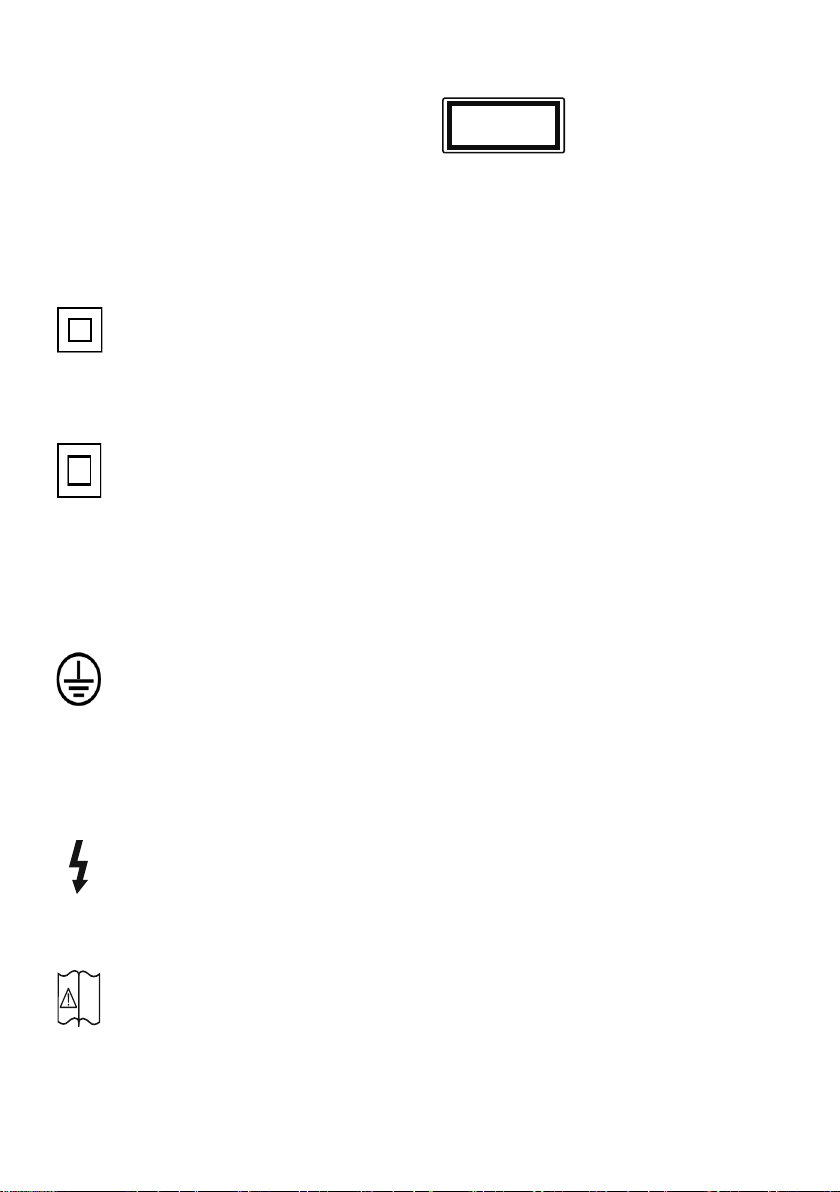
JJMarkings on the
Product
The following symbols are used on the
product as a marker for restrictions and
precautions and safety instructions. Each
explanation shall be considered where the
product bears related marking only. Note
such information for security reasons.
Class II Equipment
This appliance is designed in such a
way that it does not require a safety
connection to electrical earth.
Class II Equipment With
Functional Earthing
This appliance is designed in such a
way that it does not require a safety
connection to electrical earth, the
earth connection is used for functional
purposes.
Protective Earth
Connection
The marked terminal is intended for
connection of the protective earthing
conductor associated with the supply
wiring.
Hazardous Live Terminal
The marked area(s) contain(s) user
replaceable coin or button cell bat-
teries.
Caution, See Operating
Instructions
The marked area(s) contain(s) user
replaceable coin or button cell bat-
teries.
Class 1 Laser Product
This product contains
Class 1 laser source that
is safe under reasonably
foreseeable conditions of
operation.
WARNING
• Neverplaceatelevisionsetinanuns-
table location. A television set may fall,
causing serious personal injury or death.
Many injuries, particularly to children,
can be avoided by taking simple pre-
cautions such as;
• Usingcabinetsorstandsrecommended
by the manufacturer of the television
set.
• Onlyusing furniturethat can safely
support the television set.
• Ensuringthetelevisionsetisnotover-
hanging the edge of the supporting
furniture.
• Notplacingthe television setonall
furniture (for example, cupboards or
bookcases) without acnhoring both
the furniture and the television set to a
suitable support.
• Educatingchildrenaboutthedangers
of climbing on furniture to reach the
television set or its controls.
• Ifyourexistingtelevisionset isbeing
retained and relocated, the same con-
siderations as above should be applied.
i
CLASS 1
LASER PRODUCT
Table of contents
Languages:
Other VESTEL LED TV manuals

VESTEL
VESTEL 40UB8900 User manual

VESTEL
VESTEL 65UA9650 User manual

VESTEL
VESTEL 24VF3035 User manual

VESTEL
VESTEL 49FA5000 User manual

VESTEL
VESTEL 49UB9100S User manual

VESTEL
VESTEL 43UB9100 User manual

VESTEL
VESTEL 32HA5000 User manual

VESTEL
VESTEL 43UB9100S User manual

VESTEL
VESTEL 42PF9050 User manual

VESTEL
VESTEL 49UB9100 User manual

VESTEL
VESTEL 32PF5045 User manual

VESTEL
VESTEL 49UB1907 User manual

VESTEL
VESTEL 22PF5021L User manual

VESTEL
VESTEL SATELLITE 32PH5045 User manual

VESTEL
VESTEL 65UA9200 User manual

VESTEL
VESTEL 55O9800TT User manual

VESTEL
VESTEL 49UA9400 User manual

VESTEL
VESTEL STAR WARS SAGA 22FA7100 User manual

VESTEL
VESTEL 55UA9200 User manual

VESTEL
VESTEL 32VH3025D User manual