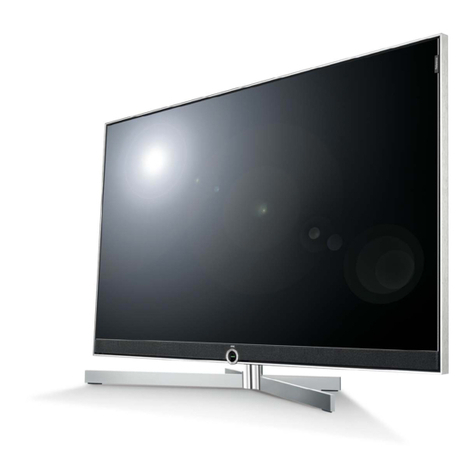
V VIZIO P42HDTV10A User manual


VIZIO P42HDTV10A Service Manual
Table of Contents
CONTENTS PAGE
Sections
1. Features 1-1
2. Specifications 2-1
3. On Screen Display 3-1
4. Factory Preset Timings 4-1
5. Pin Assignment 5-1
6. BLOCK DIAGRAM 6-1
7. Main Board I/O Connections 7-1
8. Theory of Circuit Operation 8-1
9. Waveforms 9-1
10. Trouble Shooting 10-1
11.Spare Parts List 11-1
12. Complete Parts List 12-1
Appendix
1. Main Board Circuit Diagram
2. Main Board PCB Layout
3. Assembly Explosion Drawing
Block Diagram

VINC Service Manual
VIZIO P42HDTV10A
VIZIO P42HDTV10A Service Manual
COPYRIGHT © 2000 V, INC. ALL RIGHTS RESERVED.
IBM and IBM products are registered trademarks of International Business Machines
Corporation.
Macintosh and Power Macintosh are registered trademarks of Apple Computer, Inc.
VINC. and VINC. products are registered trademarks of V, Inc.
VESA, EDID, DPMS and DDC are registered trademarks of Video Electronics Standards
Association (VESA).
Energy Star is a registered trademark of the US Environmental Protection Agency (EPA).
No part of this document may be copied, reproduced or transmitted by any means for any
purpose without prior written permission from VINC.
FCC INFORMATION
This equipment has been tested and found to comply with the limits of a Class B digital device,
pursuant to part 15 of the FCC Rules. These limits are designed to provide reasonable
protection against harmful interference in a residential installation. This equipment generates,
uses and can radiate radio frequency energy, and if not installed and used in accordance with
the instructions, may cause harmful interference to radio communications. However, there is
no guarantee that the interference will not occur in a particular installation. If this equipment
does cause unacceptable interference to radio or television reception, which can be
determined by turning the equipment off and on, the user is encouraged to try to correct the
interference by one or more of the following measures -- reorient or relocate the receiving
antenna; increase the separation between equipment and receiver; or connect the into an
outlet on a circuit different from that to which the receiver is connected.
FCC WARNING
To assure continued FCC compliance, the user must use a grounded power supply cord and
the provided shielded video interface cable with bonded ferrite cores. Also, any unauthorized
changes or modifications to Amtrak products will void the user’s authority to operate this
device. Thus VINC. Will not be held responsible for the product and its safety.
CE CERTIFICATION
This device complies with the requirements of the EEC directive 89/336/EEC with regard to
“Electromagnetic compatibility.”
SAFETY CAUTION
Use a power cable that is properly grounded. Always use the AC cords as follows – USA (UL);
Canada (CSA); Germany (VDE); Switzerland (SEV); Britain (BASEC/BS); Japan (Electric
Appliance Control Act); or an AC cord that meets the local safety standards.

CONFIDENTIAL – DO NOT COPY Page 1-1
File No. SG-0184
Chapter 1 Features
y1024 x 768 pixel resolution with 16:9 wide screen
yATSC (Off-air)/QAM (Cable)/NTSC (Antenna/Cable)
yAll TV formats supported (480i, 480p, 720p & 1080i)
yPC compatible (RGB) up to 1280 x 1024 WXGA
yHigh definition digital interface - HDMI
yMultiple-screen display (picture-on-picture/picture-in-picture)
ySelectable picture mode
ySupporting DVI converted to HDMI
yClosed caption
yGloss front bezel
yWall-mountable

CONFIDENTIAL – DO NOT COPY Page 2-1
File No. SG-0184
Chapter 2 Specification
1. General specification
Native Resolution 1024 (H)X768 (V) pixels,
Effective Display Size 921.6 (H) x 519.2 (V) mm
Aspect Ratio 16:9
Color 1,024 (R) x 1,024 (G) x 1,024 (B) colors
Brightness
(w/glass filter)
1200 cd/m2 ( typical, panel spec)
Min. 300 cd/ m2
Contrast Ratio 10,000:1 (Typical, panel spec).
TV system NTSC/ATSC/ QAM
PC Inputs 15pins D-sub, HDMI-DVI
Video Inputs 1 x S-Video
3 x AV inputs (CVBS; RCA type)
2 x Component (Y Pb/Pr Cb/Cr)
1 x HDMI
Audio Inputs 6 x Stereo RCA (R/L), 1 x PC Mini-Jack
Audio Outputs Analog - 1 x stereo RCA (R/L)
1 x headphone
Digital – 1 x SPDIF Optical
Audio 10W 6ΩX 2
Power Input 100 to 240 Vac
Power Consumption 380W Max
Preset Modes Primary 1024 x 768 @ 60Hz.

CONFIDENTIAL – DO NOT COPY Page 2-2
File No. SG-0184
2. Optical characteristics
Item Specification Remarks
Display Pixels 1,024 (H) x 768 (V) pixels
Display Cells 3,072 (H) x 768 (V) cells
Pixel Pitch 0.9 (H) x0.676 (V) mm
Pixel Type Non-stripe
Color Depth 1,024 (R) x 1,024 (G) x 1,024 (B) colors
Active Display Area 921.6 (H) x 519.2 (V) ±0.5 mm
Brightness Min. 300 cd/ m2
Color coordinates 9300K: x=0.283±0.02, y=0.297±0.02 RGB
6500K: x=0.313±0.02, y=0.329±0.02 RGB /VIDEO
5000K: x=0.346±0.02, y=0.359±0.02 RGB
3. Power Supply
a. Input voltage 100-240Vac, 50/60Hz
b. Input current 4.5A or less (at AC 100V/60Hz)
c. Inrush current 60A at Vac=120V
d. Power consumption 380 W Max
e. Standby/DPMS 3 watts max. (at 120 Vac)
4. Environment
Operating
a. Temperature: 0~40℃
b. Relative humidity: 20%~80% RH
c. Altitude: 0~6,560 ft
Non-operating
a. Temperature: -20~60℃
b. Relative humidity: 10%~90% RH
c. Altitude: 0~9,840 ft
CONFIDENTIAL – DO NOT COPY Page 2-3
File No. SG-0184
5. Dimensions
Item W/Stand W/O stand
a. Height 780 mm 755 mm
b. Width 1072mm 1072mm
c. Depth 290 mm 109 mm
6. Weight
a. Net: 38.8 +/- 0.5 kgs
b. Gross: 47.5 +1.5 kgs /- 0.5 kgs

CONFIDENTIAL – DO NOT COPY Page 3-1
File No. SG-0184
Chapter 3 On Screen Display
Input Menu
Operation Menu
TV Mode
A. PICTURE ADJUST:
a. PICTURE MODE (USER/ VIVID1 / VIVID2 /
VIVID3)
b. Adjust the BRIGHTNESS (0~100)
c. Adjust the CONTRAST (0~100)
d. Adjust the COLOR (saturation) (0~100)
e. Adjust the TINT (hue) (0~100)
f. Adjust the SHARPNESS (0~100)
g. CLOSED CAPTION
(OFF/CC1/CC2/CC3/CC4/TT1/TT2/TT3/TT4)
B. AUDIO ADJUST:
a. VOLUME (0~100)
b. BASS (-50~50)
c. TREBLE (-50~50)
d. BALANCE (-50~50)
e. SURROUND (ON/OFF)
f. REVERB (OFF, CONCERT, LIVING ROOM,
HALL, ARENA)
g. MUTE (ON/OFF)
h. SPEAKERS (ON/OFF)

CONFIDENTIAL – DO NOT COPY Page 3-2
File No. SG-0184
C. TV TUNER SETUP:
a. SOUND (SAP/MONO/STEREO)
b. TV/CABLE (TV/CABLE)
c. CHANNEL SEARCH (RUN)
d. SET CHANNEL
e. SKIP CHANNEL (YES/NO)
D. PARENTAL CONTROL:
a. PARENT LOCK ENABLE (ON/OFF)
b. TV RATING
c. MOVIE RATING
d. ACCESS CODE EDIT
E. PIP SETUP:
a. STYLE (OFF/PIP/POP)
b. Source (AV1、AV2、AV3、ANALOG HD1、
ANALOG HD2、DIGITAL HD、RGB)
c. SIZE (SMALL/MEDIUM/LARGE)
d. POSITION (TOP LEFT/TOP CENTER/TOP
RIGHT/MIDDLE LEFT/MIDDLE
RIGHT/BOTTOM LEFT/BOTTOM
CENTER/BOTTOM RIGHT)
F. SPECIAL FEATURES:
a. LANGUAGE (ENGLISH/FRANÇAIS/
ESPAÑOL)
b. SLEEP TIMER (OFF/30 MIN /60 MIN /90 MIN
/120 MIN)
c. WIDE FORMAT (NORMAL/WIDE/ZOOM、
PANORAMIC)
d. RESET ALL SETTING
e. IMAGE CLEANER

CONFIDENTIAL – DO NOT COPY Page 3-3
File No. SG-0184
RGB Mode
A. PICTURE ADJUST:
a. AUTO ADJUST
b. Adjust the BRIGHTNESS (0~100)
c. Adjust the CONTRAST (0~100
d. Adjust the H-SIZE (0~100)
e. Adjust the H-POSITION (0~100)
f. Adjust the V-POSITION (0~100)
g. Adjust the FINETUNE (0~100)
B. COLOR TEMP:
a. COLOR TEMP. (User, 5000K, 6500K, 9300K)
b. RED (0~255)
c. GREEN (0~255)
d. BLUE (0~255)
C. AUDIO ADJUST:
a. VOLUME (0~100)
b. BASS (-50~50)
c. TREBLE (-50~50)
d. BALANCE (-50~50)
e. SURROUND (ON/OFF)
f. REVERB (OFF, CONCERT, LIVING ROOM,
HALL, ARENA)
g. MUTE (ON/OFF)
h. SPEAKERS (ON/OFF)
D. PIP SETUP:
a. STYLE (OFF/PIP/POP)
b. SOURCE (AV1、AV2、AV3、TV)
c. SIZE (SMALL/MEDIUM /LARGE)
d. POSITION (TOP LEFT/TOP CENTER/TOP
RIGHT/MIDDLE LEFT/MIDDLE
RIGHT/BOTTOM LEFT/BOTTOM
CENTER/BOTTOM RIGHT)
Table of contents