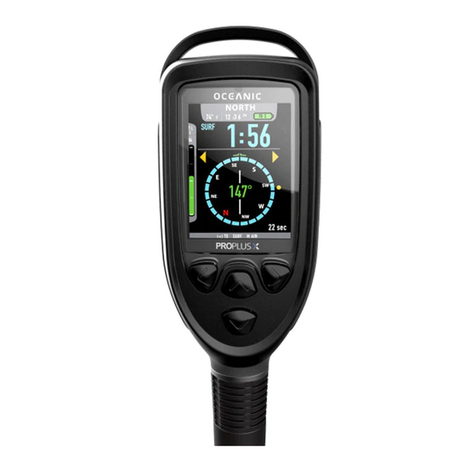
Tusa IQ-800 User manual

1
Contents
IQ-800 Flow Chart 3
1. Introduction 4
2. Key Features 4
3. Common Sense Warnings 4
4. Accessing Display Modes 7
5. Time Mode 8
6. Dive Set Mode 10
7. Dive Plan Mode 12
8. Dive Log Mode 14
10. Dive Profile Mode 20
11. PC Transfer Mode 22
12. Time Set Mode 23
13. Dive Mode 24
14. Altitude Setting 35
15. Battery Level Icon 37
16. Battery Replacement 37
17. Units of Measurement 38
18. General Handling 38
19. Warranty 39
22. Technical Specifications 43

2
DC-Sapience
Selected display features
1
2
3
4
5
6
7
8
9
10
11
12
13
14
15
16
17
18
19
20
21
22
23
24
1
2
3
4
5
6
7
8
9
10
11
12 24
23
22
21
20
19
18
17
16
15
14
13
Decompression stop violation
Decompression time
Decompression depth
Date, safety stop time
Residual nitrogen bar graph
Don’t fly icon
Current time
Total dive time, current depth
Sea/Fresh water icon
Mode button (A)
Nitrox icon
Mode, log number
Ascent rate indicator
Ascent rate warning
Low battery warning
Altitude setting
Set, backlight button (C)
FO2, NDL time, dive time
PO2 icon
Residual Oxygen bar graph
Current dive number
Select button (B)
Surface interval, Safety Factor
Total ascent time

3
IQ-800 Flow Chart
AKey
BKey:Select
CKey:Set
B+CKey:
LCDallON
BKey:Select
CKey:Set
B+CKey5〜6sec:
FT/mchange
BKey:Select
CKey:Set
AKey
BKey:N→…→2→1→N→…
BKeyHold:(FastScrolling)N→…→2→1
PROFILEMODE
B,C,EKey:invalid
CKey:Pause(Divecountstop)
TIMEMODE
TIMESETMODE
DIVESETMODE
PLANMODE
PCTRANSFERMODE
ActualSize
rev.7改
2004.2.27
BKey
release
BKey
hold
DIVEMODE
BKeyorCKey:
ELon5s
B+CKey:Alarmaudition
AKey
AKey
Deco NDL
Non‑Deco Demand
Ascentratewarning PO2limitedwarning OLIlevelwarning
SafetyStop
RangeOVER
AKeyorBKeyorCKey:ELON5s
ESwitch
BKey:invalid
CKey5〜6s:HistoryClear
HISTORYMODE
NonResidualNitrogen ResidualNitrogen
BKey
B BB B
Second→Minute→Hour→12h/24h→
B B B
→Year→Month→Day→
BKey
AKey
AKey
AKey AKey
TIMEMODE
‑Modekey‑ ‑Setkey‑
‑Selectkey‑
B B
SURF.T→DEPTHRANK→
FO2→USF→SOUND/VIBE→Sea/Fresh→
B B B B
BKeyrelease
BKeyhold
CKey
CKey:N‑1→N‑2→…→1‑1→1‑2
CKeyHold:(FastScrolling)N‑1→…→2‑1→1‑1
BKey:1‑2→1‑1→…→N‑2→N‑1
BKeyHold:(FastScrolling)1‑1→2‑1→…→N‑1
BKey
LOGMODE
……
CKeyBKey
ESwitch
CKeyHold:
Set(FastScrolling)

4
1. Introduction
Congratulations on your choice of the TUSA IQ-800 Dive Computer.
The IQ-800 is a compact and sophisticated dive instrument that will
give you reliable, trouble free performance, dive after dive.
The information in this manual has been developed for your safety.
Please read and understand this manual completely before using
your new TUSA dive computer.
2. Key Features
Among the IQ-800’s key features:
• Can handle both air and nitrox
• User changeable FO2 setting
• Visual, audible, and vibrating alarms
• Safety stop function
• Decompression and non-decompression dive information
• Maximum depth alarm
• Dive time alarm
• Display backlight
• User changeable battery
3. Common Sense Warnings
As is true of every piece of diving equipment, including all dive
computers, the IQ-800’s abilities are not limitless. There are certain
limitations and restrictions of which you must be aware, and certain
precautions you must take when using the IQ-800.

5
The IQ-800 is designed for use by certified, recreational divers
who have maintained a sufficient level of knowledge and skill
proficiency through a combination of formal training, ongoing study
and experience. It is not intended for use by persons who lack
the qualifications, and thus may not be able to identify, assess,
and manage the risks scuba diving entails. Use of the IQ-800 in
conjunction with Enriched Air Nitrox (EANx) further requires that the
diver be trained and certified for Nitrox diving.
The IQ-800 is not intended for use by commercial, military or
technical divers whose activities may take them beyond the
commonly accepted depth limits for recreational diving.
The IQ-800 is designed for use by divers breathing either normal
compressed air or Enriched Air Nitrox (EANx) mixtures whose fraction
of Oxygen falls within a range of 22 to 99 percent.
Although the IQ-800 is capable of calculating decompression stop
requirements, this ability is provided as a safety feature only, should
a diver accidentally exceed the No-Decompression Limits (NDLs).
Dives requiring mandatory stage decompression carry substantially
greater risk than dives made well within no-decompression limits.
Decompression diving is widely believed to entail substantially
greater risk of decompression illness than dives made well within
the No-Decompression Limits (NDL). The IQ-800 provides
decompression stop information solely as a contingency in case
divers accidentally exceed the No-Decompression Limits. It is not
designed or intended for use as a tool to plan or execute dives
that participants know will entail mandatory decompression.
WARNINGS
Before using the IQ-800, it is extremely important you read the
following points as well as similar warning and caution notices
that appear throughout this manual. Failure to do so could result
in damage to or loss of equipment, serious personal injury, or
death.

6
The IQ-800 is designed to be used by only one diver at a time. Divers
should not share a single IQ-800, or any dive computer, on the same
dive. Additionally, no diver should lend his or her IQ-800 to anyone else
until it calculates that no measurable residual nitrogen remains after
previous dives, and displays neither the “Desaturation Time” nor “No Fly”
indicators while in Surface Mode. Further, no diver should use his or her
IQ-800 for repetitive dives unless that same IQ-800 has accompanied
him or her on all previous dives in the same repetitive dive series.
Neither the IQ-800, nor any other dive computer presently available,
physically measures the amount of nitrogen present in body tissues, or
the rate at which this nitrogen is being absorbed or released. Instead,
the IQ-800 monitors depth and time, and uses this data to work a
mathematical formula designed to emulate how individuals in good
general health and whose physical characteristics do not place them
among those at higher risk of decompression illness are assumed
to absorb and release nitrogen from body tissues. Thus, the IQ-800
cannot compensate for factors such as age, obesity, dehydration, cold
or exertion, which experts believe place divers at greater risk of DCI. If
these, or similar factors apply to you, use the IQ-800, and any other dive
computer or dive table, with even greater caution.
Experts still know surprisingly little regarding the exact nature and causes
of decompression illness (also known as decompression sickness, DCI,
or DCS). Susceptibility to DCI may vary substantially from person to
person and from day to day. Neither the IQ-800, nor any dive computer
or table, can guarantee that you will not suffer decompression illness.
Even though you use these items correctly, you may still suffer DCI. Do
not rely on the IQ-800 as your sole means of avoiding decompression
sickness.
WARNINGS

7
4. Accessing Display Modes
There are some display modes that the IQ-800 enters and/or exits
automatically. For example, by taking the IQ-800 underwater, you
automatically activate its Dive Mode. Upon surfacing your IQ-800
will automatically enter Time Mode.
To access other modes, you may need to push one of the three
large buttons on the sides of the IQ-800. These are the A, B, and C
buttons. (Fig. 1)
You will find these buttons easy to use. In some instances, you may
need to press a button once and release it to achieve the desired
result. In other instances, you may need to hold the button down
until you get the result you wish. This manual will outline clearly
which procedure to follow for each mode or task.
Throughout this manual display icons that blink are shown
surrounded by gray bars.
Experts recommend divers wait at least 24 hours following any dive
before flying in an aircraft or driving to altitude. Failure to allow
sufficient surface interval before doing so may substantially
increase the risk of Decompression Illness (DCI).
Do not plan dives to depths deeper than those for which the IQ-800 is
capable of displaying an available No-Decompression Limit. Doing so
could cause you to exceed the No-Decompression Limits or limiting
PO2 of 1.6 bar, which may in turn substantially increase your risk of
decompression illness or CNS Oxygen Toxicity and can lead to serious
personal injury or death.
AC
B
E
Figure 1

8
5. Time Mode
• Current time: This is the current time of day.
• Current date: This is the current date.
• Current weekday: This is the current day of the week.
• Battery indicator Icon: This displays the current battery voltage. (not
shown)
• PGT (Pressure Gas in Tissue) graph: This indicates the level of
Nitrogen with nine level indicators. The greater the number of
indicators displayed, the greater the pressure of the gas.
• OLI (Oxygen Limited Indicator) graph: This indicates the level of
Oxygen in the diver's body with eight level indicators.
• Nitrox Icon: This Icon is ON when NITROX has been selected.
• Desaturation time (DESAT): This indicates the time remaining until
the body’s internal nitrogen is desaturated. The DESAT is also
displayed if PGT occurs because of a change in the altitude rank.
Time mode is the IQ-800’s default mode. In this mode the screen
displays a minimum of the current date and time of day. Within 24
hours of surfacing from a dive, the IQ-800 will display additional
information while in Time Mode. A description of the screens is
shown below. (Fig. 2,3)
Normal After a dive
Current Weekday
MODE MODE
Current Time
Desaturation Time Surface Time
Figure 2 Figure 3
Do Not Fly

9
Warning
Experts recommend divers wait at least 24 hours following
any dive before flying in an aircraft or driving to altitude.
Failure to allow sufficient surface interval before doing so
may substantially increase the risk of Decompression Illness
(DCI).
• Surface time (SURF.T): This is the surface interval time after a
dive. The timer is started from when the depth shown in Dive
mode reaches 5 feet (1.4m) or less. If the depth changes back to
5 feet (1.4m) or more in less than 10 minutes, the previous dive
is continued. Surface time is continued for 48 hours. After that,
surface time is turned off.
• Mode: This display shows the computer in Time mode.
• Don’t Fly Icon: While the computer calculates desaturation time
this icon is displayed during Time Mode. When the computer has
finished calculating desaturation time this Icon is turned off.
Prior to a dive
The letters correspond to the buttons of the IQ-800 shown in figure 1.
• A button: Press this button to move to dive set mode.
• A button held for 2-3 seconds: Moves to time mode.
• B button held down: Time display and backlight comes on.
• C button: Turns on the backlight.
• B+C button: Alarm sound or vibration test.
• E button: Touch this switch and metal housing to switch to dive
mode.
Operation of buttons during Time mode
During a surface interval
• A button: Press to move to dive set mode.
• B button: Time display and backlight comes on.
• C button: Turns on the backlight
• B+C button: Activates the alarm sound or vibration test
• E button: Touch this button and the metal housing to switch to dive
mode.

10
6. Dive Set Mode
To enter Dive Set mode from Time mode, press the A button until "D-
SET" is shown on the display.
Note: If the surface interval is less than 10 minutes the computer will
not enter this mode. The computer will switch to dive plan mode.
Use the dive set mode to set the oxygen concentration (FO2), user
safety function (SF), warning alarm sound or vibration (AL-S/AL-V),
and seawater or freshwater (Sea/Fresh) settings. (Fig. 4)
• FO2 (fraction of oxygen): This displays the oxygen concentration
that is currently selected. If the FO2 is set at 21%, "Air" is
displayed.
• PO2 Maximum depth: This displays the PO2 maximum depth (when
PO2=1.4) appropriate for the displayed FO2
• SF (Safety Factor): This displays the SF value set by the diver. The
larger the value, the greater the safety value.
• Alarm operations: The icon will display V for vibrate, or S for sound.
• Nitrox Icon: This Icon is ON when NITROX has been selected.
• Sea/Fresh Icon: This shows whether the computer has been set to
fresh or salt water for depth calculations.
• Mode: Displays “D-SET” when in dive set mode.
Warning Operation
MODE
PO2 Maximum Depth
Dive Set Mode
User Safety Factor
FO2
Figure 4
Table of contents
Other Tusa Diving Instrument manuals


Tusa
Tusa Element User manual

Tusa
Tusa IQ-850 DC-Sapience User manual

Tusa
Tusa B.C.J. User manual

Tusa
Tusa TALIS Installation guide

Tusa
Tusa Q 1203 CE Guide

Tusa
Tusa IMPREX II IQ-400 User manual

Tusa
Tusa ZEN AIR IQ-950 User manual

Tusa
Tusa TUL-1000 User manual

Tusa
Tusa ZEN User manual

Tusa
Tusa Element II Installation guide