
Tri-Tronics Beeper User manual

BEEPER
Compatible with Sport®65 BPR, Sport UplandTM G3, Upland G2,
Upland G2 E P, and all other G2 and G2 E P Field
and Pro Series Model Remote Trainers

The Tri-Tronics Beeper
The Tri-Tronics Beeper lets you know where your bird dog is hunting and when
he goes on point. The Beeper has a wide choice of settings to suit different hunting
styles and individual preferences. You can also keep track of several dogs at one
time by the settings you select.
If you purchased an Upland G2 or Sport®65 BPR G2, your Beeper can be turned
on and off from a distance with your transmitter. Therefore, you can leave the
beeper off most of the time, and only turn it on when hunting conditions require it.
If you own anyTri-Tronics G2 Field or Pro Series model, you can also use your
transmitter to turn the Beeper on or off from a distance. If you own any other
make or model of remote trainer or you plan to use the Beeper by itself with no
remote trainer, you cannot turn your Beeper on or off from a distance, but your
Beeper will have all other functions.
Quick Guide
1.Beeper battery.
One 9-volt alkaline battery is already installed. When it is time to change the
battery, install it in the correct direction and do not force a battery into the
compartment.
2.Beeper modes.
You have a choice of volume, range/point or point-only modes, four run tones,
and two point tones. To change the preset modes, move the DIP switches inside
the battery compartment.
3.Collar strap.
The Beeper is designed to be installed on a Tri-Tronics product collar strap or on
any other Remote Trainer having a 1-inch collar strap that fits the Beeper. The
Beeper will ride best on the dog's neck if you use a remote training collar or
dummy collar to counterweight the Beeper.
4.Beeper power switch.
The Beeper power must be on for the Beeper to operate and for the remote on/off to
operate. Press the round power switch located on the rear surface of the Beeper.
You will hear two tones and the Beeper light will begin flashing. The Beeper will
begin beeping as soon as its power is turned on. To save Beeper battery life, turn
the power switch off after use. If you want the Beeper to be silent until you begin
hunting, turn it off with your Upland G2 or Upland G2 EXP, Sport Upland™ G3
or Sport®65 BPR G2, or with any other Tri-Tronics G2 Field or Pro
Series transmitter.
5.Beeper fit.
Buckle the Beeper snugly on the dog with the Beeper on top of the dog's neck.
The power switch should face towards the dog’s tail.
6.Training collar turned on.
(Tri-Tronics models with remote Beeper activation)The collar must be activated for
you to be able to turn your Beeper on and off remotely. The transmitter intensity
dial must be set as described in #7 and #8.
7.Remote turn on/off.
(Upland G2 and Upland G2 EXP, Sport Upland™ G3 and Sport®65 BPR G2)
Pressing the beeper control button turns the Beeper on or off from a distance.
Tones confirm “on” and “off.”
See the section “Beeper Control Button” for the location of this button for your
model. Note that the transmitter intensity dial must not be on “N” or “T.”
8. Remote turn on/off:
All otherTri-Tronics G2 and G2 EXP Field and Pro Series models. Pressing any
transmitter button turns the Beeper on or off from a distance. Tone confirms “on”
and “off.” Note that your dial must be set on “A.”

9. Beeper orientation.
The Beeper and the remote training collar must be directly across from each other
as shown in the illustration for the remote on/off feature to work.
10. Locate feature.
(Upland G2 and Upland G2 EXP, Sport Upland™ G3 and Sport®65 BPR)
To locate your dog when the Beeper is silent, press and hold the Beeper button.
You will hear several tones.
Beeper Settings
Volume Control:
Two settings – Low or High
Modes:
Range/Point or Point-only.
In the range/point mode, the Beeper sounds once every 5 seconds while the
dog is running, and sounds once every 1 second when the dog goes on point. In
point-only mode, the Beeper is silent until the dog goes on point, then sounds
once every 1 second.
Run Tones:
Single Beep, Double Beep, Triple Beep, or Tracking Tone.
You may select one of four tones as your “run tone.” The tracking tone reflects
some of the actual hunting motion of your bird dog, much like the jingle of the
traditional bell. Note that using the tracking tone will shorten battery life. Your
hearing and your personal preference will determine which run tone you prefer.
You can distinguish among several dogs hunting at the same time by setting each
dog's Beeper on a different run tone.
Point Tones:
Single Beep or Hawk Scream.
You may select one of the these two tones as your “point tone.” Your hearing and
your hunting preference will determine which point tone you prefer.
Changing Beeper Settings
1.Open the battery compartment.
Hold the Beeper upside down and unscrew the four Phillips head screws on the
bottom. Slide the battery compartment cover along the collar strap to expose the
battery compartment and the Beeper DIP switches.
Correct
This: Not This:
Volume Modes Run Tones Point Tones
1 2 3 4 5
Dark indicates switch position

2.Set the DIP switches.
Hold the Beeper so that the switches are on the top
edge of the compartment. You do not need to turn
the Beeper off to change the settings or to make the new
settings take effect. The switch is indicated by the dark
in the diagram section
To select your settings, set the switches in the positions
shown in the diagram below. All switches except the
volume switch make a confirming “chirp” when their
positions are changed. Replace the battery cover when done.
Installing or Changing the Beeper Battery
Open the battery compartment, as described in “Changing Beeper Settings.”
Install a Panasonic, Duracell or Eveready 9-volt alkaline battery. The battery can
only be installed in the correct direction. Note that some other battery brands will
be too long and will not fit correctly. Never force a battery into this compartment.
Installing and Adjusting the Beeper on a Collar Strap
The photos below show how to install the Beeper on a collar strap. Adjust the
position of your Beeper on the strap for the size of your dog. It should ride
directly across from the remote training collar when placed on your dog, with
the Beeper on the top of the dog's neck and the collar underneath his neck.
The collar strap may be cut off to fit your dog’s neck. Never cut the strap until
both the Beeper and remote trainer are installed on the strap.
9-volt battery
DIP Switches
When setting switches,
hold the Beeper as shown
1 2 3 4 5
Low High
Range/Point Point-Only
Single Beep Double Beep Triple Beep Tracking Tone
Single Tone Hawk Scream
Volume Switch:
Modes:
Run Tones:
Point Tones:
123

Beeper Control Button
•Upland G2 and Upland G2 EXP: The rubber-covered button in the center
of the back side of the transmitter.
•Sport®65 BPR G2: The small orange button.
•Sport Upland™ G3: The upper button marked BP.
• G2 and G2 EXP Field or Pro Series model other than the Upland models:
Any button, including the “tone” button, will operate the Beeper provided
the intensity dial is set on “A.”
Introducing an Inexperienced Dog to the Beeper
The Beeper is loud. It can startle or alarm an inexperienced dog at first. If your
dog isn't used to beeper collars, begin hunting him with the Beeper set on low
volume instead of high volume. You can also muffle the sound by placing duct
tape over the horn, or a cotton ball in the horn. Another technique for getting
a dog used to beeper collars is to hang a beeper at least 20 yards away from the
dog's kennel, and let him listen to it beeping for several hours before you put
it on him and hunt.
Care and Maintenance
Remove the Beeper from the collar strap for thorough cleaning. You can wipe
the Beeper with a damp cloth and mild detergent if desired. Do not use any
solvents as they can cause damage. Do not submerge the Beeper when cleaning it.
Dirt and debris can cause the Beeper sound to change. To clean debris from the
Beeper horn, use only a moistened cotton swab. Do not use any sharp or pointed
objects or damage to the horn may result.
Ser ice and Warranty
If you purchased an Accessory Beeper, your Beeper is covered by a 1-year
warranty from Tri-Tronics.
If you purchased an Upland G2 or Upland G2 EXP, Sport Upland™ G3, or
Sport®65 BPR G2, your Beeper is covered by a 2-year warranty from Tri-Tronics.
The warranty does not cover physical damage or abuse, and is void if the Beeper
has been altered or unauthorized work has been attempted. If you send your
Beeper in for repair we
may replace it with a
reconditioned unit.
If you suspect that your
Beeper is malfunctioning,
please check the
Troubleshooting Guide.
If this does not resolve
the problem, please
contact our Customer
Service Department at
or 1-800-456-4343.
Always call our Customer
Service Department
before sending your unit
in for repair.

Troubleshooting Guide
Problem #1.
The Beeper does not make any sound when the power switch
is turned on.
The battery in the Beeper has run down. Replace as needed. Note that
leaving the Beeper turned on when not in use will extend its battery life.
Also note that using the tracking tone will shorten battery life.
Loose battery connection. Gently pull the metal tabs in the battery
compartment to hold the battery more firmly.
Problem #2.
Pressing the beeper control button on the transmitter does not
turn the Beeper on or off.
You are not pressing the right button. Check the section “Beeper Control
Button” in this Owner’s Guide.
The Beeper power switch is off. Turn the Beeper power switch on.
The remote training collar has not been turned on. Turn the collar on.
The transmitter intensity dial is set incorrectly. For all Upland models and the
Sport®65 BPR, select a setting other than “N” or “T”. For all other G2 or
G2 EXP Field and Pro Series models, select “A” on the intensity dial.
The Beeper is not directly across from the training collar. Slide the Beeper along
the collar strap to achieve the orientation shown in the illustration in the
“Beeper Orientation.”
The 9-volt battery in the Beeper is dead. Replace the battery.
The batteries in the training collar, receiver or transmitter need charging.
Recharge the unit.
Loose battery connection. Gently pull the metal tabs in the battery
compartment to hold the battery more firmly.
You are using the wrong transmitter. Make sure you haven't switched
transmitters with another unit.
Problem #3.
The Beeper sound quality has become muffled or distorted.
Dirt or debris has become trapped in the horn. Remove trapped debris
as described in the “Care and Maintenance” section.
Problem #4.
The Beeper light is on but the Beeper isn’t working.
The Beeper battery is getting low. Replace the battery.
Problem #5.
The Beeper is changing modes on its own or is turning itself on
and off without receiving a signal from the transmitter.
The Beeper battery is getting low. Replace the battery.
Loose battery connection. Gently pull the metal tabs in the battery
compartment to hold the battery more firmly.
Other manuals for Beeper
2
Table of contents
Other Tri-Tronics Pet Care Product manuals

Tri-Tronics
Tri-Tronics Pro 500 G3 EXP User manual

Tri-Tronics
Tri-Tronics Sport 50S User manual
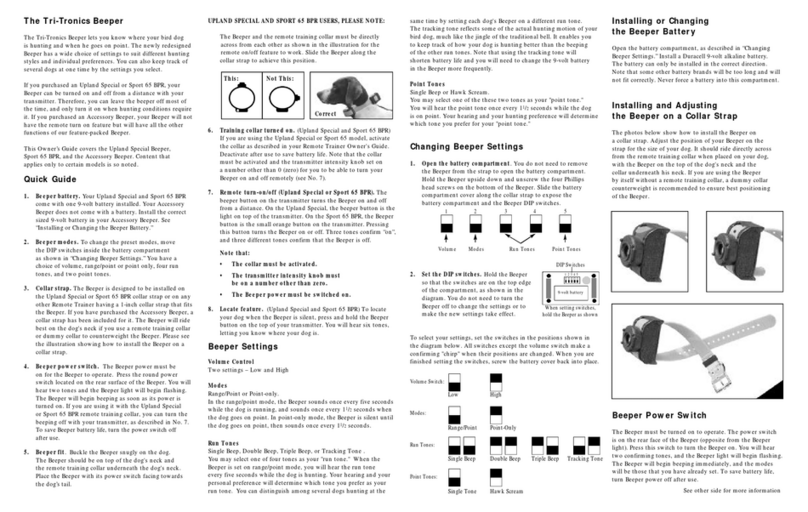
Tri-Tronics
Tri-Tronics Beeper User manual

Tri-Tronics
Tri-Tronics Pro 500XLS User manual

Tri-Tronics
Tri-Tronics Classic 70 User manual

Tri-Tronics
Tri-Tronics ViceBreaker H2 User manual

Tri-Tronics
Tri-Tronics G3 EXP FIELD Series User manual

Tri-Tronics
Tri-Tronics UplandG3 User manual

Tri-Tronics
Tri-Tronics Tracer User manual

Tri-Tronics
Tri-Tronics Sport Junior G3 User manual


