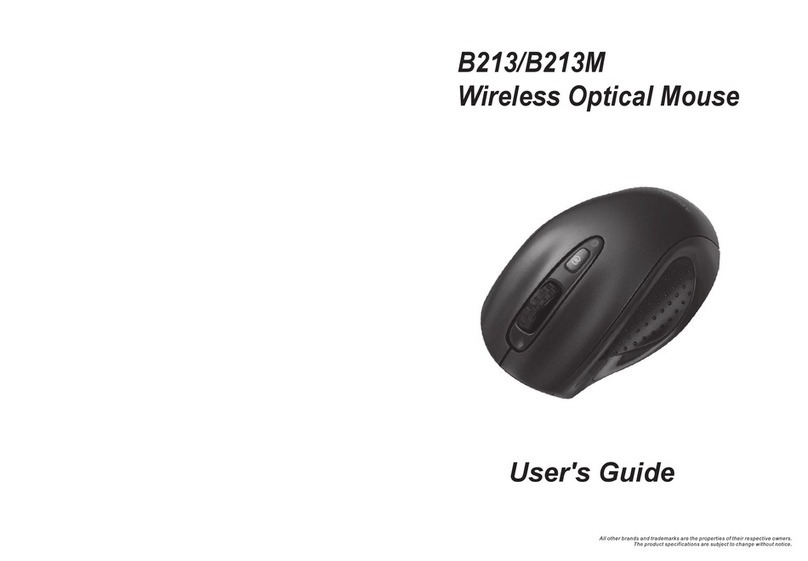
Touch-You G60 User manual

F
FE
EA
AT
TU
UR
RE
ES
S
P
PH
HY
YS
SI
IC
CA
AL
L
S
SP
PE
EC
CI
IF
FI
IC
CA
AT
TI
IO
ON
N
23
Pebble Curve-Touch
2.4GHz Presenter Mouse ¾2.4GHz Wireless technology.
¾Plug-And-Go Nano Transceiver.
¾Seamless connections up to 33ft (10M) in range.
USER GUIDE
Touch what you desire
More than Touch
Model No.: G60
I
IN
NT
TR
RO
OD
DU
UC
CT
TI
IO
ON
N
Congratulations on your purchase of the Pebble Curve-touch
2.4GHz Presenter Mouse, the amazing solution that combining a
Curve-touch Mouse and Intelligent Presenter in one sleek device.
The Comfort Presenter Mouse provides high-performance that
works like a charm and wireless convenience to have the micro
USB Nano receiver in the mouse and always ready for use.
2.4GHz Wireless Curve-Touch technology enable its sensitivity
up to 1200 dpi,. With a flexible natural shape and soft rubber grip
design with free buttons, thus creates a smooth , handy control
and make a wonderful feeling.
All functions are by using flap and multi-gesture and let you enjoy
its full touch-controlling capability for presentation.
With the ability to Touch, Flick, Gesture and Go–you’ll quickly
realize the power harnessed in your fingertips!
¾Curve-Touch technology PATENT.
¾Multi-function design 3 in 1 :
2.4GHz Wireless Mouse
2.4GHz Presentation and PDF remote
¾Presenter Supported Mode
6Windows : Support PDF and Power Point
6Mac OS : Support iWork-Keynote
6Linux : Support OpenOffice-Impress
¾Easily navigate your mouse pointer with gestures
of your finger.
¾Ergonomic design enhances comfort for both left
and right-handed users.
¾Auto detect Mouse/Presenter mode .
¾Power mode :
6Support two AAA batteries / Rechargeable battery
¾Without any driver to install
¾Production Certifications: CE , FCC , TELEC , RoHS
S
SY
YS
ST
TE
EM
M
R
RE
EQ
QU
UI
IR
RE
EM
ME
EN
NT
TS
S
Hardware
¾Available USB Port
For 2.4GHz-dongle enabled desktop or laptop
computer (Automatically enabled with 2.4GHz).
Operating System
¾Windows 98/ ME / XP / Vista / 7
¾Mac OS
¾Linux
P
PA
AC
CK
KA
AG
GE
E
C
CO
ON
NT
TE
EN
NT
TS
S
¾Pebble Curve-touch 2.4GHz Presenter Mouse
¾2.4GHz Nano Transceiver Dongle
¾User Guide
Interface 2.4GHz
Operating Distance 33ft (10 meters )
Tracking Sensor Laser-Based sensor
Resolution 1,200 dpi
Dongle Mini USB Nano Transceiver Dongle
Button / Scroll All by flap and multi-gesture
Dimensions 90.00 (L) x 60.00 (W) x 30.00(H) mm
Certification CE , FCC , TELEC , RoHS
1
User Guide Pebble Curve-Touch 2.4GHz Presenter Mouse

User Guide Pebble Curve-Touch 2.4GHz Presenter Mouse
5
Item Descriptions Diagram
1
Switch to PDF /
Power point mode:
Hold pebble mouse
in your hand
2
Full screen mode in
powerpoint:
Double click on the
presenter
3
Move to next page:
Slide from left to right
4
Move to previous page:
Slide from right to left
C
CU
UR
RV
VE
E-
-T
TO
OU
UC
CH
H
P
PR
RE
ES
SE
EN
NT
TE
ER
R
O
OP
PE
ER
RA
AT
TI
IN
NG
G
M
MO
OD
DE
E
Quick flash of light for 3 seconds and turn into breath mode.
Step 1. Plug in 2.4GHz Dongle to USB port
from desktop or laptop computer.
C
CU
UR
RV
VE
E-
-T
TO
OU
UC
CH
H
M
MO
OU
US
SE
E
O
OP
PE
ER
RA
AT
TI
IN
NG
G
M
MO
OD
DE
E
Item Descriptions Diagram
1
Left/ Rightclick
function:
Single click on
left/right area
"
2
Left Double click
function:
Double click on left
area
"
3
Middle key
function:
Double click on
middle area
"
4
Scroll key:
Slide from middle
area
"
5
Drag:
Double click and
hold on left key to
drag
"
Step 2. One Click on the power button.
4
G
G6
60
0
2
2.
.4
4G
GH
HZ
Z
C
CU
UR
RV
VE
E-
-T
TO
OU
UC
CH
H
M
MO
OU
US
SE
E
C
CO
ON
NN
NE
EC
CT
T
G
GU
UI
ID
DE
E

Federal Communication Commission Interference Statement
This equipment has been tested and found to comply with the limits for a Class B digital device, pursuant to Part 15 of the FCC Rules. These
limits are designed to provide reasonable protection against harmful interference in a residential installation.
This equipment generates, uses and can radiate radio frequency energy and, if not installed and used in accordance with the instructions, may
cause harmful interference to radio communications. However, there is no guarantee that interference will not occur in a particular installation. If
this equipment does cause harmful interference to radio or television reception, which can be determined by turning the equipment off and on,
the user is encouraged to try to correct the interference by one of the following measures:
. Reorient or relocate the receiving antenna.
. Increase the separation between the equipment and receiver.
. Connect the equipment into an outlet on a circuit different from that to which the receiver is connected.
. Consult the dealer or an experienced radio/TV technician for help.
FCC Caution: To assure continued compliance, any changes or modifications not expressly approved by the party responsible for compliance
could void the user's authority to operate this equipment. (Example - use only shielded interface cables when connecting to computer or
peripheral devices).
Other Touch-You Mouse manuals