GTalarm3 User manual V-2022-05-24 3 | EN
Contents
1General information about the module GTalarm3....................................................................................................................................................4
1.1 Specifications..................................................................................................................................................................................................4
1.2 Used definitions and terms..............................................................................................................................................................................4
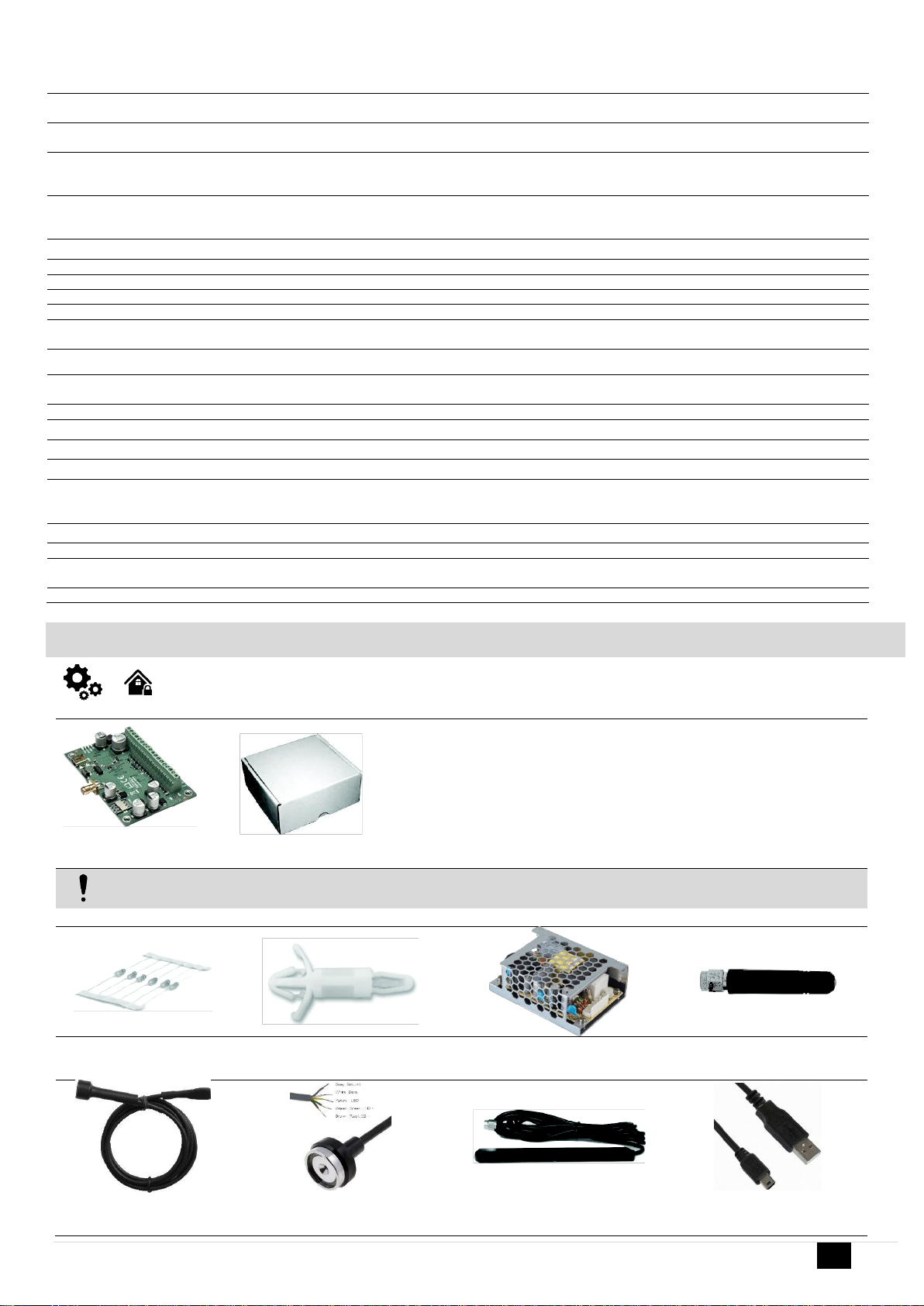
1.3 Package content.............................................................................................................................................................................................5
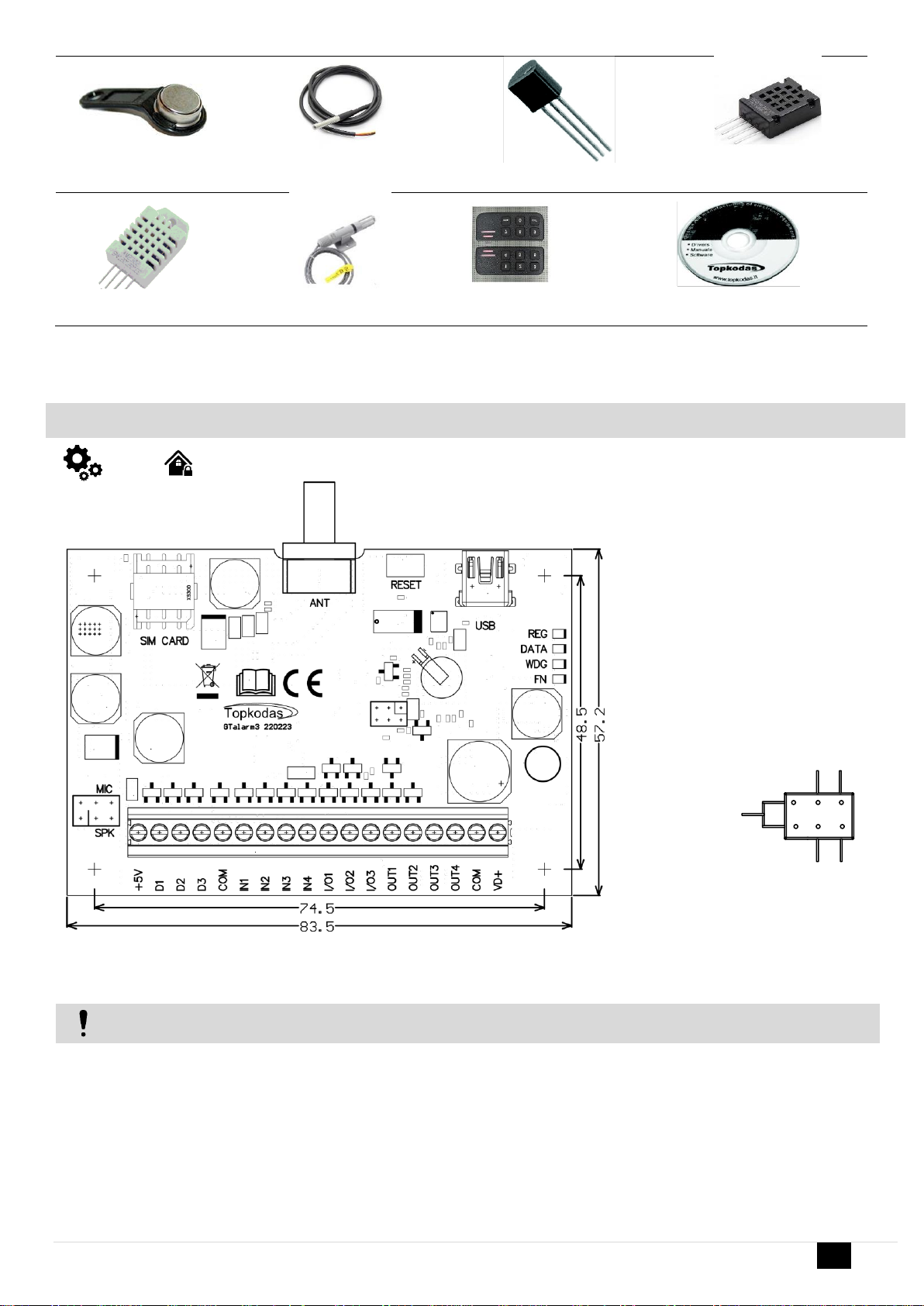
1.4 General view of the module.............................................................................................................................................................................6
1.5 Meaning of LEDs and contacts........................................................................................................................................................................7
1.6System Access codes. Default passwords. .....................................................................................................................................................8
2QUICK START First steps to prepare GTalarm3 and SERA2 software. ..................................................................................................................9
3Installation............................................................................................................................................................................................................10
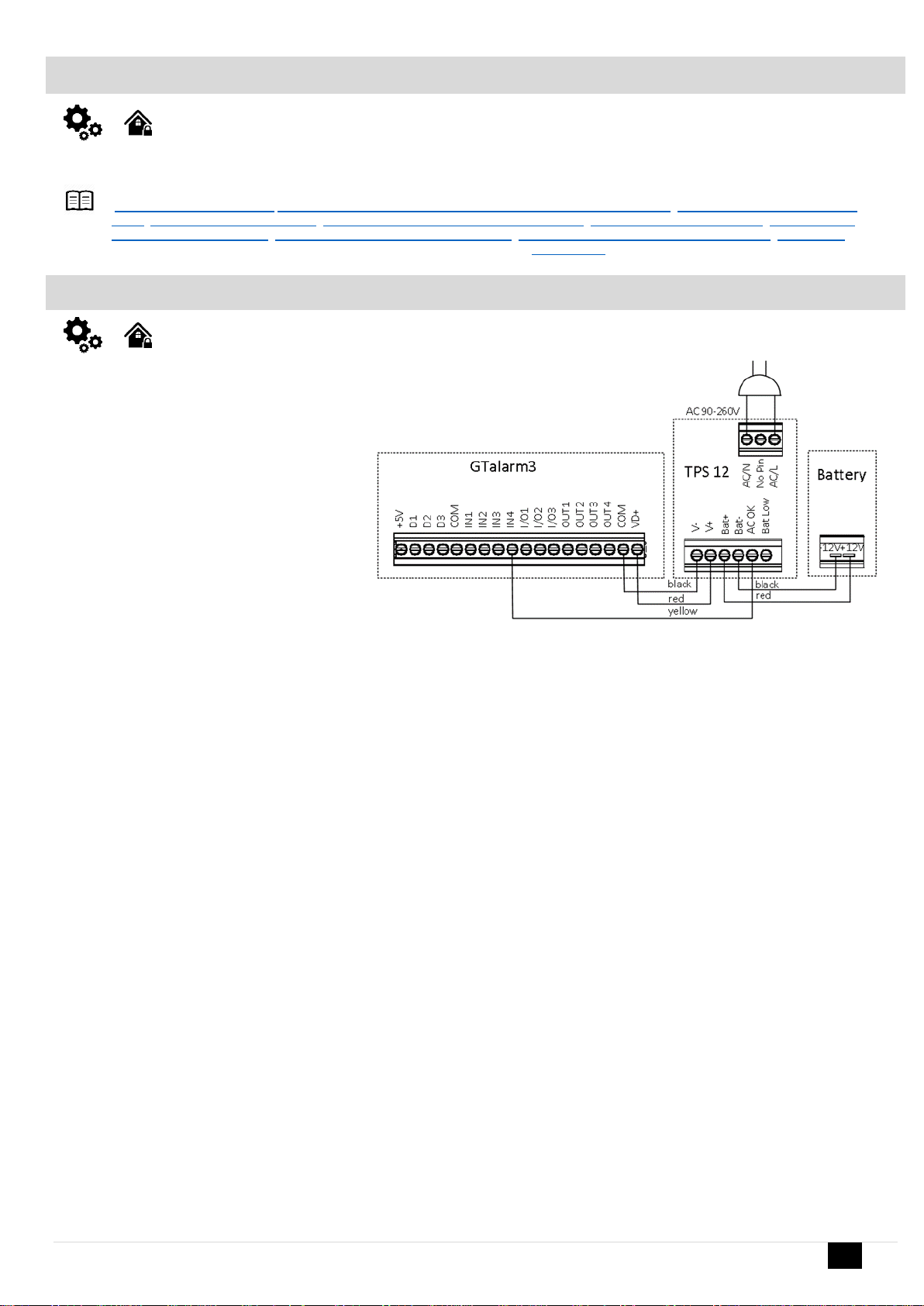
3.1 Power supply, Battery Wiring ........................................................................................................................................................................10
3.2 Inputs............................................................................................................................................................................................................12
3.3 Sensors. Automation.....................................................................................................................................................................................13
3.3.1 Humidity sensors AM2302/DHT22/AM2305/AM2306/AM2320/AM2321 ...................................................................................................13
3.3.2 Analog inputs 0-10V, 0-20mA, 4-20mA.....................................................................................................................................................14
3.3.3 Temperature sensors Dallas 1-wire DS18b20 installation & recommendations.........................................................................................16
3.3.3.1 Wiring Dallas 1-wire DS18b20........................................................................................................................................................16
3.3.3.2 Temperature sensors Dallas 1-wire DS18b20 Configuration...........................................................................................................17
3.3.3.3 How to change temperature scale from Celsius to Fahrenheit ........................................................................................................18
3.3.4 Step by step: How to check real time hardware status, real time sensor values. How to receive alarms and where find alarm events list?
19
3.4 Sensors. Security..........................................................................................................................................................................................20
3.4.1 Burglar Alarm sensor zones wiring EOL NO NC.......................................................................................................................................20
3.4.2 Fire alarm and Smoke sensors.................................................................................................................................................................23
3.4.2.1 Guidelines for Locating Smoke Detectors and CO Detectors..........................................................................................................23
3.4.2.2 [4-Wire] Smoke detector Wiring ......................................................................................................................................................23
3.4.2.3 [2-Wire] Smoke Detector Wiring to I/O Inputs..................................................................................................................................24
3.5 Outputs.........................................................................................................................................................................................................25
3.5.1 Output PGM wiring. Bell, Relay, Led Wiring..............................................................................................................................................27
3.5.2 Access control output with logging............................................................................................................................................................27
3.5.3 Quick start outputs ...................................................................................................................................................................................28
3.6 Access control. Arming/Disarming methods ..................................................................................................................................................28
3.6.1 Wiegand Keypad & RFID Card Reader, iButton Probe Wiring ..................................................................................................................31
3.6.2 Enter iButton, RFID, Phone numbers to the memory of the module..........................................................................................................32
3.7 How to set clock synchronization?.................................................................................................................................................................33
5Programming........................................................................................................................................................................................................35
5.1 SERA2 Uploading/Downloading Software.....................................................................................................................................................35
5.2 General system options programming...........................................................................................................................................................36
5.3 System Fault/ Troubles Programming ...........................................................................................................................................................38
5.4 Digital Inputs/ Outputs programming .............................................................................................................................................................39
5.5 Zones programming......................................................................................................................................................................................40
5.6 Outputs. Bell & PGM programming ...............................................................................................................................................................42
5.7 Users & Access Control programming details................................................................................................................................................43
5.8 DISARM /ARM/SLEEP/STAY the security system.........................................................................................................................................46
5.9 Reporting SMS&Dial in Case of Alarm Events...............................................................................................................................................48
5.9.1 Reporting to the user‘s mobile phone .......................................................................................................................................................49
5.9.2 Custom SMS Text....................................................................................................................................................................................49
5.10 Reporting to the Central Monitoring Station...................................................................................................................................................50
5.10.1 GPRS/ IP/ TCP/ UDP details programming .........................................................................................................................................50
5.10.2 Central Monitoring Station details programming ..................................................................................................................................51
5.11 Event Summary (Events) ..............................................................................................................................................................................52
1.1. RT Testing & Monitoring. Hardware. .............................................................................................................................................................53
5.12 RT Testing & Monitoring Security Alarm Panel/ Access.................................................................................................................................54
5.13 Automation & Sensors Programming ............................................................................................................................................................55
1.1. Automation/Sensors (Automation/Sensors/Analog Inputs) Programming in SERA2 Software .......................................................................55
5.14 Data Transmiting to Server & Remote Control...............................................................................................................................................58
5.14.1 TCP/ IP Remote Control......................................................................................................................................................................58
5.15 Events Log....................................................................................................................................................................................................59
5.16 Remote Monitoring, Control, Configuration, FW update over the internet......................................................................................................59
5.17 Testing & Monitoring Automation...................................................................................................................................................................61
5.17.1 Realtime Testing & Monitoring > Sensors/ Automation........................................................................................................................61
5.17.2 Realtime Testing & Monitoring > Event Monitoring ..............................................................................................................................62
6Info: Hardware, Firmware, Bootloader, Serial No & Updates.................................................................................................................................63
6.1 Firmware Update...........................................................................................................................................................................................64
7Recommendations for the user & installer.............................................................................................................................................................64
8Remote control and configuration using SMS Commands.....................................................................................................................................64
9The table of installers commands..........................................................................................................................................................................65
10 The table of users commands...............................................................................................................................................................................68
11 APP configuration.................................................................................................................................................................................................68
12 Warranty Terms and Conditions............................................................................................................................................................................69