Terms and Functions of Each Parts
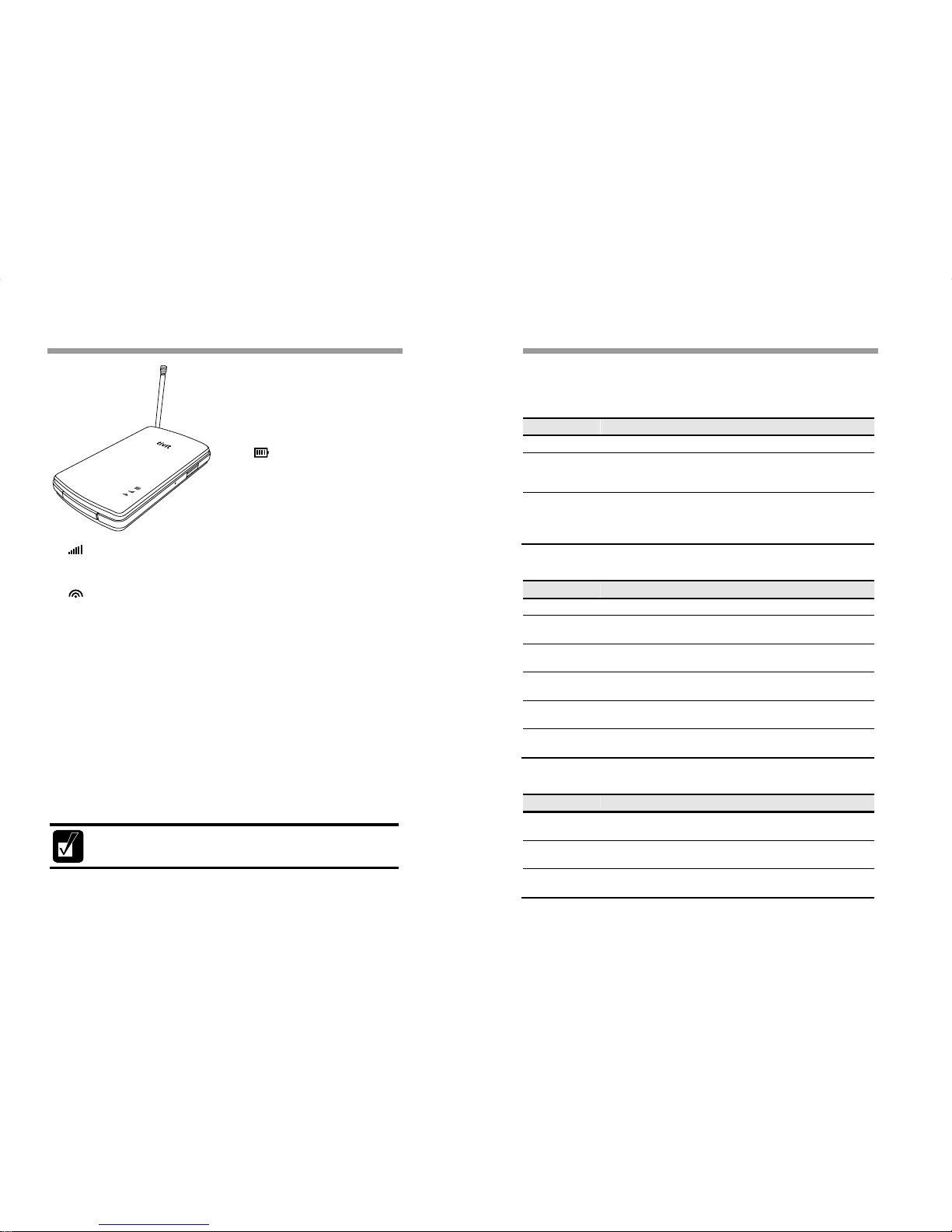
Antenna①
An antenna for receiving ATSC-
M/H broadcasting signal. Please
pull out the antenna to its
maximum length if the signal is
weak.
②Power & Battery LED
Indicator
It indicates remaining battery
power status when the device is in
use and indicates whether the
battery is recharging correctly or
not.
③Status LED Indicator
It shows whether VTV-A10 successfully catch available ATSC-M/H
channel information and the receiving sensivalupsy for ATSC-M/H signal.
④Wi-Fi LED Indicator
Indicates the connection status with Smart phone through Wi-Fi and also
show data transmission status between two devices.
Reset Hole⑤
You can press into this hole with a pin to reset the product if there is any
problem. Press the power button and immediately press the reset hole
with a pin while holding the power button, then VTV-A10 will turn off and
turn on again. After booting up, finally VTV-A10 will be initialized to its
original state when you purchased.
(*) Please do not operate this function when the power & battery indicator
LED is blinking.
Power⑥Button
Turns VTV-A10 on/off. Press to power on and hold for 3 seconds to power
off.
The video playback may not be smooth depending on the performance
of smart phones or Wi-Fi communication environment.
②
③
⑥
⑤
⑦
①
④
Guides for the LED Indicators
You can check the ATSC-M/H signal reception status and operation status
with LED Indicators, of which colors change in each situation as follows:
■Power & Battery LED Indicator (at the Top Place)
Status Details
Off VTV-A10’s power is off.
Red/Green
(On)
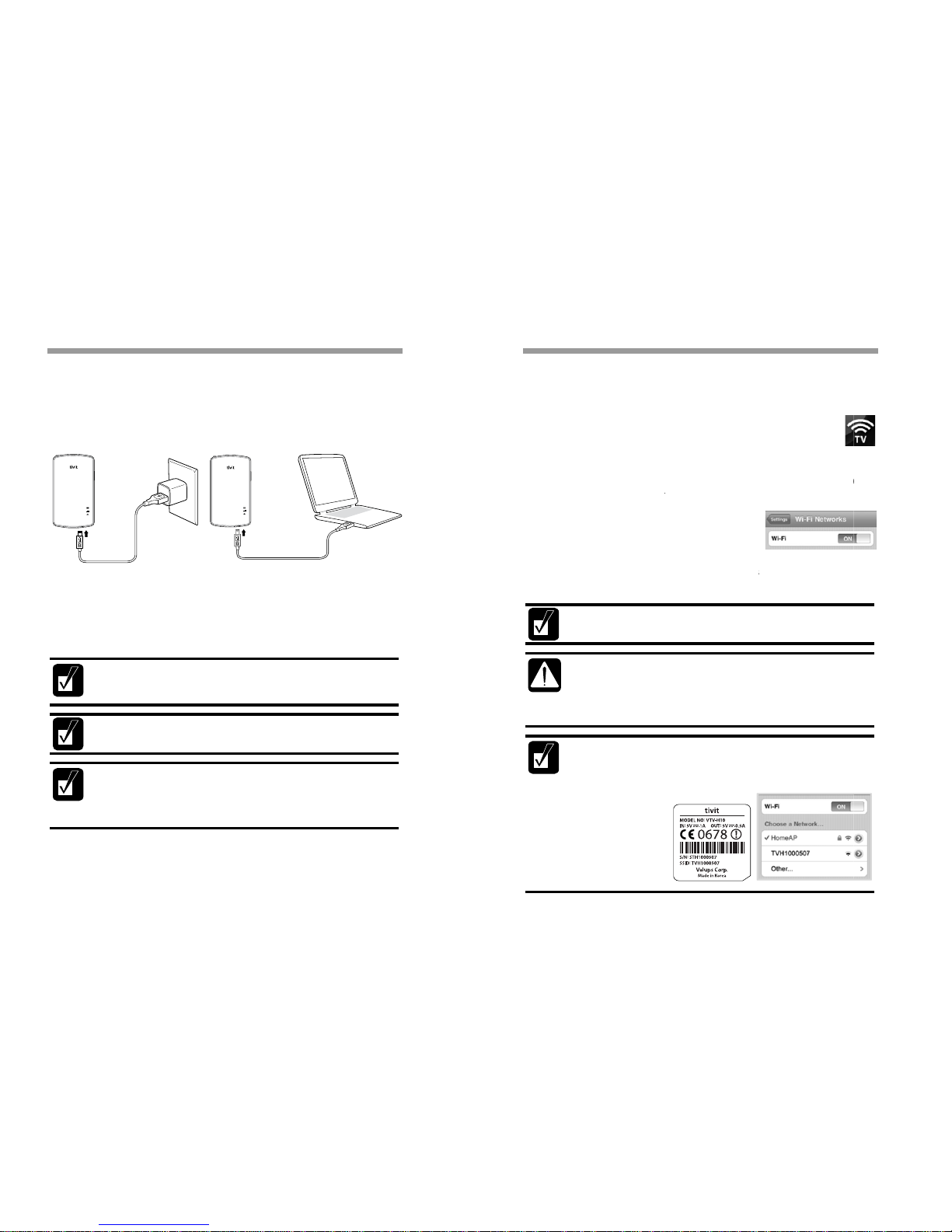
When VTV-A10 is recharged from USB power adaptor or
USB ports in PC, the LED turns into solid red, and finally
turns into solid green if the recharge completes.
Red/Orange/
Green
(On)
Once VTV-A10 is on, the LED indicator is blinking in 3
seconds to show remaining battery power status. Red
blinking is 30% or less, orange blinking is between 30 ~
70%, and Green blinking is 70% or above.
■Status LED Indicator (at the Center)
Status Details
Off VTV-A10’s power is off.
Green
(Fast Blinking)
It indicates the VTV-A10 is turning (booting-up) on. It
takes about 20 sec to complete boot up procedure.
Green
(Slow Blinking)
Now searching for available ATSC-M/H broadcasting
frequency.
Green
(Solid On)
Channel searching was succeeded and ready to watch
ATSC-M/H broadcast.
Orange
(On)
Failed to search for ATSC-M/H Broadcasting frequency or
channels.
Red
(On)
VTV-A10 is not operating in a normal manner. Press the
Reset Hole on the side with a pin to reboot.
■Wi-Fi LED Indicator (at the Bottom)
Status Details
Off Wi-Fi is not in normal operation. Or VTV-A10 is
connected with PC through an USB cable.
Green
(On)
VTV-A10 is ready to transmit data to a smart phone over
Wi-Fi connection.
Green
(Flickering)
VTV-A10 is transmitting data to a smart phone over Wi-
Fi.