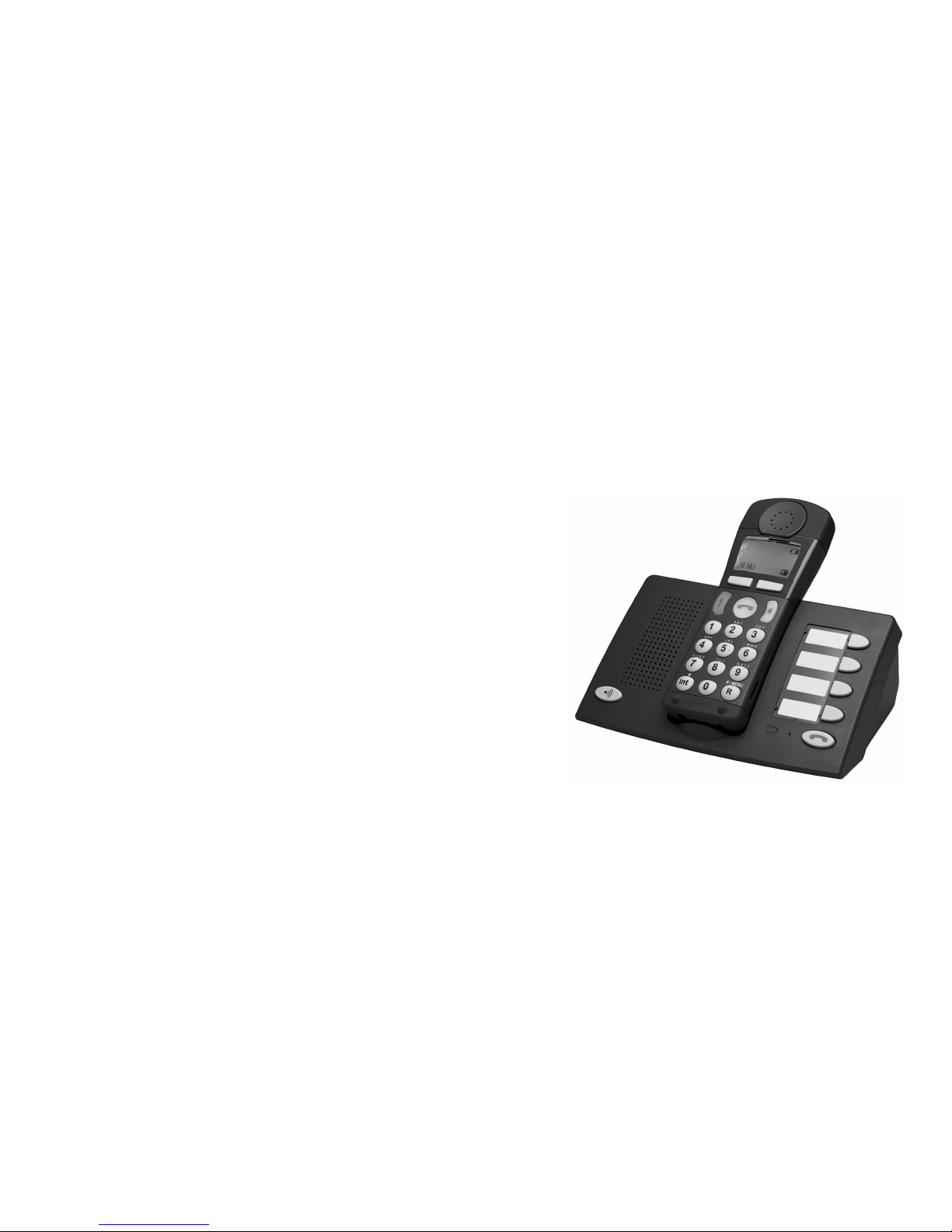
TIPTEL easy DECT XL User manual
tiptel
Ergonomic cordless Telephone
easy
DFG
Operating instructions (GB)
Copyright by DFG
Subject to modifications
Stand:08.03.02
DECT XL

Before installing your telephone, please read the saftey information and
the chapter „Setting up the telephone“.
Never try to unscrew the screws and open the device. You could get in
contact with current-carrying parts. The telephone does not contain any
user-serviceable components. The producer is not liable for damages
caused by actions violating the warranty or security terms.
Installing the telephone
The telephone was produced for standard use conditions. Please do not
install the device
- close to heat sources (air-conditioning, heater, exposure to direct
sunlight).
- in humid rooms (no exposure to splashing water or chemicals).
- nearby devices emitting strong magnetic fields (electrical appliances,
fluorescent tubes, computers, TV sets).
- in dusty rooms.
- in rooms where the device is exposed to vibrations or extreme
variations in temperature.
- Never carry the telephone at the handset or the connection cables.
- Only plug the connectiong cables into the designated receptacles.
- Make sure that the connecting cables are laid in a way that accidents
are prevented.
- If necessary, install additional sockets.
Emergency call function: In rare cases, the function of sending out an
emergency call cannot be guaranteed. This might be the case if e. g. the
telephone network fails or if the radio transmission from the handset to
the base station is subject to interference. If the device is used for people
who are in a critical or life-threatening health condition, you should not
refrain from additional safety means.
Safety information

Table of contents
1
Overview of operating elements ................................................................ 4
Description of the menu system ................................................................ 7
Setting up the telephone ............................................................................ 9
Scope of supply ............................................................................................. 9
Setting up the base station ............................................................................ 9
Connecting the base station ........................................................................ 10
Setting up the handset ................................................................................ 12
Operating times ........................................................................................... 15
Attaching the carrying strap to the handset ................................................. 15
Connecting a headset ................................................................................. 15
Inserting the name plate on the base station .............................................. 1
Setting the display language ....................................................................... 17
Taking the telephone out of operation ......................................................... 17
Making telephone calls ............................................................................. 18
Making an exteral call.................................................................................. 18
Making an internal call................................................................................. 19
Accepting a call ........................................................................................... 19
Dialling the call number transmitted by the last incoming call ..................... 19
Hands free mode ......................................................................................... 21
onvenient calling .................................................................................... 22
Redial (manual) ........................................................................................... 22
Automatic redial .......................................................................................... 23
Phonebook .................................................................................................. 24
Storing an entry ...................................................................................... 24
Dialling using the phonebook ................................................................. 24
Character table ............................................................................................ 25
Editing or erasing a phonebook entry ......................................................... 2
Using the base station speed dialling keys ................................................. 28
Storing call numbers to speed dialling keys ........................................... 28
Dialling via speed dialling keys .............................................................. 29
Room monitoring ......................................................................................... 29
Loudspeaker, ringing tone and earpiece settings ................................. 31
On the handset............................................................................................ 31
Loudspeaker Volume ............................................................................. 31
Earpiece volume .................................................................................... 32

Table of contents
2
Ringing volume (ringing tone) .............................................................. 32
Ringing melody ...................................................................................... 33
Alarm mode ............................................................................................ 34
Key Beeps .............................................................................................. 34
On the base station ..................................................................................... 35
Ringing volume (ringing tone) .............................................................. 35
Ringing melody ...................................................................................... 35
Loudspeaker volume .............................................................................. 3
Emergency call mode ............................................................................... 37
Description of emergency call mode ........................................................... 37
Storing emergency numbers ....................................................................... 37
Turning emergency call mode on/off ........................................................... 38
Sending out an emergency call ................................................................... 38
Process of an emergency call ..................................................................... 39
Manually disrupting an emergency call ....................................................... 40
Making special emergency call settings ...................................................... 40
Setting the number of sequences .......................................................... 40
Pause after unsuccessful sequence ...................................................... 41
Duration of active connection ................................................................. 42
Emergency call identification code ......................................................... 43
Setting system functions.......................................................................... 44
Turning automatic redial on / off .................................................................. 44
List of released numbers for ringing signals ................................................ 44
Storing call numbers to the list of released numbers for ringing signals 45
Turning list of released numbers for ringing signals on / off ................... 45
List of restricted numbers for ringing signals ............................................... 4
Storing call numbers to the list of restricted numbers for ringing signals 47
Turning list of restricted numbers for ringing signals on / off .................. 47
Dialling restrictions ...................................................................................... 48
Function overview .................................................................................. 48
Storing the baby call number ................................................................. 48
Turning restriction mode on or off .......................................................... 49
Changing the access code for room monitoring .......................................... 49
Entering police / fire numbers for a specific country .................................... 50
Resetting the system ................................................................................... 51
71
Index
S
Safety notes Front cover
Setting up the telephone 9
Sequences (emergency call mode)
40
Setting up the base station 9
Speed dialling numbers, storing 28
Storing an entry (phone book) 24
Storing emergency numbers 37
System functions 44
T
TAE plug 10, 11
Taking the telephone out of
operation 17
Technical data
Telephone connection socket 10
T-Net functions 3
Tone dial (DTMF) 29, 39, 40, 43
Transferring a call 59
Troubleshooting 5
U
Unpacking the telephone 9
Upper and lower case 25
Using several handsets 59

Table of contents
3
ustomising the handset ......................................................................... 53
Turning handset number display on / off ..................................................... 53
Turning the base station number display on / off......................................... 53
Turning Auto Hook on / off ........................................................................... 54
Setting the display language ....................................................................... 54
Changing the handset PIN .......................................................................... 55
Selecting base station ................................................................................. 5
Registering the handset on other base stations .......................................... 5
Registering other manufacturers handsets............................................ 57
Basestation settings ................................................................................. 58
Storing the base station speed dialling numbers ......................................... 58
Deregistering a handset on a base station .................................................. 58
Using several handsets ............................................................................ 59
Making an internal call................................................................................. 59
Transferring a call ........................................................................................ 59
Internal requests ......................................................................................... 0
Switching between internal and external calls (toggle) ............................... 0
Accepting a waiting call ............................................................................... 1
Finding the handset (Paging) ...................................................................... 1
onnecting the base station to a PABX system .................................... 62
Programming EIC (Exchange Identification Code) / PSIC (Primery Station
Identification Code) ..................................................................................... 2
Setting the dialling pause for prefix digits .................................................... 3
R key functions ............................................................................................ 3
Appendix .................................................................................................... 65
Maintenance ................................................................................................ 5
Faults and troubleshooting .......................................................................... 5
CE mark ......................................................................................................
Technical data .............................................................................................
Menu overview .......................................................................................... 67
Index ........................................................................................................... 69
70
Index
G
GAP 57
H
Handset number, display on 53
Handset PIN 55
Handset setting up 12
Handset volume, setting 31
Hands free mode 21
Headset 15
Hook Flash 3
I
Inserting labels 13
Internal calls 19, 59
Internal requests 0
L
Language for display messages 54
List of released numbers for ringing
signals 44
Loudspeaker, turning on 21
Loudspeaker volume 31, 3
M
Maintenance 5
Making calls 18
Memory, deleting 27, 51
Menu overview 7
Menu system description 7
N
Name label 1
Normal ringing mode 44, 4
Number of sequences 40
O
Operating times 15
P
Pause after unsuccessful emergency
call 41
Pause (dialling pause) 3
PBX system 2
Phonebook 24
PIN (handset) 55
Police / fire numbers 50
Power failure 11
Power supply 11
Preparing to dial 18
Primary system code 2
Process of an emergency call 39
PSIC 2
R
Radio connection , 10
Range 10
Redial 21, 22
Registering the handset on other
base stations 5
Removing the cables 12
Resetting all memories 51
Resetting the system 51
Restricted list 4
Requests (internal) 0
R key 7, 40, 3
Ringing melody 33, 35
Ringing, turning on/off 32, 35
Ring volume 32, 35
Room monitoring using the
telephone 29

4
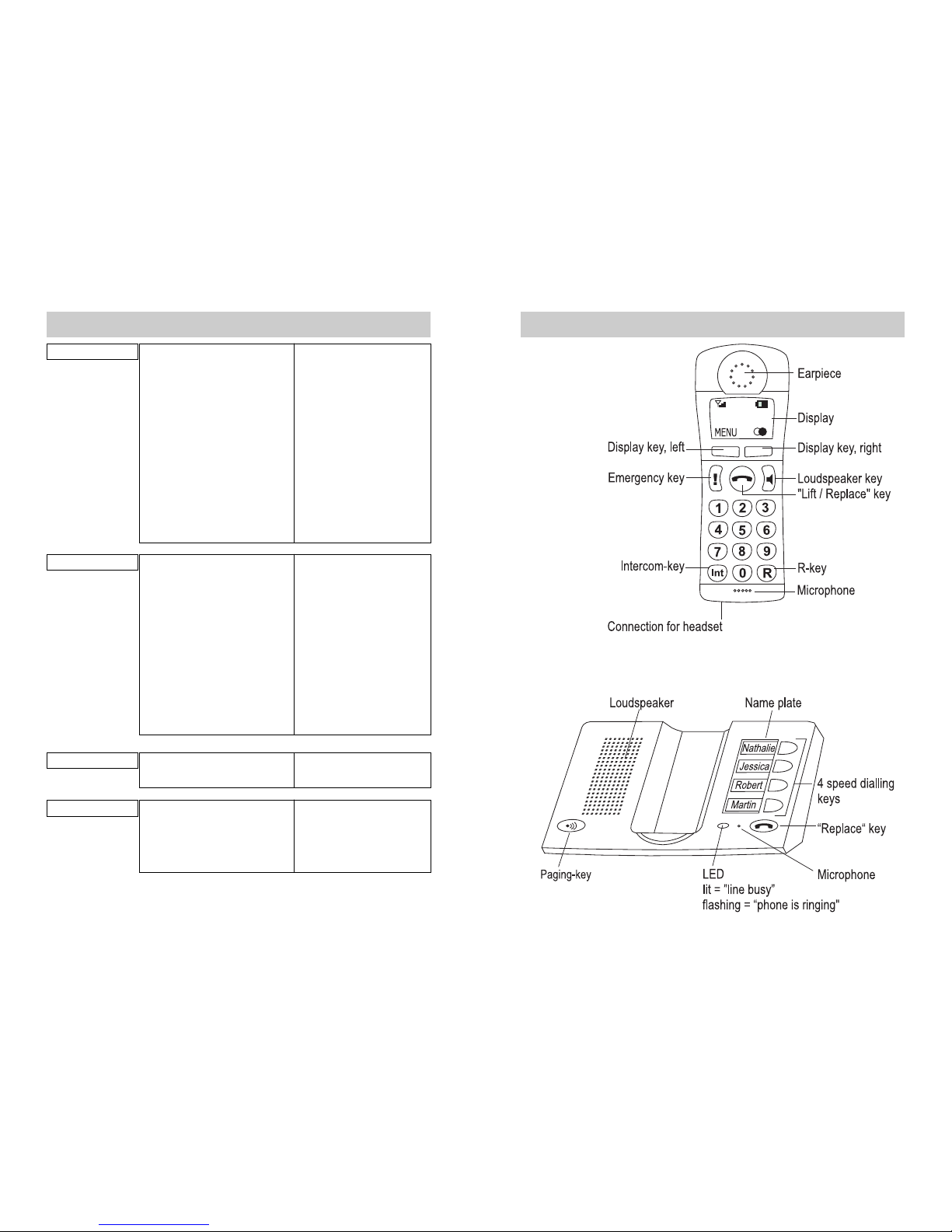
Overview of operating elements
Key assignment on the handset
Lift / Replace key: Ties up a line when answering a call and
before or after dialling. Disconnects from a line after the end of a
call.
Loudspeaker key turns hands free mode on or off on the handset.
Emergency call key triggers an emergency call if the emergency
call function is set up. Press down the key for a few seconds in
case of emergency.
The function of the display keys (right and left below the display) is
shown in the bottom line of the display.
Intercom key:
- long press: Enters the star (*).
- short press: Starts and ends calls between different handsets.
R-key in idle mode or during a call:
- long press: enters the hash (#)
- short press: Telephone system functions and T-Net services.
In Menu mode: Switches between menu levels, switches between
upper and lower case characters.
Key assignment on the base station
Replace key: This key is used to end a call established using
speed dialling keys on the base station.
The Paging key calls all handsets registered. You can use this key
to find your handset. The ringing tells you where the handset is
located.
The speed dialling key dials a stored call number.
69
IndexIndex
A
AC adapter 10, 11
Accepting a call 19
Accepting a waiting call 1
Access code (room monitoring) 49
Alarm mode 34
Automatic Hook 54
Automatic redial 23, 44
B
Baby call 48
Base station number display 53
Base station settings 58
Base station speed dialling keys 28
Base station volume, setting 35
Battery 11-15
Battery compartment 10, 12
Buzzer 34
C
Carrying strap 15
CE mark
Character table 25
Charge level , 14
CLIP 20
Collective call 59
Connecting cable 11, 12
Connecting the base station 10
Connecting the base station to a
PBX system 2
Customising the handset 53
D
Default settings 7
Deregistering a handset on a base
station 58
Dialling using speed number keys
29
Dialling the last call number
transmitted 19
Dialling pause 3
Dialling restrictions 48
Direct call, storing the number 48
Direct call, turning on 49
Display characters and symbols
DTMF 29, 39, 40, 43
Duration of active connection 42
E
Editing an entry (phonebook) 2
EIC 2
Emergency call identification code 43
Emergency call, manually disrupting
40
Emergency call mode description 37
Emergency call mode, turning on 38
Emergency call, sending 38
Emergency call, special settings 40
Erasing an entry (phonebook) 27
Erasing characters , 25
External calls 18
Exchange identification code 2
F
Factory settings 7
Faults and troubleshooting 5
Flash times 3
5
Handset
Fig. 1
Base station
Fig. 2
Overview of operating elements
68
Menu overview
6. System Set .1 Redial Mode Manuel (D) or Auto
.2 Ring Release (10 numbers)
.3 Ring Restrict (10 numbers)
.4 Ring Mode Normal (D) /
Release No./ Restrict No.
.5 Baby Call (1 number)
. Restrictmode No Restrict (D) /
Baby Call / Restriction
.7 Monitor Code Enter code
.8 Police / Fire (2 numbers)
.9 Reset Memorys / System
7. Handset Set 7.1 Handset No. On / Off (D)
7.2 Base No. On / Off (D)
7.3 Auto Hook On / Off (D)
7.4 Language Deutsch (D) / Engl. /
Français / Nederlands
7.5 Handset PIN 0000 (D)
7. Select Base Best Base / Base 1 (D)/
Base 2 / Base 3 /
Base 4
7.7 Registration Base 1 / Base 2 /
Base 3 / Base 4
8. Base Set 8.1 Direct No. (4 Numbers)
8.2 De-register Select handset
9. PABX onn. 9.1 EIC / PSIC (2 locations)
9.2 Pause Time 1- sec. (D: 1)
9.3 Flash Time 200 msec (D) /80 msec/
110 msec. /130 msec.
6
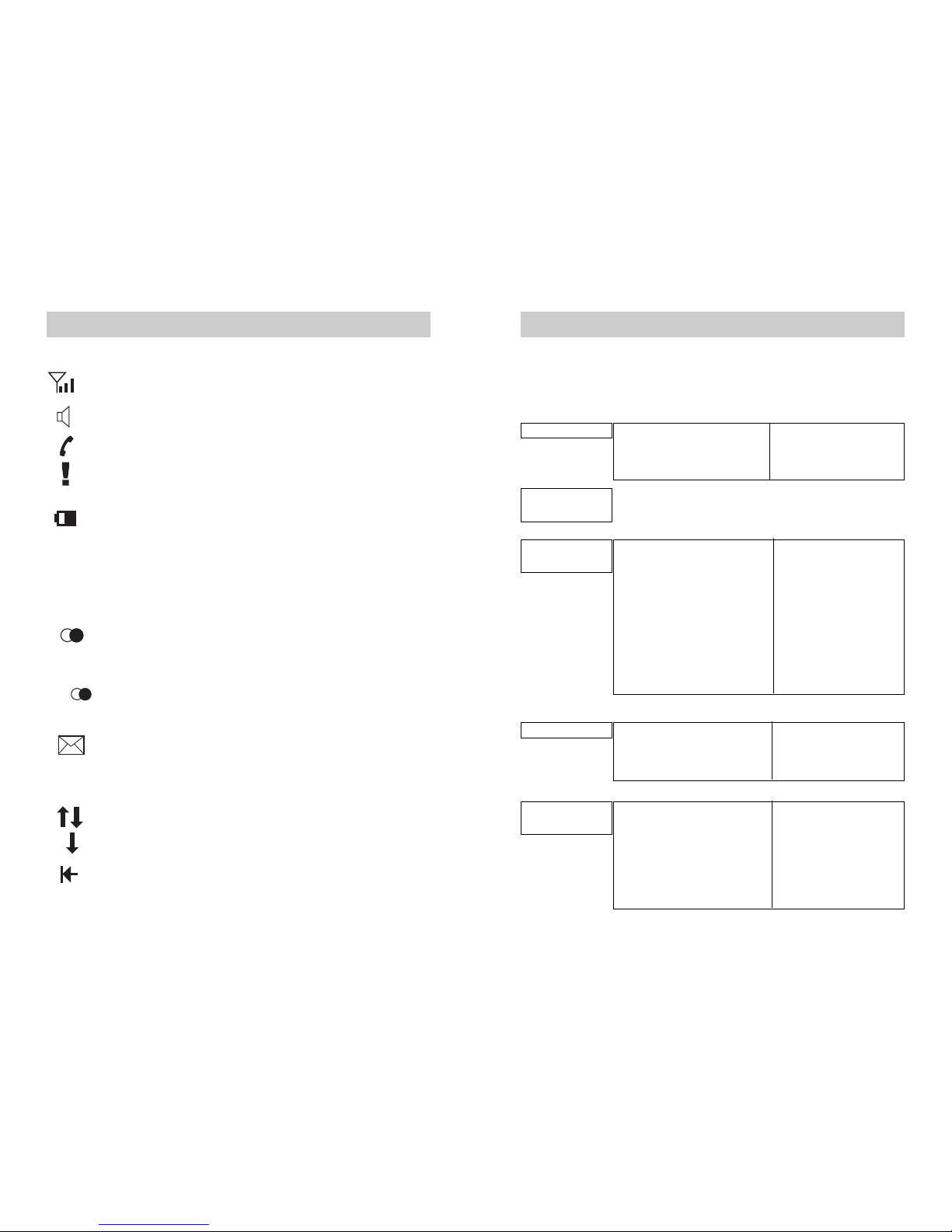
Symbols in the top line of the display:
The in / out of range indication shows how good the radio contact
between the base station and the handset is. See also Page 10.
The loudspeaker on the handset is connected.
The telephone line is busy. External call via the handset.
Emergency call is active after the emergency call key has been
pressed.
Charge level of the handset battery. See also Page 14.
INT Internal call between handsets. See Page 19 and 59.
Symbols in the bottom line of the display:
Each symbol represents a function, which can be activated using the display
key located below that symbol.
Redial list of the last 10 call numbers dialled is preset. Press the
display key below: The redial list is displayed.
Or
Auto Automatic redial is preset. Press the display key below: Automatic
redial is activated.
Call number of an unanswered call. Press the display key below:
The call number is displayed. (The call number appears, if you
have enabled the CLIP - Call number identification function with
your network operator).
Increasing or decreasing the volume of handset during a call.
Select in the menu.
Deleting the last character to the left of the cursor.
Overview of operating elements
67
Menu overview
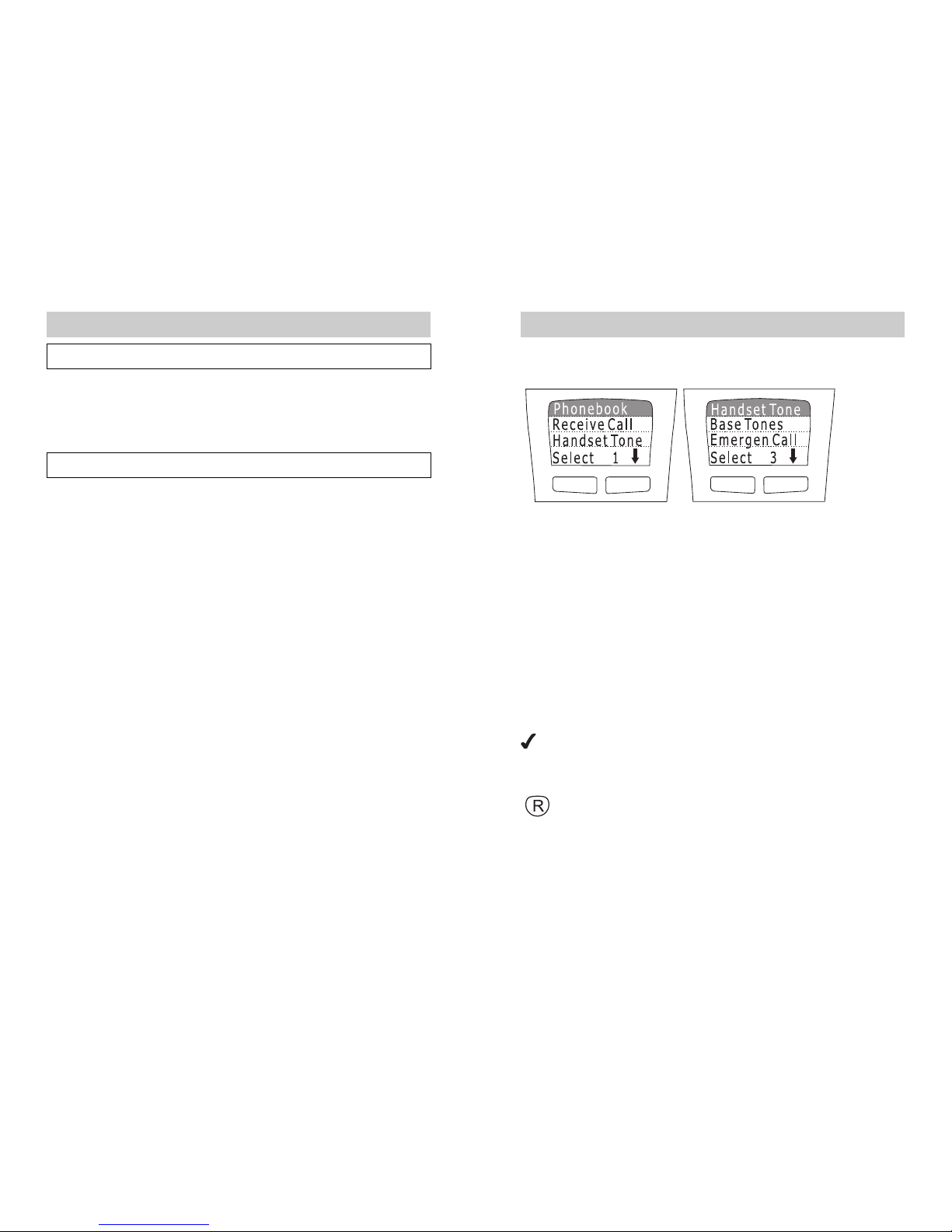
Rather than scrolling, you can also select a menu function directly by pressing
the numbers before the relevant function in sequence. Example: Menu 3
Select 3 3 to change the ring volume on the handset.
D = default telephone setting
1. Phonebook 1.1 Find name Telephone list
1.2 New Entry Enter name + number
1.3 Erase all Sure? Yes or No
2. Incoming
call
3. Handset 3.1 Loudspeaker Volume (1-5) D: 3
Tones 3.2 Earpiece Volume (1-4) D: 3
3.3 Ring Volume (0-9) D: 7
3.4 Melody (0-9) D: 2
3.5 Alarm Mode Ring (D) /
Ring +Vib. /
Vibration
3. Key Beeps On (D) / Off
3.7 Room Monitoring On / Off (D)
4. Base Tones 4.1 Ring Volume (0-9) D: 7
4.2 Melody (0-9) D: 2
4.3 Loudspeaker Volume (1-4) D: 3
5. Emergency 5.1 Emergency Mode On / Off (D)
all 5.2 Store Number (4 numbers)
5.3 Call Sequences (1-9) D: 9
5.4 Pause Time (1-9 min.) D: 3
5.5 Duration (30-99 sec.) D: 90
5. ID-Code Enter Code
Menu overview
7
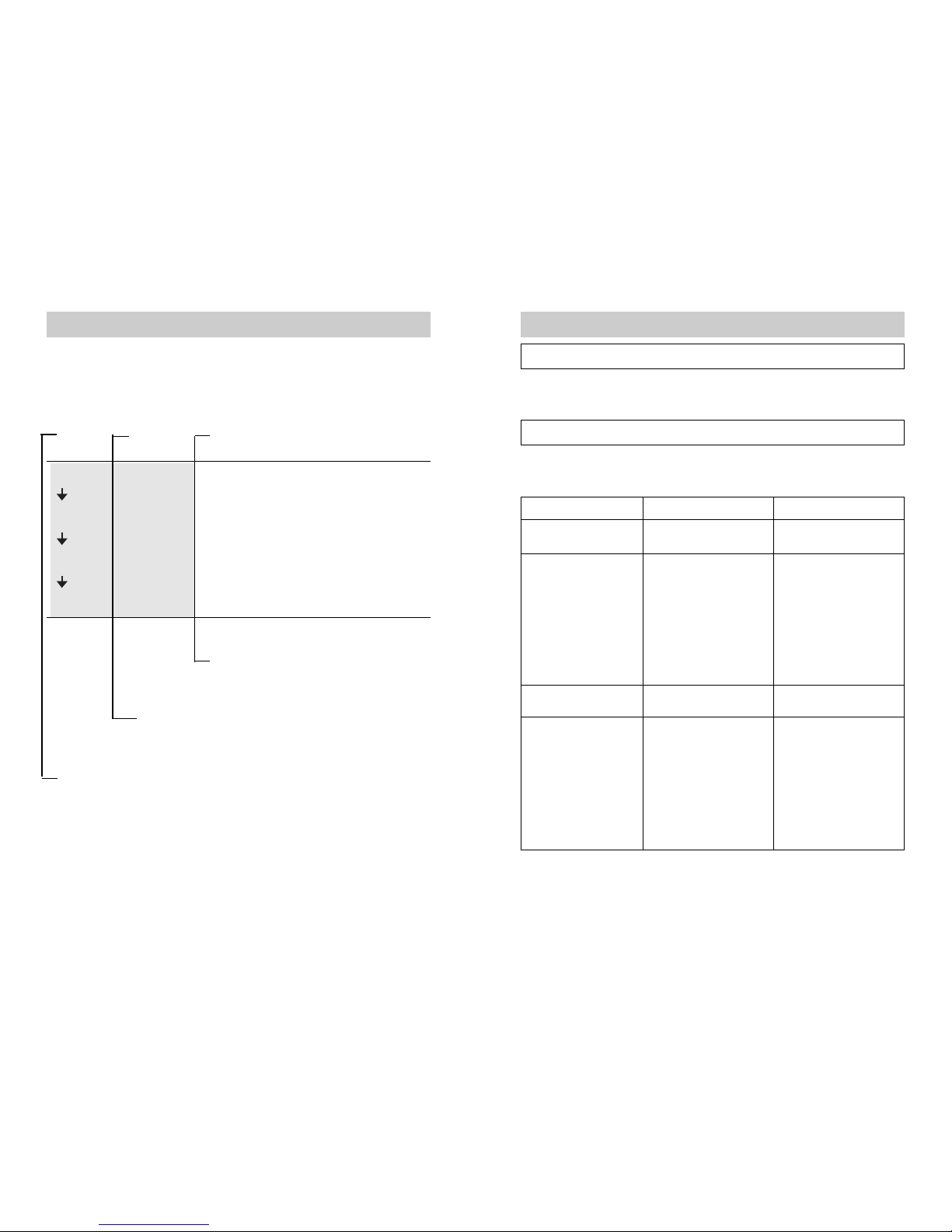
The telephone can be operated using a menu system that has been kept very
simple.
Fig. 3 Fig. 4
The function of the two display keys below the display is always shown in the
bottom line of the display. The right-hand Arrow key allows you to scroll
through the individual functions in the menu. Hold down the arrow key until
the function you want to set is shown in the top line of the display. In Fig. 3,
this is the phonebook. In the main menu list, this is Select 1 (first function in
the list). The ringing settings for the handset are Select 3 (see Fig. 4).
Pressing the Select key displays the relevant sub-menu for the function.
In the sub-menu you can once again make a selection using the same
method. Select the desired function from the list using the arrow key and then
press the Select key to display that function.
The menu overview (menu lists) can be found on Pages 7 / 8.
This symbol shows you the current setting of a function. For
example, if room monitoring is turned off, the symbol appears in
front of the word Off in the On/Off selection.
You can use the R key to switch between menu levels. This takes
place in fixed, sensible steps. You may have to press the R key
several times to return to the default display.
Description of the menu system
66
Appendix
CE mar
This device meets the requirements of the EU directive: 1999/5/EC directive
on radio systems and telecommunications equipment and the mutual
recognition of their conformity. Conformity with the above directive is
confirmed by the CE mark on the device.
Technical data
Standards: DECT = Digital Enhanced Cordless
Telecommunication
GAP = Generic Access Profile
The device is compatible with other manufacturers
DECT systems
Number of channels: 120 duplex channels
Transmitter frequency
range: 1880 MHz to 1900 MHz
Duplex method: Multiplex time division
Channel bandwidth: 1728 KHz
Bit rate: 1152 Kbit/s
Modulation: GFSK
Transmission performance:
10 mW, average performance per channel
Range: - up to 300 m outside
- up to 50 m inside
Power supply: Base station: 220/230V 50 Hz
Handset, base station: NiCd, size AA, 1,2 V, 700
mAh
Power consumption: approx. 7 Watt
Operating time: Standby: up to 100 hours (with 700 mAh batteries)
Talk time: up to 10 hours (with 700 mAh batteries)
Dimensions (LxBxH): Base station: approx 124,5 x 197,5 x 7 ,0 mm
Handset: approx 173,0 x 2,5 x 35,2 mm
Weight: Base station: approx. 305 g (without batteries)
Handset: approx. 1 8 g (without batteries
8
The settings for important functions are protected against unauthorised
access by a four-digit code (telephone PIN). By default, the telephone PIN is
0000. Enter the PIN when you are requested to do so in the display.
Description of the menu system in the manual:
Key Display Operations
MENU Press Menü key.
Choose Select 3 using the arrow key.
Select 3 Handset Tone Press Select 3 key.
Choose Select using the arrow key.
Select Key Beeps Press Select key.
e.g. On Select Off or On using the arrow key.
OK Press OK key.
The operations are described on the right.
Messages from the top three lines of the display appear in the
middle.
The key to be pressed is shown on the left. For the display keys, the function
of the key is shown in the bottom line of the display.
Description of the menu system
65
Appendix
Maintenance
Wipe the base station and handset with a slightly damp cloth or an antistatic
cloth. Never use a dry cloth. This results in the risk of static charges.
Faults and troubleshooting
If your equipment does not behave as you want it to, first of all try to solve the
problem yourself using the following table.
Fault
No display
No radio connection to
the base station
Handset / base station
does not ring
The caller number is
not displayed.
Recommended action
Charge or replace the
batteries (see Page 12)
Reduce the distance
between the handset
and the base station.
Register the handset
(see Page 5 ).
Check the mains plug
on the base station.
Turn on ringing (see
Page 32 / 35).
Enable transfer of the
call number with your
network operator (see
Page 19) or approve
transfer.
Possible cause
Batteries are flat
Handset is outside the
base stations range
Handset not registered.
Base station is not
turned on.
Ringing is turned off.
The function Caller
identification (CLIP) is
not offered and
activated by the network
operator.
This manual suits for next models
1
Table of contents
Other TIPTEL Cordless Telephone manuals