Timebach D3 User manual

םינועש
תועש
24
ןועש
לש יוביכו הלעפה ינמז לש הממיב ןומזת
דואמ ההובג קויד תמרב רבוחמ םהילא םירישכמה
םינש ךרואל ןימא הינמרג - GRASSLIN ןונגנמה
S2
S3
S1
S7
S4
ט"קמםגדטירפ רואית
50048010S1
הלוגע הבית - דודל ןועש
50048011S2
תיכנא הבית - דודל ןועש
50048012S3
חיטה לע הנקתה - דודל ןועש
50048013S4
םוקמ
3
הבית - דודל ןועש
50048014S7
ילארשי עקתל עקש תועש
24
ןועש
16A
220- 240V
50-60Hz
06/2019 ח"לט

www.niskoelec.com
>
072-2400-600
> ןיעידומ ,
41
ןייעמה בוחר > מ''עב הקינורטקלאו למשח וקסינ
תועש
24
ילטיגיד ןועש
:הריחבל הלעפה תוינכות 4םע םדקתמ ןועשו רוחאל הריפס רמייט בלשמ ןועשה
עובשה ימי לכל יוביכו הקלדה ינמז ןונכת תיעובש תינכת -
דרפנב םוי לכל יוביכו הקלדה ינמז ןונכת תימוי תינכת -
)’ש-’ו ,’ה-’א( ש”פוסלו לוח ימיל הנוש הלעפה לארשי ש”פוס תינכת -
)’א-’ש ,’ו-’ב( ש”פוסלו לוח ימיל הנוש הלעפה תימלוע ש”פוס תינכת -
16A
220- 240V
50-60Hz
16A
220- 240V
50-60Hz
םייתעש רמייט - ןמז יבצוק
רוחאל הריפס םייתעש
הלעפהה ןמז תא בצוק
רבוחמ אוה םהילא םירישכמה לש
ט"קמםגדטירפ רואית
50048005G1
הלוגע הבית
50048006G2
תיכנא הבית
50048007G3
חיטה לע הנקתה
50048008G4
םוקמ
3
הבית
G4
G1
G2
G3
D2
D3 D1
ט"קמםגדטירפ רואית
50048017D1
הלוגע הבית
50048018D2
תיכנא הבית
50048019D3
חיטה לע
50048020D7
ילארשי עקתל עקש ילטיגיד רמייט
D7
06/2019 ח"לט

Engineered in Germany
www.timebach.com
Vertical - D3
Digital timer surface mount

1. DESCRIPTION
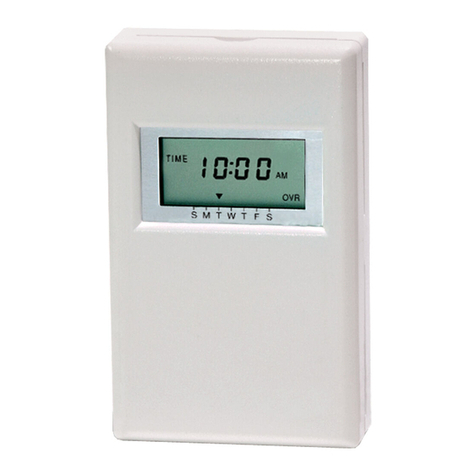
D3 is a reliable 24-hour Digital timer for surface mount
installation. The timer combines Countdown timer with advanced
programmable timer which enables you to schedule very
accurate ON/OFF events for connected devices & appliances.
Scheduling options: - 2 hour countdown timer
- Weekly program set 4 ON/OFF events for all the days in a week.
- Weekend program set 4 ON/OFF events for Monday-Friday and 4
ON/OFF events for Saturday-Sunday.
- Weekend program set 4 ON/OFF events for Sunday-Thursday and 4
ON/OFF events for Friday - Saturday.
- Daily program set 4 ON/OFF events for each day differently in a week.
2. SPECIFICATIONS
•
Mechanism Brand: TIMEBACH
•
Mechanism Approvals:
• Supply voltage: 220–240V
AC
50Hz
• Max Load: 16A (6A, 0.55 HP)
•
Operating temperature: 0°C to 45°C
• Product dimensions: - Length 8.4 cm
- Width 14.5 cm
- Height 5.5 cm
•
Installation data:
Suitable for surface mount installation
.
•
Main rocker switch:
two pole OVERIDE switch with indication light
• Installation cables (cross section): 0.5mm² -2.5mm²
•
Modes: - MANUAL ON/OFF
-
COUNTDOWN TIMER
(up to 120 minutes)
- 4 OPERATING PROGRAMS
• Minimum
ON/OFF
event: 1 minute
• Backup battery that operates a week
2

3
3. PRODUCT SAFETY INFORMATION
Warning
Prior to use, please examine and verify that the product
is not defective. Please do not use or operate if there is
a defect of any kind.
4. INSTALLATION
Warning
Installation of an electrical wiring device should be
done by a professional person only.
4.1 Switch off supply to socket box.
4.2 Unscrew two screws (A) - please see Assembly
diagram - secure timeswitch to backplate, remove
cover, and gently pull module from backplate.
Fig. A
Front Cover
Module/Wiring Plate
Screws (A) Mounting Box

4
4.3 Connect wiring in accordance with wiring diagram.
Do not combine solid and flexible conductors at the
same terminal. When connecting flexible conductors
conductors, use terminal ends.
4.4 Fix backplate to socket box.
4.5
Fit cover over module and reassemble to backplate.
4.6 Re-fit and tighten two screws (A).
SUPPLY
APPLIANCE
The diagram
shows wiring for
a mains-operated
load.
145
L NN L
PCBA
Main rocker switch
Supply
IN
Appliance
OUT
Note: rocker switch
is manual override.
if rocker is in OFF state,
no matter what is the
timer state output will
be OFF, if rocker is in
ON state output
depend on timer state.

5
Fig. 1
Prog
ADV/Ovr
Boost
Ti
m
e
Power On
indication illuminated
screen
Reset
Button
Main rocker switch
with indication light
main override
Time
Button
Boost
Button
Manual
Overide/
Advance
Button
Programme
button

6
5. INITIALIZATION
To initialize the Timer, press the reset
button inwards using a pointed tool
such as a pin until the screen is
displayed as shown in the illustration
6. DATE & TIME SETTING
To set the current time, Press and hold
the "TIME" button for 3 seconds until
the screen is displayed as shown in
the illustration Note: During the press,
HOLD will appear on the screen
6.1. DAYLIGHT SAVING TIME SETTING
To automatically change the time
according to daylight saving time,
select the ADV button if you want to
enable automatic daylight-saving time
change dS:y or disable dS:n.
When finished, press the TIME button
to proceed to the year setting.
6.2 YEAR SETTING
Select by pressing the Boost or
Adv/Ovr button the current year.
When finished, press the TIME
button to proceed to the Month
setting.
Year
20: 1 6
--:--
OFF

7
6.3 MONTH SETTING
Select by pressing the Boost or
Adv/Ovr button the current Month.
When finished, press the TIME
button to proceed to the Day setting.
6.4 DAY SETTING
Select by pressing the Boost or
Adv/Ovr button the current Day.
When finished, press the TIME
button to proceed to the Hour
setting.
6.5 HOUR SETTING
Select by pressing the Boost or
Adv/Ovr button the current Hour
(Note- The timer is 24-hour format;
therefore, you must choose the exact
hour of the day). When finished,
press the TIME button to proceed to
the Minute setting.
6.6 MINUTE SETTING
Select by pressing the Boost or
Adv/Ovr button the current Minute).
When finished, press the TIME
button to finish the DATE & TIME
SETTING procedure.
Day
01
Month
01
Time
SET
--:--
Time
SET
--:--

8
7. OPERATING MODES
There are 3 operating modes to choose from.
7.1 ON/OFF Manually
by pressing Adv/Ovr button
7.2 Countdown Timer
You can add 15 minutes to 2 hours
by pressing the Boost button. At the
end of the countdown the timer will
turn off.
7.3 Activation programs:
There are 4 programs to choose from:
Weekly program (7days)
- set 4 ON/OFF events for all the days in a week.
Weekend program (5+2)
- set 4 ON/OFF events for Monday-Friday and 4
ON/OFF events for Saturday-Sunday.
Weekend program (5+2)
- set 4 ON/OFF events for Sunday-Thursday and 4
ON/OFF events for Friday - Saturday.
Daily program (each day)
- set 4 ON/OFF events for each day differently
in a week.
ON
MODE
BOOST
0:15
This manual suits for next models
1
Table of contents
Languages:
Other Timebach Timer manuals