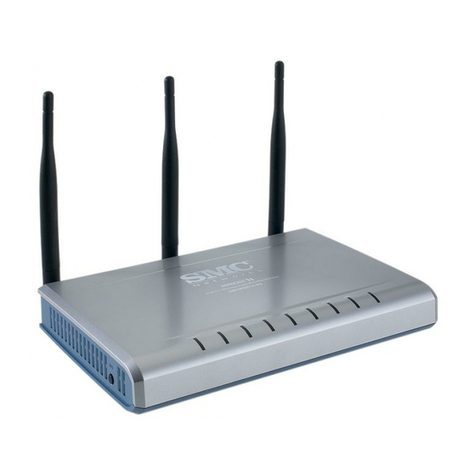
Tenda W307R User manual

11N Wireless Broadband Router

11N Wireless Broadband Router
Copyright Statement
is the registered trademark of Shenzhen
Tenda Technology Co., Ltd. All the products and product
names mentioned herein are the trademarks or
registered trademarks of their respective holders.
Copyright of the whole product as integration, including
its accessories and software, belongs to Shenzhen Tenda
Technology Co., Ltd. Without the permission of Shenzhen
Tenda Technology Co., Ltd, any individual or party is not
allowed to copy, plagiarize, imitate or translate it into
other languages.
All the photos and product specifications mentioned in
this manual are for references only. As the upgrade of
software and hardware, there will be changes. And if
there are changes, Tenda is not responsible for informing
in advance. If you want to know more about our product
information, please visit our website at www.tenda.cn.

11N Wireless Broadband Router
CONTENTS
Chapter 1 Introduction................................................ 1
1.1 PRODUCT FEATURES ...........................................2
1.2 PACKAGE CONTENTS ...........................................4
1.3 LED INDICATOR AND PORT DESCRIPTION ............4
Chapter 2 Hardware Installation ................................. 7
2.1 HOW TO INSTALL THE ROUTER ..............................7
2.2 NETWORK APPLICATION PLAN...............................9
Chapter 3 How to Login to the Router ...................... 10
3.1 HOW TO SET THE NETWORK CONFIGURATIONS ....10
3.2 LOGIN TO THE ROUTER.......................................13
Chapter 4 Quick Setup Guide................................... 15
4.1 SETUP WIZARD ..................................................15
Chapter 5 Advanced Settings ................................... 21
5.1 LAN SETTINGS ..................................................21
5.2 WAN SETTINGS .................................................22
5.3 MAC ADDRESS CLONE.......................................25
5.4 DNS SETTINGS..................................................26
5.5 WAN MEDIA TYPE..............................................27
Chapter 6 Wireless Setting....................................... 29
6.1 BASIC SETTINGS ................................................29
6.2 WIRELESS SECURITY SETTING............................32
6.3 ADVANCED SETTINGS .........................................40
6.4 WPS SETTINGS .................................................42

11N Wireless Broadband Router
6.5 WDS SETTINGS.................................................44
6.6 WIRELESS ACCESS CONTROL .............................46
6.7 CONNECTION STATUS .........................................47
Chapter 7 DHCP Server ........................................... 48
7.1 DHCP SETTINGS ...............................................48
7.2 DHCP LIST AND BINDING....................................49
Chapter 8 Virtual Server ........................................... 50
8.1 SINGLE PORT FORWARDING................................50
8.2 PORT RANGE FORWARDING ................................52
8.3 ALG SERVICE SETTINGS ....................................54
8.4 DMZ SETTINGS .................................................55
8.5 UPNP SETTINGS ...............................................56
Chapter 9 Traffic Control .......................................... 57
9.1 TRAFFIC CONTROL .............................................57
9.2 TRAFFIC STATISTICS ...........................................59
Chapter 10 URL Monitor........................................... 60
10.1 URL MONITOR .................................................60
Chapter 11 Security Settings .................................... 63
11.1 CLIENT FILTER SETTINGS..................................63
11.2 URL FILTER SETTINGS .....................................64
11.3 MAC ADDRESS FILTER .....................................66
11.4 PREVENT NETWORK ATTACK .............................67
11.5 REMOTE WEB MANAGEMENT ............................68
11.6 LOCAL WEB MANAGEMENT ...............................69
11.7 WAN PING.......................................................70

11N Wireless Broadband Router
Chapter 12 Routing Setting ...................................... 71
12.1 ROUTING TABLE ...............................................71
12.2 STATIC ROUTING ..............................................71
Chapter 13 System Tools ......................................... 73
13.1TIME SETTINGS.................................................73
13.2 DDNS.............................................................74
13.3 BACKUP/RESTORE SETTINGS ...........................76
13.4 RESTORE TO FACTORY DEFAULT SETTING .........78
13.5 UPGRADE FIRMWARE .......................................79
13.6 REBOOT THE ROUTER ......................................79
13.7 PASSWORD CHANGE ........................................80
13.8 SYSTEM LOG ...................................................81
13.9 LOGOUT ..........................................................81
Appendix 1:Glossary ................................................ 82
Appendix 2: Ask and Question ................................. 85

11NWirelessBroadbandRouter
1
Chapter 1 Introduction
Thank you for purchasing Tenda W306R/W307R 11N
Wireless Broadband Router!
W306R/W307R utilizes advanced MIMO technology and
increases over 8 times transmission range of ordinary
802.11g products. Compatible with IEEE802.11n and
IEEE802.11g/b standards, it can provide up to 300Mbps
stable transmission rate. Additionally, it includes router,
wireless access point, four-port switch and firewall in
one, dedicated to SOHOs (Small Office/Home Office)
and family networking.
It supports WDS (Wireless Distribution System)
function for repeating and amplifying the signals to
extend the wireless network coverage. Besides, the
Router also supports all of the latest wireless security
features, such as 64/128-bit WEP, WPA, WPA2,
WPA&WPA and WPS (PBC and PIN) encryption methods,
packet filtering and port forwarding, to prevent
unauthorized access and protect your network against
malicious attack.
In addition, URL and MAC address filtering can take it
easy for parents and network administrator to manage
network life and QoS bandwidth control over specific

11NWirelessBroadbandRouter
2
computer’s downloading speed is supported as well.
Moreover, UPnP and WMM support can smooth your
MSN voice better, and the included Setup Wizard on
CD-ROM will be easy and fast for non-savvy users to
install the device and access to the Internet.
1.1 Product Features
zIncludes router, wireless access point,
four-port switch and firewall in one
zProvides up to 300Mbps uploading and
downloading speed
zSupports two WPS (Wi-Fi Protected Setup)
encryption methods: PBC and PIN
zCompliant to IEEE802.11n, IEEE802.11g,
IEEE802.11b, IEEE802.3 and IEEE802.3u
standards
zSupports over 8 times transmission range of
11G products
zSupports 64/128-bit WEP, WPA, WPA2,
WPA&WPA2 encryption methods
zSupports RTS/CTS protocol and data
partitioning function
zProvides one 10/100Mbps Auto-Negotiation
Ethernet WAN port
zProvides four 10/100Mbps Auto-Negotiation
Ethernet LAN ports

11NWirelessBroadbandRouter
3
zSupports xDSL/Cable MODEM, static and
dynamic IP in community networking
zSupports remote/local Web management
zSupports WMM to better smooth your voice and
video
zSupports SSID stealth mode and access control
based over MAC address (up to 30 entries)
zSupports Auto MDI/MDIX
zSupports wireless Roaming technology for
high-efficient wireless connections
zSupports auto negotiation/manual mode for
802.11b/802.11g/802.11n
zSupports UPnP and DDNS
zSupports Firefox 1.0, IE5.5 or above
zSupports SNTP
zSupports virtual server, DMZ host
zBuilt-in firewall for hacker's attack prevention
zSupports DHCP server/client
zSupports auto wireless channel selection
zSupports LAN access control to the Internet
zProvides syslog to record the status of the
router
zSupports WDS wireless network extension
zSupports QoS function
zDetachable antenna(only for W306R)

11NWirelessBroadbandRouter
4
1.2 Package Contents
Please unpack the box and check the following items:
¾One W306R/W307R 11N Wireless Broadband
Router
¾One Quick Installation Guide
¾One Power Adapter
¾One CD-ROM
If any of listed items are missing or damaged, please
contact the Tenda reseller from whom you purchased
for replacement immediately.
1.3 LED Indicator and Port Description
Front Panel and LED Indicator Show

11NWirelessBroadbandRouter
5
LED indicator description on front panel: (from L to R)
¾POWER
When turns green, Always ON indicates the power
connects well.
¾SYS
When turns green, blinking indicates the system
runs well.
¾WPS
When blinking, it indicates the device is negotiating
with client in WPS mode.
¾WLAN
Wireless signal LED indicator. When turns green,
blinking indicates the wireless function is enabled.
¾LAN (4,3,2,1)
Wired local network LED indicator. Always ON
indicates it is connected with Ethernet device;
blinking indicates the device is transmitting and/or
receiving data.
¾WAN
Wide area network indicator. Always ON indicates
the Router’s WAN Port.
Other manuals for W307R
1
This manual suits for next models
1
Table of contents
Other Tenda Wireless Router manuals


Tenda
Tenda 11N Wireless AP User manual

Tenda
Tenda Multifunctional Broadband Router User manual

Tenda
Tenda W541R User manual

Tenda
Tenda N3 11N User manual

Tenda
Tenda 4G301 User manual

Tenda
Tenda AC23 User manual

Tenda
Tenda Nova MX6 User manual

Tenda
Tenda AC6 User manual

Tenda
Tenda W311R+ User manual

Tenda
Tenda RX2 Pro User manual