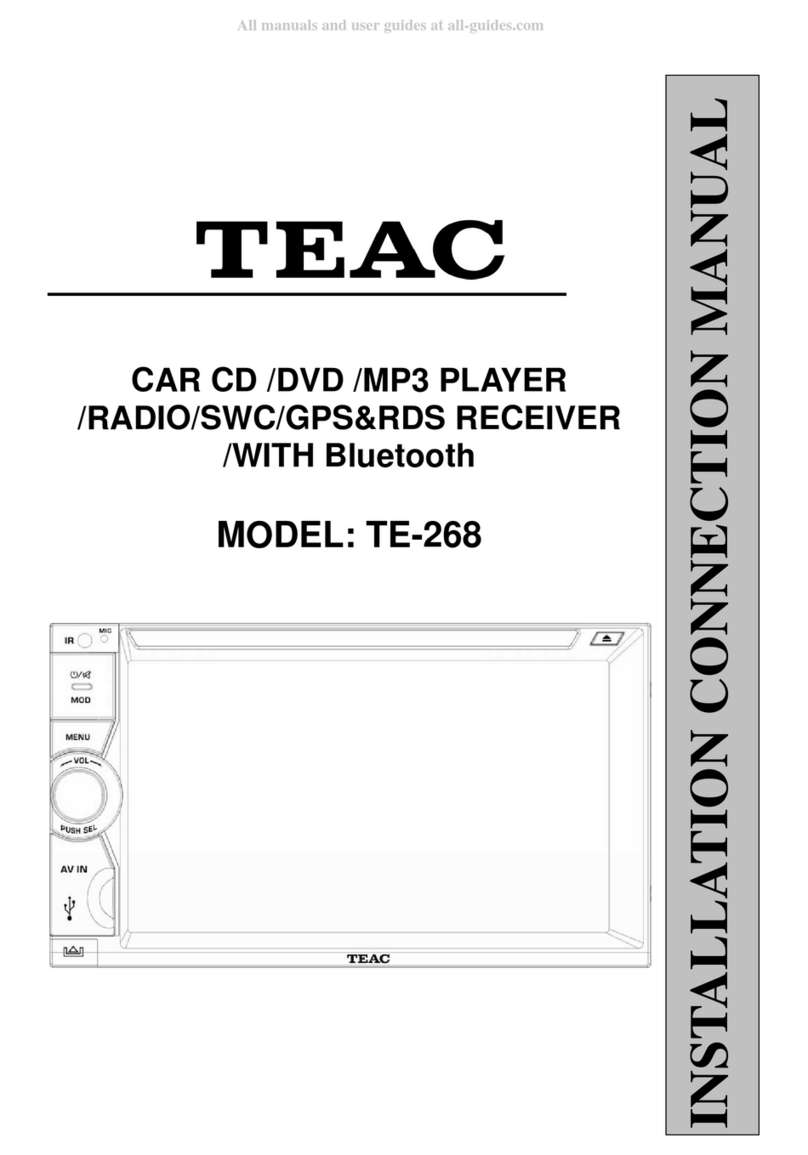
Teac TE-269 User manual

CAR CD /DVD /MP3 PLAYER
/RADIO/SWC/GPS&RDS RECEIVER
/WITH Bluetooth
MODEL: TE-269
INSTALLATION CONNECTION MANUAL

INSTRUCTION MANUAL
1
WEEE (Waste Electrical and Electronic Equipment Directive)
Waste electrical products should not be disposed of with household
waste. Please recycle where facilities exist. Check with your Local
Authority or retailer for recycling advice.
Disposing of the battery / batteries
Please check local regulations for disposal of batteries or call your local city office or
your household waste disposal service or the shop where you purchased the product.
The battery / batteries should never be placed in municipal waste. Use a battery
disposal facility in your neighborhood or community, if available.
Copyright Information
©2009 All rights reserved. This document may not in whole or in part be reproduced,
stored in a retrieval system, transmitted in any form or by any means, electronic,
mechanical, photocopying, recording, or otherwise, or reduced to any electronic
medium or machine-readable form without prior consent, in writing, from [COMPANY].
[PRODUCT] and [BRAND] are registered trademarks of [COMPANY]. The logo’s,
standards, software, and/or product names mentioned herein are manufacturer and
publisher trademarks and are used only for the purpose of identification.
Disclaimer
The publishers and author assume no responsibility whatsoever for the uses made of
this material or for decisions based on its use. Further, [COMPANY] makes no
warranties, either expressed or implied, regarding the contents of this product, its
completeness, accuracy, merchantability, or fitness for any particular purpose. Neither
the publisher nor anyone else who has been involved with the creating, production, or
delivery of the material shall be liable for any reason. [COMPANY] may make
improvements and/or changes in the products and/or options described in this
document at any time and without notice.
All brand and product names used throughout this document are trademarks or
registered trademarks of their respective companies. The brand and product names are
used in editorial fashion only and for the benefit of such companies. No such use, or
the use of any trade name, is intended to convey endorsement or other affiliation with
the document.
Product specifications are subject to change without prior notice
www.phonic-teacaudio.com

INSTRUCTION MANUAL
2
WARNING!
To promote safety, certain functions are disabled unless the parking brake is on. The Unit is
designed to detect parked status and must be connected to the power supply side of the
parking brake switch. Improper connection or use of his connection may violate applicable
law and may result in serious injury or damage. To avoid the risk of damage and injury and
the potential violation of applicable laws, this unit is not for use with a video screen that is
visible to the driver.
To avoid the risk of accident and the potential violation of applicable laws, the front
Video image feature should never be used while the vehicle is being driven. Also, other
video displays should not be in a location where it is a visible distraction to the driver. In
some countries or states the viewing of images on a display inside a vehicle even by
persons other than the driver may be illegal. Where such regulations apply, they must
be obeyed and this unit’s DVD features should not be used.
Please remember to wear your seat belt at all times while operating your vehicle. If you
are ever in an accident, your injuries can be considerably more severe if your seat belt
is not properly buckled.
The supplier waves any and all liability when these warnings are not followed.
OPERATION
Only connect to a 12Vdc battery and negative grounding.
Avoid placing the product in direct sunlight, in areas with high levels of dust, high
temperatures (over 40°C) or high humidity (over 90%). In case of high temperatures,
cool down the car interior by means of ventilation or air-conditioning.
Operate in well ventilated areas.
Do not turn on or off the product in short intervals. When turning the unit off, wait for at
least 10 seconds prior to turning the unit on again. Do not operate the player with
scratched, bended or broken discs and when a disc is not loaded properly, do not force
it into the player.
Do not watch video playback while driving which will cause serious danger and risks of
traffic accident. It may violate the laws and regulations.
(There may be exceptional case, i.e., using rear view camera and navigation system)
Do not install the unit where the operation for safety driving is restrained.
Do not disassembly the unit by yourself, if need repairing, please take the unit to the
after service center.
Do not open and close the monitor manually, it may damage the monitor tilt system.
Do not touch the LCD screen by hard objects, it may damage or give scratch to the
LCD screen.
If the back of monitor touches dashboard or air-conditioner inlet etc after open the
monitor , then setup TILT level in monitor TILT menu to prevent damage from repeat
touching.
Car parking under direct sunlight may increase the temperature inside the car and the
unit may not be in proper operation, please try it again after the temperature returns to
normal.
Do not replace the fuse on the power cable without professional guidance, using
improper fuse may cause damage to the unit or even cause burn the unit.
Do not use irregular shaped Disk.
IR remote control operation may be hindered by monitor when the monitor is opened,
thus please use the remote control at the similar level of remote control receiver.
Do not install the unit where the cooling fan is blocked.

INSTRUCTION MANUAL
3
CONTENTS
WARNING!......................................................................................................................... 2
OPERATION PRECAUTIONS ........................................................................................... 2
CONTENTS ....................................................................................................................... 3
ACCESSORIES................................................................................................................. 4
INSTALLATION.................................................................................................................. 5
WIRING CONNECTIONS .................................................................................................. 6
PANEL ............................................................................................................................... 8
REMOTE CONTROL....................................................................................................... 10
REMOVE BATTERY ........................................................................................................ 12
MAIN MENU .................................................................................................................... 13
◆RADIO PLAYER..................................................................................................... 13
CD PLAYER ........................................................................................................... 14
◆DVD PLAYER ........................................................................................................ 15
USB/SD/MMC INTERFACE ................................................................................... 16
◆AV IN MODE .......................................................................................................... 16
◆DUAL ZONE MODE............................................................................................... 16
◆SETTING CONTROL............................................................................................. 17
LANGUAGE CONTROL...................................................................................... 17
TIMECONTROL .................................................................................................. 17
RADIO FREQUENCE CONTROL ....................................................................... 18
NAVIPATH CONTROL......................................................................................... 18
SYSTEM INFORMATION DISPLAY.................................................................... 19
TOOLS CONTROL.............................................................................................. 19
SWC CONTROL ................................................................................................. 19
OTHER CONTROL ............................................................................................. 20
VIDEO/CAMERA CONTROL .............................................................................. 20
SOUND CONTROL............................................................................................. 20
DESKTOP CONTROL......................................................................................... 21
OTHER FUNCTIONS ...................................................................................................... 21
Subwoofer ................................................................................................................. 21
Parking ...................................................................................................................... 22
Back View Camera .................................................................................................... 22
BLUETOOTH SECTION .................................................................................................. 22
NAVIGATION MODE ....................................................................................................... 24
SWC MODE..................................................................................................................... 24
NOTES ON DISC ............................................................................................................ 25
TROUBLESHOOTING..................................................................................................... 26
TROUBLESHOOTING..................................................................................................... 27
TECHNICIAL SPECIFICATIONS ..................................................................................... 28

INSTRUCTION MANUAL
4
ACCESSORIES
Package contains the following accessories for installation and operation of the unit.
(1) Washer,
Spring
Washer,
M5 Nut
1
each
(4) Rubber
cushion 1
(2) Mounting
Strap 1 (5) Screw
4
(3) Bolt 1
(6) Screw
1
Note:
Product image may vary from the actual delivery.
ISO Cable
User Manual
1x AV-IN Cable
Trim ring RCA Cable External Microphone Cable
Remote Control
GPS Cable

INSTRUCTION MANUAL
5
INSTALLATION
Note
Before starting installation of the unit, make sure the wiring is connected properly.
Use only the parts provided with the unit to ensure proper installation.
The use of unauthorized parts may cause malfunction.
Install the unit where it does not get in the driver’s way and will not injure the passenger in
case there is a sudden stop, like an emergency stop.
INSTALLATION (Figure 1)
Insert the unit into dash-board hole and fix it
If necessary, place the mount strap at the rear of the unit and fix it with provided washer
as figure 2.
Place Trim Ring over the unit and installation is completed as figure 1.
UN-INSTALLATION
Insert the supplied extraction keys into the unit and pull the unit out with keeping the
extraction keys. (as Figure. 4)

INSTRUCTION MANUAL
6
WIRING CONNECTIONS
NOTE: Never connect cable to the system while it is connected to the battery power.
Whenever the unit is disconnected from the battery, the preset memory will be erased and
the unit will go back to its factory defaults.
Note: 1.To watch video the parking wire should be connected to break signal. 2 cables is
connected to a Hands-Free device (not included).
2. The GND of parking wire is connected with brake signal, while the GND of SWC wire is
connected with steering wheel.
3. The restriction of use SWC is the voltage between the adjacent buttons are above 0.2 V
that can be identified.
Parking wire
Note: The parking wire is connected with brake signal; for safety, the programs can be
seen on the monitor after braking the car.


INSTRUCTION MANUAL
7
Connecting the reversing line to taillight on the car
After connecting, when you start up the reverse gear, the unit will receive the picture from
car rear view camera.
Note:
- Only use groundless loudspeakers.
- Use only loudspeakers of minimal 40Watt, using fewer watts may result in damaging
your loudspeakers at higher volumes.
- Use 4~8 (Ohm impedance) loudspeakers only; using higher or lesser impedance
may damage the unit.
- Do not use 3-cable loudspeakers and do not connect the loudspeakers minus to the
car body (GND). The unit is using a BTL circuit and each loudspeaker must be
connected with insulated cables according the diagram.
- Loudspeaker cables and/or optional external power amplifiers must always be about
30cm away from the antenna and/or antenna extension parts.
Connect the speakers according the following diagram, incorrect connections will damage
the unit or your loudspeakers
Correct connection
Left front - Right front | Left rear - Right rear
Incorrect connections

INSTRUCTION MANUAL
8
PANEL
Table of contents
Other Teac Car Receiver manuals