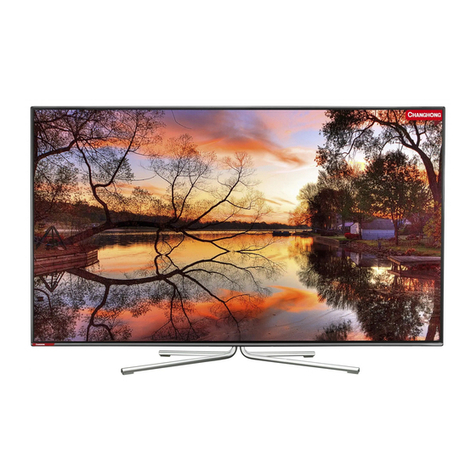
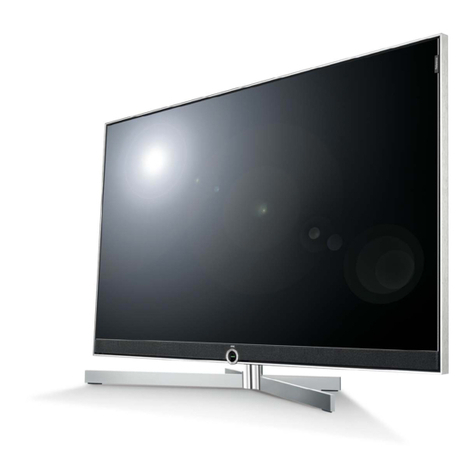
TCL C32E320-MT10L-LA User manual

4#,
3%26)#%-!.5!,
C32E320-MT10L-LA
#AUTION………… …………………… …………… …………… ………………
SPECIFICATION……………………… …………………… …………… …………………
!LIGNMENT0ROCEDURE…………………………………………………………… ……
ˊ"LOCKDIAGRAM…………… …………………… …………… …………………
ˊ3CHEME$IAGRAM …………………………… …………… ………………………
4ROUBLESHOOTING………………………… …………… …………………… ……
0#",AYOUT …… ……………………………… ………………… ……………
4HISM ANUALI ST HEL ATESTAT T HET IMEOF PR INTING ANDDOE S NOT
INCLUDETHEMODIFICATIONWHICHMAYBEMADEAFTERTHEPRINTINGBY
THECONSTANTIMPROVEMENTOFPRODUCT

CA UTION: TO RE DUCE THE RIS K OF
ELECTR ICA L SHOCK, DO NOT RE MOVE
COVER (OR BACK). NO USER SERVICEABLE
PAR TS INS IDE . RE FER SER VIC ING TO
QUALIFIED SERVICE PERSONNEL.
The lighting flash with arrowhead symbol, with an equilateral triangle is intended to
alert the user to the presence of uninsulated voltage within the products
enclosure that may be of sufficient magnitude to constitute a risk of electric shock to
the person.
The exclamation point within an equilateral triangle is intended to alert the user to the
presence of important operating and maintenance (servicing) instructions in the
literature accompanying the appliance.
CAUTION:
Use of controls, adjustments or procedures other than those specified herein may result in
hazardous radiation exposure.
CA U T ION
RISK
RISK OF
ELECTRI
ELECTRIC
SHOCK
SHOCK DO
NOT
NOT
OPEN.
OPEN.
2
dangerous
WARNING: TO REDUCE RISK OF FIRE OR ELECTRIC SHOCK, DO NOT
EXPOSE THIS APPLIANCE TO RAIN OR MOISTURE.
SCHNEIDER ELECTRONICS GMBH-GERMANY
1. CAUTION
2

1. When the power cord or plug is damaged or frayed, unplug this television set from the wall outlet and refer servicing to
qualified service personnel.
2. Do not overload wall outlets and extension cords as this can result in fire or electric shock.
3. Do not allow anything to rest on or roll over the power cord, and do not place the TV where power cord is subject to
traffic or abuse. This may result in a shock or fire hazard.
4. Do not attempt to service this television set yourself as opening or removing covers may expose you to dangerous
voltage or other hazards. Refer all servicing to qualified service personnel.
5. Never push objects of any kind into this television set through cabinet slots as they may touch dangerous voltage
points or short out parts that could result in a fire or electric shock. Never spill liquid of any kind on the television set.
6. If the television set has been dropped or the cabinet has been damaged, unplug this television set from the wall outlet
and refer servicing to qualified service personnel.
7. If liquid has been spilled into the television set, unplug this television set from the wall outlet and refer servicing to
qualified service personnel.
8. Do not subject your television set to impact of any kind. Be particularly careful not to damage the picture tube surface.
9. Unplug this television set from the wall outlet before cleaning. Do not use liquid cleaners or aerosol cleaners. Use a
damp cloth for cleaning.
10.1. Do not place this television set on an unstable cart, stand, or table. The television set may fall, causing serious injury
to a child or an adult, and serious damage to the appliance. Use only with a cart or stand recommended by the
manufacturer, or sold with the television set. Wall or shelf mounting should follow the manufacturer s instructions, and
should use a mounting kit approved by the manufacturer.
10.2. An appliance and cart combination should be moved with care. Quick stops, excessive force, and uneven surfaces
may cause the appliance and cart combination to overturn.
CAUTION:
Read all of these instructions. Sa ve these instructions for later use . Follo w all W arnings and
Instructions marked on the audio equipment.
1. Read Instructions-All the safety and operating instructionsshouldbe read before the productis operated.
2. Retain Instructions- The safety and operating instructions should be retained for future reference.
3. Heed Warnings- All warnings on the product and in the operating instructions should be adhered to.
4. Follow Instructions- All operating and use instructions should be followed.
3
SCHNEIDER ELECTRONICS GMBH-GERMANY
IMPORTANT SAFETY INSTRUCTIONS
FOR YOUR PERSONAL SAFETY
3

11. Do not use this television set near water ... for example, near a bathtub, washbowl, kitchen sink, or laundry tub, in a
wet basement, or near a swimming pool, etc.
Never expose the set to rain or water. If the set has been exposed to rain or water, unplug the set from the wall
outlet and refer servicing to qualified service personnel.
12. Choose a place where light (artificial or sunlight) does not shine directly on the screen.
13. Avoid dusty places, since piling up of dust inside TV chassis may cause failure of the set when high humidity persists.
14. The set has slots, or openings in the cabinet for ventilation purposes, to provide reliable operation of the receiver, to
protect it from overheating. These openings must not be blocked or covered.
Never cover the slots or openings with cloth or other material.
Never block the bottom ventilation slots of the set by placing it on a bed, sofa, rug, etc.
Never place the set near or over a radiator or heat register.
Never place the set in enclosure, unless proper ventilation is provided.
15.1. If an outside antenna is connected to the television set, be sure the antenna system is grounded so as to provide some
protection against voltage surges and built up static charges, Section 810 of the National Electrical Code, NFPA No.
70-1975, provides information with respect to proper grounding of the mast and supporting structure, grounding of the
lead-in wire to an antenna discharge unit, size of grounding conductors, location of antenna discharge unit, connection
to grounding electrode, and requirements for the grounding electrode.
15.2. Note to CATV system installer : (Only for the television set with CATV reception)
This reminder is provided to call the CATV system attention to Article 820-40 of the NEC that provides
guidelines for proper grounding and, in particular, specifies that the cable ground shall be connected to the grounding
system of the building, as close to the point of cable entry as practical.
16. An outside antenna system should not be located in the vicinity of overhead power lines or other electric lights or power
circuits, or where it can fall into such power lines or circuits. When installing an outside antenna system, extreme care
should be taken to keep from touching such power lines or circuits as contact with them might be fatal.
17. For added protection for this television set during a lightning storm, or when it is left unattended and unused for long
periods of time, unplug it from the wall outlet and disconnect the antenna. This will prevent damage due to lightning
and power-line surges.
ANTENNA
LEAD- IN WIRE
ANTENNA DISCHARGE
UNIT (NEC SECTION
810-20)
GROUNDING
CONDUCTORS
(NEC SECTION810-21)
GROUND CLAMPS
POWER SERVICE GROUNDING
ELECTRODE SYSTEM
(NEC ART 250. PART H)
ELECTRIC SERVICE
EQUIPMENT
GROUND CLAMP
NEC-NATIONAL ELECTRICAL CODE
EXAMPLE OF ANTENNA GROUNDING AS PER
NATIONAL ELECTRICAL CODE
EXAMPLE OF ANTENNA GROUNDING AS PER NATIONAL ELECTRICAL CODE INSTRUCTIONS
a built-in
installer s
4
SCHNEIDER ELECTRONICS GMBH-GERMANY
PROTECTION AND LOCATION OF YOUR SET
PROTECTION AND LOCATION OF YOUR SET
4

18.
This television set should be operated only from the type of power source indicated on the marking label.If you are not
sure of the type of power supply at your home, consult your television dealer or local power company. For television
sets designed to operate from battery power, refer to the operating instructions.
19. If the television set does not operate normally by following the operating instructions, unplug this television set from the
wall outlet and refer servicing to qualified service personnel. Adjust only those controls that are covered in the operating
instructions as improper adjustment of other controls may result in damage and will often require extensive work by a
qualified technician to restore the television set to normal operation.
20. When going on a holiday : If your television set is to remain unused for a period of time, for instance, when you go on
a holiday, turn the television set and unplug the television set from the wall outlet.
21. If you are unable to restore normal operation by following the detailedprocedurein your operatinginstructions,
do not attempt any further adjustment. Unplug the set and call your dealer or service technician.
22. Whenever the television set is damaged or fails, or a distinct change in performance indicates a need for
service, unplug the set and have it checked by a professional service technician.
23. It is normal for some TV sets to make occasional snapping or popping sounds, particularly when being
turned on or off. If the snapping or popping is continuous or frequent, unplug the set and consult your
dealer or service technician.
24. Do not use attachments not recommendedby the television set manufacturer as they may cause hazards.
25. When replacementparts are required, be sure the service technicianhas used replacement parts specified
by the manufacturer that have the same characteristics as the original part. Unauthorized substitutions
may result in fire, electric shock, or other hazards.
26. Upon completion of any service or repairs to the television set, ask the service technician to perform
routine safety checks to determine that the television is in safe operating condition.
off
5
SCHNEIDER ELECTRONICS GMBH-GERMANY
OPERATION OF YOUR SET
IF THE SET DOES NOT OPERATE PROPERLY
FOR SERVICE AND MODIFICATION
5

EM BUSINESS CENTER
FTV PRODUCT MANAGEMENT DEPT.
SPECIFICATION RELEASE
Version: V1.0 Issued Date: 2011.05.08
PICTURE
Category LCDTV
Naturalight Technology
Yes (Natural Light Engine‖)
Dynamic Contrast Yes
Color Temperature Warm / Normal / Cold SIGNAL FORMAT CAPABILITY
Backlight Adjustable Yes Component Video Format Y,Pb/Cb,Pr/Cr:up to 1080P
Scale Mode Full, Wide Screen,Subtitle,4:3 DVI Video Format Up to XGA for HDMI-PC
Picture Effect User, Bright, Standard and Soft HDMI Video Format up to 1080P
Film Mode (3:2 pull down) AUTO PC Compatibility Up to WUXGA
TERMINALS
Audio/CVBS Input (Composite) 2 R/L+2 Video: AV1, AV2(Side)
S-Video Input --
Audio Input for S-Video --
Comb Filter 3D YPbPr Input 1
Dynamic Noise Reduction 3D for SDTV Audio Input for YPbPr 1
Adaptive Deinterlacing 3D for SDTV YCbCr Input Share with "YPbPr"
Blue Stretch Yes Audio Input for YCbCr Share with Audio for "YPbPr"
Black Stretch Yes VGA Input(RGB) 1 (D-Sub,15 Pins)
Motion Compensation Yes Audio Input for RGB Share with Audio for "YPbPr"
DLTI Yes DVI --
DCTI Yes Audio Input for DVI --
Dynamic Skin Correction Yes HDMI 3
Audio/CVBS Output (Composite) 1 (R/L+CVBS) (RCA)
PANEL SPECIFICATION SPDIF Output 1
Back light Unit CCFL Headphone Output 1
Panel supplier SEC RF Input(Antenna) 1 (IEC Type)
Aspect Ratio 16:9 USB 2
Panel Size (inch) 32" BASIC INFO.
Display Resolution 1366x768 TV System
PAL M/N,NTSC-M
Brightness (cd/m2) 450 AV System PAL,NTSC,SECAM
Contrast Ratio 4000:1 Channels 100(1~100)
Response Time Tr/Tf
9ms
Chassis MT10L-LA
Viewing Angle (H/V) 178°/178° Certification CB
LED Life Time
50,000hrs(Min.)Power Supply AC 100V-240V 50/60Hz
Color 16.7M Power Consumption-TV on 110W
SOUND Power Consumption-Standby
≤1W
Speakers Integrated speakers (Bottom side) Default Color of Front Cabinet Black
Audio Power Output
2×8W
Keyboard Position Side
Smart Volume Yes Base Stand Detachable Yes
Sound Effect Standard,News,Movie,User Unpackaged Dimension for Main Body (L*H*D) (mm)
Sound Control Volume, Balance, Bass,Treble, With Base Stand (mm) 785.4L x 590.3Hx196.0D
Without Base Stand (mm) 785.4L x 523.9Hx86.0D
Packaged Dimension (L*H*D)
Main Body (mm) 884(L)x193(W)x659(H)
Speaker Box --
FUNCTION Base Stand Packaged with Main Body
OSD Language1 English, Spain, Portuguese Net Weight (Kg) 10.0KG
OSD Language2 -- Gross Weight (Kg) 12.06KG
OSD Main-Menu Features Motion Bmp style Container Loading
Sleep Time Select Yes 20 feet (12x6+2x3)x3=234
Watch Time Limit Yes 40 feet (12x13+2x2)x3=480
Listen Only Yes (Listening to Music without picture) 40 feet high (12x13+2x2)x4-1=639
Demo Function Yes ACCESSORIES
DNR Yes Operation Manual English(Default)
Nicam Yes(MTS) Remote Control For TV control (with two batteries)
USB Connection
Yes.(Only for mp3 Player and JPG Photo Dispaly)Base Stand Integrated Packaging
Hotel Menu Optional (infactory menu) Speaker Box Integrated
Wall Mount WMB231(Optional)
Others AC Power cord
Design and specifications are subject to change without notice! Page 1 of 1
Sound Features
Drafted by: 郝飞飞
Model: C32E320/MT10L-LA/SS8P
Approved by:
Surround on/off, Scene Mode Selecting(Desk and Wall
Mode)
Picture Enhancement

Factory Alignment Specification of normal SIACP
Page 1 of 12
TCL WW R&D
FPD CENTER
Factory Alignment Specification of normal SIACP
For MT10-LA
Version 1.0
PREPARED BY : ∳䰇 DATE : 2011-4-22
APPROVEDBY: DATE:

Factory Alignment Specification of normal SIACP
Page 2 of 12
TableofContents
Feature Specification ........................................................................................................................................... 4
INFO.................................................................................................................................................................... 5
1.Electrical Assembly Alignment ........................................................................................................................ 5
1.1 Preconditions – DC/DC Check...................................................................................................................... 5
1.2 SW download ................................................................................................................................................ 5
1.3 Panel ID check and modify ........................................................................................................................... 6
1.4 Functional Test .............................................................................................................................................. 6
1.5 DDC & EDID Test......................................................................................................................................... 6
1.6 HDCP Test ..................................................................................................................................................... 7
2.Final Assembly Alignment ............................................................................................................................... 7
2.1 FactoryMenu.................................................................................................................................................. 7
2.2 Entering to “P” Mode .................................................................................................................................... 7
2.3 White Balance Alignment.............................................................................................................................. 7
2.4 High Pot. and Insulating Resistance Tests ..................................................................................................... 8
3.Factory default settings..................................................................................................................................... 8
Appendix
n
“How to download FLASH SW”................................................................................................ 11
Appendix
o
“How to upgrade FLASH SW from USB”.................................................................................... 11
Appendix
p
“Modify panel ID with RC” ......................................................................................................... 12

Factory Alignment Specification of normal SIACP
Page 3 of 12
$ISCLOSURE
The information contained in this document is proprietary to TCL SZ FPD lab and shall not be
disclosed by the recipient to third persons without the written permission of the team leader or
GM of R&D.
2EVISION(ISTORY
3TATUS6ER $ATE$RAFTER $ESCRIPTIONOFCHANGES
V1.0 2011-4-22 This is the draft version of normal SIACP
gHDMI as the main absolute input
gThe password of factory menu is 9735
gUse RC to change project ID
gWhite Balance

Factory Alignment Specification of normal SIACP
Page 4 of 12
FeatureSpecification
These chassises are designed for South America LCD TV. The main chip is from Mediatec
(MT5310 series) and supports below inputs and outputs:
class item Status MT10B-LA MT10L-LA
ATV
( PAL- M/N, NTSC-M)
¥Cable&Antenna Cable&Antenna
DTV
(SBTVD-T)
¥Antenna Antenna
HDMI
(480i/p, 576i/p, 720p up to
1080i/p, compliant v1.2. with
HDCP)
3 P300
P301
P302
P301
P302
P303
VGA 1 P406 P406
VGA/DVI audio 1 P400 P400
CMP
(YPrPb can support from 480i
up to 1080p,audio)
1P1
P455 (Audio)
P404
Side AV or back AV
(CVBS,audio)
2 P304
P404
P423
P421
USB player
(picture,video,audio)
2 P303
P401
P401
P427
Headphone output ¥P800 P800
SPDIF output Optical P405 P405
AV out 1 P498 P407
P424
P425
Input
&
Output
function
Others
VGA connector of MT5310B definition:
VGA: Pin4:RXD VGA Pin11:TXD
Table of contents
Other TCL TV manuals