TCL TAB10 5G User manual

1
Safety and Use
We recommend that you read this chapter carefully
before using your mobile device. The manufacturer
disclaims any liability for damage, which may result
as a consequence of improper use or use contrary to
the instructions contained herein. Use of connected
devices subject to your wireless carrier's Terms and
Conditions.
Trafc Safety
Always obey the local laws and regulations
addressing the use of wireless mobile devices and
their accessories in the areas where you drive.
The use of mobile devices while driving may be
prohibited or restricted in certain areas.
Conditions of Use
You are advised to switch off your mobile device from
time to time to optimize its performance.
Operational Warnings: Only use your mobile device
in accordance with local laws and regulations and
obey all posted notices in public areas.
Do not attempt to disassemble your mobile device.
If you disassemble your mobile device, the warranty
will not apply.
Always handle your mobile device with care and keep
it in a clean and dust-free place.
Do not allow your mobile device to be exposed
to adverse weather or environmental conditions

2
(moisture, humidity, rain, inltration of liquids, dust,
sea air, etc.). The manufacturer’s recommended
operating temperature range is 0°C (32°F) to +40°C
(104°F)
Use only batteries, battery chargers, and accessories
which are recommended by device manufacturer
and its afliates and are compatible with your mobile
device model. Device manufacturer and its afliates
disclaim any liability for damage caused by the use of
other chargers or batteries.
Please check local laws and regulations in your
jurisdiction to learn how to best dispose of your
mobile device.
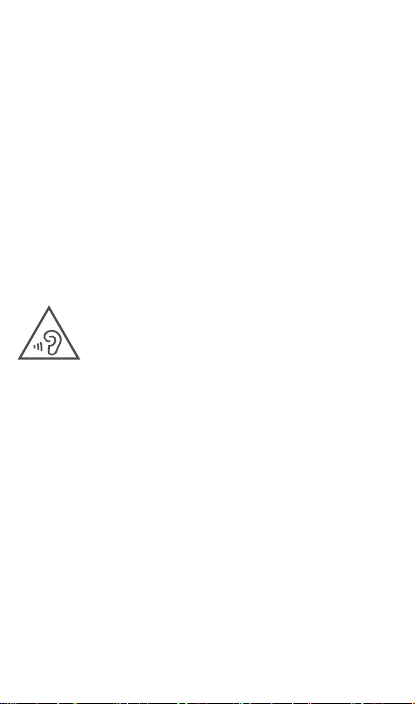
PROTECT YOUR HEARING
To prevent possible hearing damage, do
not listen at high volume levels for long
periods. Exercise caution when holding
your device near your ear while the
loudspeaker is in use.
Privacy
Please note that you must respect the laws and
regulations of your jurisdiction or other jurisdiction(s)
where you will use your mobile device regarding
taking photographs and recording sounds with your
mobile device. Pursuant to such laws and regulations,
it may be strictly forbidden to take photographs and/
or to record the voices of other people or any of
their personal attributes, and reproduce or distribute
them, as this may be considered to be an invasion
of privacy.

3
It is the user’s sole responsibility to ensure that prior
authorization be obtained, if necessary, in order to
record private or condential conversations or take a
photograph of another person; the manufacturer, the
seller or vendor of your mobile device (including the
operator) disclaim any liability which may result from
the improper use of the mobile device.
Legal Information
In order to provide you with better access to this
important information, we've made the materials
accessible from the tablet's Settings menu. Review
these materials prior to using your mobile device. To
access the materials on your mobile device, swipe up
from the home screen, and tap Settings >System
>About tablet >Legal information, and select a
topic.
Regulatory Information (e-label)
Your mobile device uses an electronic label (e-label)
that provides regulatory information about your
device. To view the regulatory information for this
device, on the device, swipe up from the home
screen, then tap Settings >System >Regulatory
& safety.
FCC Compliance
Any changes or modifications not expressly approved
by the party responsible for compliance of this device

4
voids the user's authority to operate this device.
This device complies with Part 15 of the FCC Rules.
Operation is subject to the following two conditions:
(1) This device may not cause harmful interference
(2) This device must accept any interference received,
including interference that may cause undesired
operation.
This equipment has been tested and found to
comply with the limits for a Class B digital device,
pursuant to Part 15 of the FCC Rules. These limits are
designed to provide reasonable protection against
harmful interference in a residential installation. This
equipment generates, uses and can radiate radio
frequency energy and, if not installed and used in
accordance with the instructions, may cause harmful
interference to radio communications. However,
there is no guarantee that interference will not occur
in a particular installation. If this equipment does
cause harmful interference to radio or television
reception, which can be determined by turning the
equipment off and on, the user is encouraged to
try to correct the interference by one or more of the
following measures:
• Reorient or relocate the receiving antenna.
• Increase the separation between the equipment
and receiver.
• Connect the equipment into an outlet on a circuit
different from that to which the receiver is connect-
ed.
• Consult the dealer or an experienced radio/TV
technician for help.

5
Your device includes a radio transmitter and
receiver. It is designed and manufactured
not to exceed the exposure limits for
Radio Frequency (RF) set by the Federal
Communications Commission (FCC). The RF
exposure limits set by the FCC for wireless
mobile devices utilize a unit of measurement
referred to as Specific Absorption Rate (SAR),
which is a measure of the amount of RF
energy absorbed by the body when using
a mobile device. The FCC requires mobile
device manufacturers to ensure that their
mobile devices comply with these objective
limits for safe exposure. The FCC SAR
limit incorporates a substantial margin of
safety to give additional protection to the
public and to account for any variations in
measurements. The FCC limit for public
exposure from cellular devices is a SAR level
of 16 watts per kilogram (1.6 W/kg). Tests for
SAR are conducted using standard operating
positions with the mobile device transmitting
at its highest certified power level in all
tested frequency bands.
SAR information for this device can be found
on the FCC website at www.fcc.gov/oet/ea/.
Follow the instructions on the website to use
the FCC ID for this device to find SAR values
for the device.
To view additional SAR information on your
tablet, swipe up from the Home screen >
Settings > System > About tablet >Legal
information >RF Exposure.
SAR

6
Battery and Accessories
Observe the following precautions for battery use:
• Do not attempt to open the battery (due to the risk
of toxic fumes and burns).
• Do not puncture, disassemble or cause a short-cir-
cuit in a battery.
• Do not burn or dispose of a used battery in house-
hold rubbish or store it at temperatures above
60ºC.
• Do not disassemble or open crush, bend or de-
form, puncture or shred.
• Do not modify or remanufacture, attempt to in-
sert foreign objects into the battery, immerse or
expose to water or other liquids, expose to fire,
explosion or other hazard
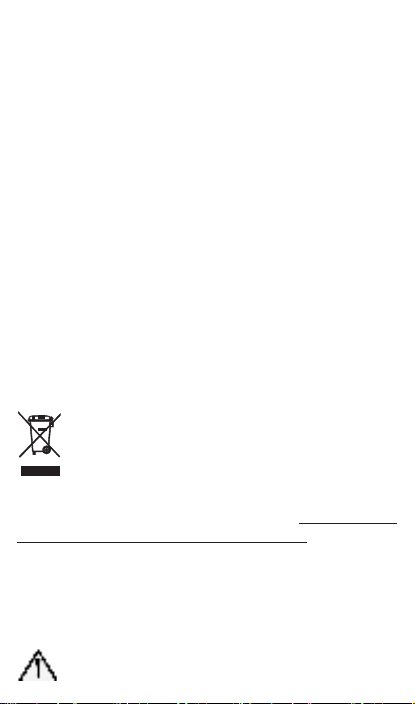
Products that have the below symbol must be taken
to collection points at the end of their life:
Municipal waste disposal centers with specific
bins for these items of equipment.
Collection bins at points of sale.
You can learn more about how to recycle your mobile
device by visiting the CTIA website at www.ctia.org/
news/how-to-recycle-your-mobile-device
CAUTION: IF BATTERY IS REPLACED BY AN
INCORRECT TYPE, DEVICE MIGHT EXPLODE.
DISPOSE OF USED BATTERIES ACCORDING TO
THE INSTRUCTION.
WARNING: Cancer and Reproductive Harm -
www.P65Warnings.ca.gov

7
Chargers
Home A.C./Travel chargers will operate within the
temperature range of: 0°C (32°F) to 40°C (104°F).
The chargers designed for your mobile device meet
with the standard for safety of information technology
equipment and ofce equipment use. Due to different
applicable electrical specications, a charger you
purchased in one jurisdiction may not work in another
jurisdiction.
Licenses
microSD logo is a trademark of SD-3C, LLC.
The Bluetooth®word mark and logos are
owned by the Bluetooth SIG, Inc. and any
use of such marks by Device Manufacturer
and its affiliates is under license. Other
trademarks and trade names are those of
their respective owners.
The Wi-Fi Logo is a certification mark of the
Wi-Fi Alliance.
Recycling Information
Call Recycle Customer Support at 1-855-368-0829 for
recycling instructions.
Printed in China
CQF71M0LCAAA

Información regulatoria y
sobre seguridad

1
Precauciones de uso
Antes de utilizar su tableta, lea detenidamente este capítulo.
El fabricante no se hará responsable de las consecuencias
que resulten de un uso inadecuado del dispositivo y/o no
conforme a las instrucciones contenidas en este documento.
Uso de dispositivos conectados sujetos a los Términos y
condiciones de su proveedor de servicios inalámbricos.
Seguridad en vehículo
Obedezca siempre las leyes y reglas locales en vigor sobre el
uso de dispositivos móviles inalámbricos y sus accesorios allí
donde conduzca. El uso de estos dispositivos móviles puede
estar prohibido o restringido en algunas áreas.
Condiciones de uso
Para un funcionamiento óptimo del dispositivo, es
recomendable apagarlo de vez en cuando.
Atención: Utilice su tableta únicamente de acuerdo con las
leyes y normativas locales y respete todas las señalizaciones
en zonas públicas.
No intente desarmar el dispositivo móvil. La garantía no se
aplicará si lo desarma.
Sea siempre muy cuidadoso con su dispositivo y guárdelo en
un lugar limpio y sin polvo.
No exponga el dispositivo a condiciones climáticas
desfavorables (humedad, condensaciones, lluvia, inltración
de líquidos, polvo, brisa marina, etc.). Las temperaturas
recomendadas por el fabricante van de 0 °C (32 °F) a +40°C
(104°F).
Utilice sólo baterías, cargadores y accesorios recomendados
por el fabricante del dispositivo y sus liales, que sean
compatibles con el modelo de su dispositivo móvil. En el
Other manuals for TAB10 5G
2
Table of contents
Languages:
Other TCL Tablet manuals

TCL
TCL TAB 8 User manual

TCL
TCL NxtPaper 11 User manual

TCL
TCL 9296Q User manual

TCL
TCL PIXI 5-10 4G VF Technical manual

TCL
TCL NXTRAPER 10s User manual

TCL
TCL 10 TAB MAX User manual

TCL
TCL TAB 8 WI-FI User manual

TCL
TCL TAB Lite User manual

TCL
TCL TAB10 5G User manual

TCL
TCL Alcatel POP4-10 4G&VF User manual
Popular Tablet manuals by other brands

Laser
Laser MID-1060 Quick operation guide

MUNBYN
MUNBYN IRT09J Easy setup guide

Motorola
Motorola MC3090R - Win CE 5.0 Professional 520 MHz quick start guide

Dell
Dell Latitude ST Setup and features information

Lenovo
Lenovo IdeaTab S6000L Hardware Maintenance Manual

Venturer
Venturer WT9L11 quick start guide