
Swisson XRC-200 User manual

XRC-200
DMX Recorder
User Manual
Issue 1 (2011-03-06)
Copyright © 2011 SWISSON AG
No part of this documentation may be reproduced or transmitted in any form or by
any means, electronic or mechanical, including photocopying and recording,
without the prior written permission of SWISSON AG.
The information in this documentation is supplied without warranty of any kind,
either directly or indirectly, and is subject to change without prior written notice.
SWISSON, its employees or appointed representatives will not be held
responsible for any damages to software, hardware, or data, arising as a direct or
indirect result of the product(s) mentioned herein.
Issued by
SWISSON AG SWISSON of AMERICA Corp.
Fabrikstrasse 21 2419 East Harbor Blvd. #34
CH-3250 Lyss Ventura, CA 93001
Switzerland U.S.A.
E-Mail: [email protected]
XRC-200
DMX Recoder
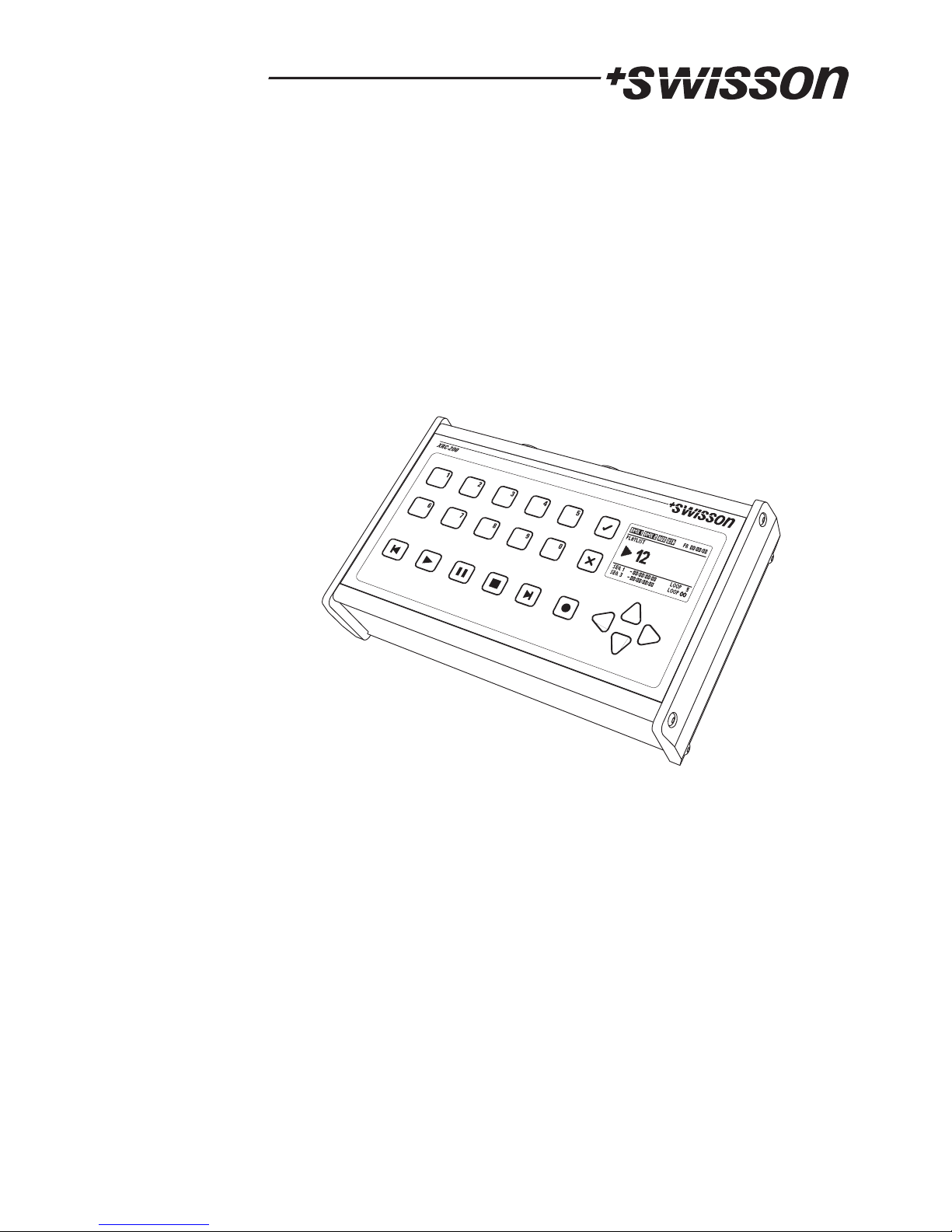
XRC-200
DMX Recorder / Replay Unit
2

3
Safety Information
Consider the following notes absolutely when you set up, connect and use
the XRC-200.
This product is not for household use. Read this manual before operating
the device, follow the safety precautions and observe all warnings in this
manual.
Use this device only in accordance with local laws and regulations.
Do not use the device in areas where it is exposed to direct sunlight.
Do not use the device in areas that are considered to be 'highly
combustible'.
Safety precautions
!
!
!
!
!
!
!
!
!
!
!
!
!
!
!
Disconect the device from AC power before removing any cover or part,
including fuse and when not in use.
Ensure that the device is electrically connected to ground (earth).
Use only a source of AC power that complies with local building and
electrical codes and has both overload and ground-fault (earth fault)
protection.
Connect the device to AC power using the supplied power cable.
Before using the device, check that the power distribution equipment
and cables are in perfect condition and rated for the current required of
all connected devices.
Isolate the device from power immediately if the power cable or power
plug is damaged in any way , defective or wet, or if they show signs of
overheating.
Do not expose the device to rain or moisture.
Do not operate the device if any cover or component is missing damaged
or deformed.
Refer any service operation not descriped is this manual to Swisson.
Provide unrestricted airflow arround the device.
Do not operate the device if the abient temperatue exceeds 55 C (131 F).
Do not modify the device in any way not described in this manual or
install other than genuine Swisson parts.
Do not attempt to bypass any fuse. Replace any defective fuse with one
of the specified type and rating only.
° °
4
Unpacking
The XRC-200 is packaged in a cardboard box. The following items are
included:
- The device
- This user manual
Mains Connection
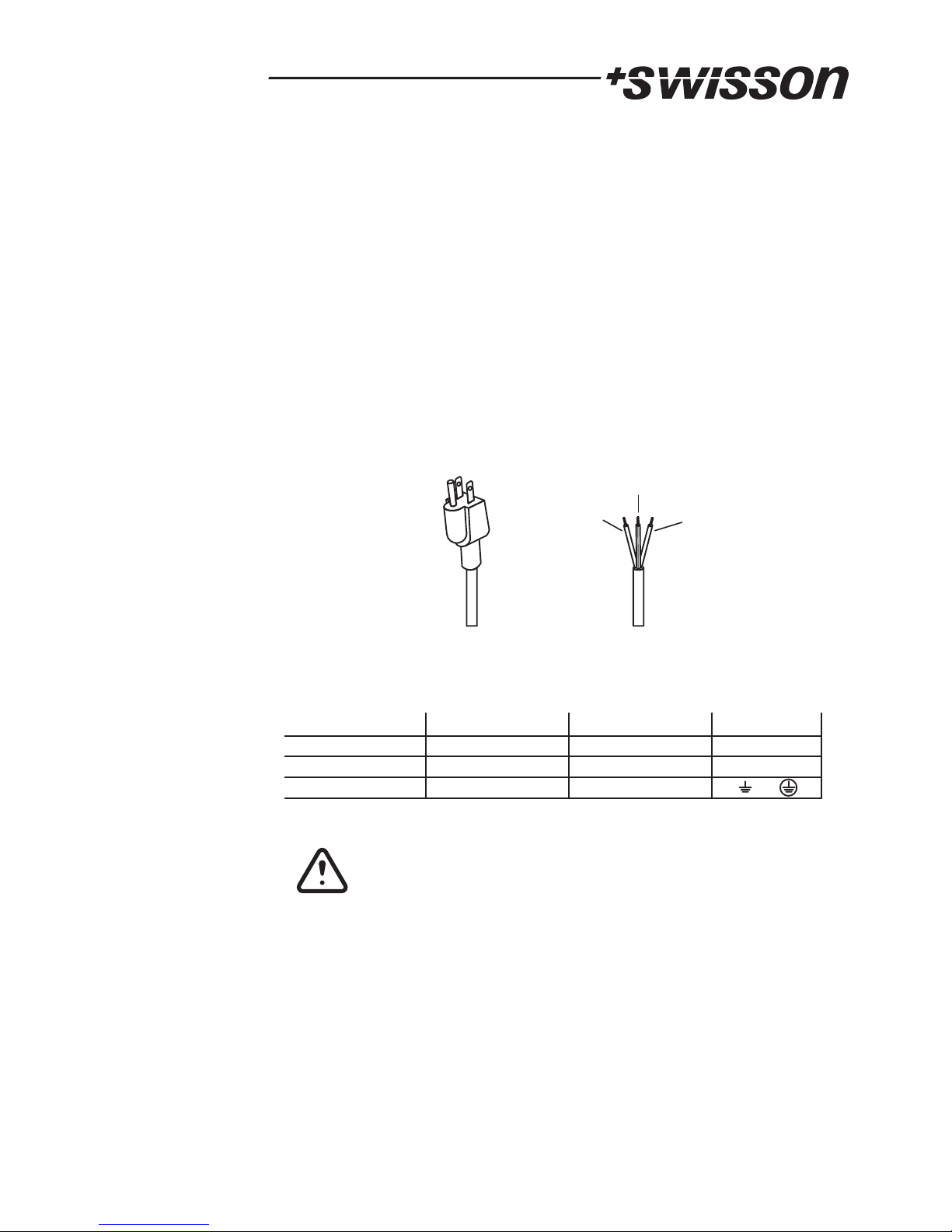
Two different mains connections are available:
The US versions are delivered by Swisson with a "Edison Plug" (NEMA-5-15).
These models has a "-US" suffix.
The International versions are delivered without any plug.
Swisson distributors or dealers may deliver the devices with a country specific
plug.
US Versions (-US suffix) International Versions
Brown : Phase Blue : Neutral
Yellow/Green : Earth
Neutral
Live
Wire (US System)
Ground (Earth)
Wire (EU System) Symbol
L
N
or
black
white
green
brown
blue
yellow/green
Consult a qualified electrician if you have any doubts about
proper installation.
The socket where the device is plugged in must be close to
the device and easely accessible.

5
Overview
1234
5678910 11
12
13
14
15
16
17
18

6
1
2
3
4
5
6
7
8
9
10
11
12
13
14
15
16
17
18
Selection buttons. These buttons are used to select a sequence,
a playlist or to enter numeric values.
Cancel button. This button is used to abort processes and to
close dialogs.
Ok button. This button is used to confirm.
LCD screen.
Step backward whithin plalist.
Play a sequence or playlist.
Pause a sequence or a playlist.
Stop a sequence or a playlist.
Step forward whithin plalyist.
Record a sequence or a playlist.
Navigation buttons.
USB connector. Used to backup and restore the data of the
device. Also used for firmware updates.
AUX Port. Used for auxiliary devices like the CT-15b (External
Contacts).
DMX In A & B. Port for light control equipment.
DMX Out A & B. Port for DMX lighting fixtures.
Mains power cable.

7
Recording a sequence
Connect the XRC-200 between your light controller and your light equipment.
Enter the number of the sequence to record (from 1 to 64) and press the record
button.
Now the XRC-200 is ready to record.
Press play to start the recording process.
It's possible to interrupt recoding with the pause button. Press play to resume
recording.
Press stop to end the recording process.
Make sure, that the XRC-200 is in NORMAL mode (see p. 11) , before trying to
record. Hint: This is the case after resetting the XRC-200 to the FACTORY
SETTINGS (see p. 14).

8
Playing a sequence
The light controller is not needed to play and can be disconnected.
Enter the number of the sequence to play (from 1 to 64) and press the play button.
Now the sequence is playing.
It's possible to interrupt the sequence with the pause button. Press play to resume.
Main Screen
Record
Record Pause
Stop
Pause
Play
Playlist or
Sequence
DMX in Status
Valid Signal:
No / Invalid Signal:
Aux Port
Connected
Not Connected
USB Port
Connected
Not Connected
Day & Time
Autostart
Ignition Sequence
Backup Mode
DMX Remote
Memory
Usage
Actual Sequence
Next Sequence

Menu
The menu may be accessed by pressing the OK button, when the XRC-200 is
stopped. The up and the down arrow keys are used to highlight menu items. The
OK button is used to enter a highlighted submenu.
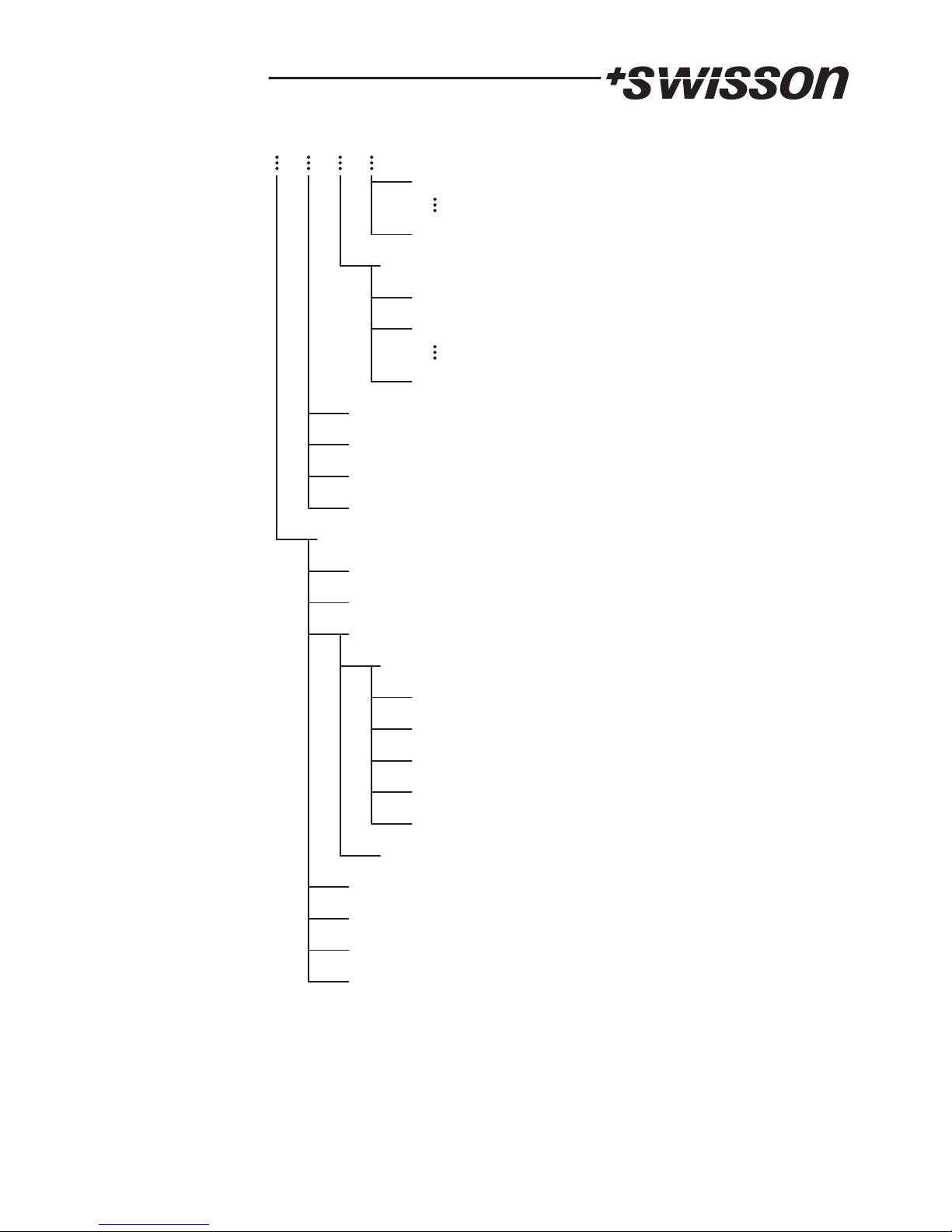
The figure below provides an overview of the menu.
Any setting changes but the
time of the day and the day of the week are applied only when you return to the
main screen.
9
MENU
OPERATING MODES
SET MODE
NORMAL
FAST ACCESS
DMX BACKUP
BACKUP ACTIVATION
NEVER
DMX A FAILS
DMX B FAILS
DMX A OR B FAILS
BACKUP ACTION
SEQUENCE
SEQUENCE 01
SEQUENCE 64
PLAYLIST
PLAYLIST 101
PLAYLIST 110
AUTOSTART
SEQUENCE
PLAYLIST
NONE
SEQUENCE 01
SEQUENCE 10
NONE
PLAYLIST 101
PLAYLIST 110
LAST PLAYED
STANDBY
ADVANCED
TIMER
STARTUP TIMER
ENABLE / DISABLE
ENABLE
DISABLE
SET TIME
SET DAYS OF THE
WEEK
SHUTDOWN TIMER
ENABLE / DISABLE
ENABLE
DISABLE
SET TIME
SET DAYS OF THE
WEEK
IGNITION / PARK
SET IGNITION
SEQUENCE
NONE
10
SEQUENCE 01
SEQUENCE 64
SET PARK SEQUENCE
NONE
SEQUENCE 01
SEQUENCE 64
DMX REMOTE CONTROL
DMX FADE IN TIME
SEQUENCES INFO
EXTERNAL CONTACTS
TIME
DAY OF THE WEEK
USER ACCESS LEVEL
FULL ACCESS
PLAYBACK ONLY
KEYPAD LOCKED
SYSTEM SETTINGS
FACTORY SETTINGS
STANDBY
FORMAT MEMORY
VERSION INFO
KEYPAD LOCKED STANDBY
KEYPAD LOCKED STANDBY
SET USER ACCESS LEVEL
SET PASSWORD
Other manuals for XRC-200
1
Table of contents
Other Swisson Recording Equipment manuals



