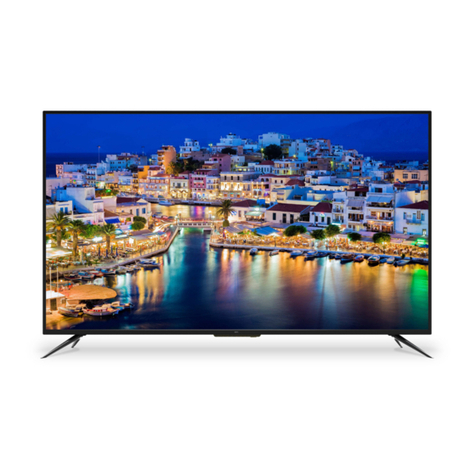
Supersonic SC-1511 User manual

15.4” WIDESCREEN LED TV
MODEL NO.: SC-1511
USER MANUAL
Please read this manual carefully before using,
and keep it for future reference.

1
SAFETY INSTRUCTIONS
WARNING – TO REDUCE THE RISK OF FIRE, ELECTRIC SHOCK, OR
SERIOUS PERSONAL INJURY:
● This product shall not be exposed to dripping or splashing and that no objects filled
with liquids, such as vases, shall be placed on the apparatus.
● Situate this product away from heat sources such as radiators, heat registers,
stoves, or other appliances (including amplifiers) that produce heat.
● Clean the product only as recommended by the manufacturer (see “Maintenance”
section for details). Unplug the power cord from the wall outlet before cleaning,
● Unplug the power cord from the wall outlet when left unused for an extended
period.
● Prevent objects/liquids from falling or spilled on the product.
● Operate the product only with the supplied power adapter. Route power cords so
they are not likely to be walked on or pinched by items placed upon or against them,
paying particular attention to plugs, convenience receptacles, and the point where they
exit from the product.
● Where the MAINS plug or an appliance coupler is used as the disconnect device,
the disconnect device shall remain readily operable.
● Do not operate this product under the following conditions.
- When the power-supply cord or plug is damaged.
- If liquid has been spilled into or objects have fallen into the product.
- If the product has been exposed to rain or water.
- If the product does not operate when used according to the operating instructions.
- If the product has been dropped or damaged in any way.
● Do not attempt to service the product; take it to the electronics repair shop of your
choice for any servicing or repair.
● Do not overload wall outlets, extension cords, or integral convenience receptacles.
IMPORTANT INSTRUCTIONS

2
CAUTION- TO REDUCE THE RISK OR PERSONAL INJURY OR
PRODUCT/PROPERTY DAMAGE:
● This product is intended solely for non-commercial, non-industrial, personal use as
a television. Do not use this product for any other purpose.
● Do not subject the product to violent shocks, extreme temperatures, or lengthy
periods of direct sunlight.
● Keep the product away from magnetic objects, motors, and transformers.
● Do not use outdoors in inclement weather.
● Do not use the TV while driving; this is dangerous and is illegal in some areas.
BATTERY HANDLING AND USAGE:
● Keep batteries away from children and pets. Only adults should handle batteries.
● Never throw batteries into a fire or expose them to fire or other heat sources.
● Follow the battery safety and usage instructions provided by the manufacturer.
User Manual……………………………………………………………………………………1
Remote Control……………..…………………………………………………………………1
AC Adaptor…………………………………………………………………………………….1
All the pictures in this manual are just for your reference, appearance and display
should subject to the final product.
ACCESSORIES

3
TABLE OF CONTENTS
GETTING STARTED
IMPORTANT INSTRUCTIONS...........................................................................................1-2
ACCESSORIES.....................................................................................................................2
FEATURES............................................................................................................................4
GENERAL PARTS.................................................................................................................5
REMOTE CONTROL..........................................................................................................6-7
REMOTE CONTROL PREPARATION...................................................................................8
BASIC CONNECTION......................................................................................................9-12
OPERATIONS
BASIC OPERATIONS....................................................................................................13-16
MAIN MENU...................................................................................................................17-24
TV MODE....................................................................................................................17-23
AV/COMPONENT/HDMI1/HDMI2/USB MODE................................................................24
PC/VGA MODE........................................................................................................24
FOR REFERENCE
MAINTENANCE...........................................................................................................25
WALL MOUNTING……………………………………………………………………..……25
STAND INSTALLATION……………………………………………………………………..……26
SPECIFICATIONS.......................................................................................................27
TROUBLESHOOTING.........................................................................................................28

4
15.4" LED DISPLAY
This player has a built-in 15.4” LED display window to provide clear vision and low
radiation.
Support Auto Program Scanning Function
Support Digital Broadcasting Reception
Support EPG (Electronic Program Guide) Function
Compatible with USB for Music and Photo Playback
Support Multi-languages On Screen Display
Support Full Function Remote Control
Compatible with HDMI (two roads), VGA, PC AUDIO, YPbPr, RF, CVBS
and AUDIO R/L Input
Compatible with EARPHONE and COAXIAL Output
With Detachable Stand Holder
With External Antenna Jack
With Built-in Speakers
With Noise Reduction Function
FEATURES

5
MAIN UNIT
1. LED display screen
2. Remote control sensor
3. Power indicator- In standby mode the
indicator light will display red color; when
switching on the unit the indicator light will
display blue color.
4. Stand holder
5. SOURCE button- To select the input
source.
6. MENU button- To enter menu setting
page.
7. CH+/CH- button- To select next/previous
channel or move up/down.
8. VOL+/VOL- button- To increase/decrease
the volume level or move left/right.
9. POWER button - To switch ON/OFF the
TV.
10. COAXIAL output terminal
11. CVBS and AUDIO R/L terminals
12. HDMI2 input terminal
13. Power input terminal
14. USB slot-For Music/Photo playback.
15. HDMI1 input terminal
16. VGA input terminal
17. PC AUDIO input terminal
18. Y Pb Pr input terminals
19. RF input jack- To connect the antenna.
20. EARPHONE output terminal
GENERAL PARTS

6
REMOTE CONTROL
1. POWER: To set the unit in standby mode;
press it again to switch it on.
2. NUMBER BUTTONS (0-9): To input the
number information, such as channel number and
so on.
3. -/--: To select additional channels (digital) being
broadcast by the same station. For example, to
select channel “15-3”, press “1” and “5”, then
press “-/--” and “3”.
4. GREEN button
5. RED button
6. VOL +/-: Press VOL+ button to increase the
volume, or press VOL- button to decrease the
volume.
7. EPG: To display electronic program guide
information.
8. PICTURE: To switch the picture mode.
9. CC: To set CC function On or Off in TV mode.
10. Navigation buttons: Press ▲/▼/◄/►
buttons to move up/down/left/right.
11. MENU: To display the main menu. Press it
again to return to previous menu page.
12. SLEEP: To select desired Sleep Timer.
13. MTS/AUDIO: To select desired soundtrack in
TV mode.
14. F.LIST: To display the favorite channels list
page in TV mode.
15. C.LIST: To display available channels list page in TV mode.

7
REMOTE CONTROL
16. MUTE: To mute the sound.
17. : To return to previous channel or input
source.
18. YELLOW button
19. BLUE button
20. CH+/-: Press CH+ button to play next channel,
or press CH- button to play previous channel.
21. INFO: To display current program information.
22. SOURCE: To switch the input source.
23. SOUND: To switch the sound mode in TV
mode.
24. ENTER: To confirm a selection.
25. EXIT: To exit menu page.
26. AUTO: To adjust the screen automatically (in
PC mode).
27. ASPECT: To select desired displaying mode.
28. FREEZE: To hold the picture during normal
playing.
29. FAVO: To label current program as a favorite
one or not.

8
REMOTE CONTROL PREPARATION
BATTERY INSTALLATION
Install the batteries as the following pictures. Be sure + and – terminals are positioned as
indicated in the battery compartment (Fig1).
SERVICE LIFE OF BATTERIES
- The batteries normally last for one year although this depends on how often the remote
control is used.
- If the remote control fails to work even when it is operated near the player, replace the
batteries.
- Use two size AAA dry batteries.
NOTE:
● Do not drop, step on or otherwise impact the remote control. This may damage the
parts or lead to malfunction.
● If the remote control is not going to be used for a long time, remove the batteries.
REMOTE CONTROL
OPERATION
Point the remote control from no more
than about 6m from the remote control
sensor and within about 60°of the
front of the player(Fig2).
NOTES:
- The operating distance may vary
according to the brightness of the
room.
- Do not point bright light at remote
control sensor.
- Do not place objects between the
Remote control and the remote control
sensor.
- Do not use this remote control while
simultaneously operating the remote
control of any other equipments.
Fig1 Fig
2
Push
Open
Press
Remote Control
Sensor

9
● Ensure all the cables are disconnected from the main unit before connecting to AC
power source by AC adaptor.
● Read through the instructions before connecting other equipments.
CONNECTING TO AC POWER SOURCE
CONNECT EXTERNAL ANTENNA TO UNIT
Install external antenna into antenna jack for best picture.
BASIC CONNECTION
Antenna
Outdoor
antenna
amplifier
Indoor
antenna
amplifier
Power plug
of antenna
amplifier
75 OHM
antenna
plug
Main unit
To DC 12V jack
AC adaptor
To power outlet
Table of contents
Other Supersonic LED TV manuals

Supersonic
Supersonic SC-1912 User manual

Supersonic
Supersonic SC-1911 User manual

Supersonic
Supersonic SC-1311 User manual

Supersonic
Supersonic SC-2212 User manual

Supersonic
Supersonic SC-1512 User manual

Supersonic
Supersonic SC-3211 User manual

Supersonic
Supersonic SC-2814 User manual

Supersonic
Supersonic SC-2211 User manual

Supersonic
Supersonic SC-2411 User manual

Supersonic
Supersonic SC-1511WHT User manual