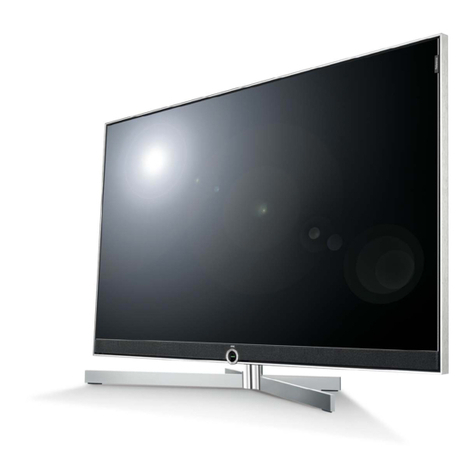
SUPERSCAN KSJ2413 User manual

TELEVISION
)(20 inch)
www,superscan,com
vww.superscan,com RCO0003
SUPPLIED A CCESSORIES
Remote Control Unit Batteries
AAA Batteries x 2
Owner's Manual
2001131339

Explanation of WARNJNG Symbols
The lightning flash with arrowhead symbol, within an
equilateral triangle, is intended to alert the user to the
presence dangerous voltage within the inside of the product
that may be sufficient level to constitute a risk of electric
shock.
The exclamation point within an equilateral triangle is
intended to alert the user to the presence of important
operating and servicing instructions.
1
2
3
4
5
6
7
8)
9)
Read these instructions.
Keep these instructions.
Heed all warnings.
Follow all instructions.
Do not use this LCD TV near water.
Clean only with dry cloth. Do not use liquid, alcohol, or aerosol cleaners.
Do not block any ventilation openings. Install your LCD TV in a well
ventilated area.
Keep your LCD TV away from moisture, excessive dust and any heat
sources, such as radiators, heat registers, stoves, or any other apparatus
(including amplifiers) that produce heat.
Do not remove the back cover. There are no user-serviceable parts inside.
10) Do not defeat the safety purpose of the polarized or grounding-type plug. A
polarized plug has two blades with one wider than the other. A grounding
type plug has two blades and a third grounding prong. The third prong is
provided for your safety. If the provided plug does not fit into your outlet,
consult an electrician for replacement of the obsolete outlet.
Caution: Any damage caused by incorrectly attempting to
mount this LCD TV is not covered under the terms of the
• manufacturers warranty.

11 Protect the power cord from being walked on or pinched particularly at
plugs, receptacles, and the point where they exit from the LCD TV.
12) Never rest objects on the power
cord or place it near high traffic
areas.
13) Only use attachments/accessories
specified by the manufacturer.
14) Use only with stand, tripod, bracket, or
table specified by the manufacturer, or
sold with the LCD TV. When a cart is used, use caution to avoid injury from
tip-over.
15) Unplug this LCD TV during lightening storms or when unused for long
periods of time.
16) Refer all servicing to qualified service personnel-- Servicing may be
required if the LCD TV has been damaged in any way, such as
power-supply cord or plug is damage, liquid has been spilled or objects
have fallen into the LCD TV, the LCD TV has been exposed to rain or
moisture, does not operate normally, or has been dropped.
17) Do not expose your LCD TV to dripping or splashing, and place no objects
filled with liquids on it.
18) The Shock Hazard Marking and Associated Graphical Symbol is provided
on the back panel of unit.
WARNING: To reduce the risk of fire or electric shock, do
not expose this LCD TV to rain or moisture.

Thankyouforpurchasingmulti-scancolorLCD-TV.Pleasereadthisguide
thoroughlybeforeinstallation.
FCC RADIO FREQUENCY INTERFERENCE STATEMENT
WARNING: (FOR FCC CERTIFIED MODELS)
This LCD-TV has been tested and found compliant with the limits for a Class B
digital device, pursuant to part 15 of the FCC Rules. These limits are designed to
provide proper protection against harmful interference to a residential installation.
This LCD-TV generates, uses, and can radiate radio frequency energy. Harmful
interference to radio communication may be led as a result if it's not properly
installed and used. However, there is no guarantee that interference will not
occur in a particular installation. If this LCD-TV does cause serious interference
to radio or television reception, resetting the LCD-TV may determine it. Moreover,
users are encouraged to correct interference by doing one or more of the
following:
• Reorient or relocate the receiving antenna.
• Move the LCD-TV and the receiver further away from each other.
• Connect the LCD-TV into an outlet on a circuit different from that to which
the receiver is connected.
• Consult your local dealer or an qualified technician if problem still appears.
FCC Warning:
To assure a continued FCC compliance, a user must use a grounded power
supply cord and the provided shielded video interface cable with bonded ferrite
cores. Also, any unauthorized changes or modifications to this LCD-TV would
void the user's authority to operate this device.
Note: If necessary, shielded interface cables and AC power cord must be used
to meet the emission level limits.
EMI Certification
The Class B digital apparatus meets all requirements of the Canadian
Interference-Causing Equipment Regulation.

Quick Set Up ....................................................... 1
Top Panel Buttons ................................................ 2
Side/Rear AN Terminals ....................................... 3
Remote Control ................................................... 4
Installation .......................................................... 5
Basic operation ................................................... 8
Using the On Screen Display Menus ....................... 9
-TV/Video mode: Picture Adjustment ....................... 9
-Sound/Video: Source Selection ........................... 15
Technical Information .......................................... 16
Safety Precautions ............................................. 17
Care and Maintenance ....................................... 18
•_ For additional information, please visit www. superscan.com

PACKAGE CONTENTS:
Thank you for purchasing this LCD-TV.
This LCD-TV package comes with:
• Power Cable
• User's Guide book
• Remote control 29 key
• AVVideo Cable
• Batteryx 2
ACCESSORIES:
You can purchase these optional accessories for your LCD TV:
• S-Video Cable
• YPbPr Cable
Quick S÷'t Up
1. Connect TV ANTENNA or CATV
Cable
Make sure the LCD TV is powered
OFF. Connect to TV antenna jack or
CATV box with 75-ohm coaxial cable
(see page 5).
2. Connect Power Cord
Connect the power cord to LCD TV
first then to a properly grounded AC
outlet.
3. Power-ON LCD TV
4. Select TV as your input source to
view TV stations.
5. In TV mode, you must program
TV stations into the TV's memory.
Auto scan TV channel from OSD
menu (see page11 ).

i
i
i
i
i
i0 000
i
i
i
i
i
i
i
i
i
i
i
i
i
i
i
i
i
i
i
i
i
i
i
i
i
i
i
i
i
i
i
i

_II illllllllllllll_]----------Y IIIIIIIIIIIIIII
!iii!i!ii..i!i!i!iii!
i!i!i!i!i!i!oo!i!i!i!i!i!i
A BCDE
i
i --F
I
ilili IiiWII
IiiiTVi!!
iiii!Col
iilii
!liioffilii
IiilI

TV or Cable TV
selection
Source Select
Volume Mute ON/OFF
Volume UP/DOWN
TV Sleep Time
On Screen Display
Menu ON/OFF
Channel Number Keys
Power ON/OFF
Source and Channel
Display
MTS TV Stereo Select
Channel UP/DOWN
Function UP/DOWN
Select LEFT/RIGHT
To Confirm Selection
Return to Previous
Viewed Channel

1. Insert Remote Control Batteries
•Turn back the remote control and remove the battery cover•
2. Insert two batteries to the battery compartment by following the markings of
anode (+) and negative pole(-)•
3. Reattach the battery cover•
CAUTION
• Putting the batteries for an extended period may cause the leakage problem.
Remove the batteries if not use it for a period of time.
• Do not mix new and old batteries or two different types of batteries.It may
result in cracking or leakage, posing a risk of fire.
2. Connect RF antenna or Cable TV Wire
Make sure the LCD TV is power off. Connect LCD TV to TV antenna wire
or cable/satellite box with 75-ohm coaxial cable.
TV Antenna or CATV Cable
This manual suits for next models
2
Table of contents
Languages:
Other SUPERSCAN TV manuals