
Supero AOC-UIBF-m1 User manual
User's Guide
Revision 1.0a
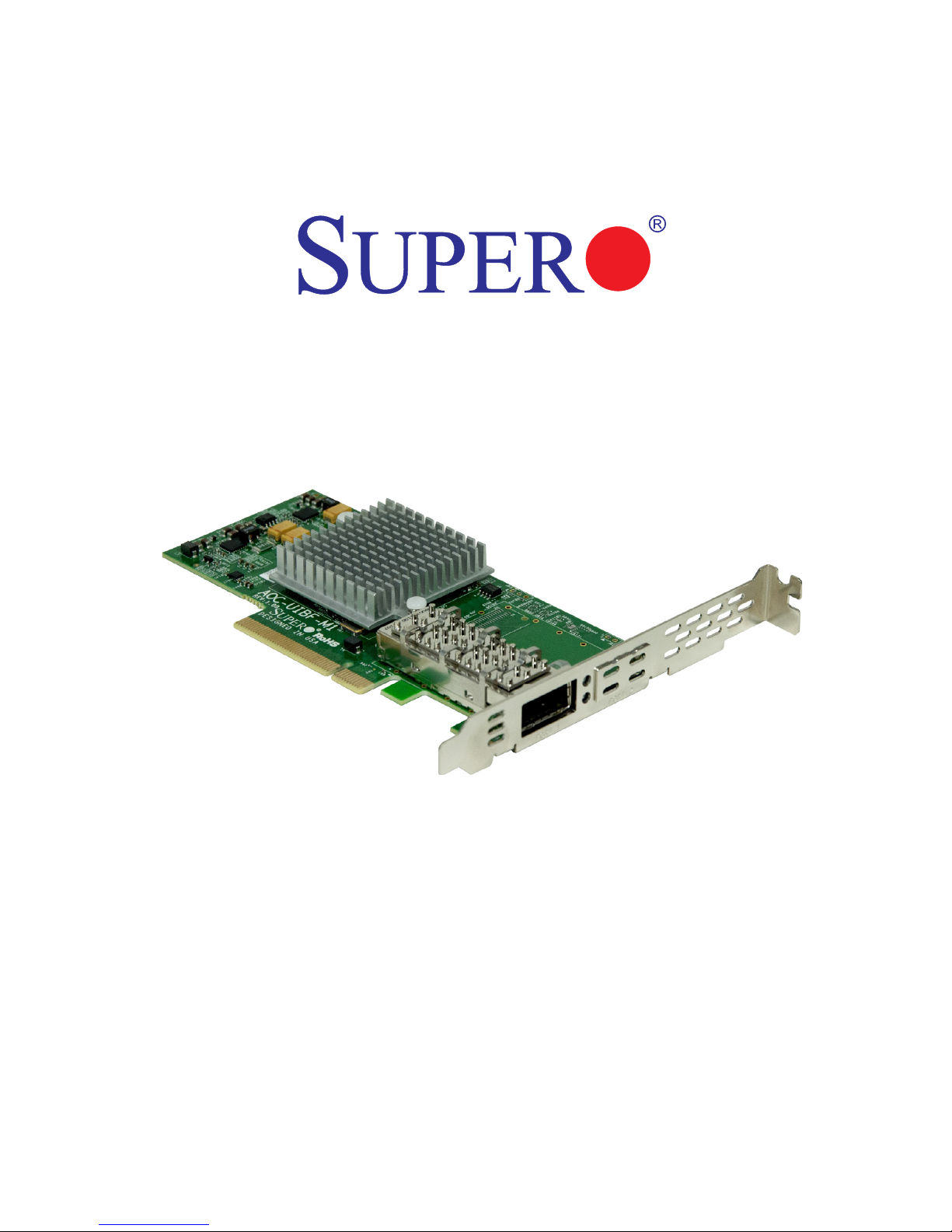
AOC-UIBF-m1

User's Guide Revision 1.0a
Release Date: December 5, 2014
Unless you request and receive written permission from Super Micro Computer, Inc., you may not
copy any part of this document.
Information in this document is subject to change without notice. Other products and companies
referred to herein are trademarks or registered trademarks of their respective companies or mark
holders.
Copyright © 2014 by Super Micro Computer, Inc.
All rights reserved.
Printed in the United States of America
The information in this User's Guide has been carefully reviewed and is believed to be accurate.
The vendor assumes no responsibility for any inaccuracies that may be contained in this document,
and makes no commitment to update or to keep current the information in this user's guide, or to
notify any person or organization of the updates. Please Note: For the most up-to-date version
of this user's guide, please see our Website at www.supermicro.com.
Super Micro Computer, Inc. ("Supermicro") reserves the right to make changes to the product
described in this user's guide at any time and without notice. This product, including software and
documentation, is the property of Supermicro and/or its licensors, and is supplied only under a
license. Any use or reproduction of this product is not allowed, except as expressly permitted by
the terms of said license.
IN NO EVENT WILL SUPER MICRO COMPUTER, INC. BE LIABLE FOR DIRECT, INDIRECT,
SPECIAL, INCIDENTAL, SPECULATIVE OR CONSEQUENTIAL DAMAGES ARISING FROM THE
USE OR INABILITY TO USE THIS PRODUCT OR DOCUMENTATION, EVEN IF ADVISED OF
THE POSSIBILITY OF SUCH DAMAGES. IN PARTICULAR, SUPER MICRO COMPUTER, INC.
SHALL NOT HAVE LIABILITY FOR ANY HARDWARE, SOFTWARE, OR DATA STORED OR USED
WITH THE PRODUCT, INCLUDING THE COSTS OF REPAIRING, REPLACING, INTEGRATING,
INSTALLING OR RECOVERING SUCH HARDWARE, SOFTWARE, OR DATA.
Any disputes arising between the manufacturer and the customer shall be governed by the laws of
Santa Clara County in the State of California, USA. The State of California, County of Santa Clara
shall be the exclusive venue for the resolution of any such disputes. Supermicro's total liability for
all claims will not exceed the price paid for the hardware product.
FCC Statement: This equipment has been tested and found to comply with the limits for a Class
A digital device pursuant to Part 15 of the FCC Rules. These limits are designed to provide
reasonable protection against harmful interference when the equipment is operated in a commercial
environment. This equipment generates, uses, and can radiate radio frequency energy and, if not
installed and used in accordance with the manufacturer’s instruction manual, may cause harmful
interference with radio communications. Operation of this equipment in a residential area is likely
to cause harmful interference, in which case you will be required to correct the interference at your
own expense.
California Best Management Practices Regulations for Perchlorate Materials: This Perchlorate
warning applies only to products containing CR (Manganese Dioxide) Lithium coin cells. “Perchlorate
Material-special handling may apply. See www.dtsc.ca.gov/hazardouswaste/perchlorate”.
WARNING: Handling of lead solder materials used in this
product may expose you to lead, a chemical known to
the State of California to cause birth defects and other
reproductive harm.

Preface
About this User's Guide
This user's guide is written for system integrators, PC technicians and
knowledgeable PC users. It provides information for the installation and use of the
AOC-UIBF-m1 add-on card.
About this Add-on Card
The AOC-UIBF-m1 is the most compact, powerful InniBand adapter on the mar-
ket. Based on the Mellanox ConnectX-3 with Virtual Protocol Interconnect (VPI), it
provides the most high performance, exible interconnect solution for servers used
in enterprise data centers and high-performance computing. The AOC-UIBF-m1
simplies system development by providing both InniBand (56Gb/s) and Ethernet
(40Gb/s)support in one hardware design. The AOC-UIBF-m1 is designed to t within
Supermicro UIO server systems.
An Important Note to the User
All images and layouts shown in this user's guide are based upon the latest PCB
Revision available at the time of publishing. The card you have received may or
may not look exactly the same as the graphics shown in this user's guide.
Returning Merchandise for Service
A receipt or copy of your invoice marked with the date of purchase is required before
any warranty service will be rendered. You can obtain service by calling your ven-
dor for a Returned Merchandise Authorization (RMA) number. When returning the
motherboard to the manufacturer, the RMA number should be prominently displayed
on the outside of the shipping carton, and the shipping package is mailed prepaid
or hand-carried. Shipping and handling charges will be applied for all orders that
must be mailed when service is complete. For faster service, You can also request
a RMA authorization online (http://www.supermicro.com/RmaForm/).
This warranty only covers normal consumer use and does not cover damages in-
curred in shipping or from failure due to the alternation, misuse, abuse or improper
maintenance of products.
During the warranty period, contact your distributor rst for any product problems.
Preface
iii
iv
AOC-UIBF-M1 Add-on Card User's Guide
Conventions Used in the User's Guide
Pay special attention to the following symbols for proper system installation and to
prevent damage to the system or injury to yourself:
Warning: Important information given to ensure proper system installation
or to prevent damage to the components or injury to yourself.
Note: Additional information given to differentiate between various models
or provides information for correct system setup.
SMC Networking Add-on Cards

v
Preface
Contacting Supermicro
Headquarters
Address: Super Micro Computer, Inc.
980 Rock Ave.
San Jose, CA 95131 U.S.A.
Tel: +1 (408) 503-8000
Fax: +1 (408) 503-8008
Email: [email protected] (General Information)
Website: www.supermicro.com
Europe
Address: Super Micro Computer B.V.
Het Sterrenbeeld 28, 5215 ML
's-Hertogenbosch, The Netherlands
Tel: +31 (0) 73-6400390
Fax: +31 (0) 73-6416525
Email: [email protected] (General Information)
Website: www.supermicro.nl
Asia-Pacic
Address: Super Micro Computer, Inc.
3F, No. 150, Jian 1st Rd.
Zhonghe Dist., New Taipei City 235
Taiwan (R.O.C)
Tel: +886-(2) 8226-3990
Fax: +886-(2) 8226-3992
Website: www.supermicro.com.tw

Table of Contents
Preface
Chapter 1 Overview
1-1 Overview ......................................................................................................... 1-1
1-2 Key Features................................................................................................... 1-1
1-3 Specications .................................................................................................. 1-1
Chapter 2 Hardware Components
2-1 Add-On Card Image and Layout..................................................................... 2-1
2-2 Major Components.......................................................................................... 2-1
2-3 Connectors: QSPF Port and LEDs ................................................................. 2-2
QSFP Port .................................................................................................. 2-2
QSFP Port LEDs ........................................................................................ 2-2
Chapter 3 Installation
3-1 Static-Sensitive Devices.................................................................................. 3-1
Precautions ..................................................................................................... 3-1
Unpacking ....................................................................................................... 3-1
3-2 Before Installation ........................................................................................... 3-2
3-3 Installing the Add-on Card .............................................................................. 3-2
3-4 Installing the Windows Operating System ...................................................... 3-3
3-5 Installing Drivers and Firmware ...................................................................... 3-3
Linux Drivers ................................................................................................... 3-3
Windows Drivers ............................................................................................. 3-4
Firmware Update Procedures ......................................................................... 3-5
AOC-UIBF-M1 Add-on Card User's Guide
vi

Chapter 1: Overview
1-1
Chapter 1
Overview
1-1 Overview
Congratulations on purchasing your add-on card from an acknowledged leader in
the industry. Supermicro products are designed with the utmost attention to detail
to provide you with the highest standards in quality and performance. For product
support and updates, please refer to our website at http://www.supermicro.com/
products/nfo/networking.cfm#adapter.
1-2 Key Features
The key features of this add-on card include the following:
•Single QSFP (Quad Small Form Factor Pluggable) Connector
•Low-prole UIO Form Factor
•PCI Express 3.0 (up to 8GT/s)
•Virtual Protocol Interconnect (VPI)
•Up to 56Gbps InniBand or 40Gbps Ethernet
•CPU ofoad of transport operations
•Application ofoad
•GPU communication acceleration
•End-to-end QoS and congestion control
•Hardware-based I/O virtualization
•Ethernet encapsulation (EoIB)
•RoHS compliant 6/6
1-3 Specications General
•Mellanox®ConnectX-3 FDR controller

1-2
AOC-UIBF-m1 Add-on Card User's Guide
•Compact size UIO form factor
•Single QSFP port
•PCI-E 3.0 x8 (8GT/s) interface
Connectivity
•Interoperable with InniBand or 10/40GbE switches
•Passive copper cable with ESD protection
•Powered connectors for optical and active cable support
InniBand
•IBTA Specication 1.2.1 compliant
•Hardware-based congestion control
•16 million I/O channels
•256 to 4Kbyte MTU, 1Gbyte messages
Enhanced InniBand
•Hardware-based reliable transport
•Collective operations ofoads
•GPU communication acceleration
•Hardware-based reliable multicast
•Extended Reliable Connected transport
•Enhanced Atomic operations
Ethernet
•IEEE Std 802.3ae 10 Gigabit Ethernet

Chapter 1: Overview
1-3
•IEEE Std 802.3ba 40 Gigabit Ethernet
•IEEE Std 802.3ad Link Aggregation and Failover
•IEEE Std 802.3az Energy Efcient Ethernet
•IEEE Std 802.1Q, .1p VLAN tags and priority
•IEEE Std 802.1Qau Congestion Notication
•IEEE P802.1Qaz D0.2 ETS
•IEEE P802.1Qbb D1.0 Priority-based Flow Control
•Jumbo frame support (9.6KB)
Hardware-based I/O Virtualization
•Single Root IOV
•Address translation and protection
•Dedicated adapter resources
•Multiple queues per virtual machine
•Enhanced QoS for vNICs
•VMware NetQueue support
Manageability Features
•RDMA over Converged Ethernet
•TCP/UDP/IP stateless ofoad
•Intelligent interrupt coalescence
Flexboot™ Technology
•Remote boot over InniBand

1-4
AOC-UIBF-m1 Add-on Card User's Guide
•Remote boot over Ethernet
•Remote boot over iSCSI
Protocol Support
•Open MPI, OSU MVAPICH, Intel MPI, MS MPI, PLATFORM MPI
•TCP,UDP, EoIB, IPoIB, SDP, RDS
•SRP, iSER, NFS RDMA
•uDAPL
Operating Systems/Distributions
•Novell SLES, Red Hat Enterprise Linux (RHEL), and other Linux distributions
•Microsoft Windows Server 2008/CCS 2003, HPC Server 2008
•OpenFabrics Enterprise Distribution (OFED)
•OpenFabrics Windows Distribution (WinOF)
•VMware ESX Server 3.5, vSphere 4.0/4.1
Physical Dimensions
•Card PCB dimensions (without end brackets): 14.29cm (5.63in) x 6.35cm
(2.50in) (LxW)
•Height of end brackets: Standard - 12cm (4.73in), Low Prole - 7.94cm (3.13in)
Operating Condition
•Operating temperature: 0°C to 55°C (32°F to 131°F)
Compliance/Environmental
•RoHS Compliant 6/6, Pb Free
Table of contents
Other Supero PCI Card manuals


Popular PCI Card manuals by other brands


Conrad Electronic
Conrad Electronic 97 46 71 operating instructions

Micro Innovations
Micro Innovations USB650A Quick installation guide

KTI Networks
KTI Networks KF-310 user guide

Asus
Asus SpaceLink WL230 user manual

SIIG
SIIG SC2475 Quick installation guide

TRENDnet
TRENDnet TEW-703PI Quick installation guide


