Sprint Airave User manual

TT
M
M
User Guide
Sprint AIRAVE™
www.sprint.com
© 2007 Sprint Nextel. All rights reserved. SPRINT, the NEXTEL
name and logo, and other trademarks are trademarks of Sprint
Nextel.
Printed in Korea.

AIRAVE_PCSR01_PS_072607_F3

Table of Contents
Welcome to Sprint . . . . . . . . . . . . . . . . . . . . . . . . . . . . . . . . .i
Introduction . . . . . . . . . . . . . . . . . . . . . . . . . . . . . . . . . . . . . . ii
Section 1: Getting Started . . . . . . . . . . . . . . . . . . . . . . . . . . 1
1A. Quick Setup . . . . . . . . . . . . . . . . . . . . . . . . . . . . . . . . . . . . . 3
AIRAVE Quick Setup . . . . . . . . . . . . . . . . . . . . . . . . . . . . . . . . . . . . . . . . . .4
Section 2: Your Device . . . . . . . . . . . . . . . . . . . . . . . . . . . . . 7
2A. Additional Setup Information . . . . . . . . . . . . . . . . . . . . . 9
Overview . . . . . . . . . . . . . . . . . . . . . . . . . . . . . . . . . . . . . . . . . . . . . . . . . . 10
Activating your AIRAVE Account . . . . . . . . . . . . . . . . . . . . . . . . . . . 13
Getting Help . . . . . . . . . . . . . . . . . . . . . . . . . . . . . . . . . . . . . . . . . . . . . . . 13
2B. AIRAVE: The Basics . . . . . . . . . . . . . . . . . . . . . . . . . . . . . . 15
Components . . . . . . . . . . . . . . . . . . . . . . . . . . . . . . . . . . . . . . . . . . . . . . . 16
Features . . . . . . . . . . . . . . . . . . . . . . . . . . . . . . . . . . . . . . . . . . . . . . . . . . . 21
Maintenance Notes . . . . . . . . . . . . . . . . . . . . . . . . . . . . . . . . . . . . . . . . 22
Section 3: Optional Installation . . . . . . . . . . . . . . . . . . . . 23
Section 4: and . . . . . . . . . . . . . . . . . . . . . . . . . . . . . . . . . . . . 23
Section 5: Troubleshooting . . . . . . . . . . . . . . . . . . . . . . . . 23
5A. Antenna Installation . . . . . . . . . . . . . . . . . . . . . . . . . . . . 25
Installing the External GPS Antenna . . . . . . . . . . . . . . . . . . . . . . . . 26
5B. Troubleshooting . . . . . . . . . . . . . . . . . . . . . . . . . . . . . . . . 29
Troubleshooting . . . . . . . . . . . . . . . . . . . . . . . . . . . . . . . . . . . . . . . . . . . 30
Section 6: Safety and Warranty Information . . . . . . . . 35
6A. Important Safety Information . . . . . . . . . . . . . . . . . . . . 37
General Precautions . . . . . . . . . . . . . . . . . . . . . . . . . . . . . . . . . . . . . . . . 38
Maintaining Safe Use of and Access to
Your Base Station . . . . . . . . . . . . . . . . . . . . . . . . . . . . . . . . . . . . . . . . . . 39
Radio Frequency (RF) Energy . . . . . . . . . . . . . . . . . . . . . . . . . . . . . . . . 40
Owner’s Record . . . . . . . . . . . . . . . . . . . . . . . . . . . . . . . . . . . . . . . . . . . . 41
Proprietary Notice . . . . . . . . . . . . . . . . . . . . . . . . . . . . . . . . . . . . . . . . . 42

6B. Manufacturer’s Warranty . . . . . . . . . . . . . . . . . . . . . . . . 43
Manufacturer’s Warranty . . . . . . . . . . . . . . . . . . . . . . . . . . . . . . . . . . 44
Index . . . . . . . . . . . . . . . . . . . . . . . . . . . . . . . . . . . . . . . . . . . . 49

i
Welcome to Sprint
Sprint and Nextel have come together offering you more
choice and flexibility to do whatever you want, whenever you
want.
This powerful combination brings you access to more
products, more services, and more of what you need to do
more of what you want.
Welcome and thank you for choosing Sprint.

ii
Introduction
This User Guide introduces you to the Sprint AIRAVE™ base
station service and all the features of your new device. It’s
divided into four sections:
⽧Section 1: Getting Started
⽧Section 2: Your Device
⽧Section 3: Optional Installation and Troubleshooting
⽧Section 4: Safety and Warranty Information
Throughout this guide, you’ll find tips and techniques that
help you make the most of your new device and service. The
Table of Contents and Index will also help you quickly locate
specific information.
It is important that you read each section and note any
special requirements. However, if you’d like to get right to a
specific feature, simply locate that section in the Table of
Contents and go directly to that page. Follow the instructions
in that section, and you’ll be ready to use your base station in
no time.
User Guide
Note:
Due to updates in software and procedure, this printed
guide may not be the most current version for your base
station. Visit www.sprint.com and sign on to My Sprint
Wireless to access the most recent version of this guide.
WARNING Please refer to the Important Safety Information section
on page 37 to learn about information that will help you
safely use your device. Failure to read and follow the
Important Safety Information in this guide may result in
serious bodily injury, death, or property damage.

TT
M
M
Section 1
Getting Started

2

Quick Steup
Section 1A: Quick Setup 3
Section 1A
Quick Setup
In This Section
⽧AIRAVE Quick Setup
Setting up service on your new AIRAVE base station is fast and
easy. This section outlines the procedures needed to quickly
set up the base station.

4Section1A:QuickSetup
AIRAVE Quick Setup
Congratulations on the purchase of your Sprint AIRAVE™.
Your purchase of this base station ensures that you and your
family will have reliable wireless telephone service while in
your home or small office.
1. Confirm that your package contains the following
components:
䡲AIRAVE base station
䡲CAT5 Ethernet Cable
䡲Power Supply and Power Cord
䡲External GPS Antenna
䡲User Guide
2. If your base station has not already been activated, call
1-888-211-4727 to complete your activation process
(page 13).
3. Review the “Important Safety Information” on page 37
before installing the base station.
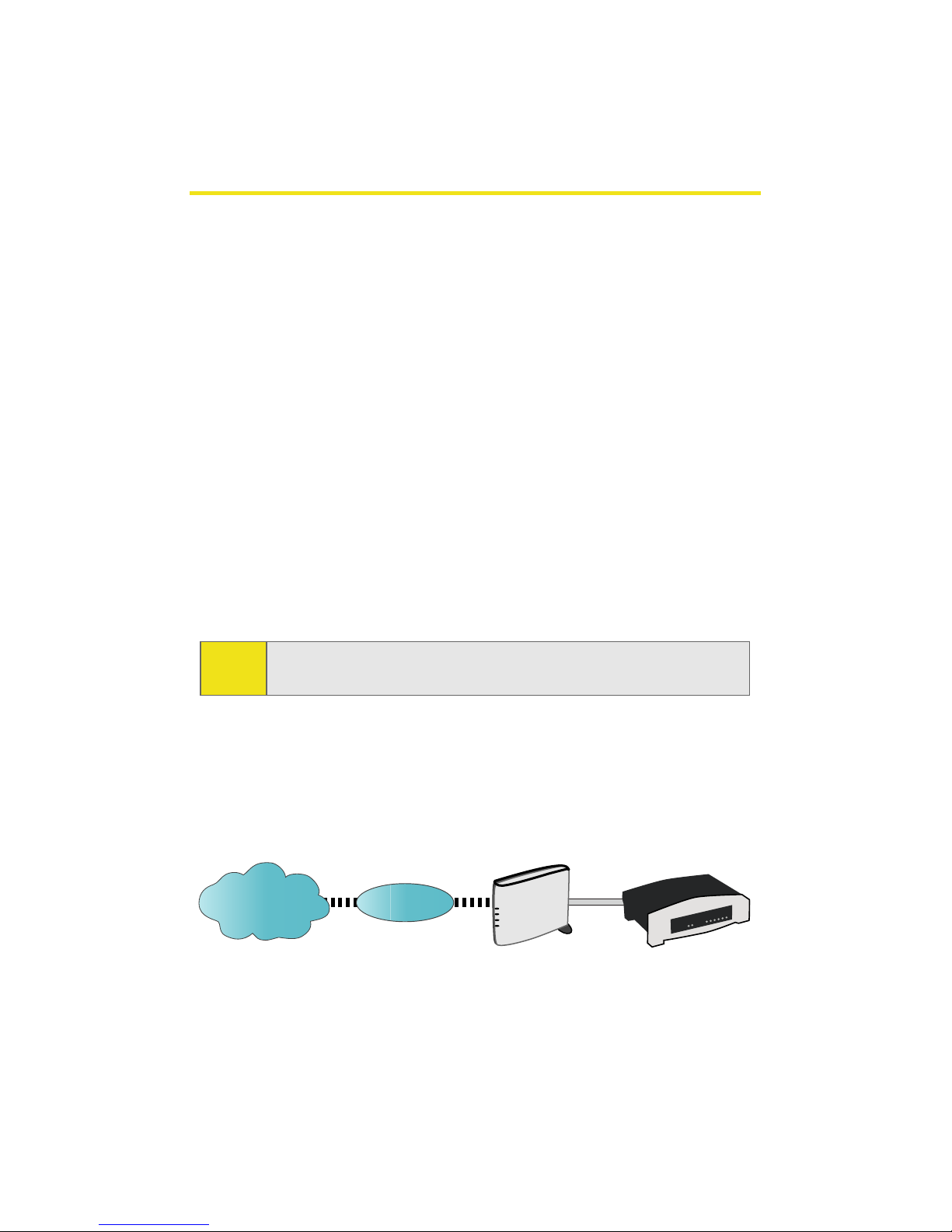
4. Make sure that both your router and your Internet
Broadband modem are functioning properly.
Note: The base station must be activated before setup. It will not
work unless it has been activated.
Internet
Internet ISP
ISP
%URDGEDQG
&DEOH'6/
0RGHP
5RXWHU
Other manuals for Airave
1
Table of contents
Other Sprint Extender manuals