
Speechi SPE-310W-I-P User manual
INTERACTIVE FUNCTION MANUAL
SPE-310W-I-P

Contents of the
Accessory Bag
.......................................................................... 2
Accessories Introduction.................................................................................... 3
Operation Guide for Windows OS.................................................................. 4
Operation Guide for Mac..................................................................... 23
Operation Guide for Linux-SPDriver................................................. 31
Troubleshooting....................................................................................................... 40
Contents of the Accessory Bag
2
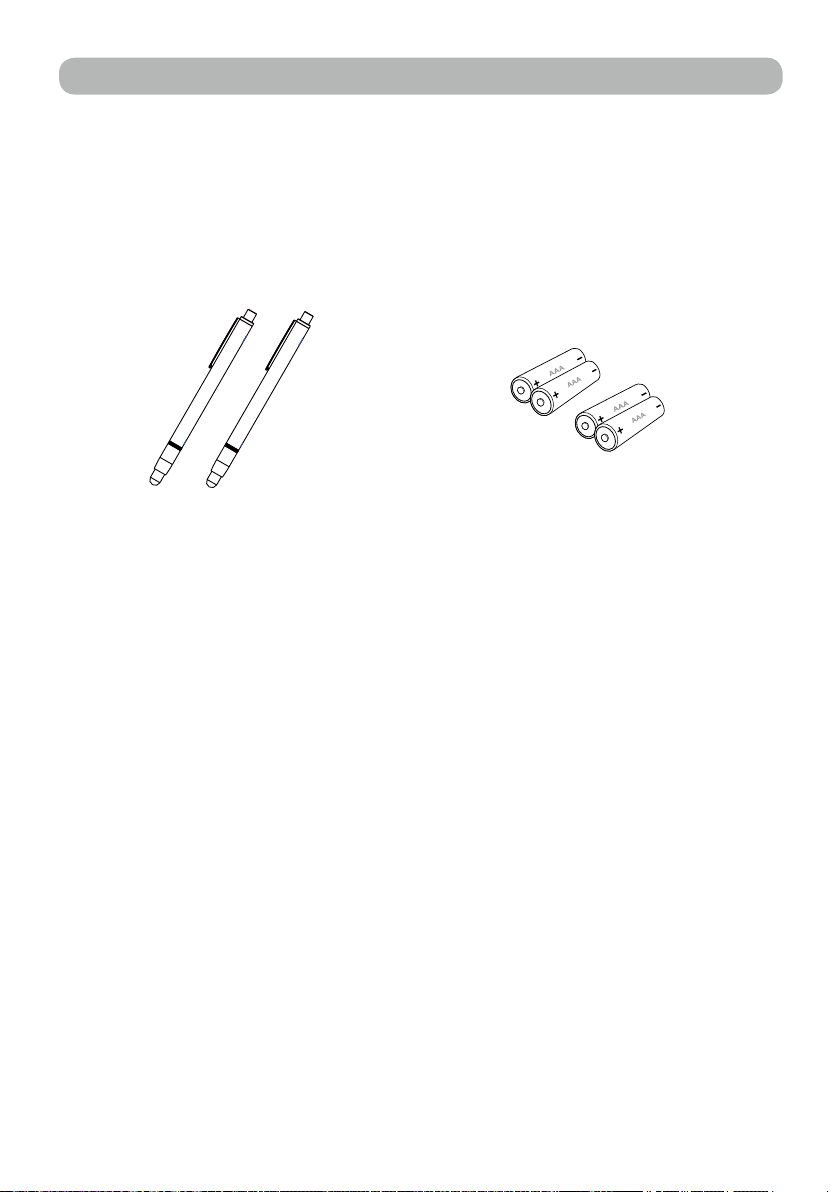
Please make sure that following items are included in the Accessory Bag.
If any items are missing, contact your dealer.
1. Light Pen 2. Batteries (AAA)
3
光學觸控投影機包裝清單
配件說明
3
光學觸控投影機包裝清單
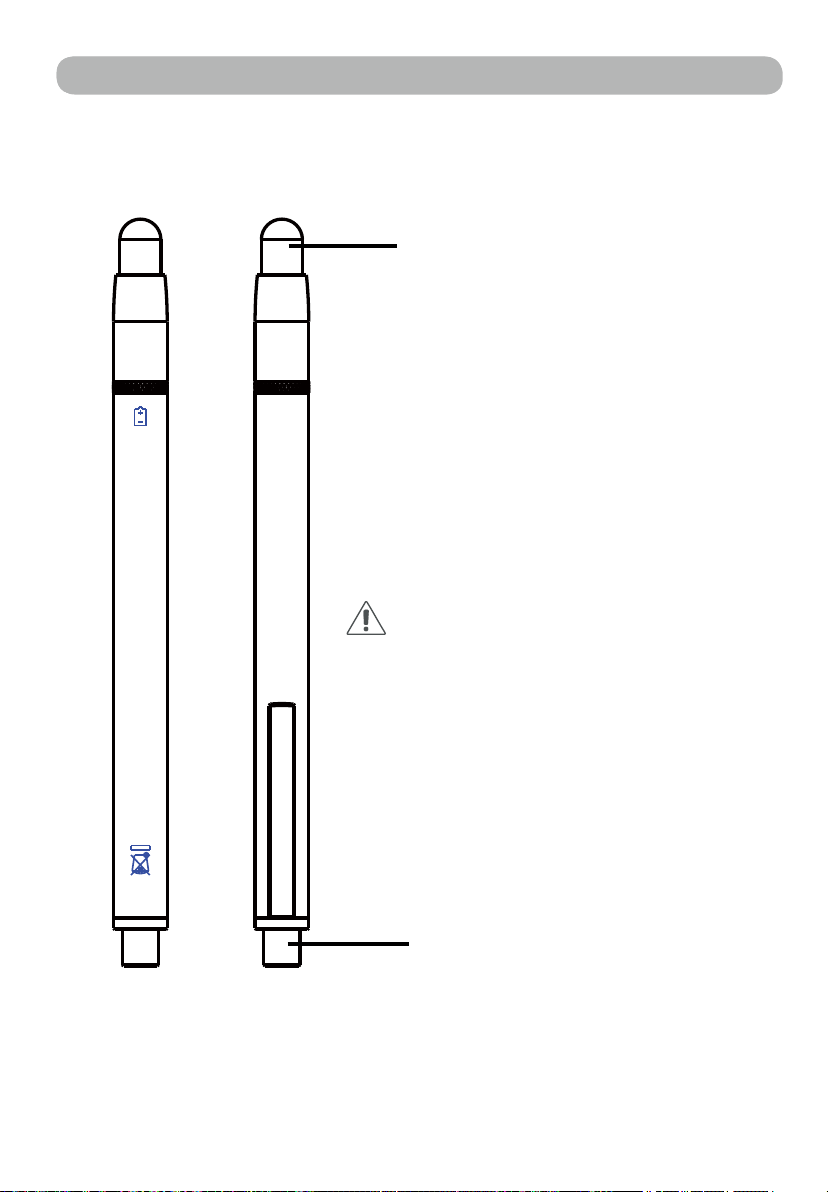
Function Key on the "Light Pen"
Pen tip with touch sensor
Power switch
How to use this
While the tip of pen is pressed to the
hard screen, IR is emitted from it and the
projector detects the position of it.
1) Position the tip of the pen on the screen.
2) Press and hold the tip of the pen to the
hard screen and you can draw a line as a
pen.
CAUTION
Touch sensor is located in the tip of the
pen therefore, the Battery is consumes if
the tip is pressed . If the pen is not used,
please store it in off position of Power
switch to avoid the consumption of the
battery.
(Please confirm the "off position" as
below; LED lamp of the pen tip does not
light when the tip is pressed.)
Back side Front side
Accessories Introduction

4
在Windows 作業系統安裝
4
1. System Requirements
To ensure the interactive function work properly, please check
your computer system to see if it meets the following conditions.
LightPen-Dual
System Requirements
OS Required Microsoft Windows XP(SP2)(32bit) /
Vista (32bit)/Windows 7, 8 (32bit/64bit)
Processor Type Intel® Core™2 Duo 2.0GHz or above
(dedicated CPU is recommended)
RAM 2GB above
Min. Free disk space 100 MB
Interactive function is provided by "LightPen-Dual" software.
Operation Guide for Windows OS
5
2. Software Installation
2.1 Driver Installation
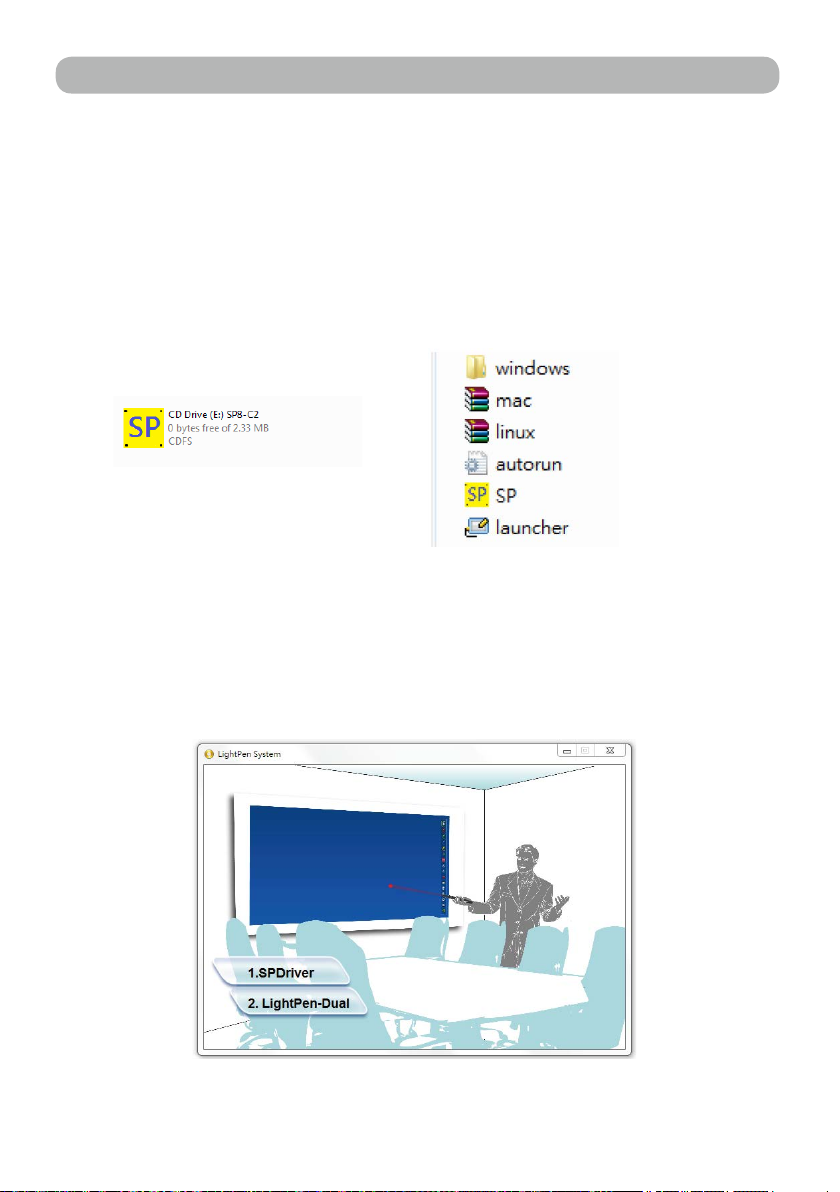
<Install from the USB device>
A CD drive is created by connecting the interaction module to a
computer through a USB cable (see Figure 1). Enter the windows\
Setup.exe folder of the CD drive to install SPDriver. You may execute
the launcher.exe program to start the SPDriver directl
Figure1
Figure2
<Install from CD>
Step 1. Insert the "Owner's Manual" CD-ROM into the CD drive.
Step 2. Open the "LightPen Software for Windows" folder in the CD-
ROM.
Step 3.Double click " Setup.exe" by mouse.
And then the window will appear as below.
Operation Guide for Windows OS
6
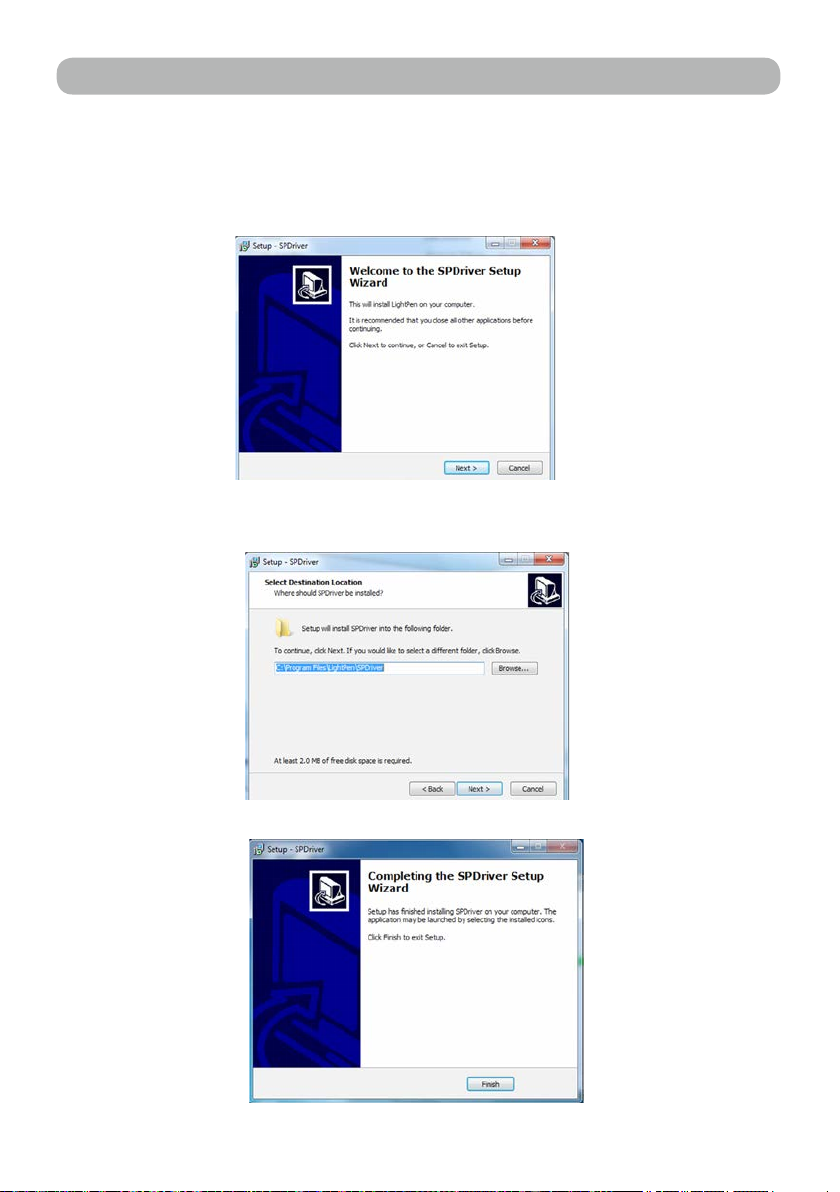
Step 4.
(1) click " SPDriver" by mouse.
And then "Setup Wizard" window will appear as below.
Click "Next" to install.
(2) You can choose to install folder depend on your requirements, or
use the default folder. Then click "Next" to continue.
(3)Please wait for a while for the installation.Installation is
nished.
-SPDriver
Operation Guide for Windows OS

7
2.3 LightPen Software Installation
Step 1. Insert the "Owner's Manual" CD-ROM into the CD drive.
Step 2. Open the "LightPen Software for Windows" folder in the CD-
ROM.
Step 3.Double click " Setup.exe" by mouse.
And then the window will appear as below.
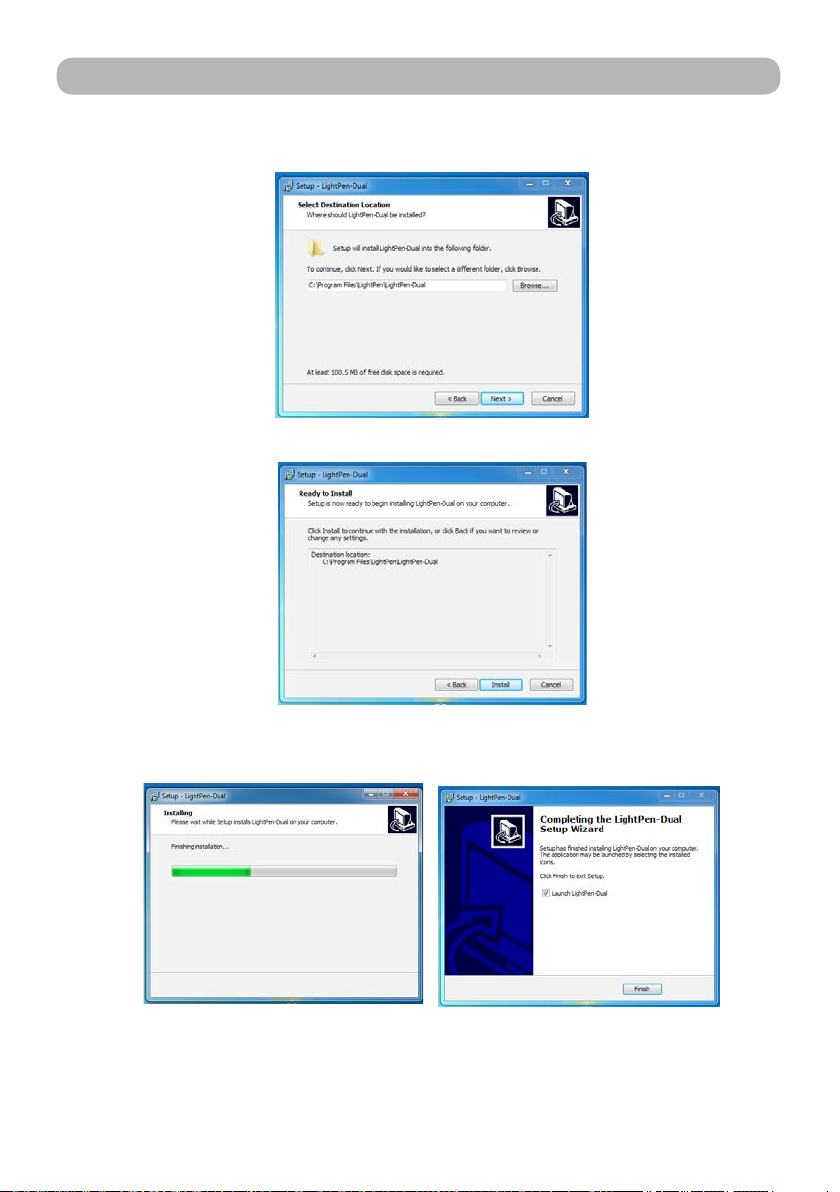
Step 4.
(1) click " LightPen-Dual" by mouse.
And then "Setup Wizard" window will appear as below.
Click "Next" to install.
Operation Guide for Windows OS _LightPen-Dual
8
(2) You can choose to install folder depend on your requirements, or use
the default folder. Then click "Next" to continue.
(3) Conrm the information listed and select "Install".
(4) Please wait for a while for the installation. Installation is nished.
Operation Guide for Windows OS _LightPen-Dual
3. Initial Setup for Interactive Function
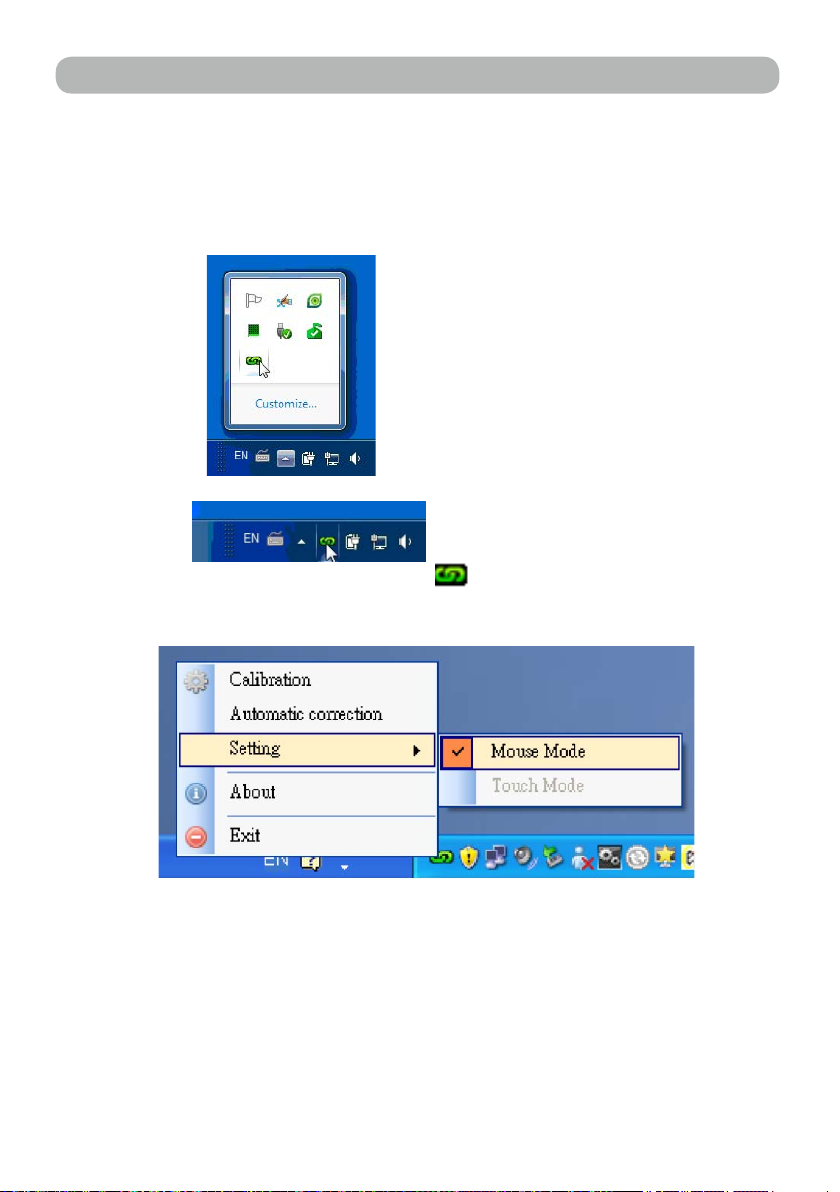
3.1 After SPDriver nished,from "Start Menu/LightPen/SPDriver/
SPDriver" to execute it. Connect supplied USB cable between
projector and your PC which show below icon.
(Windows 7/VISTA)
(Win XP)
3.2 Click the mouse left key on the icon in the task bar to show
the menu.
(VISTA/Win XP)
* The default Mouse Mode is available for Win XP and Win Vista
only.
* Select "About" to show the software version information
9
Operation Guide for Windows OS _LightPen-Dual
Table of contents
Other Speechi Projector manuals








