
Spacetronik SP-IPL07AHD User manual
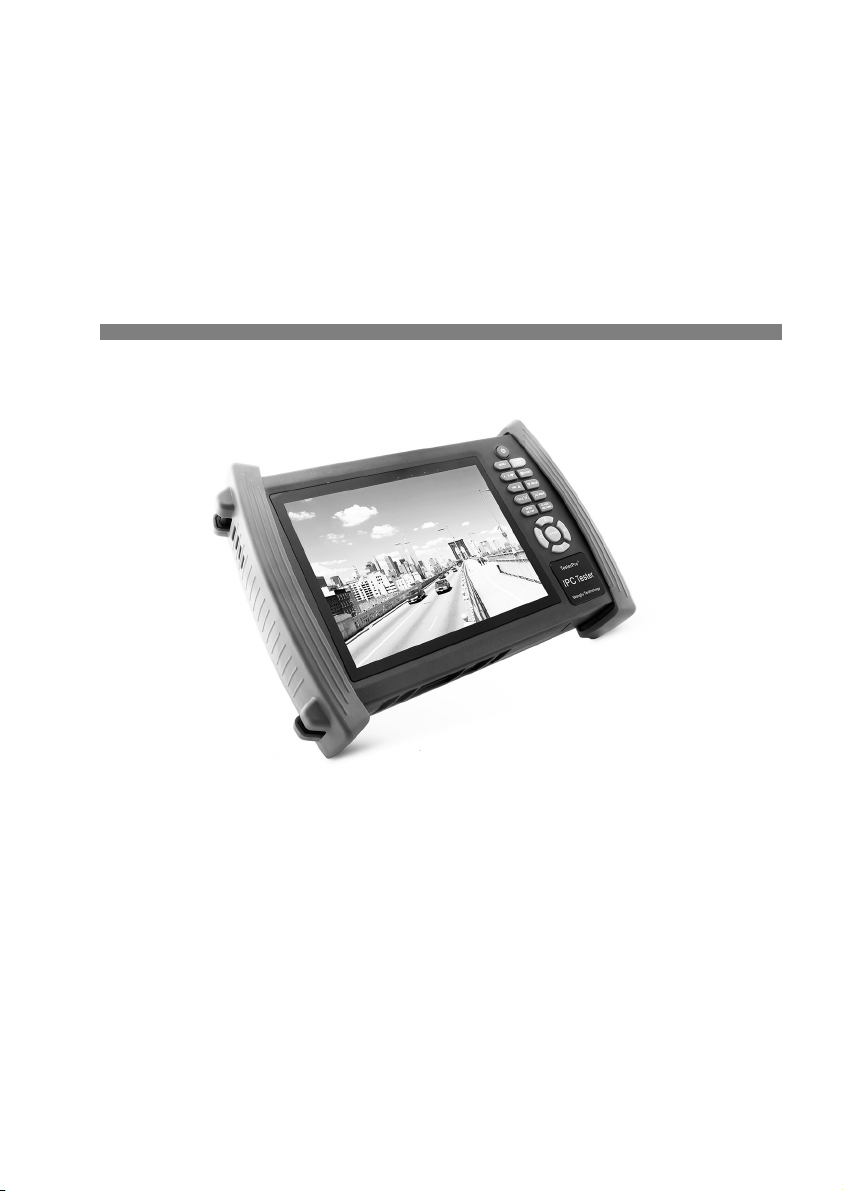
IP camera tester
USER MANUAL
(IPC1.03)
SP-IPL07AHD
SP-IPL07SDI

Thank you for purchasing the CCTV security tester. Please read the manual before using the
CCTV tester and use properly.
For using the CCTV tester safely, please first read the「
Safety Information 」
carefully in the
manual.
The manual should be kept well in case of reference.
eep the S/N label for after-sale service within warranty period. Product without S/N label will
be charged for repair service.
If there is any question or problem while using the CCTV tester, or damages occurred on the
product, please contact our technical Department.

Content
1 .Safety information................................................................................................................................ 1
2. IP camera tester Introduction................................................................................................................ 2
2.1 General........................................................................................................................................ 2
2.2 Features....................................................................................................................................... 2
2.3 Function...................................................................................................................................... 4
2.3.6 Enhanced Color bar generator..................................................................................................4
2.3.7 DC12V 2A/DC 5V 2A output power.......................................................................................6
2.3.8 Audio testing............................................................................................................................ 6
2.3.9 Cable tester............................................................................................................................... 6
2.3.10 PTZ data analysis...................................................................................................................6
2.3.12 Video screenshot, record and playback..................................................................................6
2.3.13 DHCP dynamic address assignment.......................................................................................6
2.3.14 the dynamic address accessed................................................................................................ 7
2.3.15 Multi- segment IP Camera Test..............................................................................................7
2.3.25 WIFI....................................................................................................................................... 8
2.3.26 SDI came test (*only in SDI model).................................................................................8
2.3.27 PoE power supply.................................................................................................................. 8
2.3.28 HDMI signal output...............................................................................................................9
2.3.29 Network bandwidth testing.................................................................................................... 9
2.3.30 Cable search (Optional).......................................................................................................... 9


3.2.1 IP camera connection............................................................................................................. 15
3.2.2 Analog camera test...............................................................................................................16
3.3 OSD menu................................................................................................................................. 16
3.3.1Video monitor test........................................................................................................... 19
3.3.2 Color-bar generator (TV OUT)......................................................................................27
3.3.3 ONVIF...........................................................................................................................28
3.3.4 IP camera test................................................................................................................. 36
3.3.5 IP address scan............................................................................................................... 38
3.3.6 PING test........................................................................................................................ 39
3.3.7 Cable test........................................................................................................................ 40
3.3.8 Cable scan......................................................................................................................40
3.3.9 Port flash........................................................................................................................ 42
3.3.10 Data monitor................................................................................................................. 43
3.3.11 Optical power meter (Optional ).............................................................................43
3.3.12 Visual Fault Locator(optional)................................................................................45
3.3.13 Digital Multi-meter (optional )................................................................................47
3.3.14 Video Player................................................................................................................. 54
3.3.15 Music player................................................................................................................. 55
3.3.16 LED lamp (Flashlight)..................................................................................................56
3.3.17 PoE test........................................................................................................................57
3.3.18 TDR cable test (optional).......................................................................................57
3.3.19 Calculator..................................................................................................................... 60
3.3.20 Browser........................................................................................................................ 61
3.3.21 IPC viewer....................................................................................................................61
3.3.22 DC12V power output, PoE power supply....................................................................63
3.3.23 Application tools.......................................................................................................... 64
3.3.24 APPS Tools..................................................................................................................71
3.3.25 System Set.................................................................................................................... 72

3.3.26 Update.......................................................................................................................... 73
3.4 Audio test.................................................................................................................................. 74
3.5 HDMI output............................................................................................................................. 74
3.6 PoE power................................................................................................................................. 74
3.7 DC12V 2A power output..........................................................................................................75
3.7 USB 5V 2A power output.........................................................................................................76
4. Specifications.............................................................................................................................. 77
4.1 General Specifications...............................................................................................................77
4.2 Multi-meter specifications......................................................................................................... 79
4.3 Optical power meter specifications........................................................................................... 81
4.4 Visual fault locator specifications.............................................................................................82
AHD Model can measure AHD camera's
and SDI Model can measure SDI camera's.

1 .Safety information
◆The tester is intended to use in compliance with the local rules of the electrical usage and avoid to
apply at the places which are inapplicable for the use of electrics such as hospital, gas station etc.
◆To prevent the functional decline or failure, the product should not be sprinkled or damped.
◆The exposed part of the tester should not be touched by the dust and liquid.
◆During transportation and use, it is highly recommended to avoid the violent collision and vibration
of the tester, lest damaging components and causing failure.
◆Don’t leave the tester alone while charging and recharging. If the battery is found severely hot, the
tester should be powered off from the electric source at once. The tester should not be charged over 8
hours.
◆Don’t use the tester where the humidity is high. Once the tester is damp, power off immediately and
move away other connected cables.
◆The tester should not be used in the environment with the flammable gas.
◆Do not disassemble the instrument since no component inside can be repaired by the user. If the
disassembly is necessary indeed, please contact with the technician of our company.
◆The instrument should not be used under the environment with strong electromagnetic interference.
◆Don’t touch the tester with wet hands or waterish things.
◆Don’t use the detergent to clean and the dry cloth is suggested to use. If the dirt is not easy to
remove, the soft cloth with water or neutral detergent can be used. But the cloth should be tweaked
sufficiently.
About Digital Multi-meter
◆Before using, you must select the right input jack, function and range.
◆Never exceed the protection limit values indicated in specifications for each range of measurement.
◆When the meter is linked to a measurement circuit, do not touch unused terminals.
◆Do not measure voltage if the voltage on the terminals exceeds 660V above earth ground.
◆At the manual range, when the value scale to be measured is unknown beforehand, set the range
selector at the highest position.
◆Always be careful when working with voltages above 60V DC or 40V AC, keep fingers behind the
Page.1.

probe barriers while measuring.
◆Never connect the meter with any voltage source while the function switch is in the current,
resistance, capacitance, diode, continuity, otherwise it will damage the meter.
◆Never perform capacitance measurements unless the capacitor to be measured has been discharged
fully.
◆Never measure any of resistance, capacitance, diode or continuity measurements on live circuits.
Visual laser sour es
When you turn on visual laser sources, please don’t stare at it, or will damage to eyes
When not using it,Please turn it off and cover the protective cap .
2. IP amera tester Introdu tion
2.1 General
7 inch Touch Screen IPC camera tester is for maintenance and installation of IP camera and Analogue
camera ,display HD camera and analogue camera image ,PTZ control, easy to use and operate .
Built in network testing tools (IP address search, PING etc), quickly check the IP camera problem.
Cable scan, TDR tester, easy to check the network cable, BNC cable problem. Optical power meter,
Visual fault detector function, effective to solve the optical fiber transmission problem.
2.2 Features
7 inch 800×600 touch screen, easy to operate
Support ONVIF came test
Support Dahua,HI VISION,ACTI ,H.264/MPEG4/MJPEG camera test etc( Customize)
Built in Wi-Fi ,can receive wireless camera(ONVIF and customize camera)
SDI Digital camera image display, record and screenshots * (Optional)
HDMI signal input,support1080P*(Optional)
HDMI signal output,support1080P
Analogue video image display, Auto adapt and display the video format of NTSC/PAL
Page.2.

Support more than 30 protocols ,such as PELCO-P、PELCO-D、SAMSUNG etc
Video image magnification, to view the details, easy to use
Snapshot and save the current image as JPG file in the SD card, video record and playback
LED Lamp, easy to operate at night
Micro SD card moveable
LCD screen brightness/contrast/color Saturation adjustable
Visual fault locator , to test fiber’s bending and breakage(Optional)
Optical power meter ,test fiber loss and value
Digital Multi-meter , DC and AC voltage measurement, Resistance measurement,
Continuity test, Diode measurements, Capacitance measurement(Optional)
Enhanced Color bar generator, Video Generating, the PAL/NTSC multi-system color bar video
generator (Eight-system switchable, transmit/receive eight-system colorful imagines).
PEA video signal level, SYNC signal level, COLOR BURST chroma level measurement,test
video signal attenuation (Optional)
Cable scan, Send the specific signal, easy to find the connected cable.
PING is the most conventional network debugging tools; It is used for testing if the connected IP
camera or other network equipment’s Ethernet port is working normally and the IP address is
correct.
In digital IP surveillance applications, if IP camera’s IP address is not clear or forgotten; the
device cannot be used .IP address scan can quickly search the connected IP camera or other
network device’s IP address.
PoE voltage test,It can test the PoE voltage when the POE switch is supplying the POE power
to IP camera ,wireless AP etc
TDR cable test,test cable length and short-circuit (Optional)
Cable test , Test LAN cable or telephone cable,UTP cable etc ,cable type and the sequence of
wires will be displayed
Support RS232/RS485,Rate 600 ~ 115200bps adjustable
PTZ protocol analysis, control protocol command displays to check RS485 transmission
Page.3.

Whether is normal, easy to find the fault device
PTZ control. Pan/tilts the P/T unit, zooms in/out the lens, adjusts the focus, aperture and
sets and the preset position
DC12V 2A output power for camera
PoE power output,supply temporary power for PoE camera
DC5V 2A power output,as a power bank
Audio input test, test the audio signal from pickup devices
7.4V 48.1Wh Battery energy display, It can last 16hours for normal use after charging for 8
hours
2.3 Fun tion
2.3.1 Tou h s reen and OSD menu
IPC camera tester use capacitive touch screen operation,easy to use and improve work efficiency.
The function icons can move to APPS tool file and menu, the common function keep on the main menu,
the others be move to Apps tool file, the menu more clearly.
2.3.2 IP amera test
Built in ONVIF test, IP camera tester, browser function etc, display IP camera image and change IP
address. 7 inch 800×600 screen display,Larger viewing angle, it convenient engineers to locate the
network camera. Built in ONVIF TOOLS and PTZ control, IP camera protocols customized ,support
test more than 30 IP camera types now ,such as ACTi、
Dahua IPC-HFW2100P、
Hikvision,DS-2CD864-
E13、
Samsung SNZ-5200、
Tiandy TD-NC9200S2、
odak IPC120L、
Honeywell HICC-2300T、
Aipu-
waton IP5000-BC-13MP/IRS06-13MP、fine-Tida IPC、FSJ BY-1080Q、WEIS Y IPC camera etc.
2.3.3 Analog amera test
Display analog camera image ,7 inch 800×600 LCD screen display ,larger viewing angle ,More
intuitively and easily display the camera image quality. Support PAL/NTSC format image signal .
LCD screen backlight brightness adjustable, and analog video image brightness/contrast/color
Saturation adjustable.
Page.4.
This manual suits for next models
1
Table of contents


