
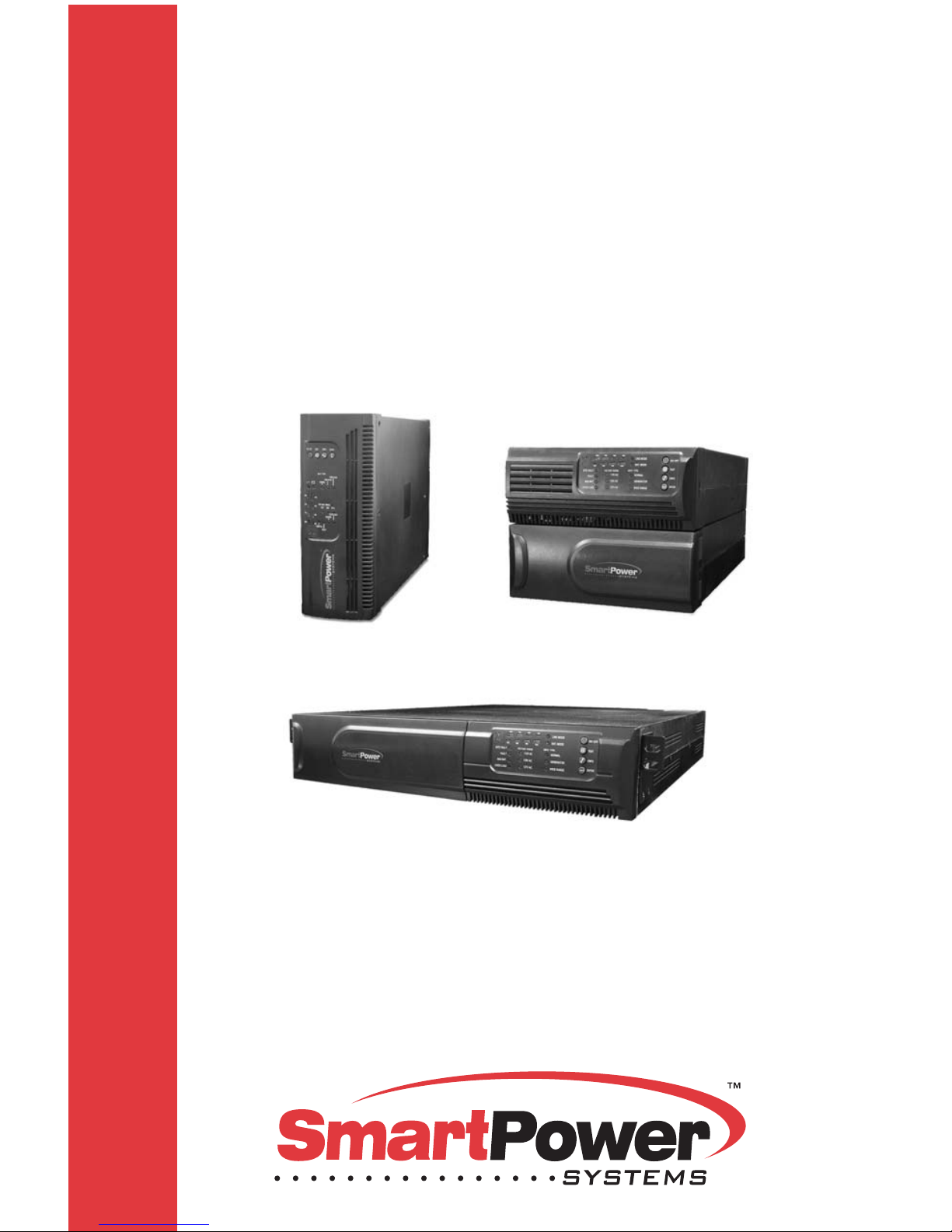
Smart power Smart Sine Pro Series User manual
USER'S GUIDE
Uninterruptible Power Supply
SMART SINE PRO SERIES
SSP Series
Line Interactive
Pure Sinewave UPS
750VA, 1000VA, 1500VA, 2000VA, 3000VA
750VA - 1000VA 1500VA - 2000VA
3000VA

IMPORTANT SAFETY INSTRUCTIONS
SAVE THESE INSTRUCTIONS This manual contains important
instructions for 750/1000VA, 1500/2000VA, 3000VA series that
should be followed during installation and maintenance of the
UPS and batteries. Please read all safety and operating
instructions before operating the UPS. Adhere to all warnings on
the unit and in this manual. And follow all operating and user
instructions.

CONTENTS
1. INTRODUCTION 1
2. SAFETY INSTRUCTION CAUTION 2-4
3. SYSTEM DESCRIPTION 5-15
4. INSTALLATION 16-27
5.ADDITIONAL BATTERY INSTALLATION SETUP 28-29
6. BATTERY REPLACEMENT 30-35
7. COMMUNICATION PORT 35
8. TROUBLESHOOTING 36-37
9. SPECIFICATION 38-39
10. SOFTWARE INSTALLATION 40

1
1. INTRODUCTION
Features:
Microprocessor control guarantees high reliability
High frequency design
Built-in boost and buck AVR
User replaceable design for 1500VA or above
Selectable output range and line sensitive
Cold startup capability
Built-in Dry contact/RS-232/USB communication port
SNMP allows for web-based remote or monitoring management
Enable to extend runtime with scalable external battery pack for
1500VA or above
Overload, Short-circuit, and overheat protection
Rack/Tower 2 in 1 Design
n
n
n
n
n
n
n
n
n
n
n
n19” rack mount available for all models
This UPS is a compact and line interactive pure sinewave device designed for
critical applications and environments, such as desktops, servers,
workstations, and other networking equipment. This model is available in the
output ratings of 750, 1000, 1500, 2000, and 3000VA. This UPS Series
protects your sensitive electronic equipment against power problems
including power sags, spike, brownouts, line noise, and blackouts.
This series is designed as a two-in-one form factor to be placed either in a
Rack (2U) or as Tower. The front panel of the UPS includes LED indicators
and four push buttons (Power Switch, UPS Test/Silence, Configure, and
Enter) that allow for easy configuration and monitoring AC line-in, notification
of site wiring fault and output load status of the UPS. It also includes four LED
bar graph (Load/Battery Level Indication); two status indications (On AC, On
Battery); five alarm indications (Overload, Over Temperature, Site Wiring
Fault, Battery Fault, Self Test Failure). A push button from the front panel
allows silencing of the AC fail alarm and the initiation of the UPS self test
sequence as well. The UPS case for 750 ~ 2000VA is made of plastic and the
3000VAis made of metal.
This series is powered from the AC mains and supply AC outputs via
receptacles on the rear panel. Communication and control to the unit is
available through serial or USB ports located on the rear panel. The serial
port will support communications directly with a server. The communications
protocol for the serial ports shall conform to true RS232 interface.

2
2. SAFETY INSTRUCTION CAUTION
WARNING: Do not attempt to repair and service this UPS. This UPS
contains high voltages that may cause the risk of electrical shock.
Even if this UPS is disconnected from the electrical outlet, the
dangerous voltage still may be present through the battery. All
maintenance and battery replacement should be performed by
qualified service personnel only.
1. This UPS should be placed indoors with adequate airflow and free of
contamination. To install or operate it in a clean and indoor
environment, free from moisture, flammable liquids, and direct sunlight.
Ambient temperature range must be 0°C to 40°C (32°F to 104°F).
2. This UPS is designed for Commercial/Industrial use only. It is not
intended for use with life support application and other designated “life-
critical” devices.
3. Do not remove the input power cord when this UPS is turned on. This
removes the safety ground from this UPS and the equipment connected
to the UPS.
4. Turn off this UPS and disconnect input power cord before replacing
battery.
5. Battery contains high short-circuit current. Replacing or servicing the
battery should be performed and supervised by qualified service
personnel knowledgeable of batteries and required precautions.
Remove watches and jewelry
Use tools with insulated handles
6. When replacing the batteries, use the appropriate replacement battery kits,
same number and type of battery are a MUST.
7. Do not open or mutilate the battery. Released electrolyte is harmful to skin
and eyes that may be toxic.
8. Do not dispose of battery in a fire. Battery may explode. Proper disposal of
battery is required. Please refer to your local laws and regulations for
disposal requirements.
n
n

3
2. SAFETY INSTRUCTION CAUTION
9. The total equipment connected to the output of this UPS must not have
an earth leakage current exceeding 3.5 milliamperes. If the connected
load earth leakage current is over 2.5 milliamperes, please convert the
input lead attachment to either a fixed wiring installation or an industrial
plug/socket (e.g. CEE 17 connector). This task should be carried out by
a qualified electrical engineer who is conversant with local electrical/
regulations.
10. This UPS contains high voltages that may cause the risk of electric
shock. Do not remove cover. There are no user replaceable parts
inside this UPS. Please contact your local dealer or distributor for
service.
11. To reduce the risk of fire, connect to a circuit provided with 1.25 (at
least 20A) amperes maximum branch circuit over-current protection in
accordance with the National Electric Code, ANSI/NFPA.
12. This pluggable type A equipment with battery already installed by the
supplier is operator installable and may be operated by laymen.
13. During the installation of this equipment it should be assured that the sum
of the leakage currents of the UPS and the connected loads does not
exceed 3.5mA.
14. Attention, hazardous through electric shock. Also, with disconnection of
this unit from the mains, hazardous voltage still may be accessible
through supply from battery. The battery supply should be therefore
disconnected in the plus and minus pole of the battery when
maintenance or service work inside the UPS is necessary.
15. The mains socket outlet that supplies the UPS shall be installed near the
UPS and shall be easily accessible.
4
2.SAFETY INSTRUCTION CAUTION
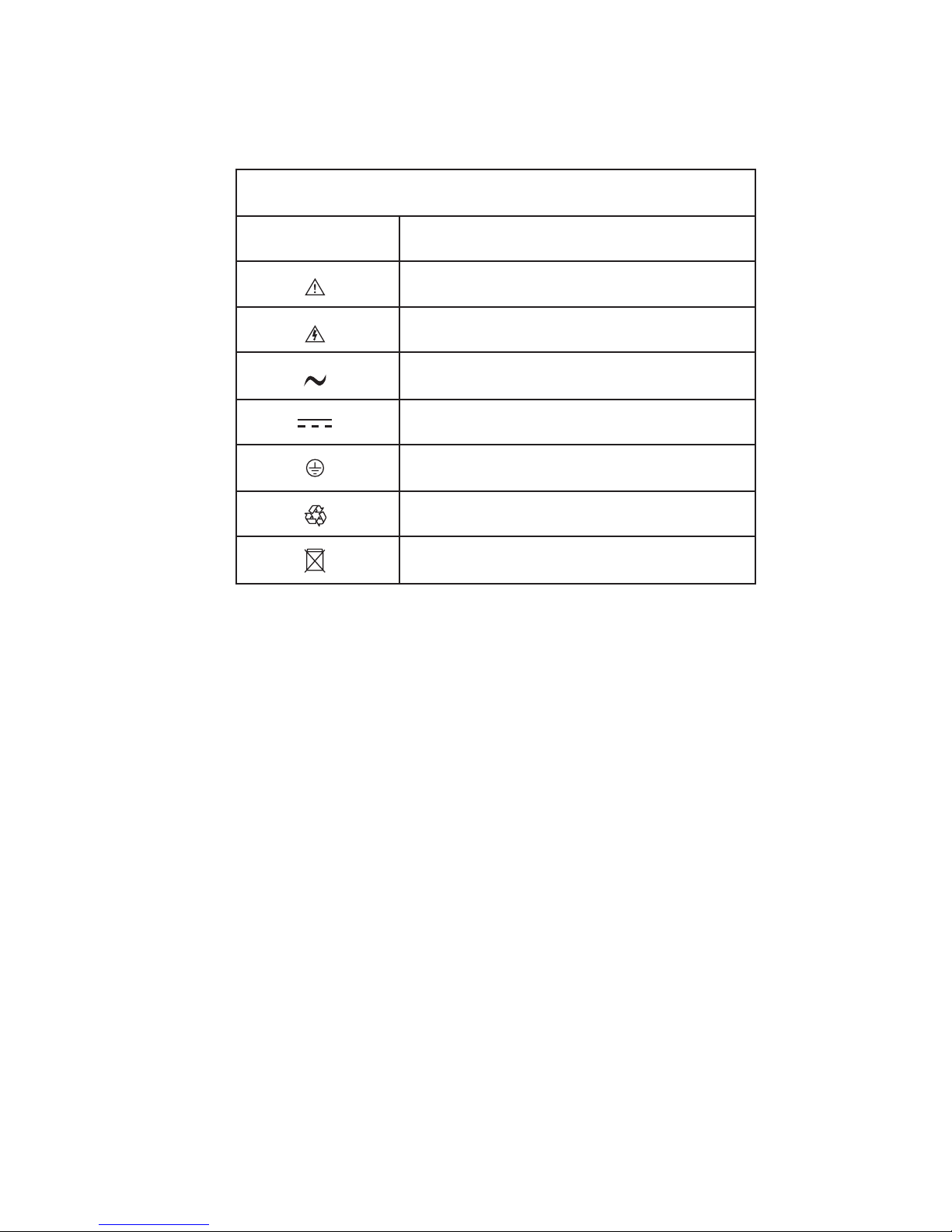
2.1 Description of Commonly Used Symbols
Description
Alert you to pay special attention
Caution of high voltage
Alternating current source (AC)
Direct current source (DC)
Protective ground
Recycle
Keep UPS in a clear area
Symbol
Symbol & Description
5
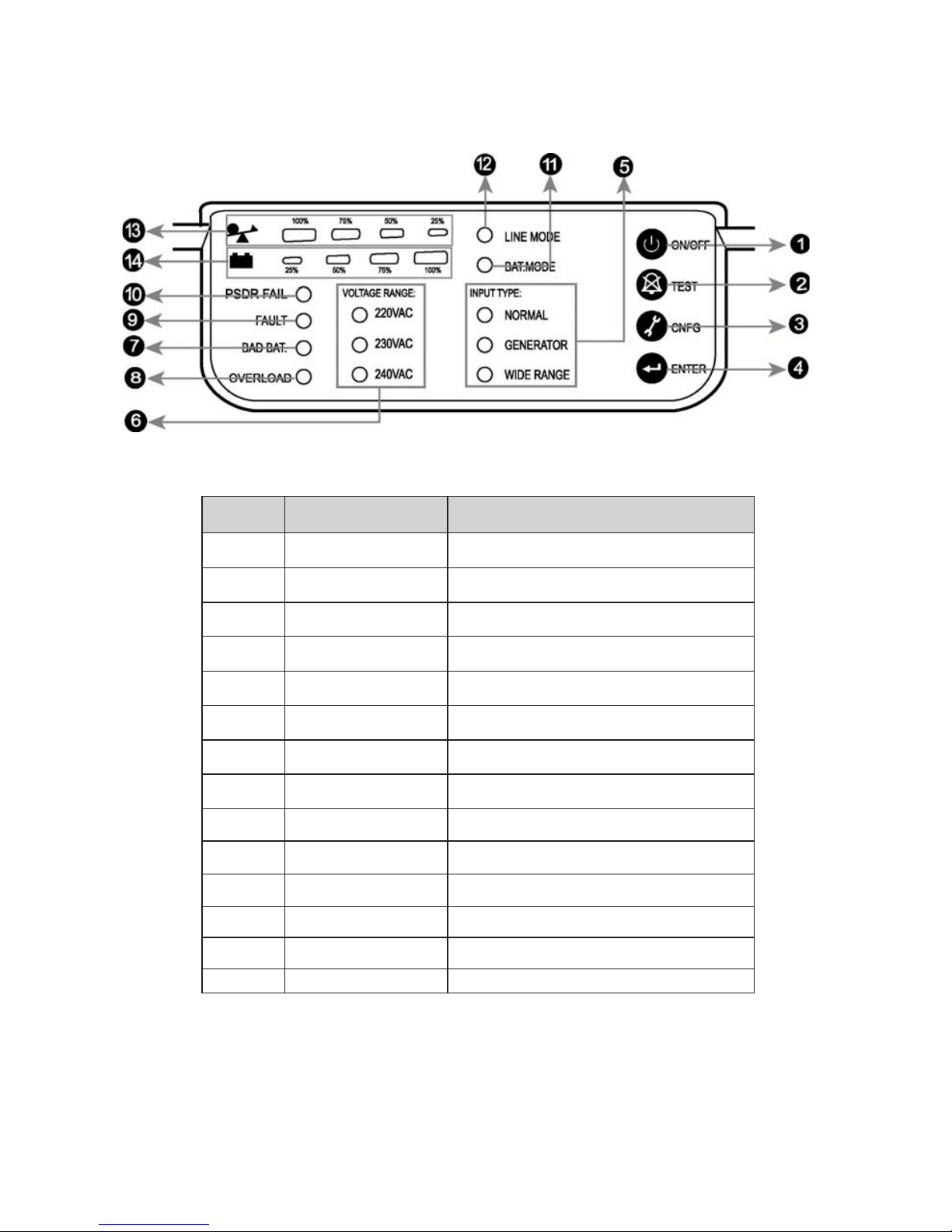
No. Function Description
1 Switch ON/OFF
2 Switch Self-Test/ Alarm Silence
3 Switch Config
4 Switch Enter
5 LED Input Type(Operating Mode)
6 LED Voltage Range
7 LED Bad Battery
8 LED Overload
9LED Fault
10 LED PSDR Fail (or Site Fault)
11 LED Battery Mode
12 LED Line Mode
13 LED Capacity of Load
14 LED Capacity of Battery
3.SYSTEM DESCRIPTION
Front Panel

6
1. Power Switch:
2. UPS Test/ Alarm Silence:
. Configure:
Step 1:
Step2:
Step3:
Step4:
Step5:
Step6
4. Enter:
- To turn on the UPS, press the button more than three seconds
- To turn off the UPS, press and hold this button until you hear the UPS beep
ceases.
- The battery is fully charged during in-line mode. To perform self-test
function, press and hold the button for five seconds.
To reconfigure the internal UPS setup options, follow the procedure as below:
Press the Configure button more than three seconds. Then UPS
will transfer from configure mode to “output voltage mode”.
Press the Configure button more than one second, the UPS
allows you to select the “output voltage mode” one by one.
After selecting the mode, press the Enter button more than three
seconds, the “output voltage mode” is configured.
UPS will automatically transfer from configure mode to “operating
mode”.
Press the Configure button more than one second; the UPS will
allow you to select the “operating mode” one by one.
: After selecting the mode, press the button more than three
seconds, the “operating mode” is configured.
Press the button after you choose the mode.
Note: Unable to disable alarm buzzer as below conditions: Low Battery,
Overload, Fan Failed, Fan Fault Time Out, Over Temperature.
3
- To disable alarm buzzer, press this button for a second. Each time a new
alarm event is encountered the alarm will sound. Press this button to turn
off each new alarm.
3. SYSTEM DESCRIPTION

7
3. SYSTEM DESCRIPTION
1. Input Type (Operating Mode) LED:
2. Voltage Range (Output Voltage Mode) LED:
l
l
l
Normal mode: The Yellow LED indicator will illuminate during normal
mode, the UPS accepts AC input voltage range from +/-20%.
Generator: No change to voltage window. However, the low frequency
transfer point is changed to 40Hz and there is no limitation for high frequency
transfer point.
Wide range: The LED indicator will illuminate, the UPS accepts AC input
voltage range from -30% ~ +20%.
UPS Output voltages selection: 110VAC/120VAC/127VAC or
220VAC/230VAC/240VAC.
7. Bad Battery LED:
8. Overload LED:
9. Fault LED:
The LED indicator will flash every two seconds when the battery has failed, or
if the battery is disconnected. Please check your battery connection; replace
the battery or contact your local dealer for a battery replacement kit.
The LED indicator will light when the UPS is overloaded.
The LED indicator will light when the UPS fails/overload or battery
timeout/no output.
INPUT TYPE
NORMAL
GENERATOR
WIDE RANGE
VOLTAGE RANGE: VOLTAGE RANGE:
110VAC 220VAC
120VAC 230VAC
127VAC 240VAC
This manual suits for next models
1
Table of contents
Other Smart power UPS manuals

Smart power
Smart power OFFICE Plus Series User manual

Smart power
Smart power SBP0400TBF-6U User manual

Smart power
Smart power Venus Series User manual

Smart power
Smart power SPV0400U-TBF User manual

Smart power
Smart power SBP-TBF Series User manual

Smart power
Smart power OF400USB-TBF User manual

Smart power
Smart power SBP Plus Series User manual

Smart power
Smart power SBP1000TBF User manual

Smart power
Smart power 2L User manual

Smart power
Smart power DSS1500RT-TBF User manual










