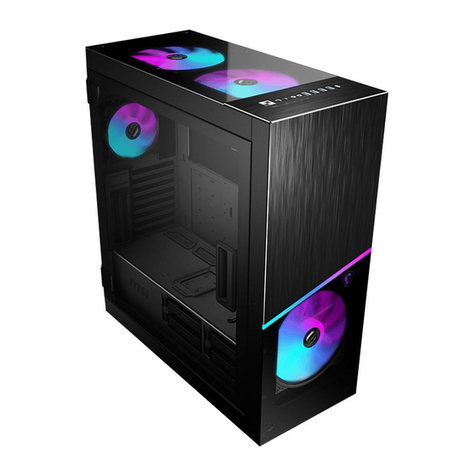
Sliger SV590 User manual

SV590
Vertical Mini-ITX PC Case - Build Guide

RED M3 x 5mm FLAT HEAD
Power Cord Mount Bracket
SSDs / SSD brackets
PINK M3 x 8mm FLAT HEAD
Power Cord
GREEN M3 x 6mm PAN HEAD
Securing PCIe Cards
VIOLET 6-32 x 1/4” HEX HEAD
Motherboard
Power Supplies
BLUE 6-32 x 1/4” FLAT HEAD
Side Panels
Case Frame Assembly
3.5” Hard Drives
Base Plate (Optional)
SCREWS
The SV590 comes with a total of 5 dierent screws.
For the purposes of this guide we will assign a unique color to each
of the screws, signifying their locations through out this guide.

The SV590s top and bottom covers
feature tool-less removal via ball-
stud mounting points. This feature
allows for convenient access to your
motherboard and PCIe card IO ports
regardless of case orientation.
The top and bottom panels can also
be reversed onto either end of the
case, allowing the “cable cubby”
side to face up or down.
Note: these panel may be very tight
on the rst few times on/o!
TOOL-LESS END CAPS

SIDE PANELS
Panels on the SV590 are attached via a total of 12x 6-32 X 1/4” FLAT HEAD.
Four per panel with three panels total (front panel + two side panels).
APhillips #2 size screw driver is required for these screws.
(Screw driver tip should match size of cut in the screw. If you use
an undersized driver you risk stripping the screw head!)

CASE FRAME
The rear radiator mount bracket of the SV590 frame is held on by
6x 6-32 X 1/4” FLAT HEAD screws; two on each side of the cable cubby,
and one on each side at the opposite end of the case.

POWER CORD
The power cord extension is then installed into the mount bracket with
2x M3 x 8mm FLAT HEAD screws. After that, the power cord and bracket should be
attached and the power should be routed through the grommet. It may be attached
to the case frame via 2x M3 x 5mm FLAT HEAD screws at any of the viable mount
locations. The bracket can be positioned to where it least obstructs the
motherboard or GPU ports. Make sure to point the open end of the inlet towards the
rear of the case!
The SV590 includes an internal power cord extension, protective grommet, and
mount bracket for routing the power supply inlet into the"cable cubby" of the case
frame. Clip the Cable Grommet onto the power cord before you install it into the
case. Then run the cord through the cutout located above the PCIe card tab cutout,
and nally slide the grommet into position as shown below.

POWER BUTTON
New for V2 of the SV590 is the
ability to mount the power
button to either end of the case
frame.
With V2, the power button is
attached to a small bracket
which can be relocated to either
mounting position. This bracket
is secured to either end of the
case with 2x M3 x 5mm FLAT
HEAD screws.
When the power button is
mounted on the “cable cubby”
end of the case frame you will
need to pass the button cable &
connectors through the hole
and grommet located next to the
motherboard IO Shield cutout (A).
(A)

A Phillips #2 screw driver with a minimum 3” shaft length is recommended for
installing these screws. Both of the screws on the PCIe slot side of the motherboard
have pass-through holes in the case frame to allow the screw driver and screw to
pass through and be screwed in straight.
Additional installation instructions for your CPU, CPU cooler, RAM, etc. are covered by
your motherboard or coolers respective user manual.
Don’t forget to install the power
cord and your IO shield rst!
Some CPU coolers may require a
back plate installed before installing
the motherboard into the case.
It is advised to also check that any
M.2 mounts on the back of the
motherboard have drives installed
before mounting the motherboard.
Once the IO shield and power cord
with grommet are properly installed,
the motherboard can now
be mounted using 4x 6-32 x 1/4”
HEX HEAD screws.
MOTHERBOARD

POWER SUPPLY
NOTE: The fan on the power supply is recommended to be positioned with the
fan side pointed towards the center spine of the case. This
orientation will result in better overall system temperatures and lower noise.
Once positioned, the SFX PSU can be attached to the PSU Mounting Bracket
with up to 6x of the included 6-32 x 1/4” HEX HEAD screws.
Note: that not all SFX Power Supplies have all 6x screw holes as shown.

POWER SUPPLY CONT.
Note: The fan on the power supply is recommended to be positioned with the
fan side pointed towards the center spine of the case. This
orientation will result in better overall system temperatures and lower noise.
Once positioned, PSU alternative mounting bracket can be attached to the chassis
with 2x
6-32 X 1/4” FLAT HEAD
screws.
Then an SFX or SFX-L PSU can be attached to the alternative mounting bracket
with up to 6x of the included 6-32 x 1/4” HEX HEAD screws.
Note: that not all SFX Power Supplies have all 6x screw holes as shown.
SFX with alternative PSU Bracket SFX-L with alternative PSU Bracket
Other manuals for SV590
2
Table of contents
Other Sliger Enclosure manuals

Sliger
Sliger SM570 User manual

Sliger
Sliger CL530 User manual

Sliger
Sliger S620 User manual

Sliger
Sliger SM580 User manual

Sliger
Sliger S610 User manual

Sliger
Sliger SM5X0 Series User manual

Sliger
Sliger CERBERUS Manual

Sliger
Sliger SV590 User manual

Sliger
Sliger SV540 User manual

Sliger
Sliger SM5X0 Series User manual