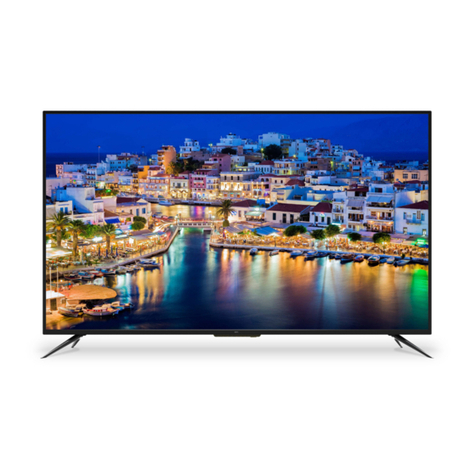
Skyworth 42E66A User manual

Instruction ManualInstruction Manual
42E66A42E66A

-1-
WARNINGS AND PRECAUTIONS ...............................................................2-3
CONTENT ........................................................................................................1
Antenna/Cable Connection .......................................................................8
Front Panel ............................................................................................... 6
Remote Control ....................................................................................9-11
Basic Operation ......................................................................................16
Picture Settings ......................................................................................16
Sound Settings .......................................................................................17
Channel Settings ....................................................................................18
Advanced Settings ..................................................................................20
Setup Settings ........................................................................................19
Back Panel ................................................................................................7
CONTENT
INTRODUCTION, FUNCTIONS AND FEATURES ...........................................4
EXTERNAL SCHEMATIC AND INSTALLATION ......................................... 6-11
MENU CONTROL .....................................................................................16-21
SPECIFICATIONS .........................................................................................23
TROUBLESHOOTING ...................................................................................22
Positioning The TV Set .............................................................................5
PREPARATION ................................................................................................5
Inserting Batteries In The Remote Control Handset .................................5
Antenna And Power Connections .............................................................5
EPG(Electronic Program Guide)................................................................14-15
PERSONAL VIDEO RECORDING(PVR)......................................12-13
PC Settings .............................................................................................21

WARNINGS AND PRECAUTIONS
-2-
Read instructions before operating the set. Keep these instructions well for future
reference.
all the
Warning
The apparatus shall not be exposed to dripping or splashing and that objects filled with liquids,
such as vases, must not be placed on top of the apparatus.
The ventilation should not be impeded by covering the ventilation openings with items such
as newspaper, table-cloths, curtains, etc.
Only use attachments/accessories specified or provided by the manufacturer (such as the
exclusive supply adapter, battery etc).
Please refer the information on for electrical and safety
information before installing or operating the apparatus.
the exterior back of the appliance
To prevent the risk of fire or electric shock, do not expose this apparatus to rain or moisture.
To prevent injury, this apparatus must be securely attached to the floor/wall in accordance with
the installation instructions.
There is a danger the battery the battery
only
of explosion if is incorrectly replaced. Replace
with the same or equivalent type.
The mains disconnect device, the disconnect device shall remain readily
operable.
cable is used as a
Listening to music at high volume levels for extended durations can damage one’s hearing.
In order to reduce the risk of damage to hearing, one should lower the volume to a safe,
comfortable level, and reduce the amount of time listening at high levels.
The battery (battery or batteries or battery pack) shall not be exposed to excessive heat such
as sunshine, fire or the like.
Excessive sound pressure from earphones and headphones can cause hearing loss.
When the TV is not in use or during movement, cord
edges
cord When the TV is put into use again, please make sure the
power cord has not been damaged. If any damages found, please contact the service centre
to replace the power cord specified by the manufacturer.
please take care of the power , e.g. tie
up the power . It shall be free from sharp that can
cause abrasion of the power .
cord with a cable tie and the like
Explanation of symbol, marking, signal lamp or similar means indicate that apparatus is
completely disconnected from the mains.
Attention should be drawn to environmental aspects of battery disposal.
For the terminals marked with symbol of may be of sufficient magnitude to constitute a
risk of electric shock. The external wiring connected to the terminals requires installation by
an instructed person or ready-made leads or cords.
“”
using
Each USB terminal shall be loaded with 500mA under normal operation.
Naked flame sources, such as lighted candles, should not be placed on the apparatus.
To prevent the spread of fire, keep candles or other open flames away from this
product at all times.

-3-
Educate onto thechildren about the dangers of climbing furniture to reach the television or
its controls.
The apparatus should be provided with a restraining device such as a fixing point to facilitate
restraining the apparatus from toppling forward.
Do not place the television on cloth or other materials placed between the television and
supporting furniture.
WEEE Directive
this product. This indicates that this product should not be
disposed with other household wastes throughout the EU. To prevent possible harm to the
environment or human health from uncontrolled waste disposal, recycle it responsibly to
promote the sustainable reuse of material resources. To return your used device, please use the
return and collection systems or contact the retailer where the product was purchased. They
can take this product for environmental safe recycling.
Correctly dispose symbol
OPERATING ENVIRONMENT
Do not install this equipment in a confined space such as a bookcase or unit.a similar
Do not use the set near damp, and cold the set from overheating.areas. Protect
Keep away from direct sunlight.
Do not use the set near .dusty places
Do not attach candle to accessible avoid flammable foreign material from
entering the TV.
area of the set to
IMPORTANT INFORMATION FOR AUSTRALIA
Use cabinets or stands recommended by the of the television.manufacturer
Only furniture that can support the television.use safely
Ensure the television is not overhanging the edge of the supporting furniture.
Do not place furnituresthe television on tall (for example, cupboards or bookcases) without
anchoring both the furniture and the television to a suitable support.
WARNINGS AND PRECAUTIONS

BASIC FUNCTION
1. Embedded digital color gain control better brightness and reality.
2. Embedded 5-line comb filter.
3.
4. High class LED screen high brightness, high
5.
6
7. This TV can be used as a high-performance PC monitor it has a VGA interface.
Computer sound source can also be supported to realize the multimedia function.
8. Low power consumption in standby mode to save energy.
9. Latest integrated digital processor chip.
circuit that provides
Black & white level stretch circuit.
features in contrast, wide viewing angles and
fast response.
Component input supports 1080P high definition signal formats.
. Support HDMI input.
as
highly
PC MONITOR FUNCTIONS
1. Auto resizing &
2. Supports PC sound source input.
3.
centering with perfect geometric graphic.
Supports 640x480,800x600,1024x768,1280x1024, PC formats, refresh rate is 60Hz.
FEATURES
BRIEF INTRODUCTION:
Thanks for your purchase of our digital high-definition LED television! This product with
diverse functions is designed to fulfill the optimum requirements from commercial, industrial
and household uses. LED television possesses the display function of both TV and PC. It
advanced picture performance, smaller in size and lighter in
consumes less power and makes no radiation. The new generation LED provides you with
.
features in weight. Meanwhile,
it
Descriptions could be different with different
models.
a comfortable, safe and Eco-friendly feeling
INTRODUCTION, FUNCTIONS AND FEATURES
1. Auto and manual tuning.
2. AV and inputs are available.
3. Full-function infrared remote control.
4. Sleep timer and program recall shortcut.
5.
6. A wealth of
7. Digital Still Function.
8
YP P
BR
Ultra-thin & ultra-light.
receptions: TV,AV, YP P , PC, HDMI and USB.
BR
. Personal video recorder(PVR) with time-shifting.
-4-

Positioning The TV Set
Install Display solid horizontal surface such
as a table or For ventilation, leave a
space of at least 10cm all around the
set. To prevent any fault and unsafe situations,
please do not place any objects on top of the
set. This apparatus can be used in tropical
and/or moderate climates.
on a
a desk.
free from
10CM
10CM
10CM
Antenna And Power Connections
1.Connect the antenna cable into the antenna
input terminal at the rear panel and wall
antenna socket.
2.Connect the power plug into the wall outlet.
(The type of power plug provided may be
different from the above picture for some
countries.)
Inserting Batteries In The
Remote Control Handset
Do not use old and new batteries together.
Do not use different types of batteries (for
example, Manganese and Alkaline batteries)
together.
Note that there are chargeable and non-
chargeable batteries. Do not attempt to charge
non-chargeable batteries.
Remove the batteries from the remote control
unit if you do not intend to use the unit for a
long time.
Precautions when using batteries
PREPARATION
-5-
Remove the battery cover.
Insert two AAA Alkaline or equivalent
the +/- marking in the battery compartment.
Replace the battery cover.
batteries,
following
Do not drop the remote control unit.
Do not subject the remote control unit
to physical shocks.
Keep the remote control unit dry. Wetting
it may cause the unit to malfunction.
Replace the batteries with new ones when
operation of the unit deteriorates.
Note:
The battery (battery or batteries or battery
pack) shall not be exposed to excessive
heat such as sunshine, the like.fire, or
Do not disassemble or overheat the batteries.
Do not batteries in a fire.dispose
Please dispose the batteries properly under
environmental considerations.

2.Power Indicator / Remote Sensor
1.Power Button
3.Speakers
4.Program Up/Down Button
5.Volume Up/Down Button
6.Menu Button
7.Source Button
8.Standby Button
45678
3
21
3
EXTERNAL SCHEMATIC AND INSTALLATION
Front Panel
Note: The graphics are for representation only.
-6-

EXTERNAL SCHEMATIC AND INSTALLATION
Back Panel
Note: The graphics are for representation only.
-7-
1. HDMI1\HDMI2\HDMI3:Connect HDMI input signal from signal source such as DVD.
2. PC IN: Connect a PC via a VGA cable.
3. PC AUDIO IN: Audio input when the signal is DVI timing.
4. RF IN: Connect a coaxial cable to receive signal from the antenna or cable.
5. (Component input): Connect signal from signal source such as DVD.
Share the same AUDIO input with AV IN.
6. AV IN: Connect AUDIO and VIDEO input signal from signal source such as DVD.
7. USB: USB port.
8. EARPHONE: Audio output, speakers will be muted
9. S/PDIF: Use an AV cable to connect your TV to a compatible audio receiver.
10.Wall Mounting Holes:The four holes can be used to fix your wall mounting plate.
use the M6 screw to install the mounting plate.
for PC and audio input for HDMI
YP P YP P
BR BR
the earphone is plugged in.
Please unscrew first and then
123 4
PC
AUDIO IN
PC IN RF IN
HDMI3 HDMI2
HDMI IN
9
HDMI1 VIDEO RIGHT LEFT
AV IN
USB1
USB
5V 500mA YPrPb
YPbPr IN
1
8
7
6
5
S/PDIF
10 400MM
400MM

Antenna /Cable Connection
There are two kinds of in use.antennas
VHF/UHF
To TV VHF/UHF
ANTENNA jack
(75 )
TWO KINDS OF ANTENNA
VHF TV ANTENNA
UHF TV ANTENNA
U/V MIXER
No need to install adapter
COAXIAL ANTENNA
(Note 1)
(Note 2)
FLAT CABLE
Need to install adapter
1. Connect the plug of the antenna cable or CATV cable to the cable (not provided
with this unit), then connect to the antenna input of this unit for best reception.
2. If the antenna cable in your home is other than the above two, or you have
problems in installing the antenna, please contact your dealer.
Notes:
1. Current outdoor antenna or usually 75 OHM coaxial antenna cable.
For better using this kind of antenna cable.
TV cable uses
reception, we suggest
2. Flat cable or indoor antenna is old designed, the reception may not be good enough.
EXTERNAL SCHEMATIC AND INSTALLATION
-8-

Remote Control
EXTERNAL SCHEMATIC AND INSTALLATION
-9-
1.POWER( )
Press to turn the TV on or standby.
3.Picture Mode(P.M.)
Press to select the desired picture mode.
4.Sound Mode(S.M.)
Press to select the desired sound mode.
5.Zoom
Press the desired picture format.to select
6.Number buttons
Press to set the TV channel directly.
7.Return
Press to return to the previously viewed channel.
Button
12.OK button
Press to confirm and execute the selection.
When there is no menu on screen, press this
button to show available channel list in DTV or ATV.
2.Mute( )
Press to mute or restore the volume.
11.Up/Down/Left/Right( / / / )
Press to select or adjust the desired item on the
TV menu.
14.Information (INFO.)
Press to display the current information including
screen format, source, etc.
8.QUICK
Press to show INFO bar quickly in USB.
9.Menu
Press to enter or exit from the TV menu.
10.Source
Press to select the input source mode.
13.Exit
Press to exit from any menu.
15.3D
Not used.
16.Volume Up/Down(V+/V-)
Press to adjust the volume.
17. (PR /PR )
Press to select previous/next channel.
Program Up/Down
18.NICAM (Option)
Press to select desired sound output(Mono,Stereo
or SAP)depending on the broadcasting channel.
5
1
3
4
2
6
78
910
11
12
13 14
15
16 17
18
Table of contents
Other Skyworth LED TV manuals