
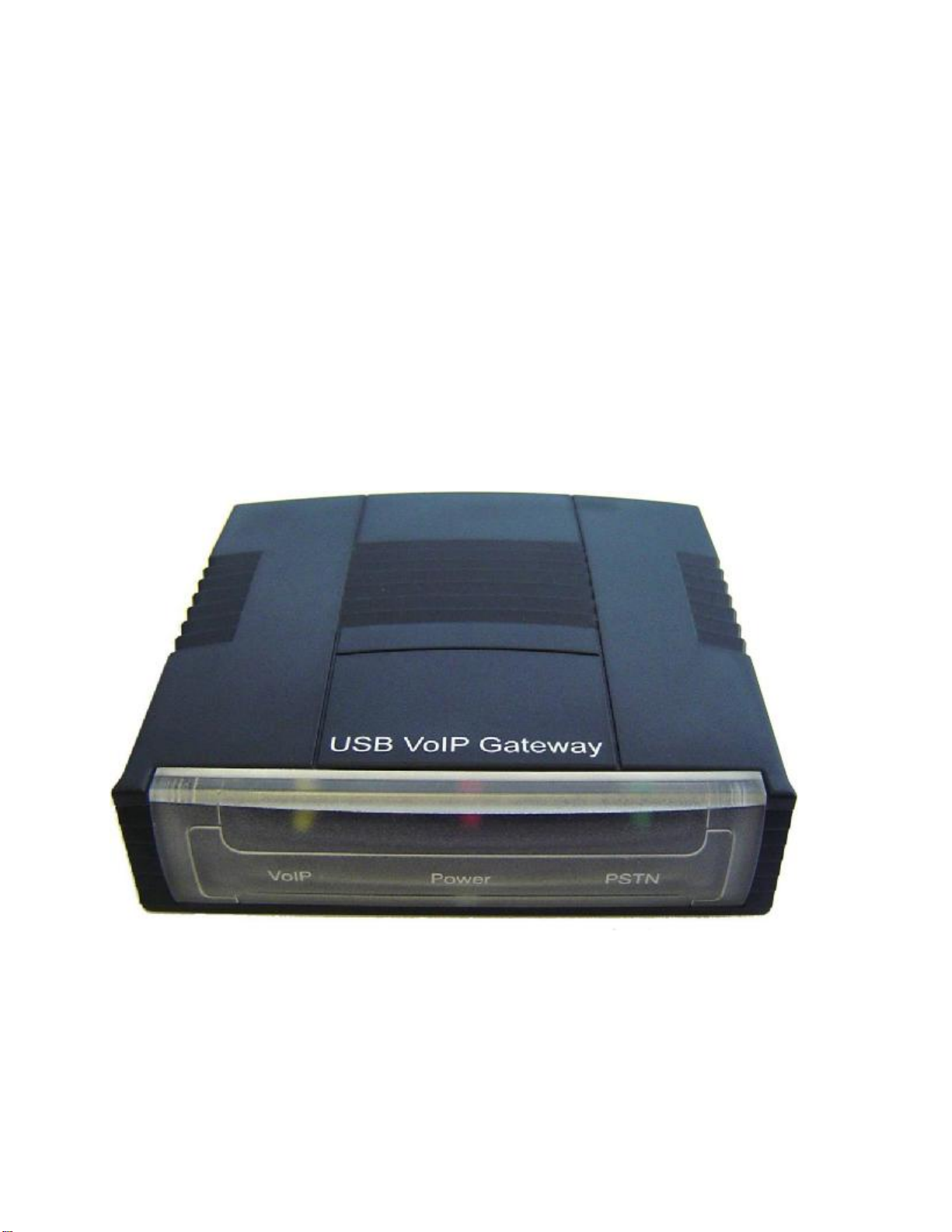
SkyLink Pro USB Personal VoIP Gateway User manual
Ver
2.
3
SkylinkPro USBPersonalVoIP
Gateway
User’sGuide

Page
2
of
48
Ver
2.
3
Contents
Contents..............................................................................................................................2
Welcome.............................................................................................................................3
PackageContents................................................................................................................4
Requirements......................................................................................................................5
Skylink Pro Installation...................................................................................................6
EnablingSkylink Pro ....................................................................................................18
Skylink Pro States.........................................................................................................20
Skylink Pro Adaptor LEDs...........................................................................................20
TestingSkylink Pro .......................................................................................................21
Making and Receiving Calls.............................................................................................25
Setting Up Skype Speed Dial........................................................................................25
Switching Between VoIPand Regular Calls....................................................................28
Conference Call Between VoIP and Regular Calls..........................................................28
3-WayCalling...................................................................................................................28
Forwarding Calls...............................................................................................................29
Toll Bypass.......................................................................................................................33
Toll Bypass + Call Forward..............................................................................................37
Skype Voicemail...............................................................................................................37
Recorder............................................................................................................................38
Changing the Default Settings..........................................................................................40
DisablingSkylink Pro ...................................................................................................42
Uninstall............................................................................................................................43
Installing aNew Version..................................................................................................44
Troubleshooting................................................................................................................45

Page
3
of
48
Ver
2.
3
Welcome
TheSkylink Pro USBPersonal VoIPGateway(SkylinkPro)is an exciting new device
that let’s you make and receive Skype calls using your standard telephone handset.
After you follow the simple installation you will be able to do the following:
•Continue to make and receive regular callsasyou normallydo
•Make and receiveSkype calls usingyourstandardtelephone
•Forward Skype calls to your mobile phone
•Make Skype calls fromyour mobile phoneevenwhen youare awayfromyour
computer
•Switch between aSkype call and aregular phone call
•Check Skype voicemailfromyour handset
•Record incoming Skype ,PSTN and forwarded calls as wave(WAV)files
This document covers driver version 1.16.03.
Please view the readme.txt that is installed with theSkylink Prodriver. It lists any known
issues that mayexist.
Page
4
of
48
Ver
2.
3
PackageContents
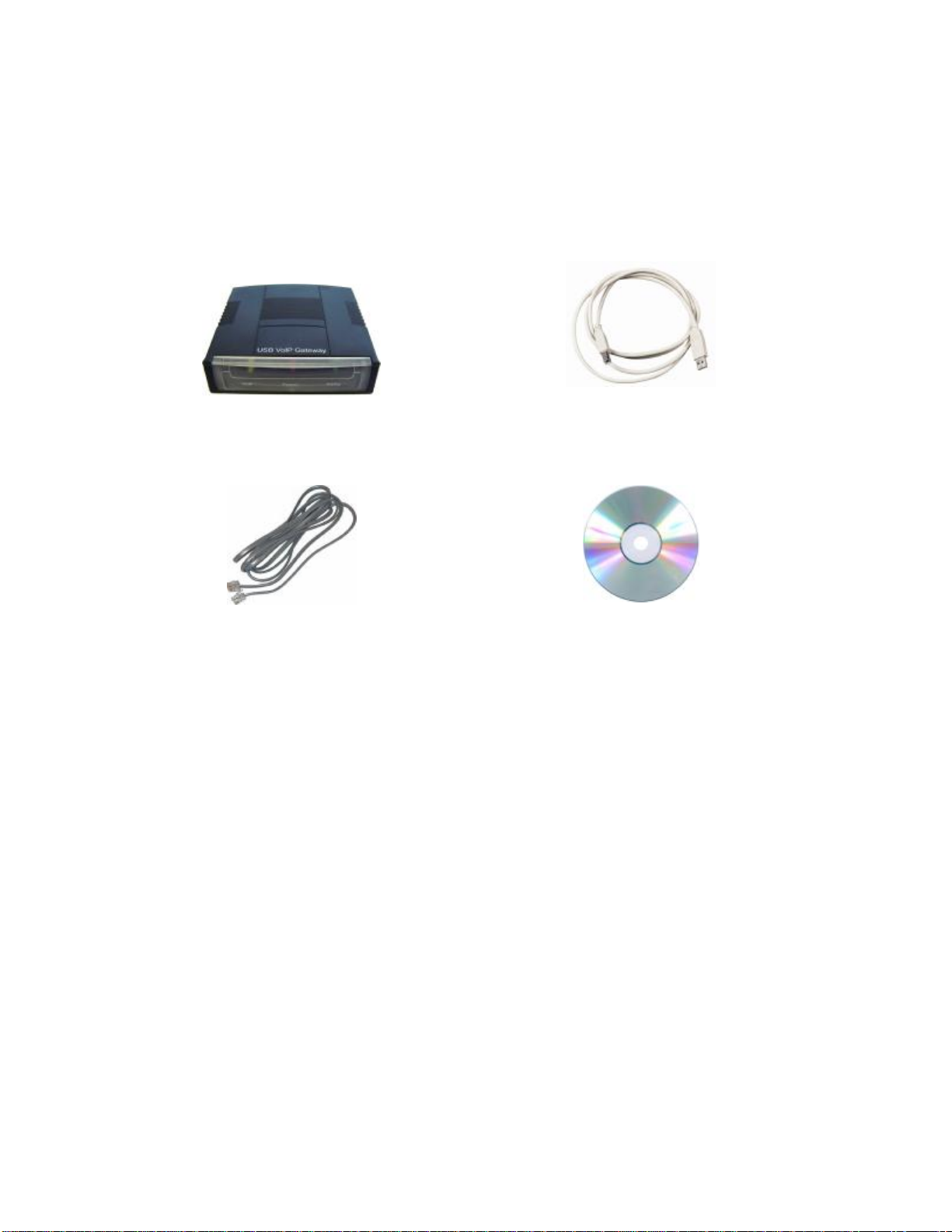
TheSkylink Pro Personal VoIP Gateway package includes the following(note that
your particular hardware and cables may look slightly differentthan shown below).
1.Skylink Pro Personal VoIPGateway 2.USB Cable
3.TelephoneCable 4.CD-ROM
5.User’sManual6.Quick Start Guide

Page
5
of
48
Ver
2.
3
Requirements
Inorder to install theSkylink Pro adapteryou will need the following:
1.Skylink Pro adapter
2.USB cable
3.RJ11 cable
4.Telephone (regular telephone, cordless phone, DECT phone, …)
5.Telephoneservice(for conf call, 3waycalling and forwarding features)
6.Broadband internet service is recommended
7.PC with the following minimumspecifications:
oPentium450MHz or equivalent
oWindows 2000or XP
oAvailable USB port (1.0,1.1 or 2.0)
oSkype version 1.3or higher(www.skype.com)must be installed.
o128MB RAM
o20MB availablehard diskspace
oCD-ROM drive to installSkylink Pro softwarefrom the supplied CD-ROM
8. Recommended PC specification for optimal performance:
oPentium 1GHz or equivalent
oWindows 2000 or XP
oAvailable USB port (1.0,1.1 or 2.0)
oSkype version 1.3 or higher (www.skype.com) must be installed.
o256MB RAM
o30MB availablehard diskspace
oCD-ROM drive to installSkylink Pro software fromthe supplied CD-ROM
Note that theSkylink ProAdapter must be connected directlyto the PC USB port
or to an AC Powered USB hub.It CANNOT be installed on a bus powered USB
hub.

Page
6
of
48
Ver
2.
3
Skylink Pro Installation
DO NOT CONNECT THESKYLINK PRO
ADAPTERTO YOURCOMPUTER UNTIL
INSTRUCTED TO DO SO BY THESKYLINK PRO
INSTALLATION WIZARD
The following instructions will guide you to through the process ofinstalling theSkylink
Pro PersonalVoIPGateway.
The installationprocedure is to:
•Install Skype (step 1below)
•Start theSkylink Pro SWinstallation(step 2below)
•Plug in theSkylink Pro adapterWHEN INSTRUCTED TO DO SO(step 2
below)
•Verify the installation is OK (step 3below)
•Connect atelephone handset to theSkylink Pro adapter(step 4below)
•Connect theSkylink Pro adapterto the wall jack(step 5below). Notethat this
is optional and only required for the forwardingand conferencingfeatures.
•Use yourSkylink Pro adapterto make and receive Skype calls
The detailed instructions follow:
STEP 1: If Skype is not already installed on yourcomputer, visit
http://www.skype.com and follow the instructions there to install Skype .Verify that
Skype is working before installing theSkylink Pro adapter.
Page
7
of
48
Ver
2.
3
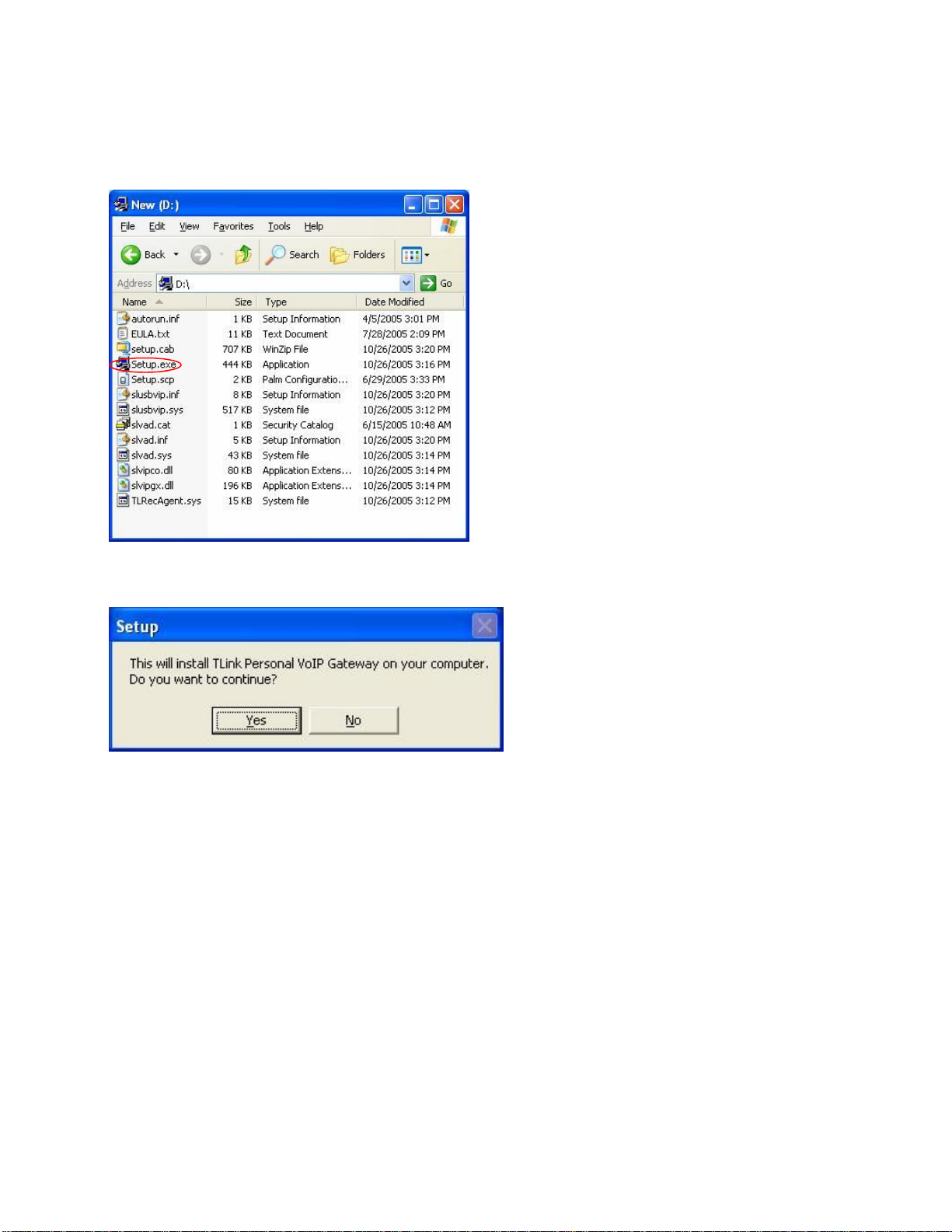
STEP 2: Insertthe supplied CD-ROM intoyour PC CD-ROM drive.The installation
should start automatically.Ifnot,or ifyou have quit the setup, thenopenthe installation
folder on the CD-ROM and double click on the setup.exe programas shown below.
You will see the following popup. Press Yes to proceedor No to cancel.
Page
8
of
48
Ver
2.
3
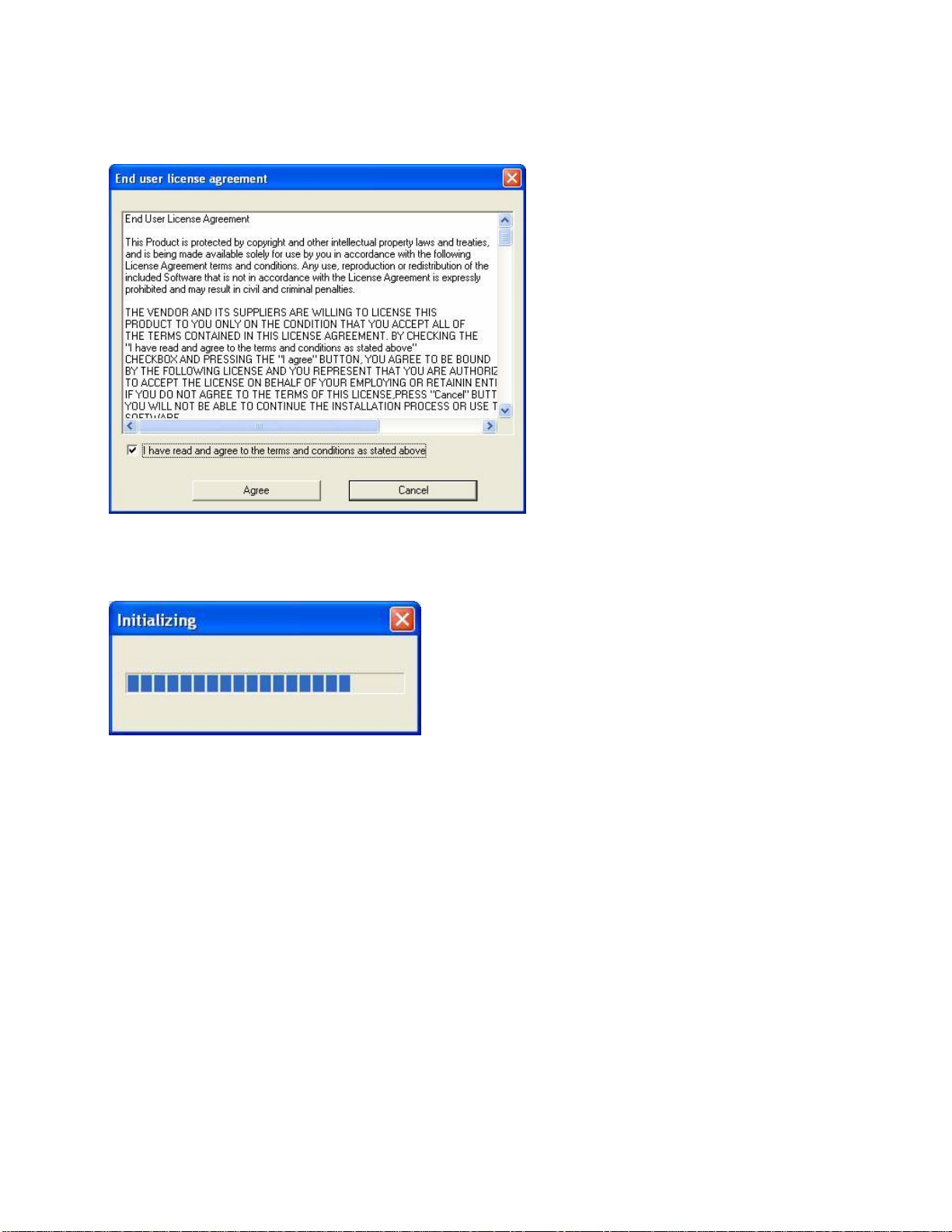
You will see the End User License Agreement. Click the “I have read …” checkbox and
pressthe IAgree button as shown below.
You will see the following progress bar below indicating that the installation is
proceeding.
Page
9
of
48
Ver
2.
3
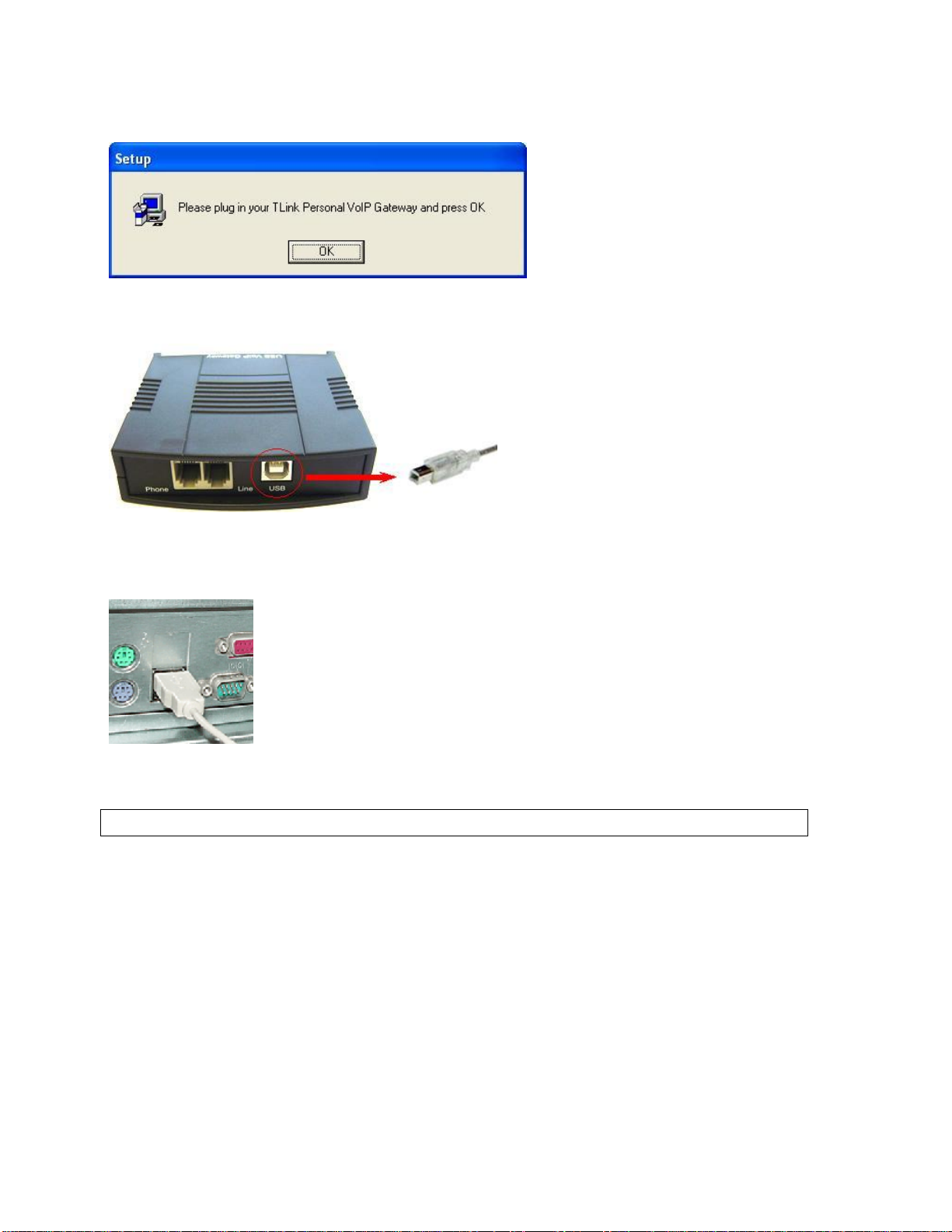
Wait until you see the following popup and press the OK button.
Connectthe USB cable totheSkylink Pro adapterUSB port as shown below:
Theother end of the USBcablemust be connectedtoaUSBport on your computer as
shownbelow,
or to an AC PoweredUSB hub.
TheSkylink ProAdapter MUST not be connected to a bus powered USB hub.
Page
10
of
48
Ver
2.
3
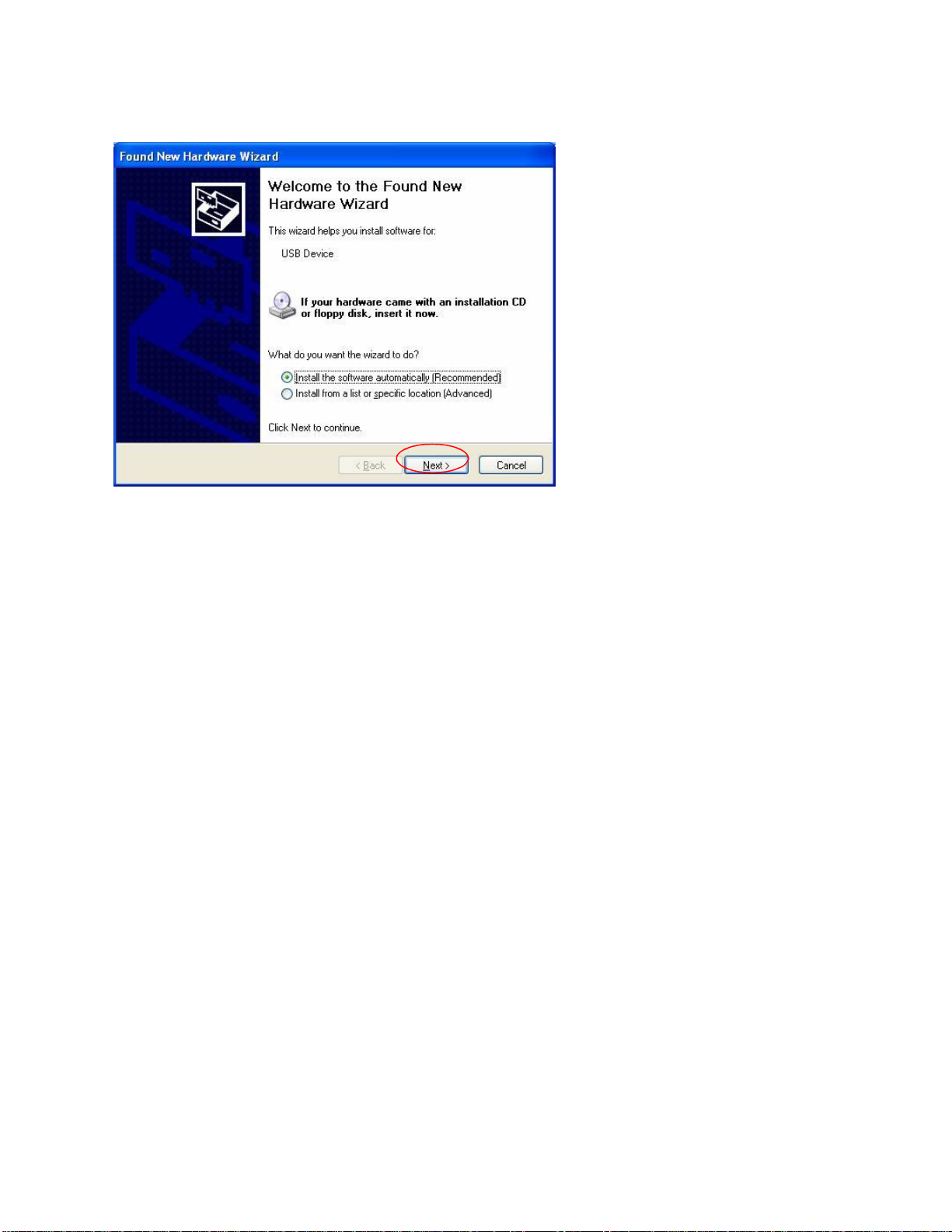
You will see the following Windows New Hardware Found Wizard.
Select Installthe softwareautomatically(Recommended) and pressthe Next button.
Table of contents
Other SkyLink Gateway manuals

Popular Gateway manuals by other brands

LST
LST M500RFE-AS Specification sheet

Kinnex
Kinnex Media Gateway quick start guide

2N Telekomunikace
2N Telekomunikace 2N StarGate user manual

Mitsubishi Heavy Industries
Mitsubishi Heavy Industries Superlink SC-WBGW256 Original instructions

ZyXEL Communications
ZyXEL Communications ZYWALL2 ET 2WE user guide

Telsey
Telsey CPVA 500 - SIP Technical manual







