WIFI Router Quick Guide
A: MOBILE HOTSPOT is a portable Wi-Fi device that fits in the palm of your hand. It will allow
you to connect up to 5 devices to access the Internet, such as laptops, portable game consoles or
mobile phones.
Q: What networks does MOBILE HOTSPOT operate on?
A: MOBILE HOTSPOT operates on WCDMA/ HSPA.
Q: What kind of security is available with MOBILE HOTSPOT?
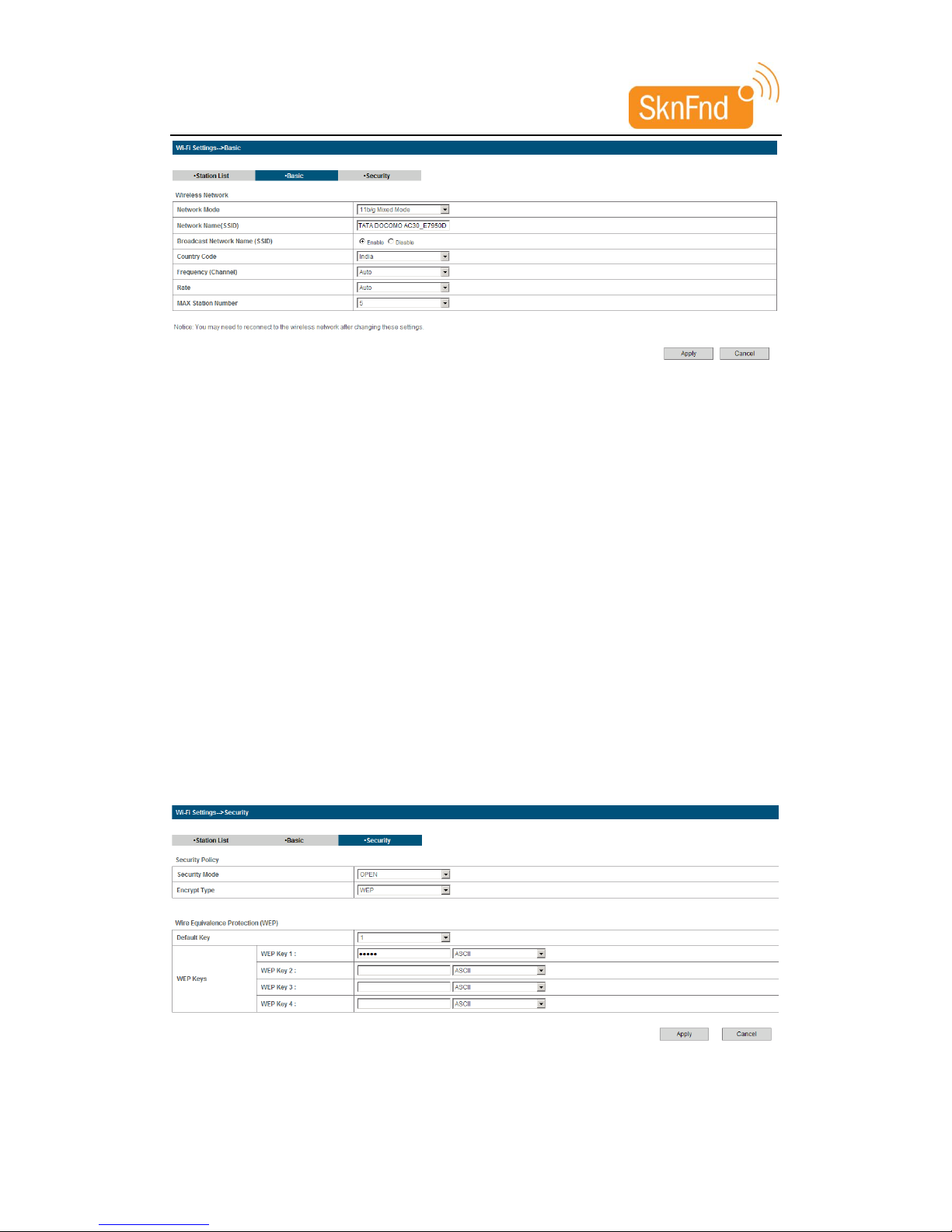
A: MOBILE HOTSPOT supports advanced Wi-Fi security protocol through standard methods
such as Wi-Fi Protected Access (WPA & WPA2) and the previous method of Wired Equivalent
Privacy (WEP). More advanced settings are available in the Web based user interface.
Q: What if the user forgets their MOBILE HOTSPOT password?
A: MOBILE HOTSPOT can be restored to the factory default settings by pressing the button 10
times continuously. The device will restart automatically to indicate reset is successful.
Q: What might the owner of MOBILE HOTSPOT need to be aware of before sharing with
multiple devices?
A: With multiple devices or used as a temporary hotspot:
. If there are several heavy data users on at the same time, you may notice the degradation
in performance
. Users are not allowed to access more than 5 devices to MOBILE HOTSPOT in order to keep
the devices’ data speed stable enough to be communicated without a problem.
. If all are accessing MOBILE HOTSPOT that is using the battery, the battery will be consumed
faster than the average of 4 hours usage time for one user.
Q: Can a user connect MOBILE HOTSPOT to their computer with a USB cable?
A: MOBILE HOTSPOT can be charged when connected to a computer via USB cable, and no
interferences to the device.
Q: Why does MOBILE HOTSPOT turn off automatically during using?
A: If MOBILE HOTSPOT operating temperature increases above 65 ℃, the device will
automatically shutdown to prevent any damage.
Q: Does MOBILE HOTSPOT support voice calls, fax and/or text messaging?
A: MOBILE HOTSPOT only support to receive text message.
Q: Can MOBILE HOTSPOT be used for memory storage?
A: MOBILE HOTSPOT does not support removable memory storage.
Q: How long does a user need to charge the battery before they begin using?
A: The battery must be fully charged before using MOBILE HOTSPOT for the first time. We
recommend a minimum of 4 hours charging time before first use.
Q: What if MOBILE HOTSPOT cannot access the internet even though the unit has been
activated?
A: Verify your network & signal strength for optimal performance.
Q: When will a user of MOBILE HOTSPOT need to access Web GUI configuration interface?
A: The Web GUI configuration interface will only need to be accessed or used when configuring
your device for the first time or changing the security settings or establishing more advanced
settings.