Sherwood CD-5505 User manual

CD-5505
COMPACT DISC PLAYER
OPERATING INSTRUCTIONS
5505(G) cover_cover.qxp 2010-12-17 오후 5:20 페이지 1
ENG ISH
2
Introduction
: TO REDUCE THE RISK OF FIRE OR E ECTRIC SHOCK, DO NOT EXPOSE THIS APP IANCE TO RAIN OR MOISTURE.
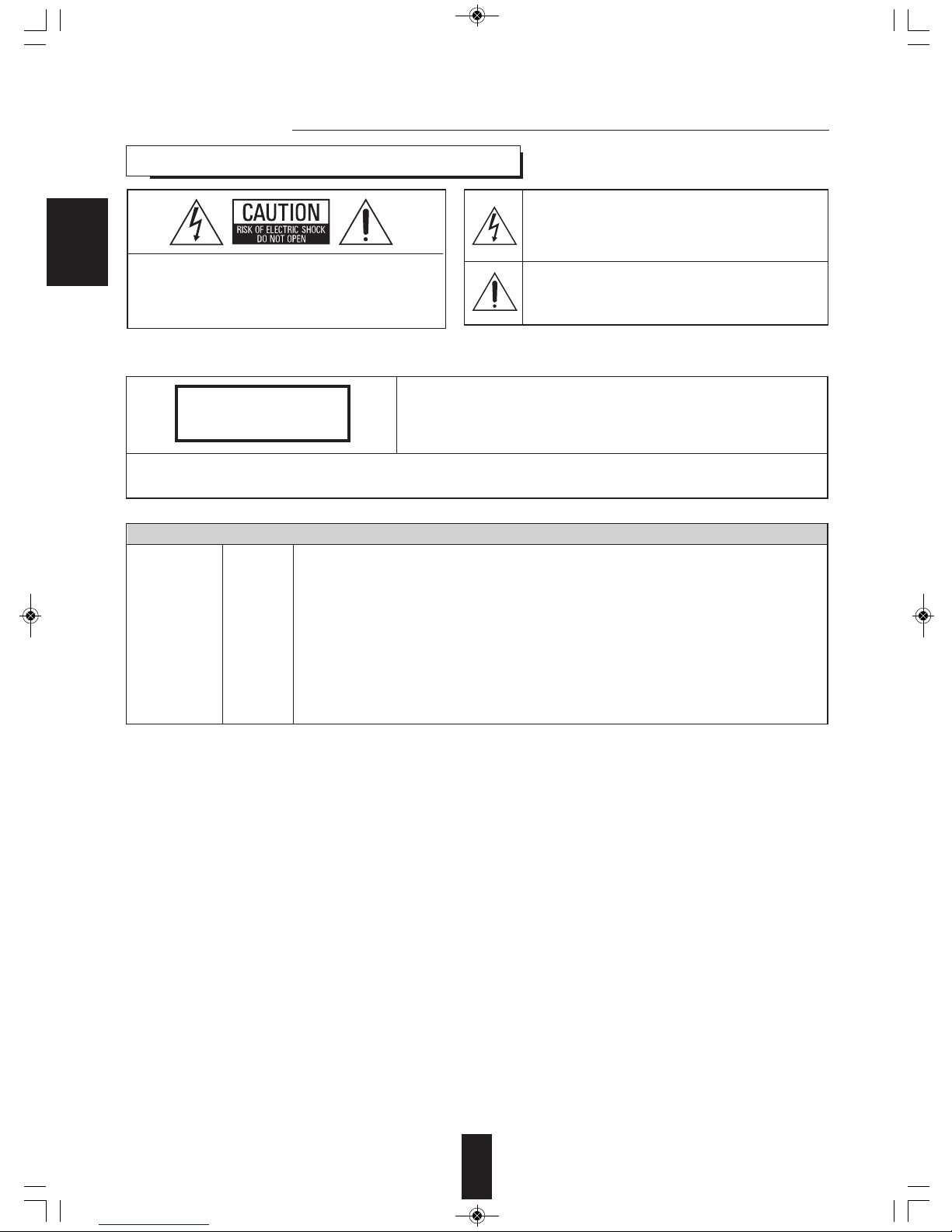
This symbol is intended to alert the user to the presence of
uninsulated "dangerous voltage" within the product's
enclosure that may be of sufficient magnitude to constitute
a risk of electric shock to persons.
This symbol is intended to alert the user to the presence of
important operating and maintenance (servicing)
instructions in the literature accompanying the appliance.
: TO REDUCE THE RISK OF E ECTRIC
SHOCK, DO NOT REMOVE COVER (OR
BACK). NO USER-SERVICEAB E PARTS
INSIDE. REFER SERVICING TO
QUA IFIED SERVICE PERSONNE .
CAUTION
WARNING
Units shipped to Australia are designed for operation on 230 V AC only.
To ensure safe operation, the three-pin plug supplied must be inserted only into a standard three-
pin power point which is effectively earthed through the normal household wiring. Extension cords
used with the equipment must be three-core and be correctly wired to provide connection to earth.
Improper extension cords are a major cause of fatalities. The fact that the equipment
operates satisfactorily does not imply that the power point is earthed and that the installation
is completely safe. For your safety, if in any doubt about the effective earthing of the power
point, consult a qualified electrician.
PAN-EUROPEAN UNIFIED VO TAGE
All units are suitable for use on supplies 220-240 V AC.
FOR YOUR SAFETY
EUROPE
AUSTRA IA
220 V
-
240 V
READ THIS BEFORE OPERATING YOUR UNIT
CAUTION
Invisible laser radiation when the unit is open.
Do not stare into beam.
CAUTION : USE OF ANY CONTRO S, ADJUSTMENTS, OR PROCEDURES OTHER THAN THOSE SPECIFIED
HEREIN MAY RESU T IN HAZARDOUS RADIATION EXPOSURE.
C ASS 1
ASER PRODUCT
CD-5505(G)_ENG_110113_CD-5505(G)_ENG2011-01-24오전9:28페이지2

ENG ISH
CAUTION
• eave a space around the unit for sufficient ventilation.
• Avoid installation in extremely hot or cold locations, or in an area
that is exposed to direct sunlight or heating equipment.
• Keep the unit free from moisture, water, and dust.
• Do not let foreign objects in the unit.
• The ventilation should not be impeded by covering the ventilation
openings with items, such as newspapers, table-cloths, curtains,
etc.
• No naked flame sources, such as lighted candles, should be
placed on the unit.
• Please be care the environmental aspects of battery disposal.
• The unit shall not be exposed to dripping or splashing for use.
• No objects filled with liquids, such as vases, shall be placed on
the unit.
• Do not let insecticides, benzene, and thinner come in contact
with the set.
• Never disassemble or modify the unit in any way.
■Notes on the AC power cord and the wall outlet.
• The unit is not disconnected from the AC power source(mains)
as long as it is connected to the wall outlet, even if the unit has
been turned off.
• To completely disconnect this product from the mains,
disconnect the plug from the wall socket outlet.
• When setting up this product, make sure that the AC outlet you
are using is easily accessible.
• Disconnect the plug from the wall outlet when not using the unit
for long periods of time.
Information for Users on Collection and Disposal of
Old Equipment and used Batteries
These symbols on the products, packaging, and/or
accompanying documents mean that used electrical and
electronic products and batteries should not be mixed
with general household waste. For proper treatment,
recovery and recycling of old products and used
batteries, please take them to applicable collection
points, in accordance with your national legislation.
By disposing of these products and batteries correctly,
you will help to save valuable resources and prevent any
potential negative effects on human health and the
environment which could otherwise arise from
inappropriate waste handling.
For more information about collection and recycling of
old products and batteries, please contact your local
municipality, your waste disposal service or the point of
sale where you purchased the items.
[Information on Disposal in other Countries outside the
European Union]
These symbols are only valid in the European Union. If
you wish to discard these items, please contact your
local authorities or dealer and ask for the correct method
of disposal.
Note for the battery symbol (bottom two symbol
examples):
The sign Pb below the symbol for batteries indicates that
this batteries contains lead.
PRECAUTIONS
■Moisture condensation
Moisture may form on the lens in the following conditions.
• Immediately after a heater has been turned on.
• In a steamy or very humid room.
• When this unit is moved from a cold place to a warm one.
If moisture forms inside this unit, it may not operate properly.
In this case, turn on the power and wait about one hour for the moisture to evaporate.
■If there is noise interference on the TV while a broadcast is being received.
Depending on the reception condition of the TV, interference may appear on the TV screen while you are watching a TV
broadcast and this unit is left on. This is not a malfunction of this unit or the TV. To watch a TV broadcast, turn off this unit.
■Do not transport this unit with discs left in it.
■Do not place on the component such as amplifier or receiver that generates heat.
If so, the temperature inside this unit rises and malfunction may occur.
3
CD-5505(G)_ENG_110113_CD-5505(G)_ENG2011-01-24오전9:28페이지3
ENG ISH
4
CONTENTS
Introduction
• READ THIS BEFORE OPERATING YOUR UNIT I 2
Rear Panel Connections I 5
Front Panel & Remote Controls I 6
• REMOTE CONTRO OPERATION RANGE I 9
• OADING BATTERIES I 9
Preliminary Knowledge About Discs & Files
• P AYAB E DISCS I 10
• USB MEMORY DEVICES I 10
• P AYAB E AUDIO FI E FORMATS I 10
• CARE AND HAND ING OF DISCS I 10
Operations
• P AYING TRACKS/FI ES I 11
• P AYING IN RANDOM ORDER I 12
• REPEAT P AY I 13
• P AYING THE FIRST 10 SECONDS OF EACH TRACK/FI E I 13
• P AYING IN DESIRED ORDER I 13
• SE ECTING A TIME DISP AY (Audio CD only) I 15
• ADJUSTING THE BRIGHTNESS OF THE F UORESCENT DISP AY I 15
• ISTENING WITH HEADPHONES I 15
Troubleshooting Guide I 16
Specifications I 17
CD-5505(G)_ENG_110113_CD-5505(G)_ENG2011-01-24오전9:28페이지4

ENG ISH
5
DIGI LINK DIGITAL
OPT
ANALOG
L
R
SN.
POWER SOURCE
POWER CONSUMPTION
COMPACT DISC PLAYER
CD-5505
230V 50Hz
14 W
DESIGNED INUSA
ASSEMBLED IN CHINA
45
Rear Panel Connections
• Do not plug the AC input cord into the AC outlet when making connections.
• Be sure to connect the white plugs to the ( eft) jacks and the red plugs to the R (Right) jacks when making
connections.
• Refer to the connecting diagram in the operating instructions of your amplifier/receiver
• Connect the ANA OG and R jacks to the CD IN jacks of
your amplifier/receiver.
1. CONNECTING ANA OG AUDIO OUTS
• Connect this jack to the DIGI INK jack of Sherwood system
amplifier/receiver to control this unit remotely by DIGI IN II or
III system. (For details, refer to the operating instructions of
Sherwood amplifier/receiver.)
■Note :
• The DIGI INK operation may not work on some Sherwood
components.
2. CONNECTING DIGI INK
• Connect this jack to the OPTICA DIGITA IN jack of your
amplifier/receiver to enjoy digital sound.
■Notes :
• It is not recommended to record digital audio signals with
digital audio connection between this unit and MD or CD
recorder, etc.. When recording the sounds played on this unit,
record them through the ANA OG AUDIO OUT jacks.
• Some of the commercially available optical fiber cords cannot
3. CONNECTING OPTICA DIGITA OUT
• Plug the cord into a wall AC outlet.
4. AC INPUT CORD
• This terminal may be used in the future to update the operating software, etc.
■Note :
• Programming for upgrade requires specialized programming knowledge and for that reason we recommend that it only be
done by qualified installers.
5. TERMINA FOR UPGRADE
ANALOG
L
R
Amplifier/receiver
CD IN
DIGI LINK Sherwood amplifier/receiver
DIGILINK
DIGITAL
OPT
Amplifier/receiver
OPTICAL IN
be used for the equipment. If there is an optical fiber cord which cannot be connected to your equipment, consult your dealer
or nearest service organization.
CD-5505(G)_ENG_110113_CD-5505(G)_ENG2011-01-24오전9:28페이지5

ENG ISH
Front Panel & Remote Controls
1
11 21 22 47981014 13 20
3212 18 65
2
13
d
12
15 17
6
e
f
16
11
19
b
a
c
8
18
14
Front panel controls
Remote controls
6
CD-5505(G)_ENG_110113_CD-5505(G)_ENG2011-01-24오전9:28페이지6
ENG ISH
7
16. INTROSCAN BUTTON
Press this button to play the first 10 seconds of each
track/file.
17. FO DER UP/DOWN (+/-) BUTTONS
Press these buttons to select the desired folder.
18. TIME BUTTON
Press this button to display the different time
information on the Audio CD.
19. DIMMER BUTTON
Press this button to select the brightness of the
fluorescent display as desired.
20. HEADPHONE JACK
Stereo headphones can be plugged into this jack for
private listening.
21. REMOTE SENSOR
This receives the signals from the remote control unit.
22. F UORESCENT DISP AY
For details, see next page.
■DIGI INK SYSTEM REMOTE CONTRO
This unit can be remotely conrolled with Sherwood
DIGI INK III amplifier or receiver.
• For avaliable functions, refer to the compatible
unit’s operating instructions.
• To listen to a CD by DIGI INK system, first
make DIGI INK connection between this unit
and the Sherwood compatible amplifier or
receiver.
1. POWER SWITCH
Push this switch to turn the power off and to enter the
standby mode.
To switch the power off, push this switch again.
2. POWER ON/STANDBY button
In the standby mode, press this button to turn the power
on and to enter the operating mode.
In the operating mode, press this button again to turn
the power off and to enter the standby mode.
3. DISC TRAY
oad a disc on the disc tray.
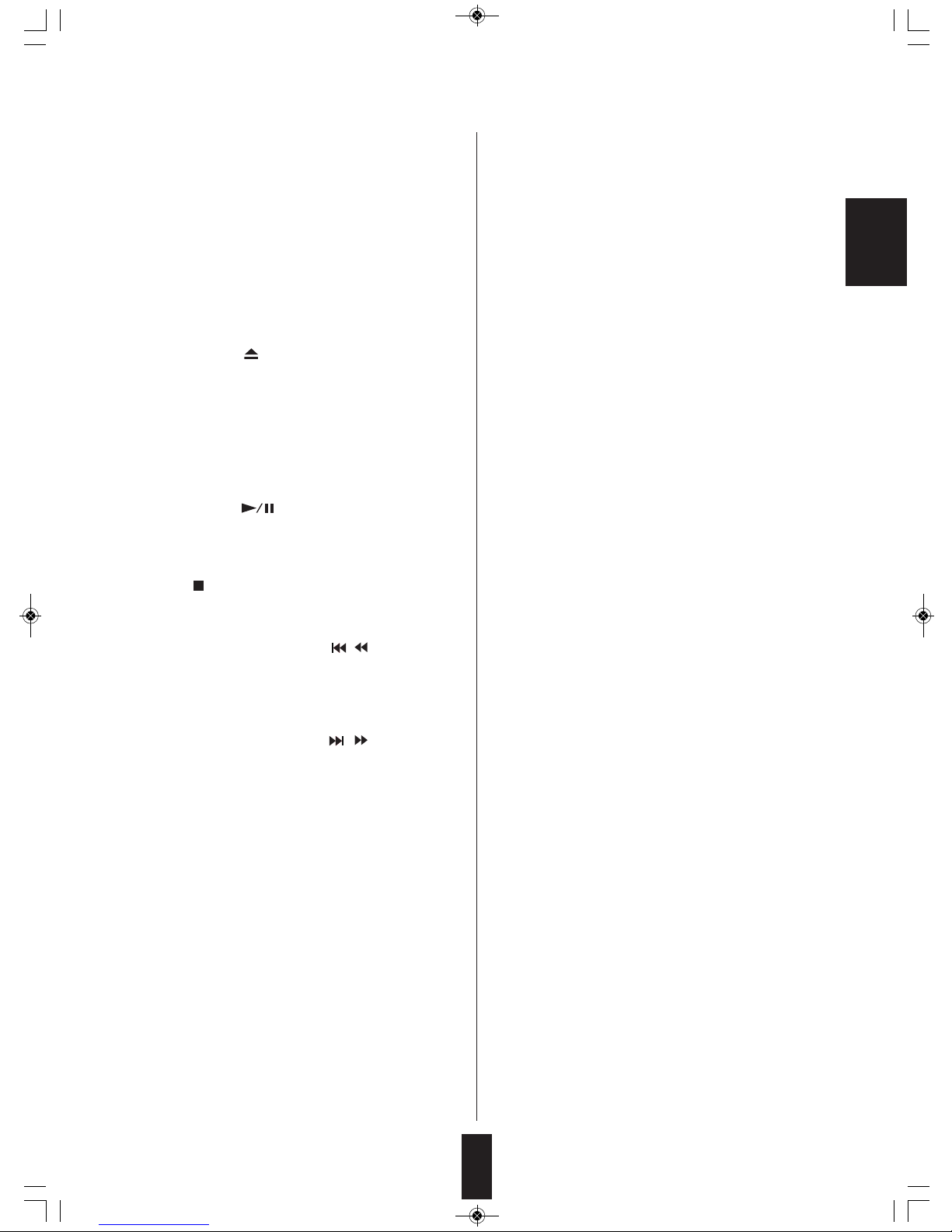
4. OPEN/C OSE ( ) BUTTON
Press this button to open or close the disc tray.
5. USB CONNECTOR
For details, see next page.
6. CD/USB SE ECTOR BUTTON
Press this button to select the disc or the USB memory
device as playback source.
7. P AY/PAUSE ( ) BUTTON
ⓐPress this button to start play in the stop or pause
mode.
ⓑPress this button to interrupt play temporarily.
8. STOP ( ) button
Press this button to stop play or clear the programmed
tracks/files.
9. BACKWARD SKIP/SEARCH( / ) BUTTON
ⓒPress this button to replay from the beginning of the
current track/file or return to a previous track/file.
ⓓPress and hold down this button to search for a
specific passage in fast backward.
10. FORWARD SKIP/SEARCH( / ) BUTTON
ⓔPress this button to play from the beginning of a next
track/file.
ⓕPress and hold down this button to search for a
specific passage in fast forward.
11. NUMERIC(0~9) BUTTONS
Press the corresponding buttons to select a track/file
for play or programming.
12. PROGRAM BUTTON
Press this button to program your favorite tracks/files or
to review the programmed tracks/files.
13. RANDOM P AY BUTTON
Press this butto to play tracks/files in random order.
14. REPEAT (1/F/A ) BUTTON
Press this button to play a track/file, a folder, or all
tracks/ files repeatedly.
15. REPEAT A↔B BUTTON
Press this button to play a specific passage repeatedly.
CD-5505(G)_ENG_110113_CD-5505(G)_ENG2011-01-24오전9:28페이지7

ENG ISH
8
■F UORESCENT DISP AY
PLAY indicator
Track/file number, playing time, operating information, etc.
RANDOM indicator
REPEAT indicatorsPAUSE indicator
PROGRAM indicator MUSIC CALENDAR display
■USB CONNECTOR
• An USB memory device can be connected to th USB connector to listen to MP3 or WMA
files stored on it through this unit.
■Note :
• After USB playback, remove the USB memory device in the stop mode or in the standby
mode.
USB memory device
CD-5505(G)_ENG_110113_CD-5505(G)_ENG2011-01-24오전9:28페이지8

ENG ISH
REMOTE CONTROL OPERATION RANGE
9
LOADING BATTERIES
1. Remove the cover. 2. oad two batteries(“AAA” size, 1.5V) matching
the polarity.
• Use the remote control unit within a range of about
7 meters (23 feet) and angles of up to 30 degrees
aiming at the remote sensor.
• Remove the batteries when they are not used for
a long time.
• Do not use the rechargeable batteries (Ni-Cd
type).
CD-5505(G)_ENG_110113_CD-5505(G)_ENG2011-01-24오전9:28페이지9
Preliminar Knowledge About Discs & Files
PLAYABLE DISCS
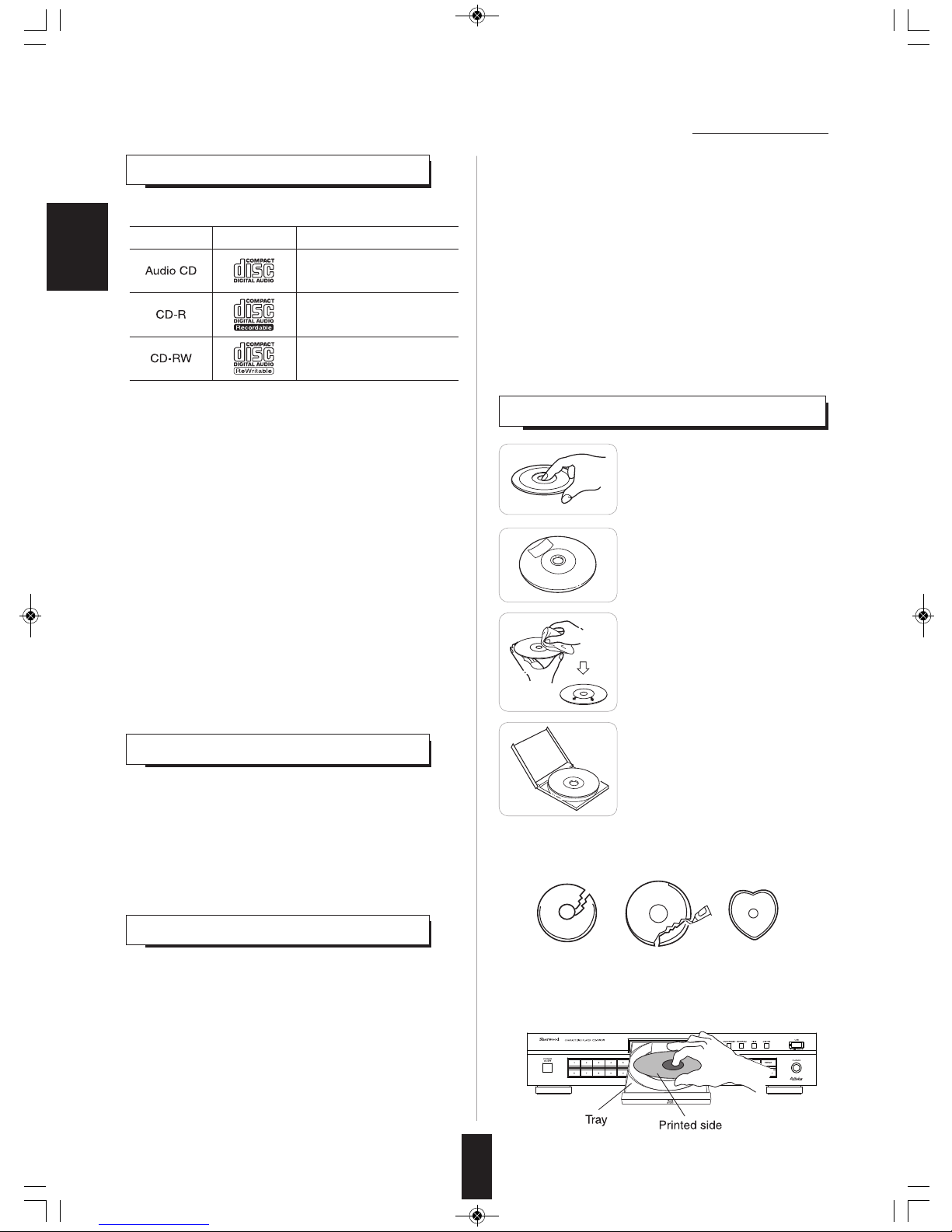
This unit supports the following discs.
• This unit supports CD-R and CD-RW discs recorded in
Audio CD(CD-DA) format, MP3 or WMA format.
• Only CD-R and CD-RW discs recorded with ISO9660
format can be played back.
• This unit supports multi-session discs. Some multi-session
discs may take a long time to load and some may not be
loaded at all.
■Unplayable discs
• Since this unit cannot support disc types, formats and file
types not listed above, do not play such discs.
• Some CD-R and CD-RW discs cannot be played due to
incomplete disc finalization, recording quality or physical
condition of the disc, characteristics of recording device or
authoring software, etc.
See the operating instructions supplied with your recording
device for more information.
• Some Audio CDs use copy protection that doesn’t
conform to the official CD standard. Since these are
nonstandard discs, this unit cannot play them properly.
• When an Audio CD recorded in DTS-ES or Dolby Digital
EX is played, noise may be heard.
Disc Logo Format or file type
PCM
Audio CD, MP3, WMA
Audio CD, MP3, WMA
■WMA(Windows Media Audio)
• Sampling frequency : 32, 44.1, 48 kHz
• Bit rate : 32 ~ 320 kbps
• Extension : .wma, .WMA
• WMA Tag is not available
• Windows Media and the Windows logo are trademarks or
registered trademarks of Microsoft Corporation in the United States
and/or other countries.
■Notes :
• Folders can be up to ten levels deep.
• For some files, it may not be possible to use certain functions
during playback.
• Files protected by DRM(Digital Rights Management) cannot be
played.
• When the data of file and folder names is larger than the unit’s
memory capacity, some files, etc. cannot be recognized and
played.
USB MEMORY DEVICES
• An USB memory device can be connected to the USB
connector on the front panel to play MP3 or WMA files
stored on it.
• Only USB memory devices conforming to mass storage
class and MTP(Media Transfer Protocol) standards can be
played on this unit.
• Thin unit supports FAT16 or FAT32 file format system for
USB memory divece.
PLAYABLE AUDIO FILE FORMATS
■MP3(MPEG-1 Audio ayer-3)
• Sampling frequency : 32, 44.1, 48 kHz
• Bit rate : 32 ~ 320 kbps
• Extension : .mp3, .MP3
• Fixed bit-rate files are recommended. Variable bit-rate
(VBR) fiels are playable, but playing time may be
displayed incorrectly.
• ID3 Tag is not avaliable.
• MPEG ayer-3 audio coding technology licensed from
Fraunhofer IIS and Thomson.
10
CARE AND HANDLING OF DISCS
• In handling a disc, hold it carefully
with edges.
• Do not stick paper or write
anything on the printed surface.
• Finger marks and dust on the
recorded surface should be
carefully wiped off with a soft cloth.
Wipe straight from the inside to the
outside of the disc.
• Always keep the discs in their
cases after use to protect them
from dust and scratches.
• Do not use a cracked, deformed, or repaired disc.
These discs are easily broken and may cause serious
personal injury and apparatus malfunction.
■Notes:
• Do not expose discs to direct sunlight, high humidity or
high temperature for a long time.
• When loading or unloading a disc in the disc tray, always
place it with the printed side up.
ENG ISH
CD-5505(G)_ENG_110113_CD-5505(G)_ENG2011-01-24오전9:28페이지10
Table of contents
Other Sherwood CD Player manuals

Sherwood
Sherwood CD-772 User manual

Sherwood
Sherwood CDC-5506 User manual

Sherwood
Sherwood CD-2030C User manual

Sherwood
Sherwood CDC-5506 User manual

Sherwood
Sherwood CLASS1 User manual

Sherwood
Sherwood Newcastle CD-980 User manual

Sherwood
Sherwood CDC-5506 User manual

Sherwood
Sherwood CDC-5090C User manual

Sherwood
Sherwood CDC-690T User manual

Sherwood
Sherwood CD-5090 User manual