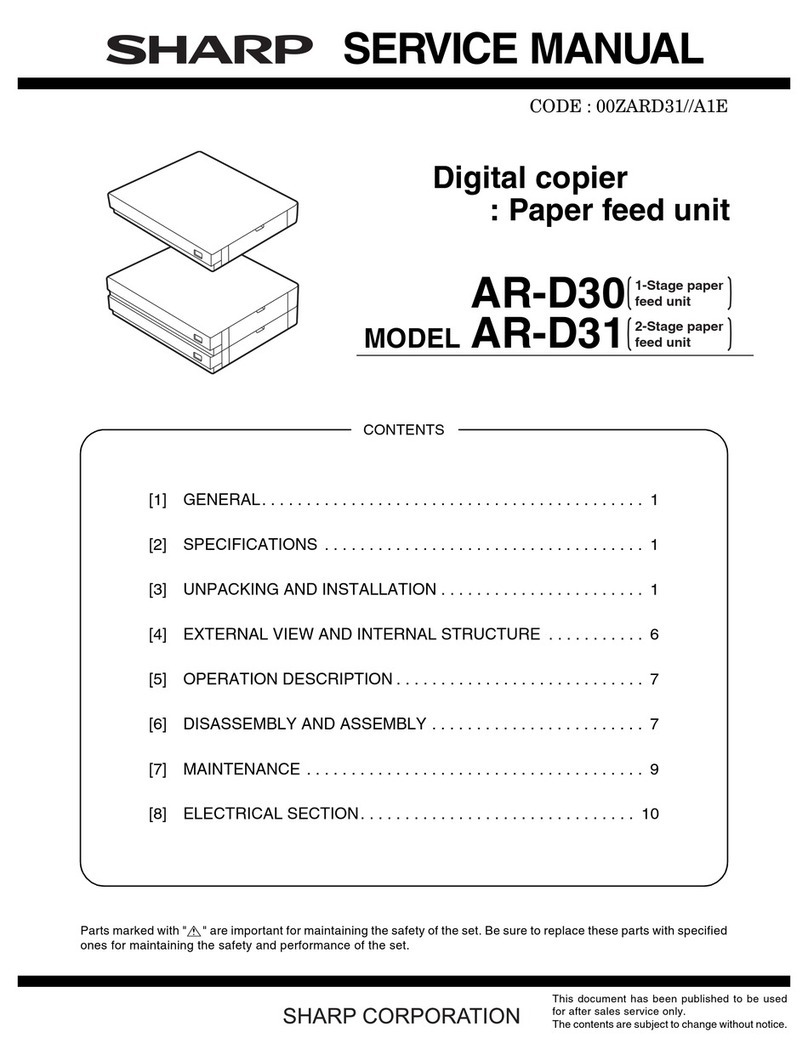
Sharp AR-D11 User manual

DIGITAL COPIER
Option: Paper Feed Unit
MODEL AR-D11
AR-D12
[ 1 ] GENERAL.................................................................................................1
[ 2 ] SPECIFICATIONS ....................................................................................1
[ 3 ] UNPACKING AND INSTALLATION..........................................................1
[ 4 ] EXTERNAL VIEW AND INTERNAL STRUCTURE...................................6
[ 5 ] OPERATIONAL DESCRIPTIONS.............................................................7
[ 6 ] DISASSEMBLY AND ASSENBLY.............................................................7
[ 7 ] MAINTENANCE........................................................................................9
[ 8 ] ELECTRICAL SECTION .........................................................................10
CONTENTS
Parts marked with " " are important for maintaining the safety of the set. Be sure to replace these parts with specified
ones for maintaining the safety and performance of the set.
SHARP CORPORATION This document has been published to be used
for after sales service only.
The contents are subject to change without notice.
SERVICE MANUAL

[1] GENERAL
The AR-D11 (1-stage paper feed unit) and the AR-D12 (2-stage paper
feed unit) are optional paper feed units added to the digital copier, and
their cassettes are common with those of the main machine.
[2] SPECIFICATIONS
1. Paper feed unit (AR-D11/AR-D12)
AR-D11 AR-D12
No. of stage 1-stage 2-stage
Capacity 550 pages x 1 stage
(Japan) 550 pages x 2 stages
(Total 1, 100 pages)
(Japan)
500 pages x 1 stage
(EX Japan) 500 pages x 2 stages
(Total 1, 000 pages)
(EX Japan)
(Note) Japan: 64g/m2, EX: 80g/m2
Size detection No (The paper size is set with the user program.)
Paper empty
detection Provided
Paper feed
size A3, B4, A4, A4R, B5, B5R, 16k, 16kR, 8k,
11 x 17, 8.5 x 14, 8.5 x 13, 8.5 x 11, 8.5 x 11R
Size when
shipping AB series: A4
Inch series: 8.5 x 11
Size selection User selection (Set by the user program.)
Japan: A3, B4, A4, A4R, B5, B5R, 8.5 x 11,
8.5 x 11R, 8.5 x 14, 11 x 17
Inch series: 11 x 17, 8.5 x 14, 8.5 x 11,
8.5 x 11R, A4, A3
Inch series foolscap: 11 x 17, 8.5 x 14, 8.5 x 13,
8.5 x 11, 8.5 x 11R, A4, A3
EX AB series foolscap: A3, B4, A4, A4R,
8.5 x 13, 8.5 x 14, 8.5 x 11, 11 x 17
Cassette
installation Installed by the user.
Heater Provided only for Japan.
Power source Supplied from the copier. DC24V, power
consumption 5.6W
Drive supply ·When installed as the
2-stage cassette for
the 2-stage cassette
standard model:
Supplied via gears
from the copier.
Supplied by the
individual motor.
·When installed as the
optional 2-stage or 3-
stage cassette:
Supplied by the
individual motor.
External
dimensions 596(W) x 471(D) x
97(H) mm 596(W) x 471(D) x
194(H) mm
Weight About 5kg About 10kg
[3] UNPACKING AND INSTALLATION
1. Unpacking
2. Installation
Parts included
Remove all pieces of fixing tape and fixing materials from the paper
feed unit.
AR-D11
AR-D12
Relay harness
for dehumidifying heater Cassette relay harness
(contained in the optional paper feed unit)
Paper size label
Fixing plates: 4 pcs.
Screws (M4 x 12): 8 pcs.

For copier models with two paper trays.
Turn off the main switch of the copier and then remove the power plug
of the copier from the outlet.
1. Remove the rear cover from the copier.
Remove the two screws and then remove the rear cover from the
copier.
2. Remove the rear cover from the optional paper feed
unit.
Remove the two screws and then remove the rear cover from the
optional paper feed unit.
3. Remove the connector cover.
Remove the cover from the connector.
4. Attach the copier
Place the copier on the optional paper feed unit and remove the
second and third paper trays.
Connect the copier to the paper feed unit using four fixing plates and
two screws (M4 x 12) for each plate.
5. Unlock the connection gear.
<1> Loosen the screw of the connection gear and ensure that the
connection gear has moved to the optional paper feed unit.
<2> Tighten the connection gear fixing screw again.
6. Connect the harness.
<1> Connect the cassette relay harness contained in the optional
paper feed unit to the paper feed unit relay PWB.
<2> Remove the relay harness for dehumidifying heater connected to
the second paper tray.
<3> Connect the relay harness for dehumidification heater contained
in the optional paper tray to the optional paper tray.
Rear cover
Screw
Screw
Screw
Screw
Rear cover
Connector cover
Front side
Fixing plate
Fixing plate
Screws (M4 x 12)
Screws (M4 x 12)
Detailed view
Right of rear side
Fixing plate
Screws
(M4 x 12)
Screws
(M4 x 12)
Fixing plate
Left of rear side
Connection gear Connection gear fixing screw
CAUTION

·For two tray type
·For one tray type
7. Attach the rear covers of the copier and the optional
paper feed unit.
Attach the rear covers of the copier and the optional paper feed unit
using two screws respectively.
8. Remove the securing fixture for packing the paper
feed unit and remove the packing material.
Remove the securing fixture for packing that fixes the paper pressure
plate of the tray by rotating it in the direction of the arrow and remove
the packing material.
9. Change the paper size in the tray.
Hold the grip and slide the cassette side plate to adjust it to the paper
to be used.
Then, fit the rear end plate to the specified size position.
Insert the power plug of the copier to the outlet and turn on the main
switch of the copier. Then, carry out the following procedure.
10. Load paper into the paper tray.
Do not exceed the maximum height line.
11. Check for center displacement.
·Set an original on the document glass and copy it using the paper
tray in the copier.
Then, copy an original using the attached optional paper feed unit.
·If the center of the copy image from the tray in the copier is differ-
ent from that of the copy image from the optional paper feed unit,
carry out adjustment referring to the service manual.
Installation of Paper feed unit is now complete.
Cassette relay harness
Relay harness for
dehumidification heater
Cassette relay harness
Relay harness for
dehumidification heater
Rear cover
Rear cover
Screws
Screws
Securing fixture for packing
[Caution]
Be sure to remove the
securing fixture before
turning on the power.
Packing material
Rear plate
Side plate

For copier models with one paper tray
Turn off the main switch of the copier and then remove the power plug
of the copier from the outlet.
1. Remove the right rear cover from the copier.
Remove the four screws and then remove the right rear cover from
the copier.
2. Remove the rear cover from the optional paper feed
unit.
Remove the two screws and then remove the rear cover from the
optional paper feed unit.
3. Attach the copier
Place the copier on the optional paper feed unit and remove the first
and second paper trays.
Connect the copier to the paper feed unit using four fixing plates and
two screws (M4 x 12) for each plate.
4. Connect the harness.
<1> Connect the cassette relay harness contained in the paper feed
unit to the MCU PWB of the copier.
<2> Remove the relay harness for dehumidifying heater connected to
the paper tray in the main unit.
<3> Connect the relay harness for dehumidification heater contained
in the optional paper tray to the optional paper tray.
<4> Store the harness in the harness holder.
·For one tray type
·For two tray type
5. Attach the right rear cabinet of the copier and the rear
cover(s) of the optional paper feed unit.
Attach the right rear cabinet of the copier using four screws, and
attach the rear cover(s) of the optional paper feed unit using two
screws respectively.
Screws
Screws Right rear cover
Screw
Screw
Rear cover
Detailed view
Fixing plates
Fixing plates
Screws (M4 x 12)
Screws (M4 x 12)
Left of rear side Right of rear side
Fixing plates
Fixing plates Screws (M4 x 12)
Screws (M4 x 12)
Cassette relay harness
Harness holder
Relay harness for
dehumidification heater
Cassette relay harness
Harness holder
Relay harness for
dehumidification heater

6. Remove the securing fixture for packing the paper
feed unit and remove the packing material.
Remove the securing fixture for packing that fixes the paper pressure
plate of the tray by rotating it in the direction of the arrow and remove
the packing material.
7. Change the paper size in the tray.
Hold the grip and slide the cassette side plate to adjust it to the paper
to be used.
Then, fit the rear end plate to the specified size position.
Insert the power plug of the copier to the outlet and turn on the main
switch of the copier. Then, carry out the following procedure.
8. Load paper into the paper tray.
Do not exceed the maximum height line.
9. Check for center displacement.
·Set an original on the document glass and copy it using the paper
tray in the copier.
Then, copy an original using the attached optional paper feed unit.
·If the center of the copy image from the tray in the copier is differ-
ent from that of the copy image from the optional paper feed unit,
carry out adjustment referring to the service manual.
Installation of Paper feed unit is now complete.
Right rear cabinet
Screw
Screw
Screw
Screw
Rear cover
Securing fixture for packing
[Caution]
Be sure to remove the
securing fixture before
turning on the power.
Packing material
Side plate
Rear end plate

[4] EXTERNAL VIEW AND INTERNAL STRUCTURE
1. External view
No. Name No. Name
1 Paper feed tray 2 Paper feed right cover
2. Internal structure
Motors, sensors, solenoids, etc.
No. Code Name Type Function/Operation Remark
1 PWB Interface PWB –
2 Drive motor Hybrid Drives gears.
3 LUM1AD Lift-up motor (No. 1 tray)
4 /PCLIA Paper feed clutch Electromagnetic clutch Rotates the paper feed roller.
5 TRCLA Transport clutch Electromagnetic clutch Rotates the transport roller.
6 CSS1 Cassette detection SW Contact Detects cassette empty.
7 CSS2 Cassette detection SW Contact Detects cassette empty. AR-D12 only
8 LUM2B Lift-up motor (No. 2 tray)
9 /PCS1B Paper feed solenoid DC solenoid Feeds paper.
10 DRS1 Door open/close detection SW Contact Detects door open/close.
11 DRS2 Door open/close detection SW Contact Detects door open/close. AR-D12 only
12 PAP1 Paper empty sensor Photo transmission Detects paper empty in the cassette.
13 LUD1 Upper limit sensor Photo transmission Detects the upper limit for paper pickup.
14 PPD1 Paper entry sensor Photo transmission Detects paper transport.
15 PAP2 Paper empty sensor Photo transmission Detects paper empty in the cassette. AR-D12 only
16 LUD2 Upper limit sensor Photo transmission Detects the upper limit for paper pickup. AR-D12 only
17 PPD2 Paper empty sensor Photo transmission Detects paper transport. AR-D12 only
18 /PCS2 Paper feed solenoid DC solenoid Feeds paper. AR-D12 only
AR-D12 AR-D11
12
2
1
12345
6
9
18
12
7
8
14 13
15 1617 10
11
4

[5] OPERATIONAL DESCRIPTIONS
1. Paper transport path
2. Operational descriptions
The operations of this unit is controlled by the copier, and the pickup
roller, the paper feed roller, etc. are driven by the drive motor.
Paper picked up by the pickup roller is transported by the paper feed
roller, detected by the paper entry sensor, and fed to the resist roller.
No. Part name Operation
1 Pickup roller Picks up paper.
2 Paper feed roller Transports paper.
3 Separation sheet Press paper to the paper feed
roller.
4 Paper entry detection ACT Detects transport of paper.
5 Paper entry sensor Detects transport of paper.
6 Resist roller Synchronizes the paper lead
edge and the image lead edge.
[6] DISASSEMBLY AND ASSENBLY
For disassembly, follow instructions of illustrations 1, 2, 3, ... in this
sequence. For assembly, reverse the disassembly procedures.
For replacement of parts described in this manual, refer to the Parts
Guide.
1. Paper feed solenoid
1-1
1-2
1-3
2
1
3
5
4
6
2
3
5
4
1
1) 2)
1) 2)
3)
1)

2. Paper feed rollers
Reference : Illust (1-1)
2-1
3. Motors, clutches, belts
3-1
A. Drive motor
3-A-1
3-A-2
B. Lift-up motor
3-B-1
3-5
C. Paper feed clutch / Transport clutch
3-C-1
1)
2)
3)
4)
4)
1)
1)
2)
1)
2)
3)
1)
2)
1)
1)
2)
2)
2)
2)
3)
3)
1)
2)
3)
3)
1)
2)
2)
2)
3)
1)
1)
3)

D. Belt
Reference : Illust (1-1)
3-D-1
3-D-2
[7] MAINTENANCE
No. Name Work item When service call
1 Pickup roller Cleaning
2 Paper feed roller Cleaning
1)
2)
3)
1)
4) 2)
3)
5)
6) 3)
This manual suits for next models
1
Table of contents
Other Sharp Copier manuals

Sharp
Sharp MX-2700N Guide User manual

Sharp
Sharp AR-407 User manual

Sharp
Sharp DM-1505 - B/W Laser Printer User manual

Sharp
Sharp AR-5520 User manual

Sharp
Sharp AR-C250 User manual

Sharp
Sharp SF-2216 User manual

Sharp
Sharp AR-207 User manual

Sharp
Sharp AR-C330 Key operators User manual

Sharp
Sharp AR-1118 User manual

Sharp
Sharp AR-C262M Key User manual