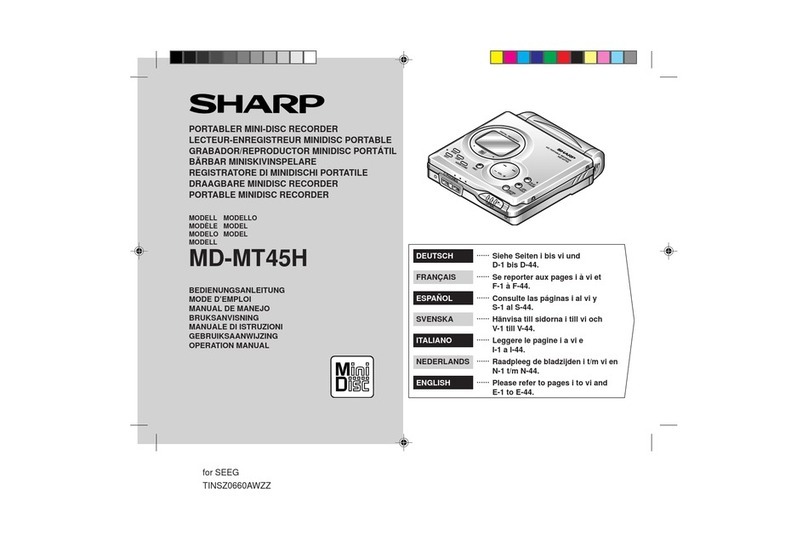
Sharp MD-MT877H User manual

PORTABLE MINIDISC
RECORDER
Thank you for purchasing this SHARP product.
For the best performance, read this manual carefully.
It will guide you in operating your SHARP product.
MODEL
MD-MT877H
If you require any advice or assistance regarding
your Sharp product, please visit our web-site
www.sharp.co.uk/support.
Customerswithoutinternetaccessmaytelephone
08705274277duringofficehours(or(01)6760648
if telephoning from Ireland).
OPERATION MANUAL

2Web-site: www.sharp.co.uk/support Help Line: 08705 274277 (office hours)
Accessories
Notes:
●Partsandequipmentmentionedinthisoperationmanual
other than those detailed above are not included.
●The AC adaptor may be different from the one in the
drawing.
Rechargeable
AC Adaptor Nickel-Metal
Remote Control x 1 Earphones x 1
(RADPA8046AWZZ) x 1
Hydride Battery Battery Charger x 1
(AD-N55BT) x 1
Battery Carrying Connection Cable Connection Cable
Case x 1 (for analogue (for digital Carrying Bag x 1 Battery Case x 1
recording) x 1 recording) x 1
2

DEUTSCH
FRANÇAIS
ESPAÑOL
SVENSKA
ITALIANO
NEDERLANDS
ENGLISH
3
Web-site: www.sharp.co.uk/support Help Line: 08705 274277 (office hours)
Contents
Important Introduction
Special Notes................................................ 4-5
Precautions.......................................................6
Names of Controls and Indicators .............. 7-9
Battery Charger .........................................10-11
Power Source
Using with the Rechargeable Battery..... 12-13
Using with the AC Adaptor ............................14
Using with the Alkaline Battery.....................15
Preparation
Hold Function .................................................16
Inserting a MiniDisc .......................................17
Connections.............................................. 18-19
Basic Operation
Recording.................................................. 20-23
Playback.................................................... 24-26
3
Useful Features
Advanced Playback.................................. 27-29
Advanced Recording ............................... 30-35
Recording from a Microphone ................ 36-38
Checking Displays ................................... 39-40
Changing Default Settings ...................... 41-42
Advanced Features
Titling a MiniDisc...................................... 43-47
Editing a Recorded MiniDisc................... 48-50
Listening to a MiniDisc Through a Stereo
System or a Car Stereo ................................51
References
Other Features and Caution ..........................52
MiniDisc System Limitations.........................53
Error Messages ........................................ 54-55
Troubleshooting ....................................... 56-57
Maintenance....................................................57
Specifications ........................................... 58-59
TERMS OF GUARANTEE ..............Back cover

4Web-site: www.sharp.co.uk/support Help Line: 08705 274277 (office hours)
Important Introduction
– Special Notes –
Special Notes
NOTES FOR USERS IN THE U.K. AND
IRELAND
SERVICE INFORMATION
In the unlikely event of your equipment requiring re-
pair, please contact the dealer or supplier from whom
it was purchased. Where this is not possible, please
visit our web-site www.sharp.co.uk/support.
Customers without internet access may telephone
08705 274277 during office hours (or (01) 676 0648
if telephoning from Ireland).
Please note; all calls will be charged at local rate.
Certain replacement parts and accessories may be
obtained from our main parts distributor.
WILLOW VALE ELECTRONICS LTD.
0121 766 5414
In the unlikely event of this equipment requiring re-
pair during the guarantee period, you will need to
provide proof of the date of purchase to the repairing
company. Please keep your invoice or receipt, which
is supplied at the time of purchase.
Warnings
●The supplied AC adaptor contains no user serviceable
parts.
Never remove covers unless qualified to do so. It con-
tains dangerous voltages, always remove mains plug
from the main outlet socket before any service opera-
tion or when not in use for a long period.
●TheAC adaptor supplied with the MD-MT877H must not
be used with other equipment.
●To prevent fire or shock hazard, do not expose this ap-
pliance to dripping or splashing liquids.
No objects filled with liquids, such as vases, shall be
placed on the apparatus.
●Never use an AC adaptor other than the one specified.
Otherwise,problems or serious hazards maybe created.
Cautions
●When recording important selections, make a prelimi-
nary test to ensure that the desired material is properly
recorded.
●SHARP is not liable for damage or loss of your record-
ing arising from malfunction of this unit.

DEUTSCH
FRANÇAIS
ESPAÑOL
SVENSKA
ITALIANO
NEDERLANDS
ENGLISH
5
Web-site: www.sharp.co.uk/support Help Line: 08705 274277 (office hours)
●At full volume, prolonged listening to a personal stereo
may damage the user’s hearing.
This model complies with the law if used with the correct
earphones (model number RPHOH0176AFSA).
If the earphones are damaged in any way, please order
using the model number given above.
●Use the Portable MiniDisc Recorder only in accordance
with the instructions given in this manual and do not at-
tempt to interfere with the interlock switch or make any
other adjustment as this may result in exposure to haz-
ardous radiation.
Notes
●Recording and playback of any material may require
consent, which SHARP is unable to give. Please refer
particularly to the provisions of the Copyright Act 1956,
the Dramatic and Musical Performers Protection Act
1958,the Performers ProtectionActs1963 and 1972 and
to any subsequent statutory enactments and orders.
●This equipment complies with the requirements of
Directives 89/336/EEC and 73/23/EEC as amended by
93/68/EEC.
●US and foreign patents licensed from Dolby Laborato-
ries.
●The letters in brackets contained in the model number
indicate the colour of the product only. Operation and
specifications are unaffected.
Special NotesSpecial Notes : continued
Important Introduction
– Special Notes –
●It is not recommendable to put the MiniDisc into a rear
pocket, as this may damage the product when sitting.

6Web-site: www.sharp.co.uk/support Help Line: 08705 274277 (office hours)
Important Introduction
– Precautions –
Precautions
Important
●Do not wear your earphones when you are crossing
streets or near traffic.
●Do not use your earphones whilst
driving a motor vehicle, it may create a
traffic hazard and may be illegal.
Remembertoobey allof thesafetyrules
in your area.
●Do not play the unit at a high volume.
Hearing experts advise against ex-
tendedlisteningathigh volume levels.
●If you experience ringing in your ears, reduce the vol-
ume or discontinue use.
●Nonaked flame sources, suchaslighted candles, should
be placed on the apparatus.
●Attention should be drawn to the environmental aspects
of battery disposal.
●The apparatus is designed for use in moderate climate.
●This portable MD should only be used within the range
of 0°C - 40°C (32°F - 104°F).
To avoid accidental electric shock or other possible
problems, observe the precautions listed below.
●Do not disassemble or modify the unit.
●Do not drop or subject the unit to shock.
●Do not use the unit near open flames.
●Do not spill liquid on the unit.
●Do not use an external power supply, other than the 5V
DC supplied with this unit, as it may damage it.
●
SHARPis notresponsible fordamagedue toimproper use.
Refer all servicing to a SHARP authorised service centre.
Storing the unit
Avoid using or leaving the unit in the following places.
●Places exposed to direct sunlight
for many hours (especially in cars
with the doors and windows
closed) or near heaters.
(The cabinet may deform, change
colouror the unit may malfunction.)
●Places exposed to water.
●Places exposed to excessive dust.
●Places where temperatures are ex-
cessively high or low.
●Places (bathrooms) where the hu-
midity is extremely high.
●Places with strong magnetic
fields such as TVs or loud-
speakers.
●Places exposed to vibration.
●Places where sand can easily en-
ter the inside of the unit (beaches
etc.).
●If the unit is used near radio tuners or TVs, noise and/or
picture interference may result. If you experience these
problems, move the unit away from such devices.

DEUTSCH
FRANÇAIS
ESPAÑOL
SVENSKA
ITALIANO
NEDERLANDS
ENGLISH
7
Web-site: www.sharp.co.uk/support Help Line: 08705 274277 (office hours)
Important Introduction
– Names of Controls and Indicators –
Names of Controls and Indicators
Main unit
1314 15
12
2
134
567
89
10
11
1. Record/Track Mark Button (20, 34)
2. Mode Button (29, 31, 41)
3. Volume/Cursor/Fast Forward/Fast Reverse/
Recording Level/Name Select Button
(20, 24, 27, 30, 41-45)
4. Stop/Power Off/Hold Button (16, 20, 24, 41)
5. Open Lever (17)
6. Display/Character Select Button (39, 40, 43)
7. Edit/Auto Mark/Time Mark Button (34, 38, 43-50)
8. Play/Pause Button (20, 24)
9. Enter/Fast Play/Synchro Button (28, 43-50)
10. Bass/Delete Button (24, 45)
11. Rechargeable Battery Cover (12)
12. Handstrap Holder
13. Optical/Line Input Socket (18, 19)
14. Microphone Input Socket (36)
15.
RemoteControl/Earphones/Line Output Socket(24)

8Web-site: www.sharp.co.uk/support Help Line: 08705 274277 (office hours)
Important Introduction
– Names of Controls and Indicators –
01. Level Meter
02. Record Indicator
03. Synchro Recording Indicator
04. Operation indicator
05. Long-play/Recording mode indicator
6. Character/Time Information Indicator
7. Repeat Indicator
8. Battery Indicator
9. Random Indicator
10. Track Number Indicator
11. TOC Indicator
12. Disc Name Indicator
Names of Controls and Indicators (continued)
1
2
3
4
5
6
7
8
9
10
11
12
Main unit display panel
3-colour LED
Various modes are indicated with three colours of lights.
Charging Light
ingstarting with yellow-green light.
Refresh Extinguishingstarting with orange light
after all the lights are lit.
Playback Flashing the colour of the activated
playback mode.
Recording Flashing the colour of the activated re-
cording mode.
Fast Forward
Flashingstarting with yellow-greenlight.
Fast Reverse Flashing starting with orange light.
Volume (+) Lightingstarting with yellow-greenlight.
Volume (–) Extinguishing instantly starting with or-
ange light after all the lights are lit.
TOC Reading: flashing at random.
Blue
Yellow-
green Orange

DEUTSCH
FRANÇAIS
ESPAÑOL
SVENSKA
ITALIANO
NEDERLANDS
ENGLISH
9
Web-site: www.sharp.co.uk/support Help Line: 08705 274277 (office hours)
01. Record Indicator
02. Track Number Indicator
03. Operation indicator
04. Character/Time Information Indicator
05. Battery Indicator
06. Random Indicator
07. Synchro Recording Indicator
08. Total Track Number Indicator
09. Long-play/Recording mode indicator
10. Repeat Indicator
Names of Controls and Indicators : continued
Important Introduction
– Names of Controls and Indicators –
Remote control display panel
1
8
679
2345
Remote control unit
1. Earphones Socket (24)
2. Fast Forward/Fast Reverse Button
3. Display Button
4. Play Mode Button (29)
5. Sound/Track Mark Button (26, 34)
6. Stop/Power Off Button (22, 26)
7. Play/Pause Button
8. Volume Button
9. Hold Switch (16)
1 2 3 45 6
78910

10 Web-site: www.sharp.co.uk/support Help Line: 08705 274277 (office hours)
Important Introduction
– Battery Charger –
Battery Charger
There are two different ways to use the battery charger one is to use it as a normal battery charger, the
other is to use it with an AC adapter by attaching the portable MD to the battery charger.
1. Remote Control Holder (11)
(You can hang the remote control on it.)
2. Lock Detector
3. Hook For Fixing The Main Unit
4. Charge/Operation Switch (10, 11)
5. Stand
6. AC Adaptor Connecting Socket (18, 19)
Names Setting
CHARGE
OPERATION
1
2
3
4
●Before setting the portable MD to the battery charger, make
sure the battery charger is in charge mode (CHARGE). If you
insert the portable MD by force whilst in operation mode
(OPERATION), the hook for fixing the portable MD may break.
●Operating whilst in charge mode, “CHARGEmode” will appear
and no operation is possible.
Face the top
toward you.
Caution:
Charge
mode
1
4
5
6
3
2
CHARGE
OPERATION
Other manuals for MD-MT877H
2
Table of contents
Other Sharp CD Player manuals

Sharp
Sharp IM-DR580H(S) User manual
Sharp
Sharp MD-MT90W User manual

Sharp
Sharp MD-MT190H User manual

Sharp
Sharp CD-BK147V User manual

Sharp
Sharp MD-MS701H User manual
Sharp
Sharp MD-MT170E User manual

Sharp
Sharp MS722 - MiniDisc Recorder - Metallic User manual

Sharp
Sharp CD-BK280V User manual

Sharp
Sharp MD-SR60E User manual
Sharp
Sharp MD-DR470H User manual

Sharp
Sharp QT-CD210 User manual

Sharp
Sharp MD-SR75H User manual

Sharp
Sharp MD-MT15H User manual
Sharp
Sharp QT-CD80H Quick start guide
Sharp
Sharp MD-MT877H User manual

Sharp
Sharp MD-MT99H User manual
Sharp
Sharp MD-MT99C User manual

Sharp
Sharp MD-T60H User manual

Sharp
Sharp DX-55HM User manual

Sharp
Sharp MD-S301H2 User manual