SEAL IMAGE 80S User manual
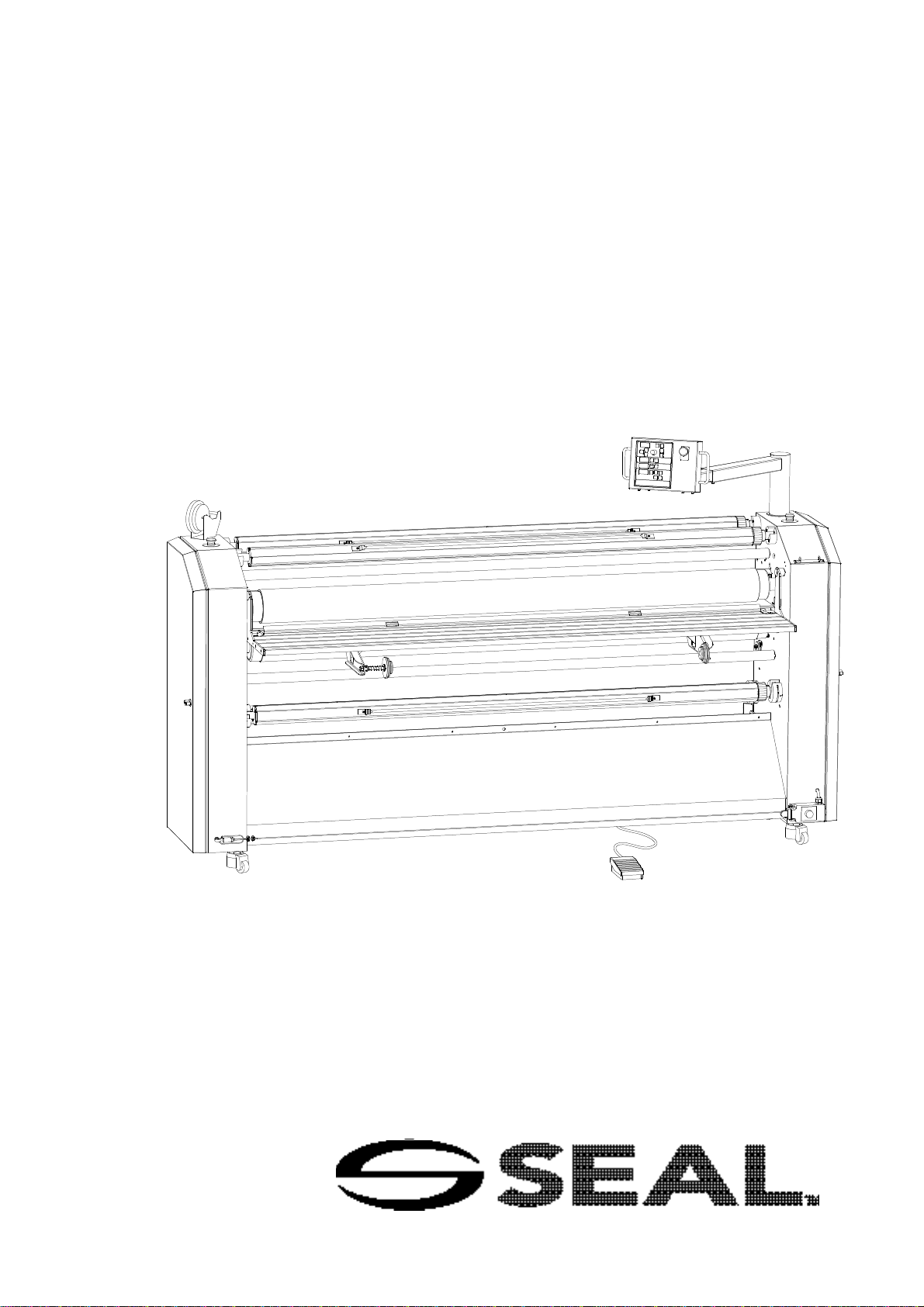
Owner’s manual
IMAGE 80S


Owner’s manual IMAGE®80S
Foreword
We would like to thank you for purchasing the IMAGE 80S laminating machine, a
laminating machine designed to give you many years of reliable use. The IMAGE 80S
is easy to use and will produce a high quality end result.
By following the instructions in this manual for correct usage and maintenance you will
be able to profit from your investment for many years to come. With the aid of the
user’s manual you will quickly learn the necessary actions for the correct use of the
IMAGE 80S.
Version 2.0
12 December 1999


Owner’s manual IMAGE®80S
Contents
INTRODUCTION 5
1 Installation Information .....................................................................7
1.1 Unpacking the Laminator .....................................................................7
1.2 Laminator Identification........................................................................9
1.3 Environmental Conditions ....................................................................10
1.4 Working area........................................................................................11
2Description of the Laminator ............................................................13
2.1 Identification of Parts............................................................................13
3Safety and warranty information ......................................................17
3.1 Warnings..............................................................................................18
3.2 Safety Features....................................................................................20
4Control Panel Information.................................................................25
4.1 Control Panel Overview........................................................................25
4.2 Control Panel Functions.......................................................................27
4.3 Using the foot pedal.............................................................................36
5Set-up and operating of the IMAGE®80S.........................................39
5.1 Laminator set-up..................................................................................39
5.2 Pre-Coating Boards..............................................................................41
5.3 Mounting Images to Pre-coated Boards...............................................43
5.4 Applying an Over-Laminate to a Mounted Image .................................44
5.5 Decaling...............................................................................................46
5.6 Mounting Laminated Decals.................................................................49
6Cleaning and maintenance................................................................51
6.1 Cleaning the IMAGE®80S ...................................................................51
6.2 Maintenance of the IMAGE®80S .........................................................52
6.3 Troubleshooting...................................................................................53
APPENDICES............................................................................................55
Accessories.................................................................................................... 56
Speed / Pressure / Temperature settings ....................................................... 57
Process Fault Diagrams ................................................................................. 58
Glossary of Laminating Terms........................................................................ 59
Technical specifications.................................................................................. 60

Owner’s manual IMAGE®80S4
LIMITED WARRANTY ON IMAGE®LAMINATORS
Hunt Graphics warrant to the original consumer purchaser that all new
Image laminators that prove defective in materials or workmanship within the
applicable warranty period will be repaired or, at our option, replaced without charge.
The applicable warranty shall be one year from date of purchase with the exception of
silicone roll coverings that will be six months from date of purchase.
"Original consumer purchaser" means the person whom first purchased the product
covered by this warranty other than for purpose of resale. The warranty extends to and
is enforceable by only the original consumer purchaser, and only for the period (during
the applicable term) which the product remains in the possession of the original
consumer purchaser.
For more information regarding this warranty, please contact your distributor.
WARNING! Changes or modifications to this unit not expressly approved by the
party responsible for compliance could void the user's authority to
operate the equipment.
WARNING! Any unauthorized changes or modifications to this unit without
our prior written approval will void the user's warranty and will
transfer health and safety obligations to the user.
WARNING! This machine is designed for mounting and laminating. Any use
other than the intended may cause damage to the machine or
physical harm to the user.
Note: This equipment has been tested and found to comply with the limits for a class A
digital device, pursuant to part 15 of the FCC rules.
These limits are designed to provide reasonable protection against harmful interference
when the equipment is operated in a commercial environment.
This equipment generates uses and can radiate radio frequency energy and, if not
installed and used in accordance with Owner’s Manual, may cause harmful
interference to radio communications.
Operation of this equipment in a residential area is likely to cause harmful interference
in a residential area is likely to cause harmful interference in which case the user will
be required to correct the interference at his own expense.

Owner’s manual IMAGE®80S 5
LIABILITY
The details given in this manual are based on the most recent information available to
us.
They may be subject to change in the future.
We retain the right to make changes to the construction or the design of our products
without accepting any responsibility for modifying laminators previously delivered.
We would like to thank you for purchasing the IMAGE 80S laminator, a laminator
designed to give you many years of reliable service. The IMAGE 80S is easy to use
and will produce a high quality finished product.
INTRODUCTION
This manual refers to the IMAGE 80S mounting and laminating machine. The manual
contains information that is important for the correct operation and maintenance of the
laminator. In addition, the manual contains relevant instructions for the prevention of
accidents or serious damage, which may occur while operating the laminator.
By following the instructions in this manual for correct usage and maintenance you will
be able to profit from your investment for many years to come. Using your Owner’ s
Manual you will quickly learn the necessary procedures for the correct use of the
IMAGE 80S.

Owner’s manual IMAGE®80S6
Symbols used in this owner’s manual
Pay extra attention to the passages marked with this symbol.
This information is particularly important for the operation and
maintenance of the IMAGE®80S.
+Passages marked this way offer an idea/tip or offer information on the efficient
use of the laminator.
++ Before operating the laminator for the first time, read through the Owner’ s
Manual carefully and make yourself thoroughly familiar with the functioning and
operation of the laminator. Follow the instructions exactly.
If, after reading this manual you still have questions concerning the IMAGE®80S, or
you need more information regarding particular aspects of the laminator, contact your
supplier.
Owner’s manual IMAGE®80S 7
1Installation information
UNPACKING, SET-UP AND INSTALLATION MUST BE PERFORMED BY TRAINED
PERSONNEL.
The IMAGE®80S is delivered on a pallet and is packaged in plastic to prevent moisture
penetration. A cardboard box is placed over the plastic.
For unpacking, location and installation, follow the instructions in the manual.
1.1 Unpacking the Laminator
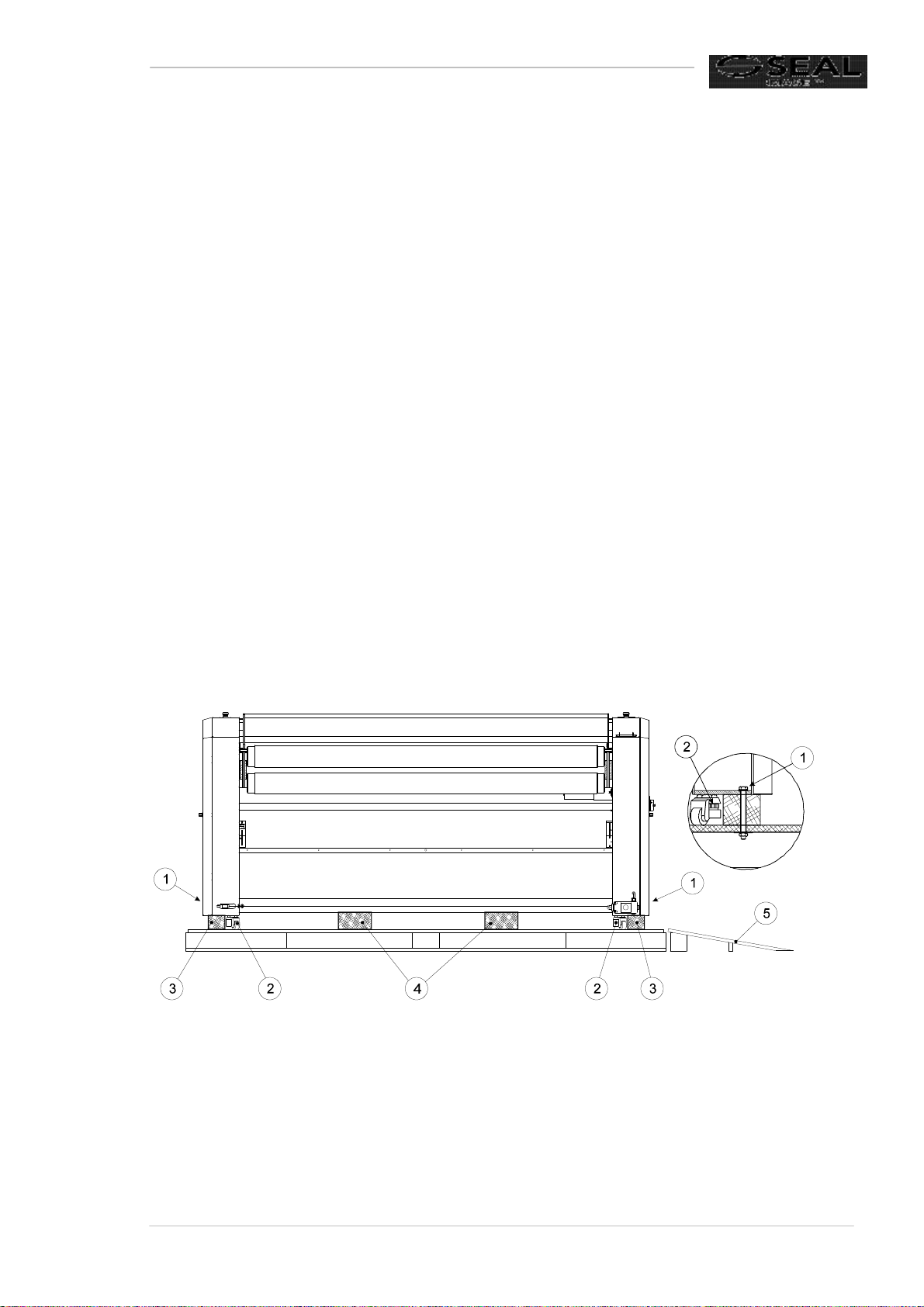
Unpack the laminator in the order of the following steps, which correspond to the
numbers in Figure 1. This figure shows how the laminator is mounted on the pallet.
1Remove the steel bands that are fixed over the box and lift the box off the
machine. Remove the protective plastic covering and the loose components
(control panel, combi-pack and accessory box).
The plastic can be used later as a dust cover.
The machine is attached to the pallet with four transport bolts. Open the doors
of the cabinets and remove the four bolts with the aid of the 19 mm wrench
supplied with the laminator. The bolts are located inside the cabinet.
Figure 1
2Turn down the adjustable feet to raise the laminator off the wooden support
blocks using a 10 mm hex key on the bolt head inside the cabinet and a no. 12
open-ended wrench on the red disc.
Owner’s manual IMAGE®80S8
3Remove the wooden blocks (3) from beneath the outer edges of the cabinets
which the transport bolts pass through.
4Turn the support blocks under the laminator to allow the laminator to be rolled
off the pallet. Screw the adjustable feet upwards, so that the laminator is
supported on its moveable castor wheels.
Step 5 must be performed by two or more persons.
Never do this alone.
5Roll the laminator off the pallet using the board ramp and push the laminator to
the location where it is to be used.
6Use a spirit level to level the laminator. Place the spirit level on the front table to
level the laminator in the longitudinal direction. Next place the spirit level on
both side cabinets to level in the transverse direction.
A registered installer must do the following steps!
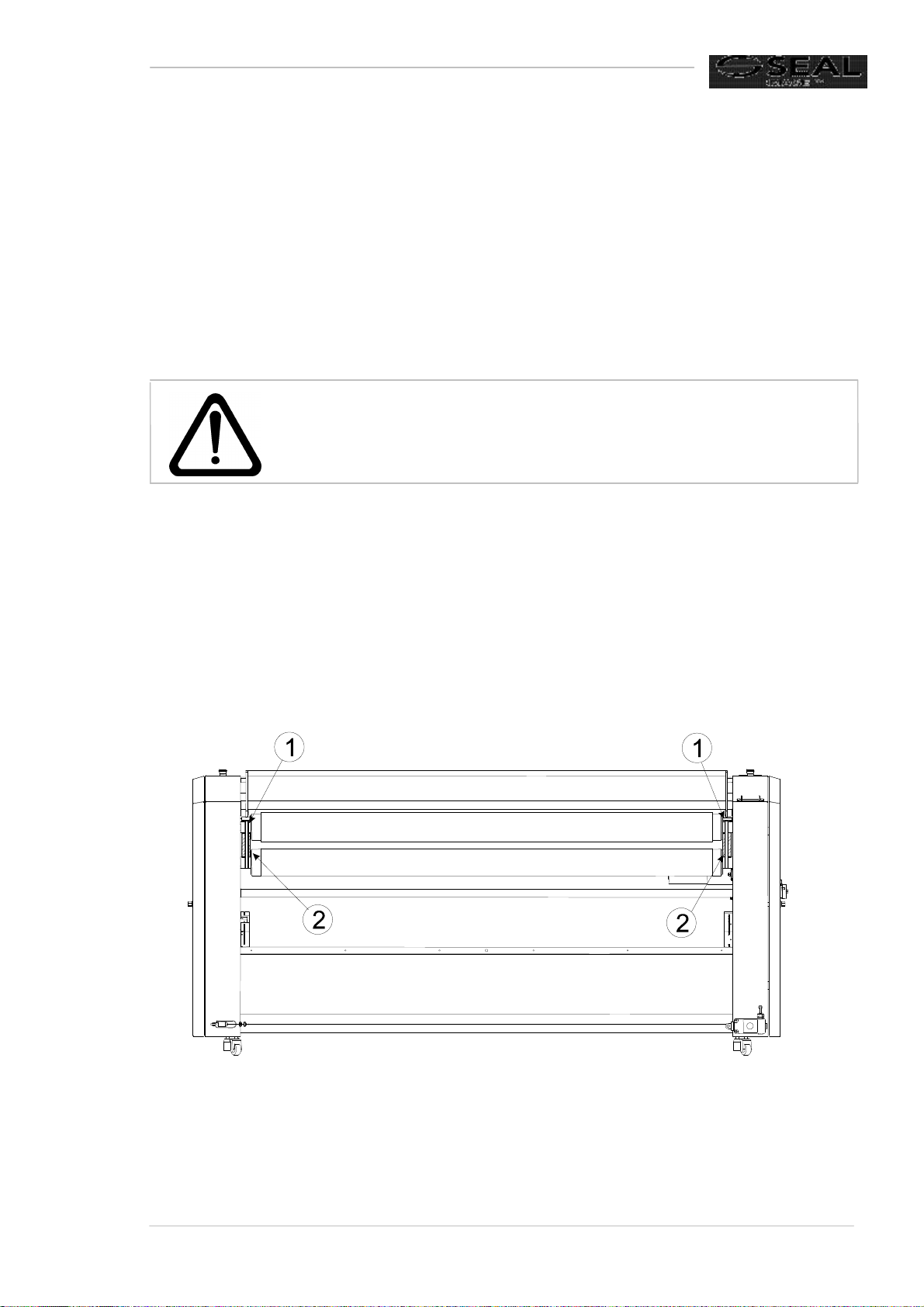
7Cut through the straps (1) holding the rollers in position (see Figure 2).
Figure 2
8Install the control panel arm and the heating element (see paragraphs I and II in
the Installation manual).
Table of contents
Other SEAL Laminator manuals

SEAL
SEAL 65ProMD User manual

SEAL
SEAL Image 6500 XT Instructions for use

SEAL
SEAL 44 Ultra Laminator Instructions for use

SEAL
SEAL Image 410 Instructions for use

SEAL
SEAL 54 EL User manual

SEAL
SEAL 80Pro User manual

SEAL
SEAL AquaSEAL SW-4000 Instructions for use

SEAL
SEAL 44/62 Ultra Plus User manual

SEAL
SEAL 54Base User manual

SEAL
SEAL SEAL 44/62 User manual

SEAL
SEAL 62Pro User manual

SEAL
SEAL Image 400-C User manual

SEAL
SEAL AquaSEAL SW-5000 User manual

SEAL
SEAL PROSEAL 44 Instructions for use

SEAL
SEAL Image 6500 User manual

SEAL
SEAL 44 Ultra Laminator Instructions for use

SEAL
SEAL 62C User manual

SEAL
SEAL 62Base User manual

SEAL
SEAL AquaSEAL SW-2600 Instructions for use

SEAL
SEAL 18XE Instructions for use