
Scientific SMM5055 User manual
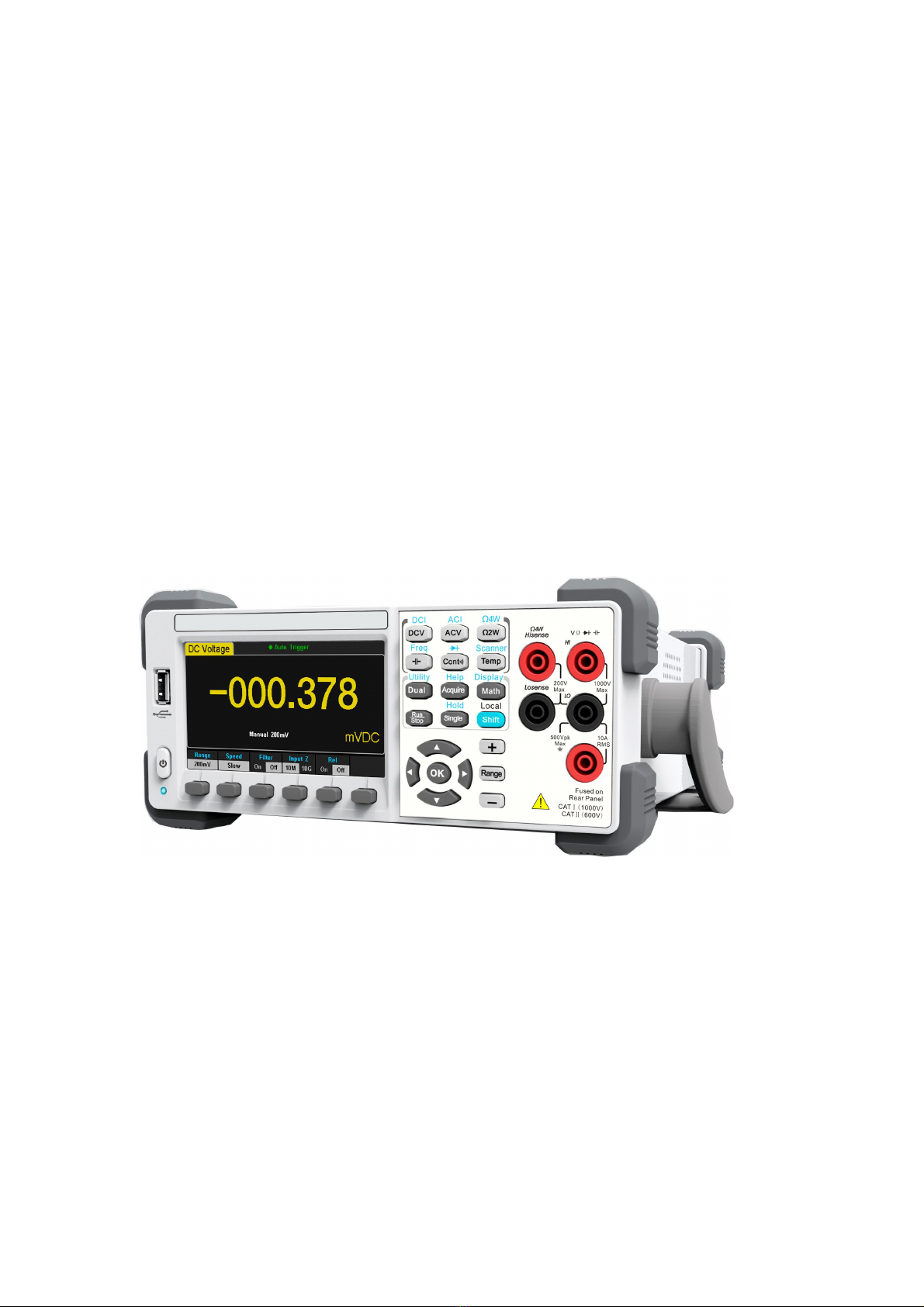
User Manual
Digital Multimeter

II Digital Multimeter
General Safety Summary
Read the following safety precautions carefully to avoid any personal injuries
or damages to the instrument and any products connected to it. To avoid
potential hazards, please use the instrument as specified.
Use proper power line.
It’s only allowed to use the special power line which is approved by local
state.
Ground the instrument.
The instrument is grounded through the protective terra conductor of the
power line. The ground conductor must be connected to the earth to avoid
electric shock. Make sure the instrument is grounded correctly before
connecting its input or output terminals.
Connect the signal wire correctly
The potential of the signal wire is equal to the earth, so do not connect the
signal wire to a high voltage.
Observe all terminal ratings
Please observe all ratings and sign instructions on the instrument to avoid fire
or electric shock. Before connecting the instrument, please read the manual
carefully to gain more information about the ratings.
Do not operate with suspected failures
If you suspect that the product is damaged, please contact the
manufacturer’s qualified service personnel to inspect it. Any repair and
adjustment to the product or replacing a component should be done by
qualified personnel only.
Avoid circuit or wire exposure
Don’t touch exposed contacts or components when the power is on.
Don’t operate without covers.
Don’t operate the instrument with covers or panels removed.
Use proper fuse.
It’s only allowed to use the specified fuse for the instrument.
Use proper over-voltage protection.
Make sure there is no over-voltage (like voltage caused by thunder and

Digital Multimeter III
lightning) reaching to the instrument, otherwise the operator may suffer an
electric shock.
Antistatic protection.
Static electricity will cause damages to the instrument, so test in antistatic
areas as far as possible. Ground its inner and outer conductors to release the
static electricity temporarily before connecting the cable to the instrument.
Keep good ventilation.
Improper ventilation will cause the rise of the instrument’s temperature. Keep
good ventilation and check the vent and fan regularly when using it.
Keep the surface of the instrument clean and dry.
Do not operate in wet or damp conditions.
Do not operate in flammable or explosive environment.
The disturbance test of all the models meets the limit values of A in the
standard of EN 61326-1:2013.
Input terminal protection limitation
Protection limitation is defined for the input terminal:
1. Main input(HI and LO)terminal
HI and LO terminals are used for Voltage, Resistance, Capacitance,
Continuity, Frequency and Diode measurement. Two protection limitations
are defined:
HI-LO protection limitation: 1000VDC or 750AVC. It’s the maximum
measurable voltage. The limitation can be expressed as 1000Vpk.
LO-ground protection limitation :LO terminal can “float” 500Vpk
relative to the ground safely. The maximum protection limitation of HI terminal
relative to the ground is 1000Vpk. Therefore, the sum of the “float” voltage
and the measured voltage can’t exceed 1000Vpk.
2. Sampling (HI Sense and LO Sense) terminal
HI Sense and LO Sense are used for 4-wire Resistance measurement. Two
protection limitations are defined:
HI Sense-LO Sense protection limitation: 2000Vpk.
LO Sense-LO Sense protection limitation: 2Vpk.

IV Digital Multimeter
3. Current input (I) terminal
I and LO terminals are used for current measurement. The maximum
current which go through the I terminal is limited to 10A by the fuse on the
back panel.
NOTE:
Voltage on the current input terminal corresponds to voltage on LO terminal.
To keep good protection, only use the fuse of specified type and level to
replace this fuse.
IEC Measurement Category II Over-voltage Protection
Digital Multimeter provides over-voltage protection for line-voltage mains
connections meeting both of the following conditions to avoid the danger of
electric shock:
The HI and LO input terminals are connected to the mains under
Measurement Category II conditions as following.
The maximum line voltage of the mains is 600VAC.
WARNING:
IEC Measurement Category II includes electrical devices connected to mains
at an outlet on a branch circuit, such as most small appliances, test
equipments, and other devices that plug into a branch outlet or socket.
Digital Multimeter is capable of making measurements with the HI and LO
inputs connected to mains in such devices (up to 600VAC) or the branch
outlet itself. However, the HI and LO terminals of Digital Multimeter can’t be
connected to mains in permanently installed electrical devices such as the
main circuit-breaker panels, sub-panel disconnected boxes and permanently
wired motors. Such devices and circuits are prone to exceed the protection
limits of Digital Multimeter.
NOTE:
Voltages above 600VAC only can be measured in circuits that are isolated
from mains. However, there may be transient over-voltage in circuits that are
isolated from mains. Digital Multimeter is able to withstand occasional
transient over-voltage up to 4000Vpk. Please don’t use this instrument to
measure circuits that transient over-voltage may exceed this level.
Digital Multimeter V
Safety Terms and Symbols
Terms in this manual. Terms may appear in this manual.
Terms used on the instrument. Terms may appear on the instrument:
DANGER indicates an injury or hazard that may immediately happen.
WARNING indicates an injury or hazard that may not immediately happen.
CAUTION indicates that a potential damage to the instrument or other
property might occur.
Symbols used on the instrument. Symbols may appear on the instrument.
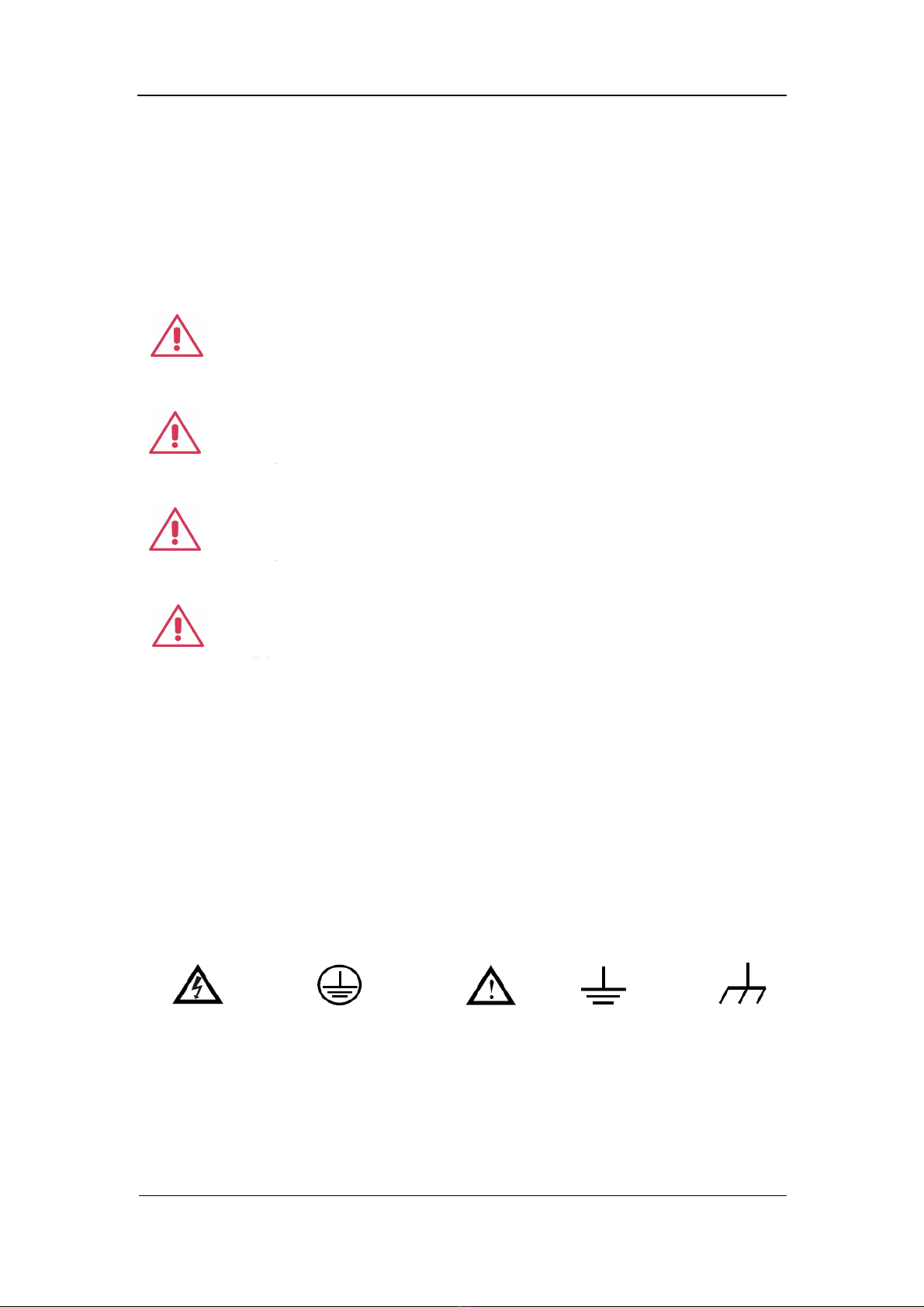
WARNING: Warning statements indicate the conditions and
behaviors that could result in injury or loss of life.
CAUTION: Caution statements indicate the conditions and
behaviors that could result in damage to this product or other
properties.
CAT I (1000V): IEC Measurement Category I. The highest
measurable voltage is 1000Vpk in the HI-LO terminal.
properties.
CAT II (600V): IEC Measurement Category II. Inputs may be
connected to mains (up to 600VAC) under Category II overvoltage
conditions.
Hazardous
Voltage
Protective Earth
Ground
Warning Test
Ground
Chassis
Ground

VI Digital Multimeter
Introduction of Digital Multimeter
Digital Multimeter is a 5½ dual-display instrument designed with 5½ digits
readings resolution and dual-display, especially fitting to the needs of
high-precision, multifunction, and automation measurements. It realized a
combination of basic measurement functions, multiple math functions, and
display functions, etc.
Digital Multimeter holds a 4.3 inch color TFT-LCD display screen. Its clear
keyboard layout and operation hints make it easier and agility to use. Besides,
it supports multi-interface such as USB Device & Host, LAN and GPIB, which
can meet users’ demand furthest.
Main Features:
4.3 inch color TFT-LCD display screen with 480*272 high resolutions
Real 5½ digits readings resolution
Up to 150rdgs/S measurement speed
True-RMS AC Voltage and AC Current measurements
1 Gb Nand Flash size, mass storage configuration files and data files
Built-in cold terminal compensation for thermocouple
Support standard SCPI and control software on PC, compatible with
commands of main stream multimeters
Supports dual-display function, Chinese and English menu
Built-in help system, convenient to acquire information
Support USB Device, USB Host, LAN, and GPIB interfaces
Configuration and measured data can be imported or exported via VXI 11,
USBTMC and USB flash drive, which is convenient for users to modify,
view and backup

Digital Multimeter VII
Abstract
The manual mainly introduces corresponding information of operating the
Digital Multimeter. It contains these chapters:
Chapter 1 Quick Start
Guide you to prepare the Digital Multimeter and know about the Front/Back
panel and user interface.
Chapter 2 Function and Operation
Introduce the functions and operations of Digital Multimeter in details.
Chapter 3 Application Examples
Introduce you how to use strong measurement functions of this instrument
easily through some examples.
Chapter 4 Measurement Tutorial
Guide you to eliminate the errors that may appear during your measurement
and obtain accurate result.
Chapter 5 General Troubleshooting
Provide you some general troubleshooting.
Chapter 6 Appendix
Provide you information about accessories, warranties, troubleshooting,
services and supports.

VIII Digital Multimeter
Content
General Safety Summary............................................................................... II
Safety Terms and Symbols .......................................................................... V
Introduction of Digital Multimeter ............................................................... VI
Abstract ....................................................................................................... VII
Content ....................................................................................................... VIII
Chapter 1 Quick Start ................................................................................ 1
General Inspection .................................................................................... 2
To adjust the Handle ................................................................................. 3
Front Panel ............................................................................................... 4
Back Panel ................................................................................................ 5
Power On .................................................................................................. 6
User Interface ........................................................................................... 7
Chapter 2 Function and Operation ........................................................... 8
To Select Measurement Range ................................................................ 9
To Select Measurement Speed .............................................................. 11
Basic Measurement Functions ................................................................ 12
To Measure DC Voltage .................................................................. 13
To Measure DC Current .................................................................. 15
To Measure AC Voltage .................................................................. 17
To Measure AC Current ................................................................... 19
To Measure 2-Wire/4-Wire Resistance ............................................ 21
To Measure Capacitance ................................................................. 25
To Measure Frequency or Period .................................................... 27
To Test Continuity............................................................................ 31
To Test Diode .................................................................................. 33
To Measure Temperature ................................................................ 35
Measurement Parameters ...................................................................... 38
AC Filter ........................................................................................... 38
DC Input Impedance ........................................................................ 39
DC input impedance selection: ................................................................... 39
Short-circuit Resistance ................................................................... 40
Short-circuit Resistance:............................................................................. 40
Dual-display Function ............................................................................. 41
Utility Function ........................................................................................ 43
Store and Recall .............................................................................. 44
Manage File ..................................................................................... 46
I/O Configuration.............................................................................. 48
Board Test ....................................................................................... 50
Firmware Update ............................................................................. 53
System Setup .................................................................................. 54

Digital Multimeter IX
Acquire.................................................................................................... 56
Auto Trigger ..................................................................................... 57
Sample Count ............................................................................................... 57
Single Trigger .................................................................................. 58
External Trigger ............................................................................... 59
Help System ........................................................................................... 60
Math Function ......................................................................................... 62
Statistics .......................................................................................... 64
Limits ............................................................................................... 66
The range of Limits function: ...................................................................... 67
dBm ................................................................................................. 68
dB .................................................................................................... 69
Relative Value.................................................................................. 70
Display Mode .......................................................................................... 71
Trigger .................................................................................................... 77
Hold Measurement Function ................................................................... 78
Chapter 3 Application Examples ............................................................ 79
Example 1: Reading Statistic Functions.................................................. 80
Example 2: To Eliminate Leads Impedance ............................................ 81
Example 3: dBm Measurement ............................................................... 83
Example 4: dB Measurement .................................................................. 84
Example 5: Limits Test............................................................................ 86
Example 6: Thermocouple setting and measurement ............................. 88
Example 7: To Use Hold Measurement Function ................................... 90
Example 8: To Use Application Software EasySDM ............................... 92
Chapter 4 Measurement Tutorial ............................................................ 93
True RMS AC Measurement ................................................................... 93
Crest Factor Errors (non-sinusoidal inputs) ............................................ 94
Loading Errors (AC Voltage) ................................................................... 95
Application of the Analog Filter ............................................................... 96
Chapter 5 General Troubleshooting....................................................... 97
Chapter 6 Appendix ................................................................................. 98
Appendix A: Accessories ........................................................................ 98
Appendix B: Daily Maintenance and Cleaning ........................................ 99

Table of contents
Popular Multimeter manuals by other brands


Gossen MetraWatt
Gossen MetraWatt METRAmax 6 operating instructions

PeakTech
PeakTech 4000 Procedure of calibration

YOKOGAWA
YOKOGAWA 90050B user manual

Gossen MetraWatt
Gossen MetraWatt METRALINE DMM16 operating instructions

Fluke
Fluke 8846A Programmer's manual

Tempo Communications
Tempo Communications MM200 instruction manual


