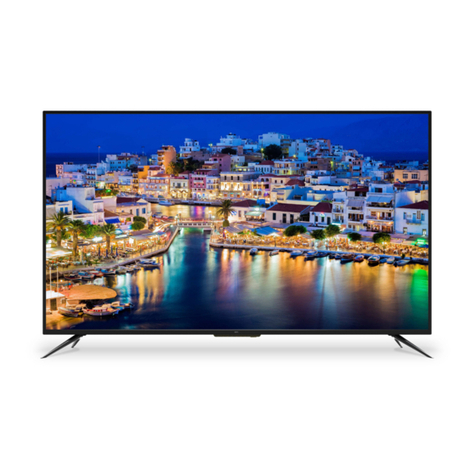
Sanyo XT-43FHD4S User manual

Product page
(FHD)
XT-43FHD4S
LED TV
Need help? Please Call at Toll Free No. 1800 419 5088
To obtain a more detailed Electronic Copy of this
Manual or much further contents,go to product page
at our website www.sanyoappliance.in
Thank you for purchasing this Sanyo product.
Please read these instructions carefully before operating this
Product and retain them for future reference.
The images shown in this manual are for illustrative purposes only.
Y
E
A
R
S

2
Table of Contents
13
13
14
9
TV Controls.......................................................................................................................................................
Remote Control ................................................................................................................................................ 11
...................................................................................................................................................
Switching off .....................................................................................................................................................
Google-Initial Setup...........................................................................................................................................
Switching on
Network Connection .........................................................................................................................................
30
Disclaimer about Using Smart Features...........................................................................................................
Chapter 5: Other Information
AudioLink Application Guide.............................................................................................................................
Troubleshooting ............................................................................................................................................... 23
26
22
Multimedia ........................................................................................................................................................
Chapter 1: Introduction
Use Environment ..............................................................................................................................................
Cleaning ..........................................................................................................................................................
Hanging the TV Set on the Wall .......................................................................................................................
............................................................................................................................................................
Symbol .............................................................................................................................................................
Installing/Removing Remote’s Batteries ..........................................................................................................
Precautions for Using Remote Control ............................................................................................................
Caution
Pedestal Installation..........................................................................................................................................
Warning ............................................................................................................................................................
Standard Accessories.......................................................................................................................................
4
4
4
4
6
6
8
6
7
7
Optional Accessories.........................................................................................................................................
Chapter 2: Basic Features
Chapter 3: Connections and Setup
12
Chapter 6: Technical Information
Do’s & Don’t: E waste (Management) Amendment Rules 2018 ...................................................................... 29
27
Supported file format in Media Player...............................................................................................................
Maintenance..................................................................................................................................................... 30
Specifications.................................................................................................................................................... 31
3
Chapter 4: General Operation
20
20
21
18
18
18
19
Picture & Display ..............................................................................................................................................
Sound................................................................................................................................................................
Smart Zone .......................................................................................................................................................
Accessing channels ..........................................................................................................................................
Watching connected devices ............................................................................................................................
Volume...............................................................................................................................................................
18
Using System Settings .....................................................................................................................................
21
System................................................................................................................................................................
Channels Setup .................................................................................................................................................
16
Using Homepage ..............................................................................................................................................
Warranty Card....................................................................................................................................................32
TV - Initial Setup ............................................................................................................................................... 15
18
Using Quick Access Menu.................................................................................................................................
ATTENTION:
This product is qualified for the BEE Star rating in the ‘Home’ Mode. The Objectives of Star Labeling Program is designed to promote energy
efficient products and practices. When the television is initially set up, it is designed to meet the BEE Star Labeling requirements while
maintaining optimum picture quality.
Changes to certain functionalities of this television (TV Guide, Picture/sound etc) may change the power consumption.
Depending upon such changed setting (eg., Shop mode), the power consumption may vary which possibly could exceed the stated
energy consumption.
To reset the television to Star rating qualified settings, select ‘Home’ mode from the initial set-up.

3


Note the correct
polarity (+ or -)
wipe down
the cover
Batteries (2)
(AAA size)

4screws
ST4x20
200
100
12
10
4 4
10
12
M6 M6
AV IN Cable
Productpage
(FHD)
XT-43FHD4S
LED TV
Need help? Please Call atToll Free No. 1800 419 5088
Toobtain a more detailed Electronic Copy of this
Manualor much further contents,go to product page
atour website www.sanyoappliance.in
Thankyou for purchasing this Sanyo product.
Pleaseread these instructions carefully before operating this
Productand retain them for future reference.
Theimages shown in this manual are for illustrative purposes only.
Y
E
A
R
S
Batteries (2)
(AAA size)

Screws (4 pcs)
ST4x20
43

Note:The location and names of the function buttons and
power button on the TV may vary according to TV model.
1. \ button
Scans up/down through the channel list.In the
menu system, they act like the up/down direction
buttons on the remote and adjust menu controls.
2. \ button
Increases/decreases the volume.In the menu
system,they act like the right/left direction
buttons on the remote and adjust
/button3.
3
9
TV Control Button:
This output can be used to connect a compatible digital
audio receiver.
7
Optical cable
Amplifier with
speaker system
OPTICAL
out
Digital Audio Out
Turns the TV on or standby.The TV is on,short
press it to comfirm items, and long press it,
brings up the NAV menu.
LAN USB 2 .0
5V 500 mA MAX HEADPHONE HDM I 1
(So und Out )
HDM I 2HDM I 3
ANTENNA
IN
AV IN
DIG ITAL
AUD IO OUT

5
6
4
10
1
HEADPHONE
HEADPHONE
Headphone cable
7.HEADPHONE
Allow you to connect earphones to listen to
the sound coming from the TV.
Note: Excessive sound pressure from earphones
can cause hearing loss.
Table of contents
Other Sanyo LED TV manuals

Sanyo
Sanyo XT-43S8100FS User manual

Sanyo
Sanyo XT-32A081H User manual

Sanyo
Sanyo XT-50UHD4S User manual

Sanyo
Sanyo LCD-27XR1 User manual

Sanyo
Sanyo LED-32XR10F User manual

Sanyo
Sanyo XT-43UHD4S User manual

Sanyo
Sanyo LED-DP32242 User manual

Sanyo
Sanyo LED-32XR10FH User manual

Sanyo
Sanyo XT-32RHD4S User manual

Sanyo
Sanyo FW32D06F User manual

Sanyo
Sanyo XT-43S7200F User manual

Sanyo
Sanyo XT-24S7000F User manual

Sanyo
Sanyo XT-49S7200F User manual

Sanyo
Sanyo XT-32S7201H User manual

Sanyo
Sanyo LED-19XZ11 User manual

Sanyo
Sanyo XT-43S7300F User manual

Sanyo
Sanyo DP39842 User manual

Sanyo
Sanyo LED-22XR10F User manual

Sanyo
Sanyo XT-32S7200H User manual