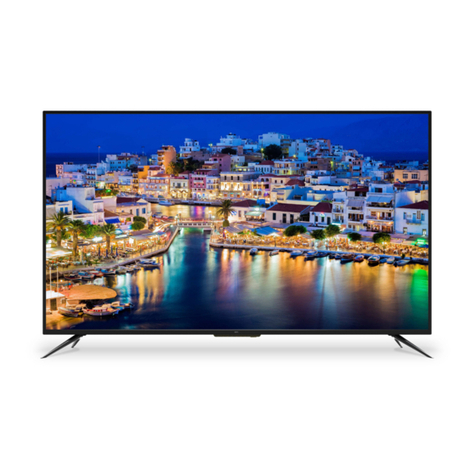
Salora LED39UAT User manual

39” LED TV and Digital
MPEG4 DVB-T2/C Tuner
LED39UAT


6
22-23
Contents
Contents
Safety Precautions
Caution............................................................................................................................................................... 1
Safety Information..............................................................................................................................................
Power Supply.....................................................................................................................................................
Installation .........................................................................................................................................................
Use and Maintenance .....................................................................................................................................
User Guidance Information
Names of each part(Back View) ........................................................................................................................ 7
Names of each part(Front View) / Accessories .................................................................................................
Remote control .................................................................................................................................................. 8-9
Basic Operation
Basic Operation ................................................................................................................................................. 10
OSD Menu
1. CHANNEL Menu ...........................................................................................................................................
2. PICTURE Menu ............................................................................................................................................
4. TIME Menu ...............................................................................................................
..................................
5. LOCK Menu .................................................................................................................................................
6. SETUP Menu .................................................................................................................................................
Recording Operation
EPG Menu............................................................................................................................................... 24
Recording Operation .........................................................................................................................................
Multimedia Operation
Multimedia Operation ........................................................................................................................................
3. SOUND Menu ...............................................................................................................................................
Trouble shooting .............................................................................................................................................. 25
Specifications .................................................................................................................................................... 26
Maintenance and Service
19-21
18
11-12
14
15
16-17
13
2
3
4
5

Safety Precautions
1
Caution
intended to alert the user to the presence of un-insulated “dangerous voltage”
a risk of electric shock to the persons.
The exclamation point within an equilateral triangle is intend to alert the user to
the presence of important operating and maintenance (servicing) instructions in
the literature accompanying the appliance.
WARNING
TO PREVENT DAMAGE WHICH MAY RESULT
IN FIRE OR ELECTRIC SHOCK HAZARD, DO
NOT EXPOSE THIS APPLIANCE TO RAIN OR
MOISTURE.
Correct Disposal of this Product
Waste of Electrical and Electronic Equipment (WEEE)
Your product is designed and manufactured with high quality materials and
components which can be recycled and reused. Electronic products can be
harmful to the environment and must therefore be disposed of separately from
other household waste in order to reduce damage to the environment. Batteries
must be disposed of in special containers for battery disposal. The EU has
separate waste collection systems, contact your local dealer or authority for
more information.
This unit complies with European safety and electrical interference directives.
This product has been manufactured according to current regulations for
according to safety instructions.
The product is manufactured according to current regulations within the EU
legislation, limiting the use of hazardous substances in electrical and electronic
equipment (RoHS Directive 2011/65/EU).

Safety Precautions
2
Safety Information
The purpose of these precautions
is to ensure user safety and
prevent property damage.
Be sure to read and
observe all safety
precautions.
The following precautions are divided into
“Warnings“ and “Cautions“.
Warning: Ignoring this precaution may result
in death or serious injury.
Caution: Ignoring this precaution may result
in injury or property damage.
1. Read these instructions.
2. Keep these instructions.
3. Follow all instructions.
4. Heed all warnings.
5. The appliance is only for domestic use.
6. Do not use this apparatus near water.
7. Clean only with a dry cloth.
8. Do not block any of the ventilation openings. Install in accordance with the manufacturer’s
instructions.
9. Do not install near any heat sources such as radiators, heat registers, stoves, or other
10. Do not defeat the safety purpose of the polarized or grounding type plug. A polarized plug
has two blades with one wider than the other. A grounding type plug has two blades and a
third grounding prong. The wide blade or the third prong is provided for your safety. When the
outlet.
11. Protect the power cord from being walked on or pinched particularly at plugs, convenience
receptacles, and the point where they exit from the apparatus.
12. .
13. Unplug this apparatus during lightning storms or when unused for long periods of time.
14.
been damaged in any way, such as power supply cord or plug is damaged, liquid has been
spilled or objects have fallen into the apparatus, the apparatus has been exposed to rain or
moisture, does not operate normally, or has been dropped.
15.
as vases, shall be placed on the apparatus.
16. , or sold with
the apparatus. When a cart is used, use caution when moving the cart/apparatus combination
to avoid injury from tip-over.

Safety Precautions
Power Supply
3
Warnings
Cautions
Do not touch the power
plug with wet hands.
Doing so may result in
electric shock.
Do not use a damaged
power cord or plug or
a loose outlet. Doing
electric shock.
Do not plug several
devices into the same
outlet. Doing so may
cause the outlet to
Insert the power plug
fully into the outlet. A
loose or improperly
inserted power plug
Do not bend the power
cord excessively or place
heavy objects on it. Doing
electric shock.
When disconnecting the power cord from an AC
outlet, always grasp it by the plug. Pulling on the
cord can damage the internal wire and may result
Always unplug the unit before cleaning. Not

Safety Precautions
Installation
Warnings
Do not place containers
vases, soft drink cans, or
medicine bottles or small
metallic objects on top of
the unit. If liquid enters the
unit or any metal object
falls into the unit, it may
or electric shock.
Do not place the unit
where it is exposed to
rain, excessive moisture
or grease. Doing so may
shock, malfunction, or
deformation.
Do not use or store
materials near the unit.
or exlosion.
Do not place the unit on an
unstable surface, such as
a wobbly stand or sloped
table, or on any surface
whose area is smaller than
the bottom area of the unit.
If a child climbs on the
unit it could topple and fall
onto the child, resulting in
serious injury to the child or
damage to the unit.
Place the unit
surface.
Do not place a burning
candle, burning
anti-mosquito incense,
or lighted cigarette on top
of the unit. Do not place
the unit near any heat
or space heater. Doing
so poses a serious risk
Do not place the unit
in a poorly ventilated
enclosure, such as a
cabinet. Doing so poses a
Do not run power cords
near head-producing
appliances such as
radiators, stoves, or
irons. The excessive heat
could melt the insulation
and expose live wires,
shock.
Install the antenna away
from high-voltage power
lines and communication
cables and make sure
it is installed securely. If
the antenna touches a
power line, contact with
the antenna could result
serious injury, or death.
Cautions
Install the unit at an
adequate distance
from the wall to ensure
the temperature inside
the unit rises, it may result
Do not cover the unit
with a tablecloth, curtain,
or other material. If the
temperature inside the
unit rises, it may result in
Be sure to place the unit
on a level surface. Form a drip loop where
the coaxial antenna cable
enters your building to
prevent rainwater from
travelling along the cable
and coming in contact with
the antenna input terminal.
inside the unit, it may result
WARNING
4

Safety Precautions
Use and Maintenance
5
Warnings
Disconnect the power cord
from the wall outlet during a
lightning storm. Not doing so
shock.
Do not insert any metal
objects, such as a
screwdriver, paper clip,
or bent wire into the
ventilation openings or
A/V terminals. Doing so
poses a serious risk of
Do not allow children to
climb or hang on the unit.
The unit could topple
over onto a child and
result in serious injury.
Never disassemble or
modify the unit in any
way. Do not attempt to
service the unit yourself.
Doing so may result in
the unit requires repair,
contact the service
center.
Caution
When not using the unit
for long periods of time,
disconnect the power cord
from the wall outlet. Dust
could accumulate over time
on the unit and cause it to
generate heat and ignite,
or deteriorate insulation,
which in turn may result in
When moving the unit, be
sure to turn off the unit
and unplug the power
cord from the wall outlet.
Moving the unit with the
power cord connected
to the outlet may cause
damage to the cord,
shock.
If you notice any unusual
odors or smoke around
the unit, immediately
disconnect the unit from
the outlet and contact the
service center. Failure to
electric shock.
When removing the
batteries from the remote
control, make sure children
do not swallow them. Keep
the batteries out of reach
of infants and children.
If a child has swallowed
a battery, seek medical
attention immediately.
Always use two or more
people to lift or move the
unit. If the unit is dropped,
it could be damaged or
otherwise cause injury.
Wipe off any moisture,
dirt, or dust on the power
plug pins with a clean
dry cloth. Failure to do
electric shock.
It is advisable to clean
the interior of the unit at
least once a year. Contact
the store of purchase
or service center for
information. Continuing
to use the unit without
cleaning off the dust built-
or electric shock.
Always turn off the unit
and unplug the power cord
when cleaning the unit. Use
a soft dry cloth to clean it.
Never clean with industrial
strength polish wax,
benzene, paint thinner,
air freshener, lubricant,
detergent, or other such
chemicals. Also, do not
clean with a damp cloth.
WARNING

6
Front View
Accessories
(IR) Infrared Receiver: Receives IR signals from the remote control.
(Power on/Standby) LED indicator: Press POWER to turn on and off.
The effective receiving range for the signal is 5-8 metres from the front of the remote
control window, and 30
0
to the left or right side and 20
0
above or below the control
window.
Indicator on(Red) Standby mode
Indicator on(Green) Power on mode
User’s Guide Remote Control Converter cable
for YPBPR video
Converter cable
for AV video
The configuration of the components may look different fron the following illustration.
User Guidance Information
Names of each part
SOURCE
Display the input source menu.
MENU
Display/exit the OSD menu.
CH+/-
Scan through channels.
VOL+/-
Adjust the volume.
POWER
Turn on/standby the TV set.
Remote Control window
E-26-01
SOURCE
MENU
CH+
CH-
VOL+
VOL-
POWER

Headphone out
Audio in
7
Common Interface: CI slot.
RF: Connect antenna or cable 75 Ohm coaxial to receive TV signal.
YPbPr:
AV:
Connect them to the YPbPr video output terminal of DVD.
Connect it to the audio & video output terminals of DVD with the Converter
cable. (Audio terminals are shared with YPbPr)
(with the coverter cable)
AC POWER IN: Connect it to AC100-240V~ 50/60Hz power supply with the mains cable.
USB: USB jack for update and PVR.
HDMI1/2/3/4: Connect it to the HDMI of DVD or other equipment.
VGA: For PC display.Connect it to the D-Sub 15 pins analog output connector
PC Audio in:Connect it to the audio output terminal o f PC.
SCART: Connect them to the SCART video output terminal of DVD.
(used in component source)
Headphone out: Connect it to your headphone or other audio equipment.
Coax: Digital coaxial output.
Names of each part
User Guidance Information
Back View
of the PC.
CA module must be installed with
boxer logo away from your TV.
The smart card must be installed
as shown below.
HDMI3 HDMI4
AV
AC POWER IN
Table of contents
Other Salora LED TV manuals

Salora
Salora 55UHL2500 User manual

Salora
Salora 22LED3305TD User manual

Salora
Salora 28LED1600 User manual

Salora
Salora 32LED1600 User manual

Salora
Salora 55LED1600 User manual

Salora
Salora 22LED2015TDW User manual

Salora
Salora 24LED2005TD User manual

Salora
Salora LED1926DVX User manual

Salora
Salora 20LED1600 User manual

Salora
Salora 24HMS5904 User manual

Salora
Salora 24LED1500 User manual

Salora
Salora 19LED1500 User manual

Salora
Salora 24LED1600 User manual

Salora
Salora 22LED9109CTS2DVDWIFI User manual

Salora
Salora 24LED3305TD User manual

Salora
Salora 28HSW5012 User manual

Salora
Salora 40LED1500 User manual

Salora
Salora 40LED1600 User manual

Salora
Salora 32LED2605D User manual

Salora
Salora 32LED1500 User manual