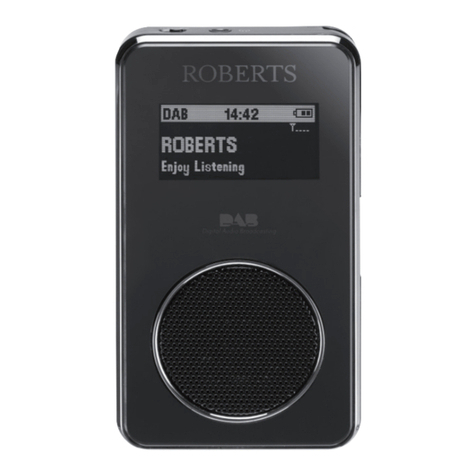
Roberts ZoomBox User manual

DAB / FM RDS digital radio and CD / SD player
with MP3 / WMA and LCD Zoom
Please read this manual before use
ROBERTS
Enjoy Listening

Controls ........................................................................... 2-4
Aerial assembly ...................................................................4
Battery operation .................................................................5
Mains operation...................................................................5
Operating your radio - DAB .................................................6
Selecting a station - DAB ....................................................7
Secondary services - DAB ..................................................7
Display modes - DAB ...................................................... 8-9
Finding new stations - DAB .................................................9
Manual tuning - DAB .........................................................10
Dynamic Range Control (DRC) settings - DAB only .........11
Operating your radio - Search tuning FM ..........................12
Manual tuning - FM ...........................................................13
Display modes - FM ..........................................................14
FM stereo / mono .............................................................15
Presetting stations....................................................... 15-16
Compact discs / MP3/WMA CDs................................. 17-23
Using SD cards .................................................................24
Software version................................................................25
Zoom display function .......................................................25
Deep bass boost ...............................................................25
Contents
System reset .....................................................................26
Headphone socket ............................................................27
Mains supply .....................................................................28
General..............................................................................29
Specifications ....................................................................29
Guarantee .........................................................................30
1

If you need any further advice, please call our Technical Helpline on :-
020 8758 0338 (Mon-Fri) 2
1. SD card slot
2. Function switch
3. Speaker x 2
Controls
(Front)
2
5
1
3
4
4. On indicator light
5. Telescopic aerial stud

3
6. Album Up / Memory Up button
7. Album Down / Memory Down button
8. LCD display
9. Volume control
10. Deep bass boost button
6
Controls
(Top)
11. Headphone socket
12. CD Open / Close
13. Tuning Down / Rewind button
14. Zoom button
15. Play / Pause / Select button
16. Tuning Up / Fastforward button
17. Stop / Memory button
18. Mode / Menu / Info button
7
8
9
10
11
12
13
14
15
16
17
18

If you need any further advice, please call our Technical Helpline on :-
020 8758 0338 (Mon-Fri) 4
Controls
(Left side) (Right side)
19. Handle
20. Mains power socket
19
20 21
22
21. DAB / FM switch
22. Battery compartment
Aerial assembly
1. Before using your radio, screw the telescopic aerial on to the protruding aerial stud by
rotating the body of the aerial in a clockwise direction (as viewed from above). Only
rotate the aerial by hand. Do not use pliers or any other tools as this may damage
the aerial.
2. When it is fully screwed in place, pull the body of the aerial upwards slightly to lift the
aerial stud and reveal its hinge. Then lay the aerial flat and rotate it further to tighten
it fully. The hinge will also allow the aerial to be positioned at an angle or collapsed
and laid flat when not in use.
3. For best radio reception the aerial should be restored to a vertical orientation and
fully extended.
4. The aerial may be removed for storage if necessary by collapsing the aerial and then
rotating the aerial body in an anti-clockwise direction (as viewed from above).

5
Battery operation
1. Slide the battery cover catch in the direction of the arrow. Open the
battery cover.
2. Fit six LR14 (C size) batteries into the spaces in the compartment.
Take care to ensure all batteries are inserted with the correct polarity
as shown on the outside of the battery compartment. Replace the
battery cover.
3. Reduced power, distortion and a 'stutturing' sound are all signs that
the batteries may need replacing. If your DAB/FM CD player is not to
be used for a prolonged period of time, remove the batteries to avoid
damage by battery leakage.
We would recommend for economy that the ZoomBox is used on
the mains whenever possible with battery operation for occasional or
stand-by use only.
IMPORTANT: The batteries should not be exposed to excessive heat
such as sunshine, fire or the like.After use, disposable batteries should
if possible be taken to a suitable recycling centre. On no account
should batteries be disposed of by incineration.
Mains operation
1. Place your CD player on a flat surface.
2. Plug the mains lead into the Socket located on the left hand side of
your cd player ensuring that the plug is pushed fully into the socket.
3. Plug the other end of the mains lead into a wall socket and switch on
the wall socket.
IMPORTANT: The mains plug is used as the means of connecting the
radio to the mains supply. The mains socket used for the radio must
remain accessible during normal use. In order to disconnect the radio
from the mains, the mains plug should be removed from the mains
socket outlet completely.
4. The On Indicator will light when the CD player is switched on.
1

If you need any further advice, please call our Technical Helpline on :-
020 8758 0338 (Mon-Fri) 6
Operating your radio - DAB
1. Carefully extend the telescopic aerial (see page 4).
2. Slide the DAB/FM switch to the 'DAB' position. Switch on the unit by
rotating the Function switch to the Radio position. The 'On' indicator
will light.
3. The display will show 'Welcome' for a few seconds and the DAB symbol
will appear in the display.
4. If this is the first time the radio is used a full scan of the UK band III
DAB channels will be carried out. If the radio has been used before
the last used station will be selected.
5. The autotune takes around 30 seconds. The display will continue to
show 'Welcome'. The lower line will show the progress of the scan.
6. When theAutotune is complete the first station (in numeric-alpha order
0...9...A....Z) will be selected.
7. If the station list is still empty after the Autotune you radio will display
"No Serv ready".
8. If no signals are found it may be necessary to relocate your ZoomBox
to a position giving better reception.
Note: that radio station name and frequency displays shown in this user
guide may differ from those that you see on your radio. Broadcasters may
change radio station names that are transmitted, and the frequencies
used for DAB and FM radio stations may not be the same in all parts of
the country.
2
2

7
Selecting a station - DAB
1. When the unit is in DAB mode the upper line of the text display normally
shows the name of the station currently tuned.
2. Repeatedly press the Tuning Up or Down buttons to scroll through
the list of available stations on the lower line of the text display. Stop
pressing the Tuning buttons when you find the station that you wish
to hear.
3. Press and release the Select button to cause the radio to tune to the
chosen station. The display may show "Tuning" while your radio finds
the new station.
The use of memory presets is described on page 15.
4. Adjust the Volume to the required setting.
If after selecting a station the display shows "No Serv ready" it may be
necessary to relocate your radio to a position giving better reception.
Secondary services - DAB
1. Certain radio stations have one or more secondary services associated
with them. If a station has a secondary service associated with it then
the secondary service will be shown directly after the primary service
as you press the Tuning Up button.
2. Press and release the Select button to select the station.
Most secondary services do not broadcast continually and if the selected
service is not available the radio will re-tune to the associated primary
service.
3
2
2
4
2
1

If you need any further advice, please call our Technical Helpline on :-
020 8758 0338 (Mon-Fri) 8
Display modes - DAB
Your radio has a range of display modes:-
1. Press the Info button to cycle through the various modes.
a. Scrolling text Displays scrolling text messages such
as artist/track name, phone in number,
etc.
b. Programme type Displays type of station being listened to
e.g. Pop, Classic, News, etc.
c. Multiplex Name Displays name of multiplex to which
current station belongs.
d. Time Displays current time.
e. Frequency Displays the current frequency.
1
a
b
c
d
e

9
Finding new stations - DAB
As time passes new stations may become available. To find new stations
proceed as follows:-
1. Press and hold the Tuning Up or Down buttons, the display will show
"Scan...". Your radio will perform a scan of the UK DAB frequencies.
As new stations are found the station counter on the right-hand side
of the display will increase and stations will be added to the list.
2. To carry out a full scan of the entire DAB Band III frequencies press
and hold down the Menu button. Then press the Tuning Up or Down
buttons until the display shows 'SELECT Scan'.
3. Press and release the Select button the display will show "Scan...".
As new stations are found the station counter on the right-hand side
of the display will increase and stations will be added to the list.
Display modes - DAB cont.
f. Bit rate Displays the digital bit rate.
g. Signal error Displays the signal error for the station being
listened to. (The lower numbers mean
that the radio is receiving a better signal).
3
1,2
1,2
2
f
g
Table of contents
Other Roberts Radio manuals

Roberts
Roberts R9958 Manual

Roberts
Roberts R701 User manual

Roberts
Roberts Blutune User manual

Roberts
Roberts Revival mini User manual

Roberts
Roberts Stream217 User manual

Roberts
Roberts ROBERTS User manual

Roberts
Roberts Duet 2 User manual

Roberts
Roberts CRD-39 User manual

Roberts
Roberts R986 User manual

Roberts
Roberts Stream 94L User manual

Roberts
Roberts RD-12 User manual

Roberts
Roberts SOUND66 User manual

Roberts
Roberts eco 4 Bt User manual

Roberts
Roberts Gemini 46 RD-46 User manual

Roberts
Roberts R9942 User manual

Roberts
Roberts Blutune T2 User manual

Roberts
Roberts SOUND 48 User manual

Roberts
Roberts robi User manual

Roberts
Roberts Sports DAB Dimensions

Roberts
Roberts RD-22 User manual