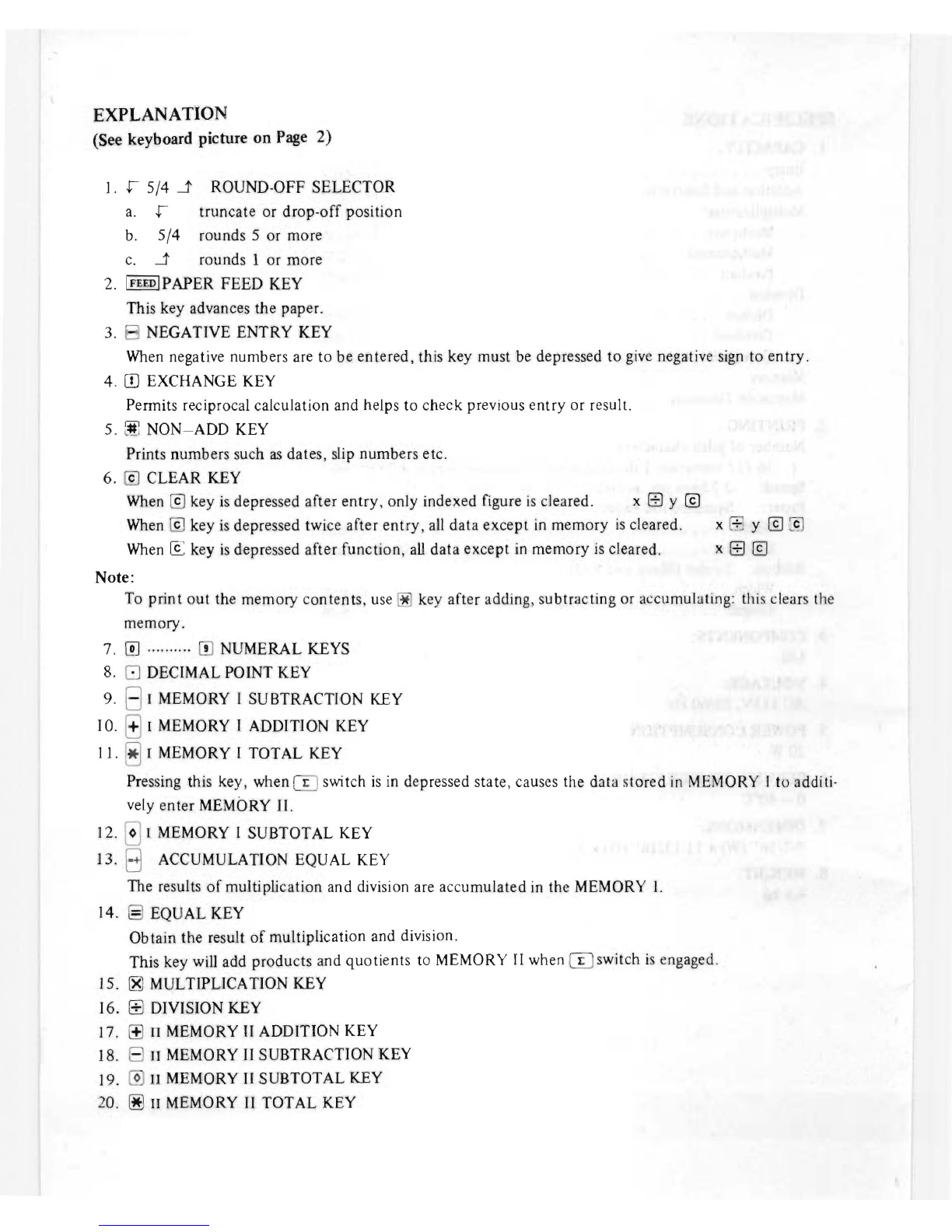
21.
00
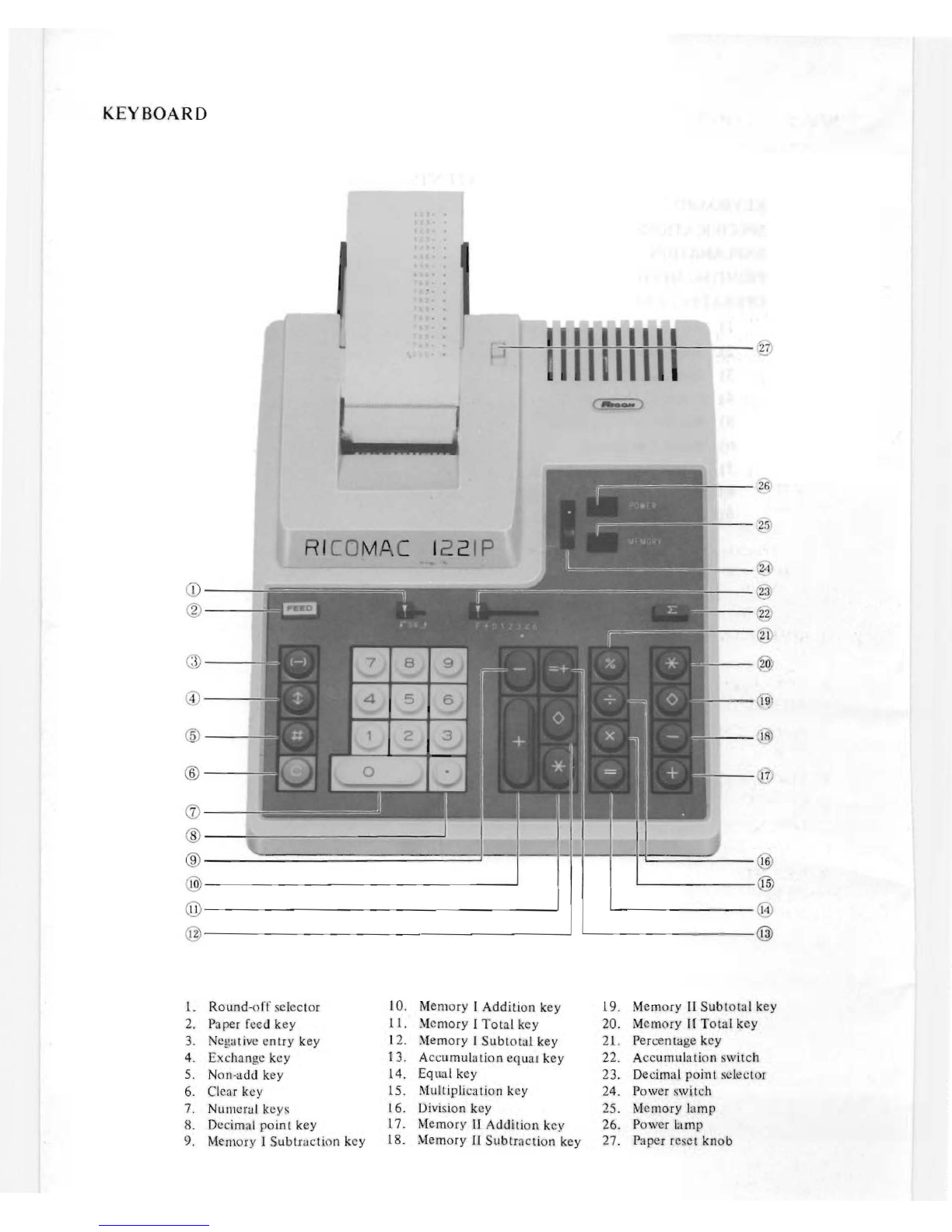
PERCENTAGE
KEY
In multiplication, a depression
of
this key will automatically print the tax or discount rate, the dollar
and cent amount
of
the tax or discount and the net.
22.
IT)
ACCUMULATION
SWITCH
When
m
SWitch
is
engaged, accumulation into MEMORY
II
of
produc
ts
and quotients r
es
ul
ts
from
a
depression
of
the
El
key
23. F + 012346 DECIMAL POfNT SELECTOR
With the selector set at
"F",
you have a floating
de
ci
mal point. Setting the selector at o
ne
of
the
positions
"0"
to
"6"
fixes the decimal point and
all
the subsequent number entries and operations will
be effected by referring
to
that position
of
the decimal point.
"+"
is
for selecting
ADD
mode: with this k
ey
depressed, the result
of
addition and subtraction
as
well
as
multiplication and division shows up with its
de
ci
mal
point appearing at 2.
24.
tl
POWER
SWITCH
25. 0 MEMORY MEMORY
LAMP
If this lamp
is
on,
it
means that
MEMORY
II
has data
in
stor
e.
26.
CJ
POWER
POWER
LAMP
27. PAPER RESET
KNOB
To draw paper out
as
when paper jamming has occurred,
use
this knob. (See
on
pa
ge
9)
Note:
After unpacking the machine, make sure the ribbon
is
not too loose before turning on the power
switch.
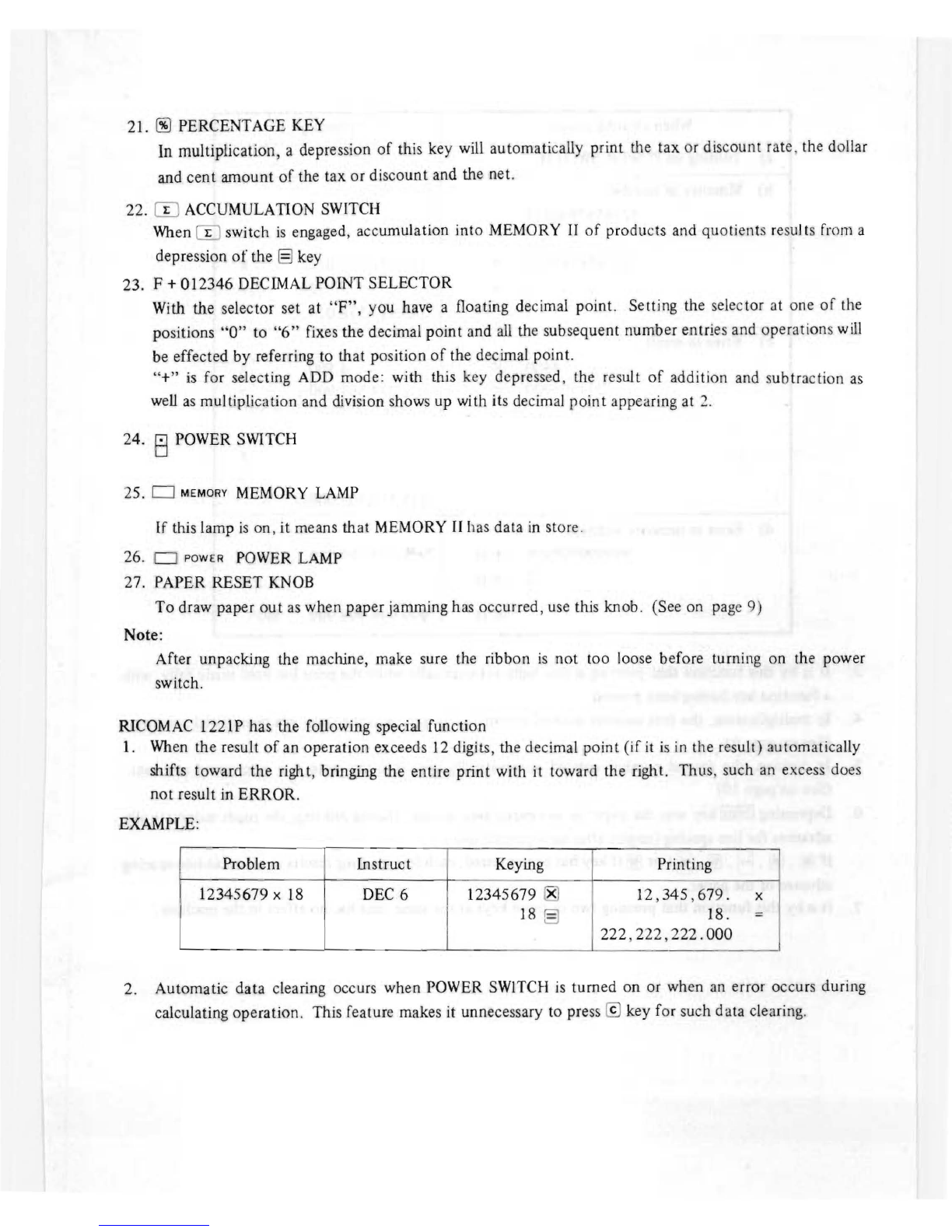
RICOMAC
I221P has the following special function
1.
When
the result
of
an operation exceeds
12
digits, the decimal po
in
t (if
it
is
in
the result)
au
tomatically
shifts toward the right, bringing the entire print with it toward the right.
ThllS
, such
an
excess does
not result
in
ERROR.
EXAMPLE:
Problem Instruct Keying Printing
12345679 x
18
DEC
6 12345679
f8l
12
,
345,679.
x
18
§)
18. =
222, 222
,222
.000
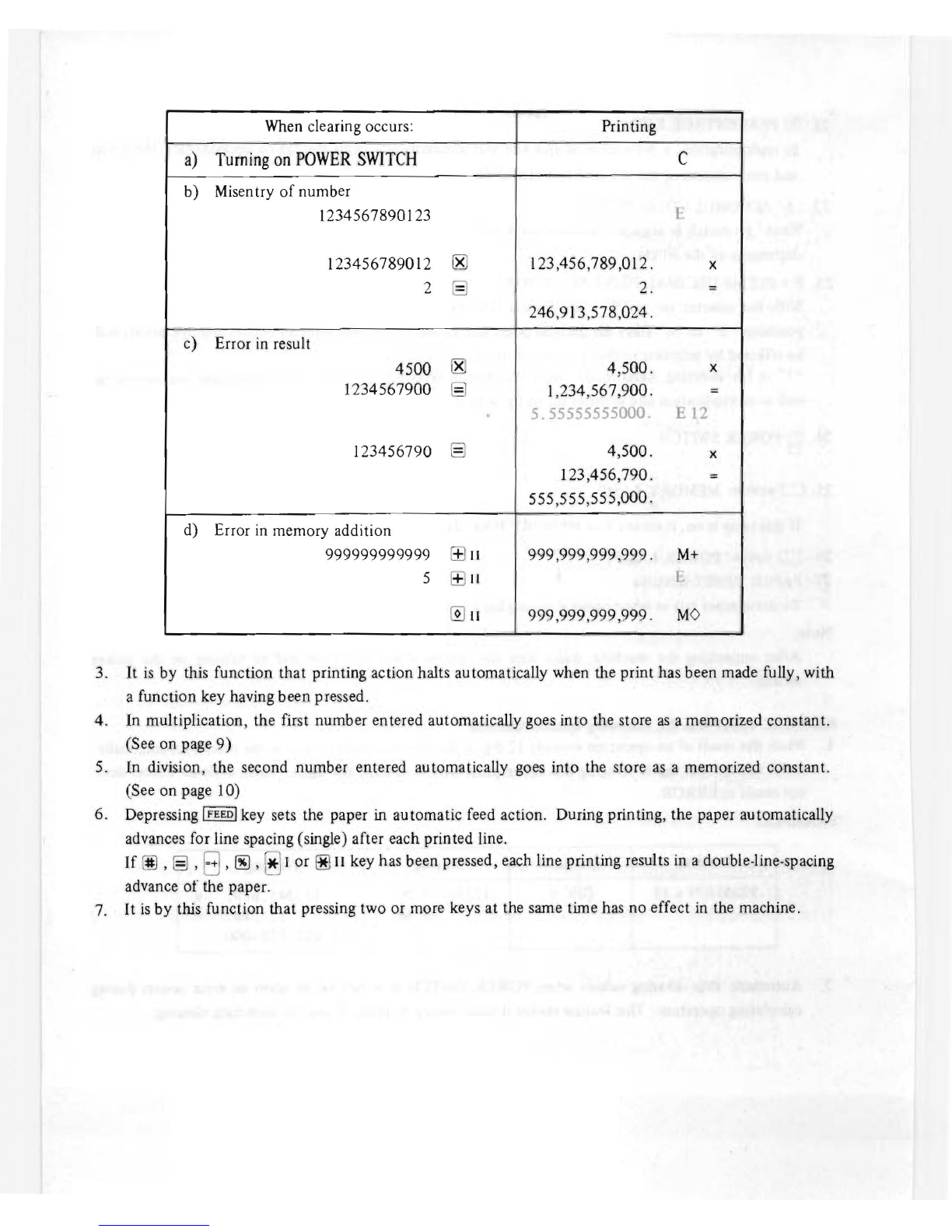
2. Automatic data clearing occurs when POWER
SWITCH
is
turned on or when
an
error occurs during
calculating operation. This feature makes
it
unnecessary
to
press @ key for such data
cle
aring.