RAM 2011 DAKOTA User manual

USER GUIDEUSER GUIDE
20112011
DAKOTA DAKOTA

The driver’s primary responsibility is the safe operation of the vehicle.
Driving while distracted can result in loss of vehicle control, resulting in
a collision and personal injury. Chrysler Group LLC strongly
recommends that the driver use extreme caution when using any device
or feature that may take their attention off the road. Use of any
electrical devices such as cell phones, computers, portable radios,
vehicle navigation or other devices by the driver while the vehicle is
moving is dangerous and could lead to a serious collision. Texting while
driving is also dangerous and should never be done while the vehicle is
moving. If you nd yourself unable to devote your full attention to
vehicle operation, pull off the road to a safe location and stop your
vehicle. Some States or Provinces prohibit the use of cellular
telephones or texting while driving. It is always the driver’s responsibility
to comply with all local laws.
IMPORTANT: This User Guide is intended to familiarize you with the
important features of your vehicle. The DVD enclosed contains your
Owner’s Manual, Navigation/Media Center Manuals, Warranty Booklets,
Tire Warranty and 24-Hour Towing Assistance (new vehicles purchased
in the U.S.) or Roadside Assistance (new vehicles purchased in Canada)
in electronic format. We hope you nd it useful. If you are the rst
registered owner of your vehicle, you may obtain a printed copy of the
Owner’s Manual, Navigation/Media Center Manuals or Warranty Booklet
by calling 1-866-726-4636 (U.S.) or 1-800-387-1143 (Canada) or by
contacting your dealer. Replacement DVD kits may be purchased by
visiting www.techauthority.com. Copyright 2010 Chrysler Group LLC
DAKOTADAKOTA

INTRODUCTION/WELCOME
Welcome From Chrysler Group LLC . . . 2
CONTROLS AT A GLANCE
Driver Cockpit ...............4
Instrument Cluster ............6
GETTING STARTED
KeyFOB ..................8
Remote Start ................8
Theft Alarm ................9
Seat Belt ..................9
Supplemental Restraint System
(SRS) — Airbags ............. 10
Child Restraints ............. 11
Front Seats ................ 14
Heated Seats .............. 15
Tilt Steering Column .......... 16
OPERATING YOUR VEHICLE
Turn Signals/Wiper/Washer/High
Beams Lever ............... 17
Headlight Switch ............ 18
Speed Control .............. 19
Climate Controls ............. 20
Wind Buffeting .............. 20
ELECTRONICS
Non-Touch-Screen Radios ....... 21
Steering Wheel Audio Controls .... 24
Uconnect™ Phone ........... 24
Uconnect™ Voice Command ...... 26
Programmable Features ........ 28
Universal Garage Door Opener
(HomeLink
®
)............... 29
Power Outlet ............... 31
OFF-ROAD CAPABILITIES
Four-Wheel Drive Operation ...... 32
UTILITY
Rear Crate 'N Go
®
Storage ....... 34
Rear Cargo Area Utility Rails ...... 34
Tailgate .................. 34
Trailer Towing Weights (Maximum
Trailer Weight Ratings) ......... 35
Recreational Towing (Behind
Motorhome, Etc.) ............ 35
Brake/Transmission Interlock
System .................. 37
WHAT TO DO IN EMERGENCIES
24-Hour Towing Assistance -
U.S. Only ................. 38
Instrument Cluster Warning Lights . . 38
If Your Engine Overheats ........ 42
Jacking And Tire Changing ....... 43
Jump-Starting .............. 48
Emergency Tow Hooks ......... 50
Towing A Disabled Vehicle ....... 51
Freeing A Stuck Vehicle ......... 52
Event Data Recorder (EDR) ....... 53
MAINTAINING YOUR VEHICLE
Opening The Hood ........... 54
Engine Compartment .......... 55
Fluids And Capacities .......... 57
Maintenance Chart ........... 58
Fuses ................... 60
Tire Pressures .............. 63
Wheel And Wheel Trim Care ...... 64
Exterior Bulbs .............. 64
CONSUMER ASSISTANCE
Chrysler Group LLC Customer
Center .................. 65
Chrysler Canada Inc. Customer
Center .................. 65
Assistance For The Hearing
Impaired ................. 65
Publications Ordering .......... 65
Reporting Safety Defects In
The 50 United States And
Washington, D.C. ............ 66
MOPAR ACCESSORIES
Authentic Accessories By MOPAR
®
.. 67
INDEX
..................68
TABLE OF CONTENTS

WELCOME FROM CHRYSLER GROUP LLC
Congratulations on selecting your new Chrysler Group LLC vehicle. Be assured
that it represents precision workmanship, distinctive styling, and high quality - all
essentials that are traditional to our vehicles.
Your new Chrysler Group LLC vehicle has characteristics to enhance the driver's
control under some driving conditions. These are to assist the driver and are never
a substitute for attentive driving. They can never take the driver's place. Always
drive carefully.
Your new vehicle has many features for the comfort and convenience of you and
your passengers. Some of these should not be used when driving because they
take your eyes from the road or your attention from driving. Never text while driving
or take your eyes more than momentarily off the road.
This guide illustrates and describes the operation of features and equipment that
are either standard or optional on this vehicle. This guide may also include a
description of features and equipment that are no longer available or were not
ordered on this vehicle. Please disregard any features and equipment described in
this guide that are not available on this vehicle. Chrysler Group LLC reserves the
right to make changes in design and specifications and/or make additions to or
improvements to its products without imposing any obligation upon itself to install
them on products previously manufactured.
The User Guide has been prepared to help you quickly become acquainted with
the important features of your vehicle. It contains most everything you will need to
operate and maintain the vehicle, including emergency information.
The DVD includes a computer application containing detailed owner's information
which can be viewed on a personal computer or MAC computer. The multimedia
DVD also includes videos which can be played on any standard DVD player
(including the Media Center Touch-Screen Radios). Additional DVD operational
information is located on the back of the DVD sleeve.
For complete owner information, refer to your Owner's Manual on the DVD in the
owner’s kit provided at the time of new vehicle purchase. For your convenience,
the information contained on the DVD may also be printed and saved for future
reference.
Chrysler Group LLC is committed to protecting our environment and natural
resources. By converting from paper to electronic delivery for the majority of the
user information for your vehicle, together we greatly reduce the demand for
tree-based products and lessen the stress on our environment.
Vehicles Sold In Canada
With respect to any vehicles sold in Canada, the name Chrysler Group LLC shall be
deemed to be deleted and the name Chrysler Canada Inc. used in substitution
therefore.
INTRODUCTION/WELCOME
2

WARNING!
• Pedals that cannot move freely can cause loss of vehicle control and
increase the risk of serious personal injury.
• Always make sure that objects cannot fall into the driver foot well while
the vehicle is moving. Objects can become trapped under the brake
pedal and accelerator pedal causing a loss of vehicle control.
• Failure to properly follow floor mat installation or mounting can cause
interference with the brake pedal and accelerator pedal operation
causing loss of control of the vehicle.
• Never use the ‘PARK’ position as a substitute for the parking brake.
Always apply the parking brake fully when parked to guard against
vehicle movement and possible injury or damage.
• Refer to your Owner's Manual on the DVD for further details.
USE OF AFTERMARKET PRODUCTS (ELECTRONICS)
The use of aftermarket devices including cell phones, MP3 players, GPS systems,
or chargers may affect the performance of on-board wireless features including
Passive Entry, Keyless Go, and Remote Start range. If you are experiencing
difficulties with any of your wireless features, try disconnecting your aftermarket
devices to see if the situation improves. If your symptoms persist, please see an
authorized dealer.
CHRYSLER, DODGE, JEEP, ATF+4, MOPAR and Uconnect are registered
trademarks of Chrysler Group LLC.
COPYRIGHT ©2010 CHRYSLER GROUP LLC
INTRODUCTION/WELCOME
3

DRIVER COCKPIT
CONTROLS AT A GLANCE
4

CONTROLS AT A GLANCE
5

INSTRUMENT CLUSTER
Warning Lights
- Low Fuel Warning Light
- Charging System Light**
- Oil Pressure Warning Light**
- Anti-Lock Brake (ABS) Light**
- Airbag Warning Light**
- Electronic Throttle Control (ETC) Light
- Tire Pressure Monitoring System (TPMS) Light
- Engine Temperature Warning Light
- Transmission Temperature Warning Light
- Seat Belt Reminder Light
BRAKE
- Brake Warning Light**
- Malfunction Indicator Light (MIL)**
- SVC (Service) 4WD Indicator Light
(See page 38 for more information.)
CONTROLS AT A GLANCE
6

Indicators
- Turn Signal Indicators
- High Beam Indicator
- Front Fog Light Indicator
- Vehicle Security Indicator*
- TOW/HAUL Indicator
- Cruise Indicator
- 4WD Indicator
- 4WD LOW Indicator
- Cargo Lamp Indicator
Odometer Messages
door - Door Ajar LoW tirE - Low Tire Pressure
gASCAP - Fuel Cap Fault noFUSE* - Fuse Fault
LoW WASH- Low Washer Fluid CHAngE OIL* - Change Engine Oil
* If equipped
** Bulb Check with Key On
CONTROLS AT A GLANCE
7
KEY FOB
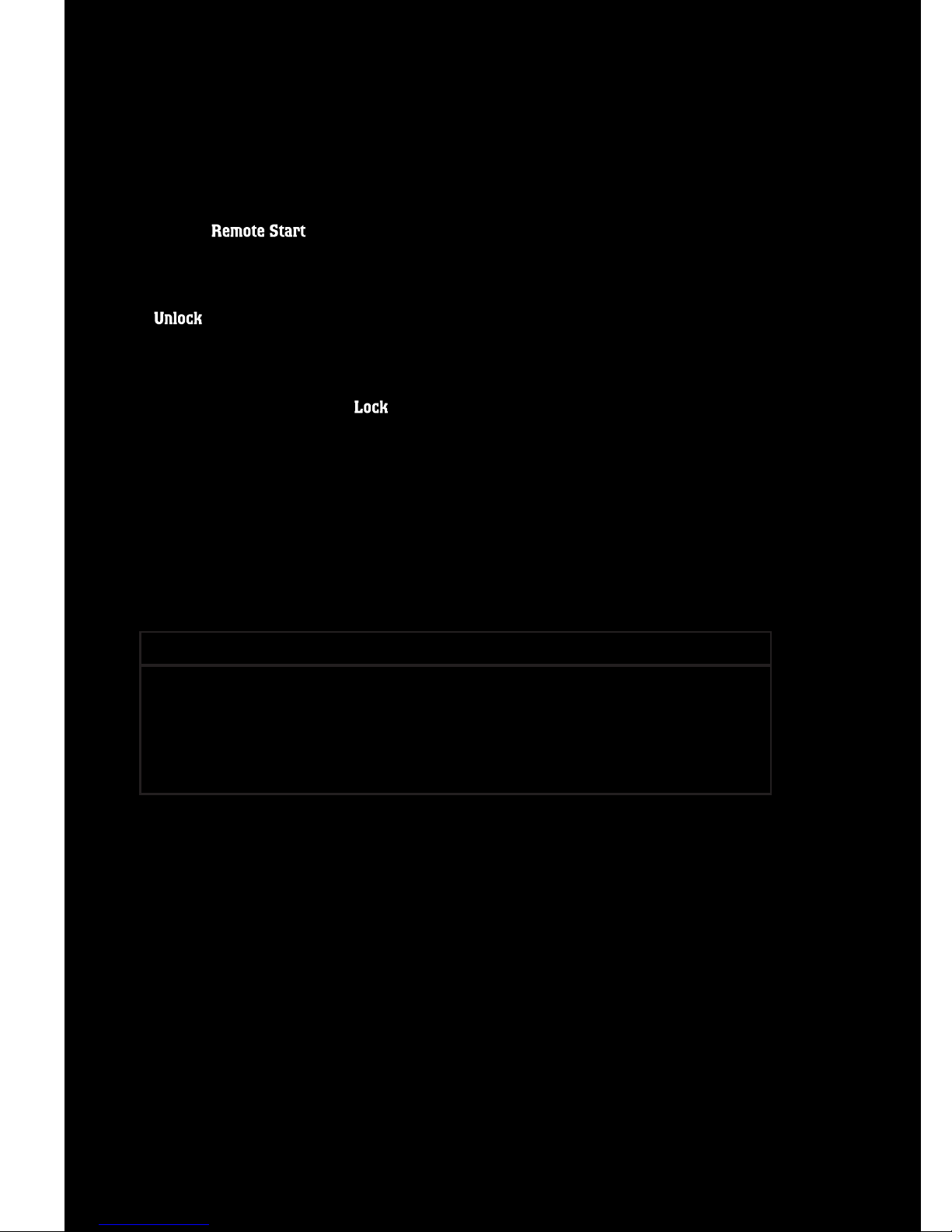
Locking And Unlocking The Doors
• Press the LOCK button once to lock
all the doors. Press the UNLOCK
button once to unlock the driver’s
door only and twice within five
seconds to unlock all the doors.
• All doors can be programmed to
unlock on the first press of the
UNLOCK button. Refer to
Programmable Features in this
guide.
Panic Alarm
• Press the PANIC button once to turn the panic alarm on.
• Wait approximately three seconds and press the button a second time to turn
the panic alarm off.
WARNING!
Leaving unattended children in a vehicle is dangerous for a number of
reasons. A child or others could be severely injured or killed. Children
should be warned not to touch the parking brake, brake pedal, or the shift
lever. Do not leave the key in the ignition. A child could operate power
windows, other controls, or move the vehicle.
REMOTE START
• Press the REMOTE START button x2twice within five seconds. Pressing the
REMOTE START button a third time shuts the engine off.
• To drive the vehicle, press the UNLOCK button, insert the key in the ignition
and turn to the ON/RUN position.
• With remote start, the engine will only run for 15 minutes (timeout) unless the
ignition key is placed in the ON/RUN position.
• The vehicle must be started with the key after two consecutive timeouts.
GETTING STARTED
8
Table of contents
Other RAM Automobile manuals

RAM
RAM RAM 2500 Owner's manual

RAM
RAM CHASSIS CAB 3500 2017 User manual

RAM
RAM 2014 RAM PROMASTER User manual

RAM
RAM promaster city 2017 User manual

RAM
RAM 2014 RAM PROMASTER User manual

RAM
RAM promaster city 2017 User manual

RAM
RAM PROMASTER 2020 User manual

RAM
RAM 2014 RAM PROMASTER User manual

RAM
RAM Ram 2012 User manual

RAM
RAM RAM 3500 2013 User manual

RAM
RAM 2014 5500 User manual

RAM
RAM 2011 Ram Truck Chassis Cab User manual

RAM
RAM 2015 1500 User manual

RAM
RAM RAM CV 2013 User manual

RAM
RAM 3500 2019 User manual

RAM
RAM Truck Gas 2012 User manual

RAM
RAM RAM CV 2013 User manual

RAM
RAM Ram 3500 2012 User manual

RAM
RAM RAM 2500 User manual

RAM
RAM Truck Gas 2012 User manual