PSI Audio AVAA C214 User Manual / 6.2023 Page Nr 2 PSI Audio AVAA C214 User Manual / 6.2023 Page Nr 3
AVAA C214 AVAA C214
1 Introduction ............................................................................................................................................ 3
2 Safety Instruction ................................................................................................................................... 3
2.1 Warnings............................................................................................................................................ 4
2.2 Service............................................................................................................................................... 5
3 General Overview ................................................................................................................................... 6
3.1 Description......................................................................................................................................... 6
3.2 Before you start ................................................................................................................................. 7
3.3 Front Panel Description ..................................................................................................................... 7
3.4 Rear Panel Description...................................................................................................................... 8
Power On / Off Switch ................................................................................................................................ 8
Setting buttons (blue an red) ...................................................................................................................... 8
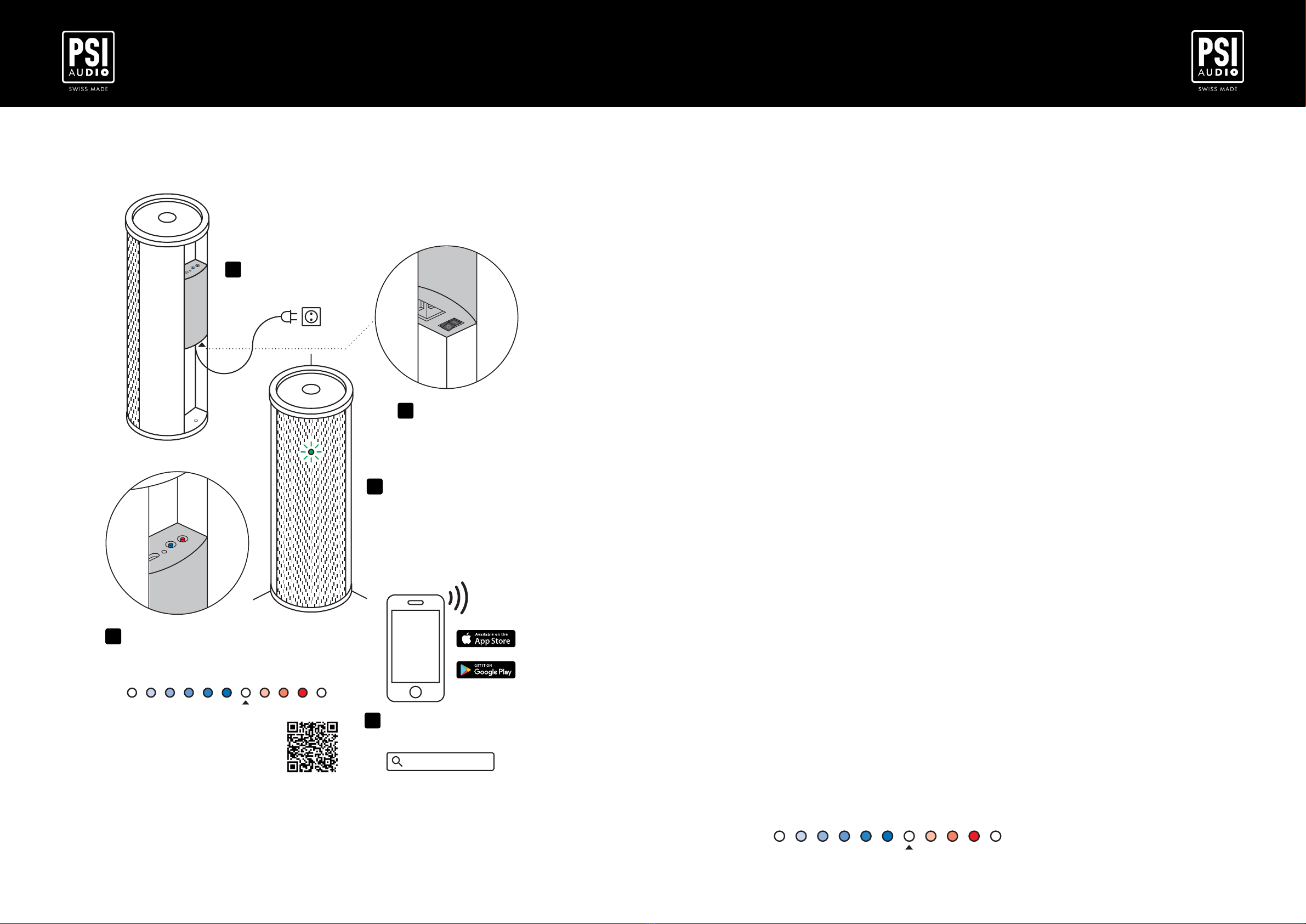
4 Quick Start .............................................................................................................................................. 9
Quickstart Guide .................................................................................................................................... 10
5 Operation .............................................................................................................................................. 11
5.1 Standalone mode -Power ON LED (Green)....................................................................................11
5.2 Remote mode -Power ON LED (Blue) ............................................................................................11
5.3 Limiter...............................................................................................................................................11
5.4 Standby / Overheat (Red).................................................................................................................11
5.5 Controlling gain of your AVAA C214 .................................................................................................11
6 Remote mode (wireless network) ....................................................................................................... 12
6.1 Remote Control ............................................................................................................................... 12
6.2 Enable/Disable wireless network ..................................................................................................... 13
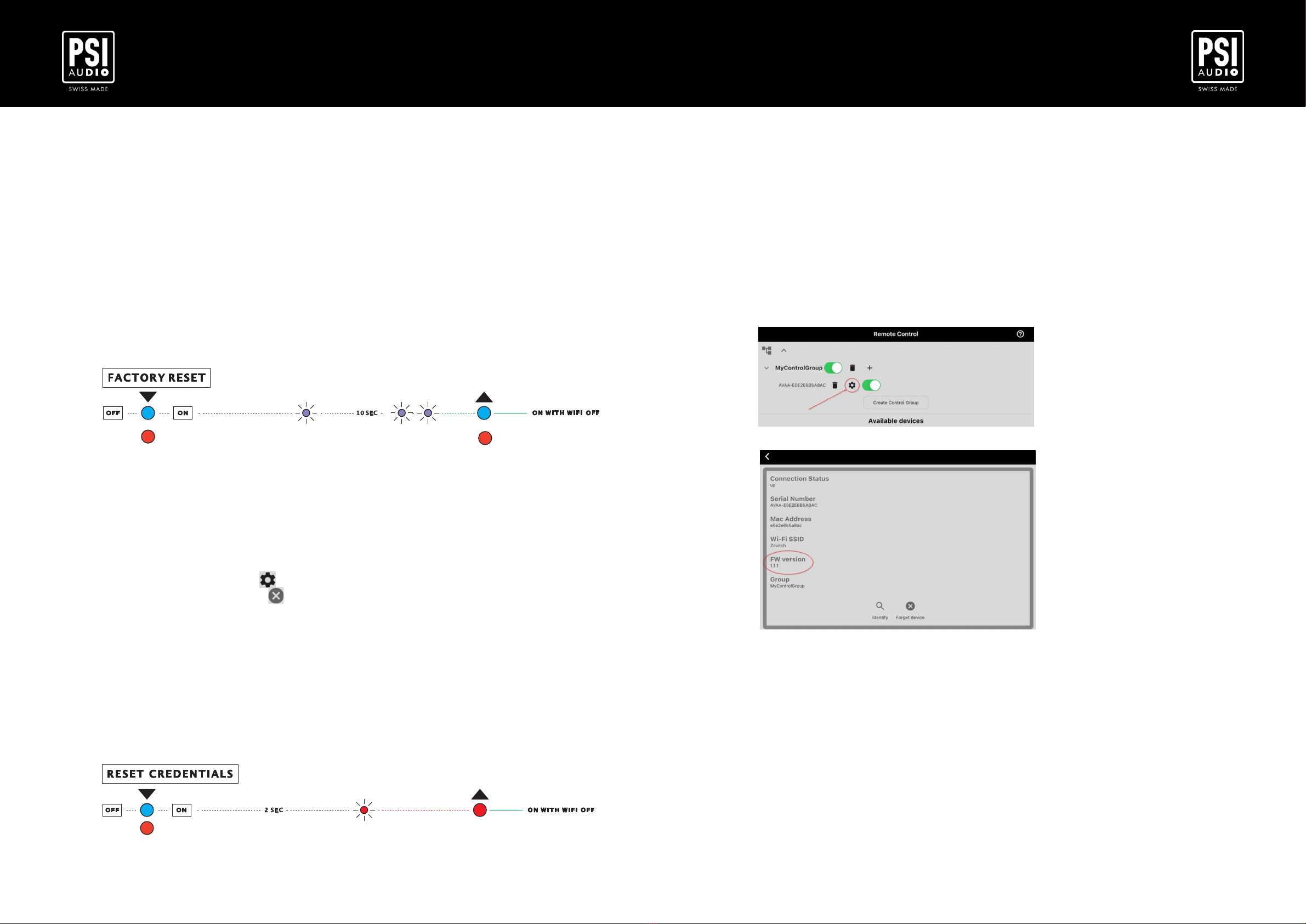
6.3 Factory reset.................................................................................................................................... 14
6.4 Reset the wireless network credentials ........................................................................................... 14
6.5 Firmware update.............................................................................................................................. 15
7 Placement and positioning in room ................................................................................................... 16
7.1 Environment .................................................................................................................................... 16
7.2 Positioning ....................................................................................................................................... 16
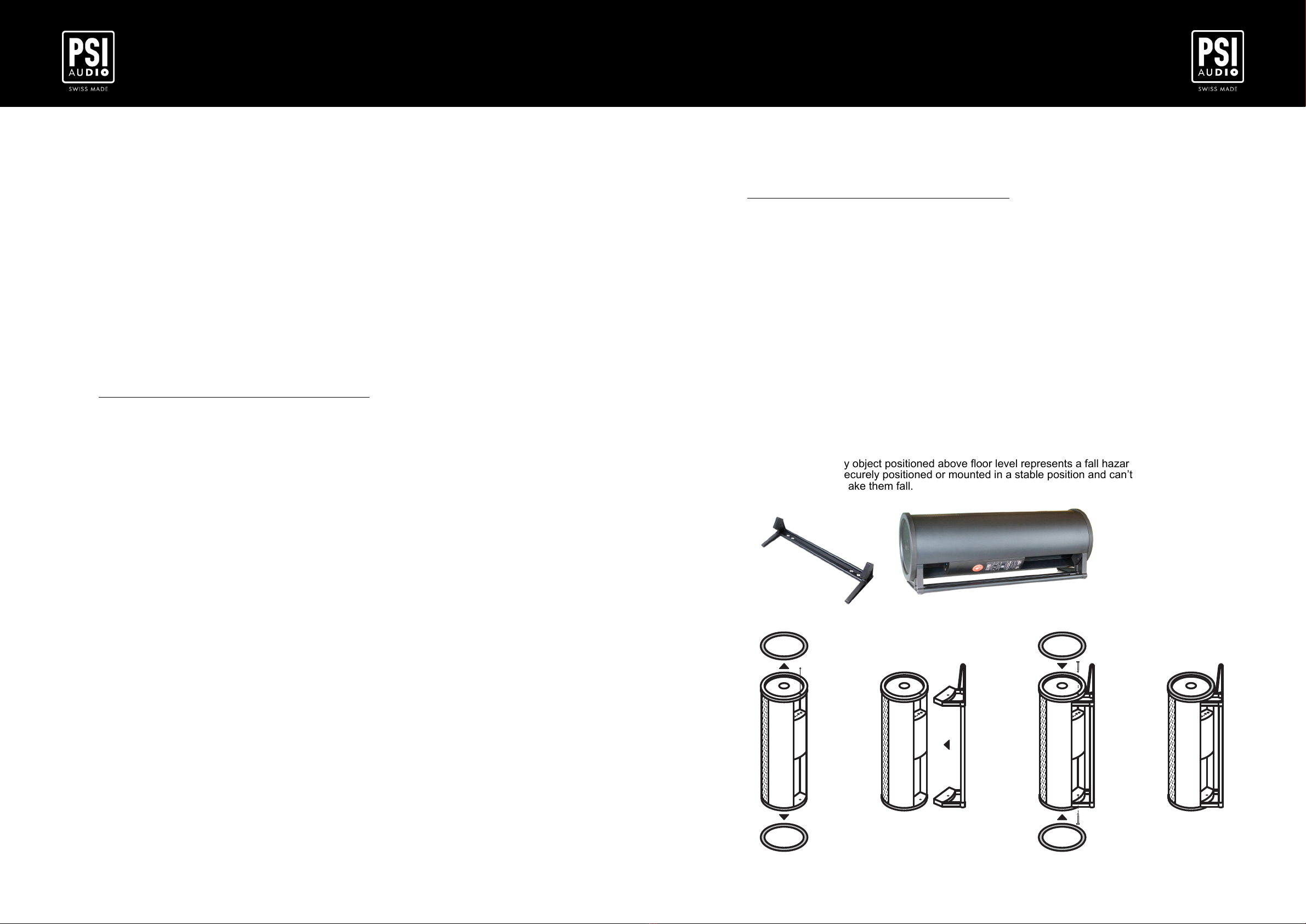
7.3 Mounting with optional feet.............................................................................................................. 17
8 Troubleshooting ................................................................................................................................... 18
8.1 Power on LED does not light up. ..................................................................................................... 18
8.2 AVAA C214 is unstable and emits noise.......................................................................................... 18
8.3 Connection problem with the remote control ................................................................................... 18
9 Certicates of conformities................................................................................................................. 19
9.1 C.E. & RoHS Conformities .............................................................................................................. 19
9.2 Compliance to FCC Rules. .............................................................................................................. 19
10 Warranty ................................................................................................................................................ 20
TABLE OF CONTENTS 1 Introduction
Thank you very much, and congratulations on your decision to purchase our digital active bass trap,
the AVAA C214.
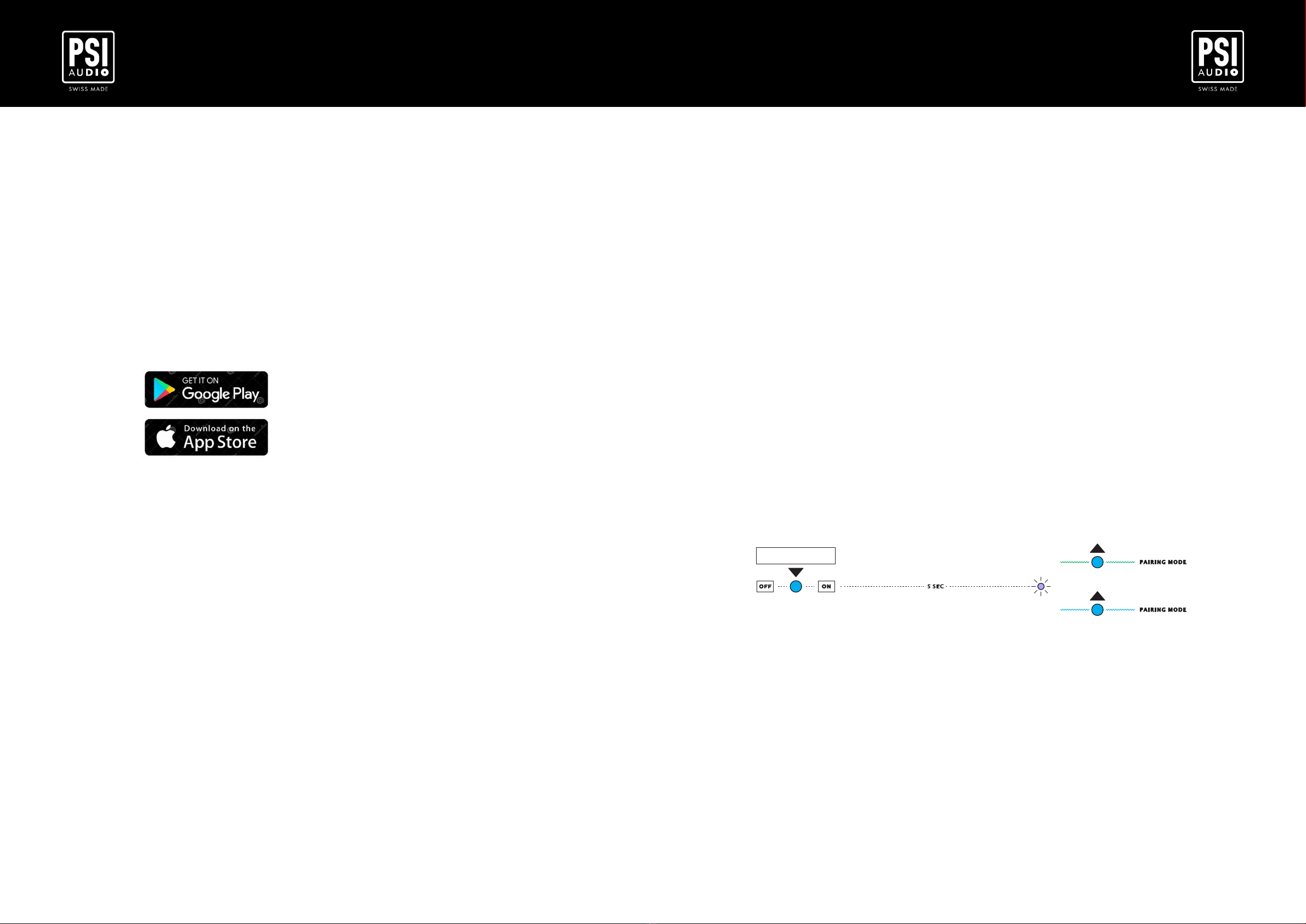
You can use it in 2 different modes: Standalone Mode or Remote Mode.
-Standalone Mode (not connected to a wireless network): when you unpack your AVAA C214 and
turn it on for the rst time,it will work like the AVAA C20, you can manually turn it on and off. The
LED is green when it is working.
-Remote Mode (connected to a wireless network): thanks to digital technology, you can now
control your AVAA C214 using an app. When you are in this mode, the LED is blue.
In this user manual, we will always refer to “Standalone Mode” and “Remote Mode”.
Carefully following the instructions in this manual will ensure that your system will give you many
years of reliable and trouble free operations.
For the latest information, help or advice, please contact your local PSI Audio representative or PSI
Audio directly.
Relec S.A.
Rue des Petits Champs 11 a+b
CH-1400 YVERDON (Switzerland)
Tel : +41 (0)24 426 04 20
Fax : +41 (0)24 426 04 51
www.psiaudio.com
2 Safety Instruction
This symbol alerts the user to the presence of electrical
power within the product that may be of sufcient
magnitude to constitute a risk of electric shock.
This symbol alerts the user to important operating and
maintenance (servicing) instructions or warnings.