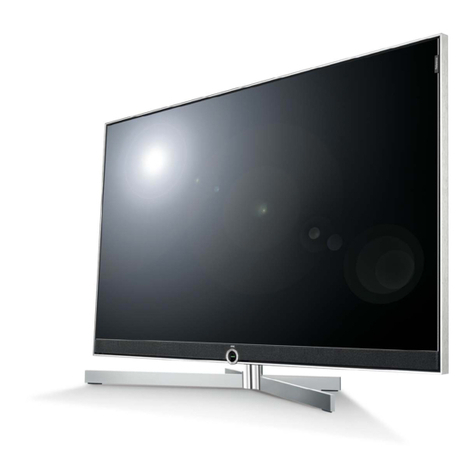
Proview PA-15BA7 User manual

BA152
2006/11/15
2.0
210.00 mm
1 4 8 . 0 0 m m 1 4 8 . 0 0 m m
USER MANUAL COVER
Water-resistant TV
PA-15BA7
002-U00-56PROV-AH
封面:157 g双铜 过光胶
内页:80g书 纸

1
LCD TV User Guide
FCC
This equipment has been tested and found to comply with the limits of a class B
digital device, pursuant to Part 15 of the FCC Rules. These limits are designed to
provide reasonable protection against harmful interference in a residential
installation. This equipment generates, uses and can radiate radio frequency energy
and, if not installed and used in accordance with the instructions, may cause harmful
interference to radio communications. However, there is no guarantee that
interference will not occur in a particular installation. If this equipment does cause
harmful interference to radio or television reception, which can be determined by
turning the equipment off and on, the user is encouraged to try to correct the
interference by one or more of the following measures:
1. Reorient/Relocate the receiving antenna.
2. Increase the separation between the equipment and receiver.
3. Connect the equipment into an outlet on a circuit which is different from what
the receiver is connected to.
4. Consult the dealer or an experienced radio/TV technician for help.
Changes or modifications not expressly approved by the manufacturer responsible
for compliance could void the user authority to operate the equipment.
FEDERAL COMMUNICATIONS COMMISSION
(FCC) STATEMENT
CAUTION

2LCD TV User Guide
SAFETY INSTRUCTIONS
IMPORTANT SAFETY INSTRUCTIONS
To reduce the risk of fire or electric shock, do not expose this equipment to rain or
moisture.
This symbol is intended to alert the user to the presence of
uninsulated ”dangerous voltage“ within the product ’s enclosure
that may be of sufficient magnitude to constitute a risk of
electrical shock to persons.
This symbol is intended to alert the user to the presence
of important operating and maintenance instructions
in the literature accompanying the appliance.
RISK OF ELECTRIC SHOCK
DO NOT OPEN
CAUTION
CAUTION: TO REDUCE THE RISK OF ELECTRIC SHOCK,
DO NOT REMOVE COVER (OR BACK).
NO USER-SERVICEABLE PARTS INSIDE.
REFER SERVICING TO QUALIFIED SERVICE PERSONNEL.
■ Use of controls, adjustments or performance of procedures other than those
specified herein may result in hazardous radiation exposure.
WARNING
CAUTION
Operating temperature range:
1 . Temperature
Operating 5 °C ~ 40 °C
Storage -20 °C ~ 60 °C
2. Humidity
Operating 20% ~ 85% non - condensing
Storage 10% ~ 90% non- condensing
3. Altitude
Operating 25 °C 0 ~ 3048 M (10000 ft)
Storage 25 °C 0 ~ 12192 M (40000ft)

3
LCD TV User Guide
SAFETY INSTRUCTIONS
To prevent any injuries, the following safety precautions should be observed in the
installation, use, servicing and maintenance of this equipment.
Before operating this equipment, please read this manual completely, and keep it
nearby for future reference.
IMPORTANT SAFETY INSTRUCTIONS
Important Safety Instructions
▪ Do not place the equipment on any uneven or unstable carts, stands, tables,
shelves etc. The equipment may fall, causing serious injury to children or adults
and serious damage to the equipment itself.
▪ Use only with the cart, stand, tripod, bracket, or table specied by the
manufacturer, or sold with the apparatus TV. When a cart is used, use caution
when moving the cart / apparatus with the TV to avoid injury from tipping over.
▪ Do not disable the 3-wire grounding type plug. The grounding pin on the 3-prong
plug is an important feature. Removing the grounding pin will increase the risk of
damaging the equipment.
▪ If you can not t the plug into the electrical outlet, contact an electrician to install a
grounding outlet.
▪ Always operate this equipment from the type of power source indicated on the
rear of the serial/model plate.
▪ Never overload wall outlets and extensions.
▪ Use and handle the power cord with care. Do not place any heavy objects on the
AC power cord.
▪ Do not pull the AC power cord. Do not handle the AC power cord with a wet hand.
▪ Do not touch the power cord and antenna cable during lightning.
▪ Remove the plug from the wall outlet, if the equipment will not be used for a long
period of time.
▪ Do not place, use or handle this equipment near water.
▪ Never expose the equipment to liquid, rain, or moisture.
Seek for service if any of the above is spilled into the equipment.
This symbol indicates caution points.
This symbol indicates actions that should not be done.
This symbol indicates actions that must be performed.

4LCD TV User Guide
SAFETY INSTRUCTIONS
▪ To reduce the risk of re or electric shock, Do not expose this appliance to rain
or moisture.
▪ Do not install the equipment near any heat sources such as radiators, heat
registers, stoves, or any other apparatus that might produce heat.
▪ Do not attempt to service the equipment yourself.
▪ Opening and removing the covers may expose you to dangerous voltage or other
hazards and may void your warranty. Refer service to qualied personnel.
▪ Do not place or drop any other objects on top.
▪ Do not insert anything into the ventilation holes of your equipment.
Inserting any metal or ammable objects may result to re or electric shock.
▪ Protect the power cord from being walked on or pinched particularly at plugs,
convenience receptacles, and the point where they exit from the apparatus.
▪ Always place the equipment on the oor or on a surface that is sturdy, level,
stable and strong enough to support the weight of the equipment.
▪ Do not block any ventilating openings. Leave an open space around the
equipment.
Never place the equipment :
on a bed, sofa, rug, or any other similar surfaces; too close to drapes/curtains/
walls, in a bookcase, built-in cabinet, or any other similar places that may cause
poor ventilation.
▪ Unplug this apparatus during lightning storms or when unused for long periods of
time.
▪ Refer all servicing to qualified service personnel. Servicing is required when the
apparatus has been damaged in any way, such as power-supply cord or plug is
damaged, liquid has been spilled or objects have fallen into the apparatus, the
apparatus has been exposed to rain or moisture, does not operate normally, or
has been dropped.
▪ Always remove the power cord from the outlet before cleaning the equipment.
▪ Never use liquid or aerosol cleaners on the equipment.
Clean only with a soft dry cloth.
▪ Only use attachments/accessories specified by the manufacturer.
▪ Apparatus shall not be exposed to dripping or splashing and no objects filled
with liquids, shall not be placed on the apparatus.
▪ The shock hazard marking and associated graphical symbol is provided on the
bottom panel of unit.

5
LCD TV User Guide
SAFETY INSTRUCTIONS
Matters need to attend to regarding water-resistant :
Water- resistant LCD TV has been handled with normal household water- resistant
processing (which equals to JIS 4th protection level for main body), and can still function
well after being splashed by water. But when using, please note the following:
1. Please DO NOT immerse the TV in water.
2. If the TV drops accidentally in a bathtub filled with water, please disconnect the
power source from the unit and retrieve the unit immediately.
3. If the TV adheres with massive water, rain, or water droplets, please wipe it clean
with a dry cloth.
4. Please do not use the TV in a place where water may penetrate the unit. When
using, please make sure the connector cover is closed securely.
5. When closing the connector cover, please note not to enclose any particles or
dusts, which will prevent a tight seal around the cover.
6. The water-resistant rubber ring around the connector cover is a crucial component
to maintain water-resistant functions. Please do not remove or damage it.
7. To maintain the water-resistant functions, please inspect the TV periodically, once
every two years by a certified Proview service center. The inspection will acquire a
nominal charge.
PLEASE NOTE:
If used in the water, or used under the circumstance that the connector cover is not
closed, and therefore causing water to penetrate the unit, the malfunctions caused
by water are not warranted even if the TV is within the warranty period.
The remote is not weather resistant.

6LCD TV User Guide
ANTENNA CONNECTION
Antenna lead-in wire
Antenna discharge unit
(NEC section 810-20)
Grounding conductors
(NEC section 810-20)
Ground clamps
Power service grounding
(NEC Art250 part H)
Ground clamps
Electric service
equipment
NEC : National Electrical code
ANTENNA CONNECTION
If an outdoor antenna is connected, follow the precautions below:
An outdoor antenna should not be located in any area where it could come in
contact with overhead power lines, or any other electric light or power circuits.
When installing an outdoor antenna system, extreme caution should be taken
to prevent contact with power lines. Direct contact with power lines may be
fatal and should be avoided at all costs.
Section 810 of National Electrical Code (NEC) provides information with respect to
proper grounding of the mast and supporting structure, grounding of the lead-in wire
to an antenna discharge unit, size of grounding conductors, location of antenna
discharge unit, connection to grounding electrodes, and requirements for the
grounding electrode.
EXAMPLE OF OUTDOOR ANTENNA GROUNDING

7
LCD TV User Guide
CONTENTS
CONTENTS
FEDERAL COMMUNICATIONS COMMISSION (FCC) STATEMENT..................................... 1
IMPORTANT SAFETY INSTRUCTIONS ................................................................................ 2
ANTENNA CONNECTION.................................................................................................. 6
CONTENTS ......................................................................................................................... 7
PREPARATION
Features ........................................................................................................................ 8
Package Contents ......................................................................................................... 9
Your LCD TV
Front View ............................................................................................................ 10
Rear View ..............................................................................................................11
Remote Control........................................................................................................... 12
Installing the Batteries in Your Remote Control ........................................................... 13
INSTALLATION
Connecting a TV Cable or Antenna.............................................................................. 14
Connecting an external A/V Device.............................................................................. 18
USING THE FEATURES
Setting up the Channel List ......................................................................................... 20
Editing the Channel List .............................................................................................. 20
Watching Your LCD ..................................................................................................... 21
Using the Menu .......................................................................................................... 22
VIDEO ADJUSTMENT Menu ....................................................................................... 23
CHANNEL SETTING Menu .......................................................................................... 24
C.C./V-CHIP Menu...................................................................................................... 25
AUDIO SETUP Menu................................................................................................... 28
SETUP Menu ...................................................................................................................29
TROUBLESHOOTING........................................................................................................ 30
SPECIFICATIONS .............................................................................................................. 31

8PREPARATION
PREPARATION
▪ Various Audio/Video terminals for external equipment connection
1 A/V terminal
1 S-VIDEO terminal
1 set of Audio input terminals
1 NTSC/cable TV tuner input terminal
▪ BUILT TO LAST
A TV used in bathroom must survive a wide range of operating conditions,
including steamy showers and accidental spills. Your Water-resistant TV handles
these hazards with ease. With hundreds of hours of rigorous testing -- including
humidity, temperature and electric safety tests – The Water-resistant TV is the
most reliable choice for your bathroom.
▪ BRILLIANT IMAGE
The Water-resistant TV provides a brilliant image, and thus is less susceptible to
ambient lighting. Colors appear vibrant and lifelike, even under wet and steamy
bathroom conditions, enhancing your viewing experience.
▪ HIGH CONTRAST
PROVIEW technology brings you a higher contrast ratio, resulting in clearer,
richer images appearing against a darker background.
▪ SLIM, SPACE-SAVING DESIGN
The Water-resistant TV is far more compact than traditional designs, taking up
just a third of the space. It saves even more space with two built-in high quality
speakers, eliminating the need for external audio component.
▪ WIDE VIEWING ANGLE
Watching attractive digital video from anywhere in the room, thanks to
PROVIEW’s wide viewing angles. Viewing angles range up to 160º in both the
horizontal and vertical planes, increasing mounting options. Lie in the bathtub or
stand up for a shower – your TV still looks great.
PREPARATION
Features
Relax and enjoy your privacy; the Water-resistant TV will bring you into the most
exciting visual entertainment place where you have never dreamed about before. Its
superior quality and reliability easily handle the bathroom environment to present
excellent AV performance. The sleek appearance conceals a robust and safe design
suited to your kitchen viewing needs. PROVIEW’s superlative engineering delivers all
your favorite features in a compact package with a simple & easy-to-use interface.

9
PREPARATION 9
PREPARATION
LCD TV
Package Contents
Make sure all of the following contents are included.
If you are missing any items, please return this product to the original place of purchase.
User Guide
Remote Control
These items are all you need to set up and operate the LCD TV
in its basic configuration.
Most devices (VCRs, DVD players etc.) come with the necessary cables for connection.
If you want to set up a complex system, you may need to purchase extra cables,
connectors etc.
SOURCE DIGEST MANUAL
DISPLAY
MENU
OK
123
456
789
RETURN
MUTE MTS C.C. AUTO
0
ENTER
EXIT
EPG INFO LIST
CH.
VOL.
AC-DC Adapter
Video Cable Audio Cable
Quick Set up Guide
Warranty Card Attention Card
1-877-5 32-8176, Mo nday thru Fri day 8:00 am to 6: 00 pm (PST)
To obtain cus tomer servi ce and techni cal support b y phone:
7373 Hunt Av e.
Please ca ll(1-877- 5 32-8176)t o locate you re n earest
Table of contents
Other Proview TV manuals