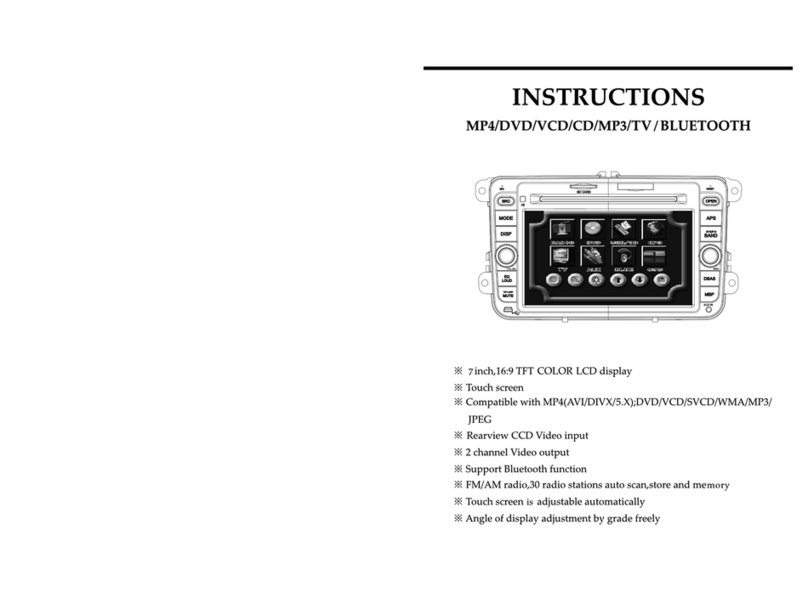
Protex Prosecutor 2000 AVE-8002 User manual

PROSECUTOR 2000
(4 inch LCD)
TRUNK MOUNTED UNIT
Operation Manual

CAUTION!
RISK OF ELECTRICAL SHOCK!
DO NOT OPEN!
CAUTION! TO PREVENT ELECTRIC SHOCK, DO NOT
REMOVE COVER. NO USER SERVICEABLE PARTS
INSIDE. REFER SERVICING TO QUALIFIED PERSONNEL.
COPYRIGHT © PROTEX INC. 1998-2000
Please Read
WARNING: TO REDUCE THE RISK OF FIRE OR ELECTRIC SHOCK,
DO NOT EXPOSE THIS APPLIANCE TO RAIN OR MOISTURE.
DANGEROUS HIGH VOLTAGE IS PRESENT INSIDE THE EN-
CLOSURE. DO NOT OPEN THE CABINET. REFER SERVIC-
ING TO QUALIFIED PERSONAL ONLY.
CAUTIONS: TO PREVENT ELECTRIC SHOCK, MATCH WIDE BLADE
OF PLUG TO WIDE SLOT, FULLY INSERT.
NOTE: This equipment has been tested and found to comply with the
limits for class A digital device, pursuant of part 15 of the FCC
Rules. These limits are designed reasonable protection against
harmful interference when the equipment is operated in a com-
mercial environment. This equipment generates, uses, and can
radiate radio frequency energy and, if not installed and used in
accordance with the instructions manual, may cause the harmful
interference to radio communications. Operations of this equip-
ment in a residential area is likely to cause harmful interference in
which case the user will be required to correct the interference at
his own expense.
USER-INSTALLER CAUTIONS: YOUR AUTHORITY TO OPERATE THIS FCC VERIFIED EQUIP-
MENT COULD BE VOIDED IF YOU MAKE CHANGES OR MODIFICATIONS NOT EXPRESSLY
APPROVED BY THIS PARTY RESPONSIBLE FOR COMPLIANCE TO PART 15 OF THE FCC
RULES.

3
Table of Contents
FOREWORD.......................................................................4
FEATURE & SPECIFICATION........................ .................... 5
INSTRUCTION IN BRIEF.................................................... 8
INSTALLATION.................................................................. 11
CONNECTIONS..................................................................14
BASIC OPERATIONS......................................................... 15
PROGRAMMING................................................................16
WARRANTY INFORMATION.............................................. 23

4
Foreword
We thank you for your purchase of the PROSECUTOR 2000 SYSTEM (Trunk Mounted Unit).
You have purchased a high quality system that will provide you with many years of trouble free
service.
Should you have any question about the system, or any problems, please call (800)- 482-9211
or fax (281)-443-9079. We service all components of the system in house as well as through our
ever-growing Dealer Base
This guide will provide the user with enough information to operate the PROSECUTOR 2000
properly and effectively. As you read through this guide, if you have any questions, ideas, or
suggestions about the system or the guide itself, please feel free to call us at your convenience.
Thank You
ProTex, Inc.
1617 East Richey Road.
Houston, Texas 77073-3512

5
Features & Specifications
CONTROL HEAD
CAMERA
WIRELESS MICRO-
PHONE
VIDEO RECORDER
VAULT
WIRING HARNESS
OPERATION MANUAL
Features
System Features
• Smallest Trunk VAULT Available
• 16 X optical Zoom Low Light Auto Focus Camera, 1.0 Lux, 8X Digital Zoom
• Easy to use over head controls
• Programmable Industrial Grade VCR with proprietary RS-232 Controller
• Environmentally Controlled VCR .
• Record activation by body transmitter control
• Backseat Microphone Included
• Record Over Protection
• Radar Gun Interface included as Standard Equipment
• On-screen Time and Date Stamp with Title
• Manual and Automatic Operation
• Camera Position can easily be adjusted via Windshield Bracket
• Backseat Camera available

6
Camera
• Model AVE-8002
• Hi-Resolution More than 450 TV Lines – Solid State
• Optics Lens - X16 Zoom (f=3.9-63mm)
• Min. Illuminance 1.0 Lux
• White Balance Auto/Preset/Manual
• Digital Zoom X8
• Operating Temp. 0 deg.C - 40 deg. C
• Power 12V(2V / 4W
• Dimension 2.65”W X 2.56”H X 4.4”D
• Regulation FCC – Class A
• Focus Auto/Near/Manual/Wide
• Back Light Compensation
Control Head
• 4 inch color TFT LCD monitor.
• Durable membrane switch with backlight.
• Both LCD monitor and switch backlight can be turned off for “quiet” operation.
• Audio volume control and LCD brightness control
• LED output indicating both audio and recording are functional.
• Constructed with 18 gauge steel. Dimension 11x6.25x3 inches.
Vault
• Constructed with 14-gauge steel, lockable and tamper resistant
• Dimensions: 11.5”W X 6.5”H X 16”D
• Bracket mounted in trunk
• Non-reflective black powder coated matte finish
• Tamper resistant locking door
• Environmentally Controlled
• Specialty Radar Interface ready
• Dual Microphone Capability (optional)
• Shielded antenna input
Features & Specifications

7
VCR
• Industrial grade VHS format Mobile recorder
• Operating Voltage 8.5V to 15V DC / 15W
• Operating Temp 0 to 40 (C (32 to 108 (F)
• Recording Method Dual-head
• Recording time 8 hour (with T-160 tape)
• FFW/REW Time < 5 minutes using T-120 tape.
• Horizontal Resolution > 250 lines
• On-screen display Time/date, Title, 3 indicators, tape time, VCR status, Radar
Gun Readout and programming menu when selected
• RS-232 interface to most Radar and Laser speed measuring devices
• Automatic search for the last recorded portion of tape before recording
• Recording can be started with Audio transmitter, Siren signal, or Light signal
• Recording can be activated with Overhead Controls
Audio Transmitter and Receiver
• Transmitter dimension 3.5” X 2.5” X 1”
• Lavaliere wireless microphone system made by Shure
• Frequencies in VHF range – currently 8
• Working range - 300ft
• Battery life – 18 to 20 hour with 9V alkaline battery
• Wind-screen and tie clip
• Holster – forward cantered; optional patent leather or basket weave
• Audio receiver mounted inside the vault
• Shielded antenna mounted on trunk– ¼ wave whip design
Wiring Harness
• Control cable 25-conductor shielded with DB-25 connector
• Power cable 16 gauge stranded – fused to battery
• Radar interface 2-conductor shielded with DB-9 connector (optional)
• Antenna Shielded 75 coax terminated via BNC to chassis of vault
Features & Specifications

8
Instructions in Brief
Control Head
1234
5
6
78
9
10
16
17
19
20
21
11
12
15
13
14
1. AUDIO ON
The Audio Light will be ON when the wire less micro-
phone is turned ON.
2. LOW TAPE
The Low Tape Light is the warning that the tape is about
to END.
3. OUT TAPE
The Out Tape light indicates that this is the end of the
tape.
4. RECORD
The Record light indicates that the VCR is in Recording
mode.
5. ZOOM IN
Press this button to Zoom In the image of the front cam-
era.
6. ZOOM OUT
Press this button to Zoom Out the image of the front
camera.
7. NEAR FOCUS
Press this button to focus the objects.
8. FAR FOCUS
Press this button to focus the objects.
9. STOP
Press this button to STOP the tape.
18
22
23
24

9
10. REWIND
Press this button to Rewind the tape while the VCR is
in the stop mode or Press in Play mode to do a reverse
picture search.
11. PLAY
Press this button to start the play back mode.
12. F.F.
Press this button to Fast Forward the tape while VCR
is in the stop mode or Press in Play mode to do a for-
ward picture search.
13. RECORD
Press this button to start the recording. The light on
the Record button (No. 4) will be on when the VCR is in
the record mode.
14. IR REMOTE SENSOR
Point the IR remote toward the sensor.
15. POWER
Press to turn the power on and off.
16. LCD DISPLAY
This Displays the live images of the camera or recorded
images off of the VCR.
17. SPEAKERS
Plays the live sound from the microphone or from the
VCR.
18. BRIGHTNESS
This controls the brightness of the LCD display.
19. VOLUME/ MONITOR CONTROL
Move this knob clockwise or counter clockwise to con-
trol the Speaker’s volume. You can also control the
LCD monitor and control head’s display light by this
knob.
20. CAMERA INPUT
Connect the front camera to this connector.
21. CONTROL
DB-25 connector for control head interfacing with vault.
22. INTERFACE
connector for interfacing with siren and white light bar.
23. LED
This LED will turn ON when the VCR receives the Record
and Audio signal from the control head. This will help
the officer determine the control head record status from
outside the vehicle.
24. BSET
You can select the front or rear camera/ microphone by
switching the BSET switch.
Vault
1. Antenna Connector
2. Power Connector
3. Rear Camera & microphone connector
4. DB-9 Connector for Radar Gun
5. Vault Control Connector
6. 3 Amp Circuit Breaker
2
13
6
45

10
IR Remote Control
POWER REC
PAUSE/
STILL SP/EP STOP
PLAY
REW F.F
TRACKING
POWER
Don’t use this button. The VCR power is controlled by
the internal microprocessor. The VCR will automati-
cally power up when 12VDC is applied to the VCR.
REC
Press these two (2) buttons simultaneously to manu-
ally start recording.
PAUSE/STILL
Press during recording to pause recording. Press dur-
ing the playback to freeze the picture.
Caution: If this button is held for 6 seconds then it will
master reset the VCR and clear all the programming to
factory default.
SP/EP
Don’t use this button. Recording speed can only be set
in the on screen programming mode.
STOP
Press this button to stop a running tape. Alternatively
press and hold that button for 3 to 5 seconds to access
the programming mode.
PLAY
Press this button to start the play back mode.
REW
Press to rewind the tape during the stop mode and to
reverse picture search in play back mode.
FAST FORWARD
Press to fast forward the tape during the stop mode,
and forward picture search in the play back mode. In
programming mode use this button to access the menu
selection.
TRACKING
Use (+) or (-) button to manually adjust the tracking of
the picture. In the programming mode use these but-
tons to move the cursor upward or downward.
Table of contents