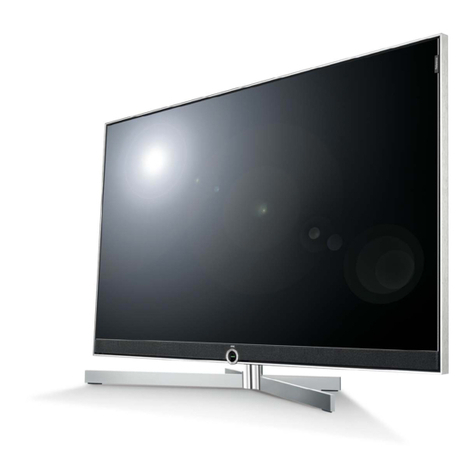
Premier TV-5098LED User manual

TV-5098LED
48 LED ANALOG TV / ISDB-T WITH AV STEREO
"


In case of smoke, strange noise or strange smell
from the unit:
Turn off the power switch immediately;
Disconnect the power plug from the power
outlet;
Contact your dealer or service centre. Never
attempt to make repairs yourself because this
could be dangerous.
High Voltage
Do not open
Risk of electronic shock, do not open.
Do not attempt to service this product yourself
as opening or removing covers may expose
you to dangerous voltage or other hazards.
Refer all servicing to qualified service personnel.
CAUTION
Important Safety Instructions
Important Safety Instructions and Maintenance
Never push objects of any kind into the set
through the cabinet slots as they may touch
dangerous voltage points or short-circuit parts that
could result in a fire or electric shock. Never spill
liquid of any kind on the set. Use special caution
in households where children are present. The
apparatus is not suitable for children under 3-year
to operate.
Power supply cords should be routed safety to
prevent life and property from dangerous with
damaged cord.
Mains plug is used as the disconnect device. It
shall remain readily operable and should not be
obstructed during intended use. To be completely
disconnected the apparatus from supply mains, the
mains plug of the apparatus shall be disconnected.
The apparatus shall be connected to a mains
socket outlet with a protective earthing connection.
To reduce the risk of fire or electric shock, do not
expose this product to rain or moisture.
The apparatus shall not be exposed to dripping
or splashing and no objects filled with liquids,
such as vases, shall be placed on the apparatus.
To avoid the fire, no naked flame source,
such as lighted candles, should be
placed on the apparatus.
1

Important Safety Instructions and Maintenance
Important Safety Instructions
Always turn the set off when it is not being used.
Unplug the apparatus from the AC outlet when it will
not be used for a long period of time. And when there
is a lightning, unplug the unit from the AC outlet
immediately. Never touch the antenna wire during
lightning.
An outside antenna system should not be located in
the vicinity of overhead power lines or other electric
light or power circuits, or where it can fall into such
power lines or circuits. When installing an outside
antenna system, extreme care shold be taken to keep
from touching such power lines or circuits as contact
with them might be fatal.
Installation
The ventilation should not be impeded by covering the
ventilation opening with items, such as newspapers,
tablecloths, curtains, etc.
At least 10 cm space should be left around the
apparatus for sufficient ventilation.
The product should be situated away from heat
sources such as radiators,heat registers, stoves, or
other products (including amplifiers) that produce heat.
Place the apparatus in such a position that the screen
is not exposed to direct sunlight. It is best to have soft
indirect lighting while watching and avoid complete
dark environment and reflection from the screen as
these may cause eye fatigue.
Keep the product away from high magnetic field (i.e.
power-amplified power speaker) to avoid affecting the
tint;
Do not pull the plug out by the wire;
Never touch the plug with wet hands.
Excessive sound pressure from earphones and
headphones can cause hearing loss.
2

Important Safety Instructions and Maintenance
Installation
Do not place this apparatus near water, for example,
near a bath tub, wash bowl, kitchen sink, or laundry
tub; in a wet basement; or a swimming pool; and
the like;
Cleaning
When the TV being moved in from cold place, it needs
some right time for dew inside unit evaporating fully
before turn on the unit;
Unplug this apparatus from the AC outlet before
cleaning. Do not use liquid cleaners or aerosol
cleaners. Use a damp cloth for cleaning;
Do not place the set on an unstable cart, stand, table
or shelf. The set may fall, causing serious personal
injury as well as damage to the product. Use only with
the cart, stand, tripod, bracket, or table specified by
the manufacturer, or sold with the apparatus. An
appliance and cart combination should be moved with
care. Quick stops, excessive force, and uneven
surfaces may cause the appliance and cart
combination to overturn.
To prevent injury, this apparatus must be securely
attached to the floor/wall in accordance with the
installation instructions.
Move
3

Welcome you to high quality image world our color LED TV brings you. We sincerely hope
the TV brings you the brand new visual and audio enjoyment.
This operating instructions can help you operate this TV set easily.
Read this manual before operating the unit for being familiar with its features and keep it for
future reference.
Welcome you to purchase our LED TV
Table of Contents
5
5
6
7
7
11
12
13
16
17
19
21
22
24
25
28
29
31
32
34
35
36
36
Introduction
Features.............................................................................................................................
Basic Functions..................................................................................................................
Specifications.....................................................................................................................
External Connection
Antenna connection...........................................................................................................
Stand and wall-mounted....................................................................................................
General Description
Overview of back panel.....................................................................................................
Overview of front panel.....................................................................................................
Overview of remote control...............................................................................................
Supporting Signals............................................................................................................
Basic Operations
Menu Operation...............................................................................................................
Menu system instruction
Picture..............................................................................................................................
Sound...............................................................................................................................
Function...........................................................................................................................
Time .................................................................................................................................
Option...............................................................................................................................
Lock..................................................................................................................................
Channel............................................................................................................................
Ginga...............................................................................................................................
Network Setting..............................................................................................................
Digital Media Player........................................................................................................
Reference
Troubleshooting...............................................................................................................
Picture defects and the reason........................................................................................
Accessories......................................................................................................................
4

5
Basic Functions
Features
Introduction
● TV adopts 48” TFT LED display screen.
● Low power consumption complied with energy saving Standard.
● Backlight adjustable protects your eyes, saves energy and extends the life time.
● HDMI port (official HDCP inside) with legal unlimited use.
● Embedded multimedia player (support MPEG,MKV).
● Dynamic gamma control always keeps clear imaging.
● Multi-language OSD.
● Auto tuning and fine tuning.
● Programmable Auto On/Off.
● Multi-language subtitle.
● Support USB2.0/HDMI 1.4.
● 1 antenna input.
● 1 cable input.
● 2 AV inputs.
● 1 Computer (PC) input.
● 3 HDMI inputs
● 3 stereo audio inputs (AV and VGA)
● 1 CVBS output.
● 1 stereo audio output.
● 2 USB inputs.
● 1 SPDIF output (coaxial).
● 1 YPbPr input.
5

6
Note:
1. Due to TV may be used with different display screen, weight marked in this
user's manual or in packaging box are subject to change without notice.
2. In case of any design change, a notice will not be released.
Introduction
Specifications
Display size
LCD panel resolution
Power supply
TV receive system
Frequency range
Video in
Antenna Input
Speaker output power
Power consumption
Standby consumption
Work Temperature
Model
Controller power
≥8 X2W
o o
0 C-40 C
≤1W
~110-240V, 50/60Hz
75 ohms, unbalanced
DC 3V
(Two AAA size batteries)
Digital: 7-69
Analog: Antenna: 2-69
Cable: 1-125
PAL/NTSC
Digital: ISDB-T
Analog: PAL-M/ PAL-N/
NTSC-M
48” Diagonal (max.)
1920X1080
110W
1100×90×652mm
13.2Kg
16.5Kg
1100×275×708mm
TV-5098LED
6

7
How to assemble the stand
If you need to remove or assemble the stand please read the following instructions.
- Before attaching/detaching the stand, make sure to turn off the TV.
- Before performing work, spread cushioning over the base area to lay the LED TV on.
This will prevent it from being damaged.
Antenna input impedance of this unit is 75ohm. VHF/UHF 75ohm coaxial cable can be
connected to the antenna jack directly, if the antenna cable is 300ohm parallel flat feeder
cable, you need to use the 300ohm/75ohm converter to connect the antenna cable to the
antenna jack. For details Please refer to the following drawing.
Use a 75ohm - 300ohm converter
300ohm coaxial cable
Antenna feeder
ANT IN
75ohm coaxial cable
Antenna cable
Antennas with 300 flat twins Leads Antennas with 75 Round Leads
Antenna connection
External Connection
Stand and wall-mounted
7

Assembling instruction
1) Assemble connection bracket, glass stand part and metallic gasket together as figure
1 shown, then fasten them with 4 self-tapping screws.
2) Fasten the assembled stand to TV set and fix correctly as figure 2 shown
Securing the TV Stand
Caution: Pulling, pushing, or climbing on the TV may cause the TV to fall. In particular,
ensure your children do not hang over or destabilize the TV; doing so may cause the TV
to tip over, causing serious injuries or death. Follow all safety precautions at the start of
this manual. For added stability, install the anti-fall device for safety purposes,
as follows.
B-ST4*30
B-M4*10
Figure 1
Screws(B-ST4*30)X4
8
External Connection
Stand and wall-mounted
Figure 2
Screws(B-M4*10)X5
8
Table of contents
Other Premier TV manuals

Premier
Premier TV-3704TFT User manual

Premier
Premier CTV-4016SR User manual

Premier
Premier CTV-3409SR User manual

Premier
Premier CTV-4190SR User manual

Premier
Premier TV-2509STPR Operating instructions

Premier
Premier TV-2966TFT User manual

Premier
Premier TV-5634SMDVBT2 User manual

Premier
Premier CTV-4558PL User manual

Premier
Premier CTV-5687SR User manual

Premier
Premier CTV-4558PL User manual